คู่มือและคำแนะนำการใช้งาน ALC
ALC specializes in DIY home security and monitoring solutions, including Wi-Fi cameras, video doorbells, and wireless security systems that require no monthly fees.
เกี่ยวกับคู่มือ ALC Manuals.plus
เอแอลซี, operating under the ALC Wireless brand (a division of Atoms Labs), is a provider of affordable, do-it-yourself home security and monitoring products. The company focuses on user-friendly technology that integrates seamlessly with smartphones and tablets, offering a robust lineup of devices such as 1080p Wi-Fi cameras, video doorbells, and complete wireless security systems.
Unlike many competitors, ALC emphasizes cost-effective security by offering local storage options via microSD cards and integration with personal cloud services like Google Drive and Dropbox, eliminating the need for mandatory monthly subscription fees. Their products are managed through dedicated mobile applications like ALC SightHD และ ALC Connect, allowing homeowners to view live feeds, receive real-time motion alerts, and communicate via two-way audio from anywhere in the world.
คู่มือ ALC
คู่มือล่าสุดจาก manuals+ คัดสรรมาเพื่อแบรนด์นี้
คู่มือเริ่มต้นใช้งานระบบความปลอดภัยไร้สาย ALC AHS613 ฉบับย่อ
คู่มือผู้ใช้กล้อง Wi-Fi HD ในร่ม/กลางแจ้ง ALC AWF61
คู่มือการใช้งานออดวิดีโอ ALC AWF71D
ALC AWF53 SightHD 1080p Full HD คู่มือผู้ใช้กล้องแพนและเอียง Wi-Fi กลางแจ้ง
ALC AWF08 SightHD Lite คู่มือการติดตั้งกล้องพาโนรามา WiFi ในร่ม
ALC AWF54 คู่มือผู้ใช้กล้อง Pan and Tilt Wi-Fi กลางแจ้ง
ขั้นตอนการอัพเกรดออดวิดีโอ ALC SightHD
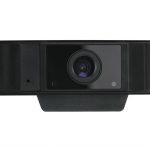
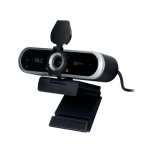
เอแอลซี AWC05 เอชดี Web คู่มือผู้ใช้กล้อง
เอแอลซี Web คู่มือผู้ใช้กล้อง AWC10
How to Setup an ALC SightHD Wi-Fi Camera on iPhone/iPad
AWF08 Setup Guide: ALC SightHD Lite for Android
ALC AWC10 2K Web Camera Quick Start Guide
คู่มือการใช้งานกล้องรักษาความปลอดภัยกลางแจ้งไร้สาย ALC AWSC25
คู่มือการตั้งค่า Android สำหรับ AWF08: เชื่อมต่อกล้อง ALC ของคุณกับ SightHD Lite
คู่มือการใช้งานกริ่งประตูวิดีโอ ALC AWF71D
คู่มือเริ่มต้นใช้งานด่วนกล้อง Wi-Fi กลางแจ้งแบบแพนและเอียง ALC AWF54
คู่มือการติดตั้งช่อง LED ALC-WL-B02
คู่มือผู้ใช้กล้องวงจรปิดไร้สาย ALC AWF23 ความละเอียด Full HD 1080p สำหรับใช้ภายในอาคาร ปรับมุมหมุนได้
ขั้นตอนการอัพเกรดเฟิร์มแวร์กริ่งประตูวิดีโอ ALC SightHD
คู่มือเริ่มต้นใช้งานอย่างรวดเร็วสำหรับกล้องวงจรปิด Wi-Fi กลางแจ้ง ALC AWF53 | ความละเอียด 1080p แบบแพน/เอียง พร้อมไซเรน
คู่มือผู้ใช้กล้องวงจรปิด Wi-Fi สำหรับใช้ภายในและภายนอกอาคาร ALC AWF61 ความละเอียด 1080p
คู่มือ ALC จากร้านค้าออนไลน์
ALC AHS613 Connect Wireless Security System Starter Kit User Manual
ALC AWF23 SightHD 1080p Full HD Pan and Tilt Indoor Wi-Fi Camera User Manual
คู่มือการใช้งานกล้องวงจรปิด Wi-Fi สำหรับใช้งานภายนอกอาคาร ALC AWF61 SightHD ความละเอียด Full HD 1080p
คู่มือการใช้งานเครื่องขัดพลาสติก ALC ขนาด 10 ปอนด์ ผสมเมลามีน
ALC3306 BGA Chipset User Manual
ALC support FAQ
คำถามที่พบบ่อยเกี่ยวกับคู่มือ การลงทะเบียน และการสนับสนุนสำหรับแบรนด์นี้
-
What mobile app do I use for ALC cameras?
Most ALC cameras utilize the ALC SightHD app, while their wireless security systems typically use the ALC Connect app. Both are available on iOS and Android.
-
What is the default password for ALC devices?
The default admin password for many ALC SightHD cameras is often '123456'. Users are prompted to change this security code during the initial setup.
-
Does ALC require a monthly subscription fee?
No, most ALC products are designed to be fee-free. They record video directly to a microSD card or allow uploads to personal cloud accounts like Google Drive or Dropbox without charging a monthly service fee.
-
How do I reset my ALC Video Doorbell?
Press and hold the reset button located on the back of the device for approximately 10 seconds until the LED light begins to flash rapidly.
-
Where can I find support for Atoms Labs / ALC products?
Technical support and product documentation can be found at www.ALCWireless.com/support.