การแนะนำ
This manual provides instructions for the proper setup, operation, and maintenance of your Black Box USB to Serial Cable, model IC199A-R3. This cable is designed to facilitate communication between devices with a DB9 serial port and computers equipped with a USB Type-A port. Please read this manual thoroughly before using the product to ensure optimal performance and longevity.
สินค้าเกินview
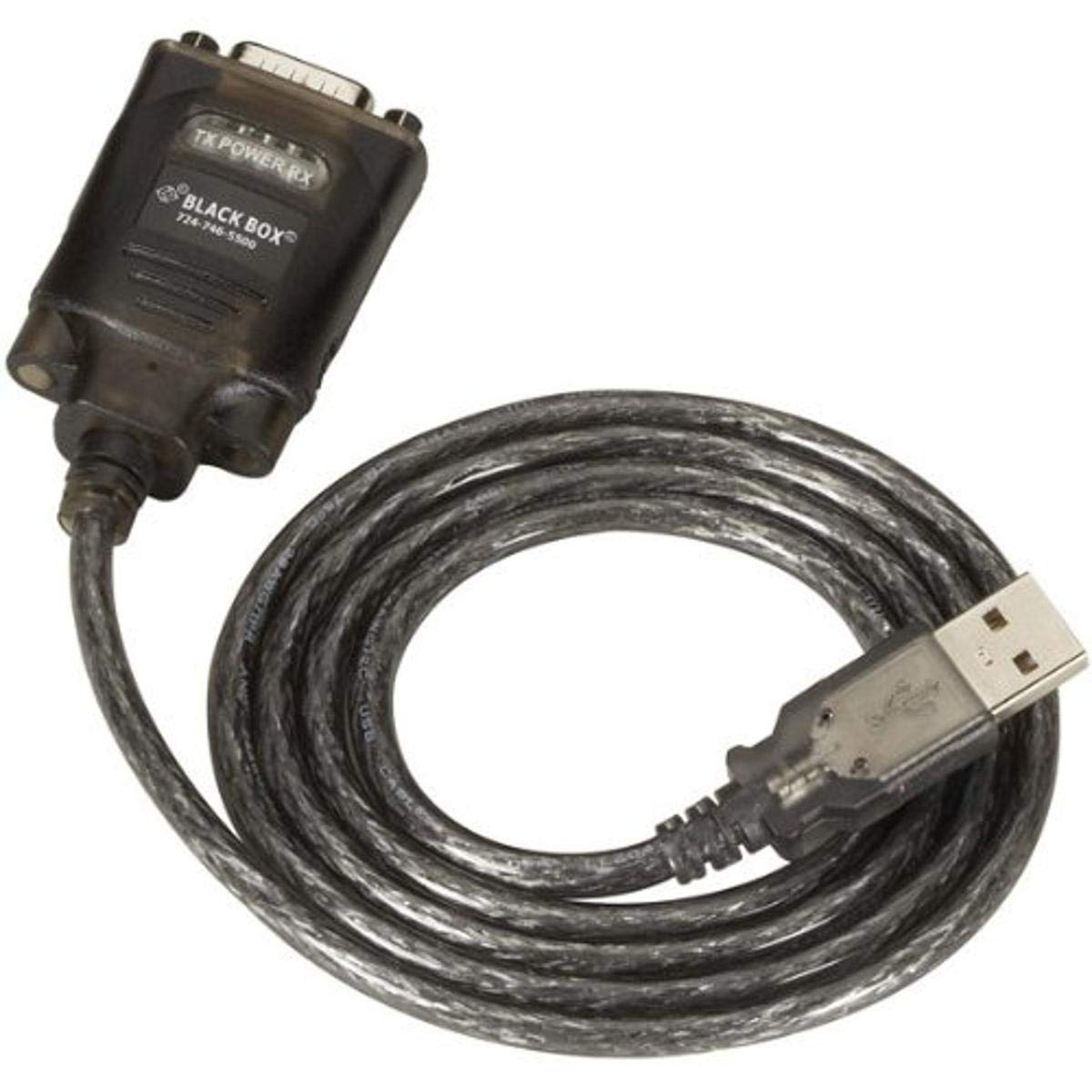
Figure 1: Black Box USB to DB9 Serial Cable (IC199A-R3)
This image displays the Black Box USB to DB9 Serial Cable, featuring a USB Type-A male connector on one end and a DB9 male serial connector on the other. The cable is black and designed for connecting serial devices to a computer's USB port.
The Black Box IC199A-R3 is a reliable solution for connecting legacy serial devices, such as modems, to modern computers that typically lack dedicated serial ports. Its robust design ensures stable data transmission.
คำแนะนำการตั้งค่า
- ระบุตัวเชื่อมต่อ: Locate the USB Type-A male connector and the DB9 male serial connector on the cable.
- เชื่อมต่อกับคอมพิวเตอร์: Insert the USB Type-A male connector into an available USB port on your computer.
- Connect to Serial Device: Connect the DB9 male serial connector to the DB9 female port on your serial device (e.g., modem). Ensure a secure connection.
- การติดตั้งไดร์เวอร์: In most modern operating systems (Windows 10/11, macOS, Linux), the necessary drivers should install automatically upon connection. If the device is not recognized, you may need to manually install drivers. Refer to your operating system's documentation or the Black Box support website for driver downloads if required.
- ตรวจสอบการเชื่อมต่อ: After connecting, check your computer's Device Manager (Windows) or System Information (macOS/Linux) to confirm that the USB to Serial adapter is recognized and functioning correctly. It typically appears as a "USB Serial Port" or similar entry.
คำแนะนำการใช้งาน
Once the Black Box IC199A-R3 cable is properly installed and recognized by your computer, it functions as a standard serial port.
- การกำหนดค่าซอฟต์แวร์: Open the serial communication software or application you intend to use (e.g., HyperTerminal, PuTTY, minicom, or specific device configuration software).
- เลือกพอร์ต COM: Within your software, select the virtual COM port assigned to the USB to Serial adapter. This port number can usually be found in your computer's Device Manager (under "Ports (COM & LPT)").
- กำหนดค่าการตั้งค่าอนุกรม: Set the appropriate serial communication parameters (baud rate, data bits, parity, stop bits, flow control) to match the requirements of your connected serial device. Refer to the documentation of your serial device for these settings.
- เริ่มต้นการสื่อสาร: Once configured, you can initiate data transfer or communication with your serial device through the software.
การซ่อมบำรุง
To ensure the longevity and reliable performance of your Black Box USB to Serial Cable, follow these simple maintenance guidelines:
- พื้นที่จัดเก็บ: Store the cable in a cool, dry place away from direct sunlight and extreme temperatures when not in use.
- การจัดการ: Avoid bending or kinking the cable sharply, especially near the connectors, as this can damage internal wires.
- การทำความสะอาด: หากจำเป็น ให้เช็ดสายเคเบิลและขั้วต่อเบาๆ ด้วยผ้าแห้งเนื้อนุ่มที่ไม่เป็นขุย ห้ามใช้น้ำยาทำความสะอาดหรือตัวทำละลาย
- การเชื่อมต่อ / การตัดการเชื่อมต่อ: จับที่ขั้วต่อเสมอเมื่อเสียบหรือถอดสายเคเบิล แทนที่จะดึงที่สายเคเบิลโดยตรง
การแก้ไขปัญหา
If you encounter issues with your Black Box USB to Serial Cable, consider the following troubleshooting steps:
- ไม่พบสายเคเบิล:
- ตรวจสอบให้แน่ใจว่าเสียบหัวต่อ USB เข้ากับพอร์ต USB ของคอมพิวเตอร์จนสุดแล้ว
- ลองใช้พอร์ต USB อื่นบนคอมพิวเตอร์ของคุณ
- รีสตาร์ทเครื่องคอมพิวเตอร์ของคุณ
- Check Device Manager (Windows) or System Information (macOS/Linux) for any error messages or unrecognized devices. Reinstall drivers if necessary.
- No Communication with Serial Device:
- Verify that the DB9 connector is securely attached to your serial device.
- Confirm that the correct COM port is selected in your serial communication software.
- Double-check that the serial communication parameters (baud rate, data bits, parity, stop bits, flow control) in your software match those of your serial device.
- Ensure the serial device itself is powered on and functioning correctly.
- Try using a different serial communication software to rule out software-specific issues.
- การเชื่อมต่อไม่ต่อเนื่อง:
- ตรวจสอบสายเคเบิลว่ามีร่องรอยความเสียหายหรือสายไฟชำรุดหรือไม่
- ตรวจสอบให้แน่ใจว่าการเชื่อมต่อทั้งหมดแน่นหนาและไม่หลวม
- ควรหลีกเลี่ยงการวางสายเคเบิลไว้ใกล้แหล่งกำเนิดสัญญาณรบกวนทางแม่เหล็กไฟฟ้าที่รุนแรง
ข้อมูลจำเพาะ
| ยี่ห้อ | กล่องดำ |
| หมายเลขรุ่น | ไอซี199A-R3 |
| ประเภทขั้วต่อ (คอมพิวเตอร์) | USB Type A ชาย |
| Connector Type (Device) | DB9 Male Serial |
| ประเภทสายเคเบิล | USB เป็น Serial |
| อุปกรณ์ที่รองรับ | โมเด็ม |
| คุณสมบัติพิเศษ | ยุ่งเหยิงฟรี |
| สี | สีดำ |
| จำนวนพิน | 9 (on DB9 connector) |
| น้ำหนักสินค้า | 0.24 ปอนด์ (ประมาณ 3.84 ออนซ์) |
| ขนาดสินค้า (บรรจุภัณฑ์) | 6.75 x 1.5 x 4 นิ้ว |
| ผู้ผลิต | BLACK BOX CORPORATION |
การรับประกันและการสนับสนุน
For information regarding warranty coverage, technical support, or to download the latest drivers, please visit the official Black Box webหรือติดต่อฝ่ายบริการลูกค้า เก็บใบเสร็จรับเงินไว้เพื่อใช้ในการเคลมประกัน