📘 คู่มือ Trudian • PDF ออนไลน์ฟรี
โลโก้ของทรูเดียน

คู่มือและคู่มือผู้ใช้ Trudian

Trudian specializes in smart community and security solutions, manufacturing advanced access control systems, smart locks, video intercoms, and PoE switches.

เคล็ดลับ: ระบุหมายเลขรุ่นเต็มที่พิมพ์บนฉลาก Trudian ของคุณเพื่อให้ตรงกันมากที่สุด

เกี่ยวกับคู่มือ Trudian Manuals.plus

ทรูเดียน (Guangdong Trudian Technology Co., Ltd.) is a leading provider of smart community and home security hardware. The company specializes in developing integrated access control ecosystems that combine robust hardware with intelligent software management.

กลุ่มผลิตภัณฑ์หลัก ได้แก่:

  • สมาร์ทล็อค: Biometric solutions utilizing fingerprint, palm vein, and facial recognition technology.
  • การควบคุมการเข้าถึง: Standalone terminals and networked Wiegand controllers for secure building entry.
  • Video Intercoms: IP and 2-wire master stations and outdoor units for visitor management.
  • อุปกรณ์เครือข่าย: Industrial PoE and non-PoE switches designed for security surveillance networks.

Trudian emphasizes user-friendly experiences, with many devices supporting the Tuya Smart app for remote unlocking, monitoring, and dynamic password generation.

คู่มือทรูเดียน

คู่มือล่าสุดจาก manuals+ คัดสรรมาเพื่อแบรนด์นี้

คู่มือผู้ใช้เครื่องควบคุมการเข้าถึง Trudian TD-12MAK

25 เมษายน 2025
เครื่องควบคุมการเข้า-ออก Trudian TD-12MAK ฟังก์ชันและพารามิเตอร์ทางเทคนิคของผลิตภัณฑ์ อุปกรณ์นี้เป็นอุปกรณ์ควบคุมการเข้า-ออกแบบสแตนด์อโลน (ออลอินวัน) ที่ใช้การ์ดสัมผัสและรหัสผ่านแบบไร้สัมผัสเพื่อการจัดการการเข้า-ออก มัน...

คู่มือผู้ใช้ระบบควบคุมการเข้าถึง Wiegand ของ Trudian TD-8701

25 เมษายน 2025
ผลิตภัณฑ์ตัวควบคุมการเข้าถึง Wiegand ของ Trudian TD-8701view พารามิเตอร์: อินพุต DC12V/500MA โหมดการทำงานแบบเครือข่าย เลือกโหมดออฟไลน์ได้หลายโหมด แพลตฟอร์มการจัดการโหมดการออกบัตร ความจุบัตร 40000 รหัสผ่าน…

คู่มือผู้ใช้ Trudian TD-Q5-B Palm Vein Smart Lock

11 มีนาคม 2025
ข้อมูลจำเพาะของ Trudian TD-Q5-B Palm Vein Smart Lock โหมดเปรียบเทียบ: 1N โหมดเซ็นเซอร์ลายนิ้วมือ: เซ็นเซอร์ลายนิ้วมือแบบสัมผัสแบบ capacitive ที่เรียนรู้ด้วยตนเอง ความละเอียดเซ็นเซอร์ลายนิ้วมือ: 508dpi อัตราการปฏิเสธที่ผิดพลาด: 0.1% อัตราการรู้จำที่ผิดพลาด: 0.001…

คู่มือการใช้งานลูกบิดล็อค Trudian TD-X2-B พร้อมลายนิ้วมือ

21 พฤศจิกายน 2024
ลูกบิดล็อค Trudian TD-X2-B พร้อมลายนิ้วมือview คู่มือการติดตั้ง ตรวจสอบขนาดของประตู วัดเพื่อยืนยันว่าความหนาของประตูอยู่ระหว่าง 1-3/8 นิ้ว ถึง 2-1/8 นิ้ว (35~54 มม.) วัดเพื่อยืนยันว่า…

คู่มือผู้ใช้ Trudian Master Station วิดีโออินเตอร์คอม

13 พฤศจิกายน 2024
ข้อมูลจำเพาะผลิตภัณฑ์วิดีโออินเตอร์คอม Trudian Master Station: ขนาดรูปลักษณ์: 220*190*65 มม. วัสดุ: โลหะผสมอลูมิเนียมและพลาสติก ABS หน้าจอ: หน้าจอ MIPI 8 นิ้ว หน้าจอสัมผัส 1280x800 ความละเอียด การใช้งานอินพุต: ลำโพงและไมโครโฟน เสียง…

คู่มือผู้ใช้ Trudian Palm Vein Smart Lock

24 ตุลาคม 2024
Trudian Palm Vein Smart Lock พารามิเตอร์ คำอธิบาย หมายเลข พารามิเตอร์ เฉพาะ 1 โหมดการเปรียบเทียบ 1:N 2 โหมดเซ็นเซอร์ลายนิ้วมือ เซ็นเซอร์ลายนิ้วมือแบบสัมผัสความจุการเรียนรู้ด้วยตนเอง 3 ความละเอียดเซ็นเซอร์ลายนิ้วมือ 508dpi 4 เท็จ…

คู่มือผู้ใช้ชุดวิดีโออินเตอร์คอมอนาล็อก 3 สาย Trudian TD-D36R4

วันที่ 24 กันยายน 2024
คู่มือผู้ใช้ชุดวิดีโออินเตอร์คอมแบบอนาล็อก 4 สาย Trudian TD-D3R36 แผนผังการติดตั้ง การติดตั้งสายไฟ ควรติดตั้งวิดีโออินเตอร์คอมที่ความสูง 1.4 ถึง 1.7 เมตรเหนือ...

คู่มือผู้ใช้ระบบวิดีโออินเตอร์คอมอาคารอัจฉริยะ Trudian TD-R39

24 กรกฎาคม 2024
ข้อมูลจำเพาะระบบวิดีโออินเตอร์คอมอาคารอัจฉริยะดิจิทัล Trudian TD-R39 ผลิตภัณฑ์: ระบบวิดีโออินเตอร์คอมอาคารอัจฉริยะดิจิทัล ระบบ: ระบบ Linux การใช้งาน: สถานีกลางแจ้ง คำแนะนำการใช้งานผลิตภัณฑ์ วิดีโออินเตอร์คอม ผู้เยี่ยมชมสามารถเข้าสู่…

คู่มือผู้ใช้เครื่องอ่านควบคุมการเข้าถึง Trudian 26 Wiegand

15 กรกฎาคม 2024
Trudian 26 Wiegand Access Control Reader ข้อมูลผลิตภัณฑ์tage: DC12V ระยะการปัด: 0~4CM กระแสไฟฟ้าขณะทำงาน: [ใส่ค่า] ประเภทการอ่านการ์ด: การ์ด IC โหมดการสื่อสาร: Wegen 26 / Wegen…

คู่มือผู้ใช้ระบบวิดีโออินเตอร์คอมอาคารอัจฉริยะ Trudian TD-D32A

13 กรกฎาคม 2024
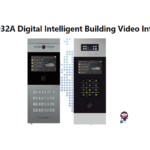
Trudian TD-D32A ระบบวิดีโออินเตอร์คอมสำหรับอาคารอัจฉริยะแบบดิจิทัล ข้อมูลจำเพาะ ผลิตภัณฑ์: ระบบวิดีโออินเตอร์คอมสำหรับอาคารอัจฉริยะแบบดิจิทัล ระบบปฏิบัติการ: Linux คำแนะนำการใช้งานผลิตภัณฑ์ สถานีกลางแจ้ง วิดีโออินเตอร์คอม การโทรหาจอภาพภายใน…

Trudian TD-IS3216GF Industrial Ethernet Switch Quick Start Guide

คู่มือเริ่มต้นอย่างรวดเร็ว
Quick start guide and technical specifications for the Trudian TD-IS3216GF 18-port full Gigabit unmanaged industrial Ethernet switch, featuring DIN-rail installation and wide temperature operation.

Trudian TD-P3324 and TD-P3316 POE Switch Quick Start Guide

คู่มือเริ่มต้นอย่างรวดเร็ว
Quick start guide and technical specifications for the Trudian TD-P3324 and TD-P3316 unmanaged AI POE switches, featuring 10/100M electrical ports and Gigabit uplink for high-density network environments.

2-Wire IP Video Intercom Kit User Manual

คู่มือ
Comprehensive user manual for the 2-Wire IP Video Intercom Kit, covering installation, wiring, indoor monitor operation, and Tuya App remote control setup.

Wiegand Access Control Reader User Manual - Trudian

คู่มือการใช้งาน
Comprehensive user manual for the Trudian Wiegand Access Control Reader, detailing product specifications, installation procedures, and wiring instructions for secure access control systems.

2-Wire IP Video Intercom Kit User Manual - Trudian

คู่มือการใช้งาน
Comprehensive user manual for the Trudian 2-Wire IP Video Intercom Kit, covering installation, indoor monitor operation, system settings, Tuya app remote control, and troubleshooting. Includes model numbers TD-D5R36W and TD-D6ICR36W.

คู่มือ Trudian จากผู้ค้าปลีกออนไลน์

คู่มือผู้ใช้ระบบอินเตอร์คอมวิดีโอประตู Tuya 2 สาย LCD 10 นิ้ว

AN-D41AR85M • 5 ตุลาคม 2025
คู่มือผู้ใช้ที่ครอบคลุมสำหรับระบบอินเตอร์คอมวิดีโอออด Tuya 2 สาย LCD 10 นิ้ว รวมถึงการตั้งค่า การใช้งาน การบำรุงรักษา และข้อมูลจำเพาะ

วิดีโอแนะนำ Trudian

รับชมวิดีโอการตั้งค่า การติดตั้ง และการแก้ไขปัญหาสำหรับแบรนด์นี้

Trudian support FAQ

คำถามที่พบบ่อยเกี่ยวกับคู่มือ การลงทะเบียน และการสนับสนุนสำหรับแบรนด์นี้

  • How do I reset my Trudian smart lock to factory settings?

    Typically, you can reset a Trudian smart lock by pressing and holding the setting key (often located on the rear panel or battery compartment) for about 5 seconds. Follow the voice prompts to confirm the reset. This will clear all user data and restore the default administrator password.

  • What app does the Trudian video intercom system use?

    Many Trudian video intercoms and smart locks are compatible with the Tuya Smart app. Users can download the app, connect their device via 2.4GHz Wi-Fi, and use it for remote unlocking, monitoring, and receiving visitor notifications.

  • How do I add a new user card to the Trudian access control terminal?

    To add a user card, enter the programming mode (default code is often *#88888888# or similar), then enter the command for adding a user (e.g., press '1'), and swipe the new card. Refer to your specific model's manual for exact programming codes.

  • What should I do if my Trudian smart lock battery is low?

    When the battery is below 25%, the lock will issue a 'Low Battery' voice prompt. You should replace the batteries immediately. In an emergency, most models feature a Micro-USB or USB-C port for external emergency power supply to unlock the door temporarily.