📘 คู่มือ EasyLog • ไฟล์ PDF ออนไลน์ฟรี
โลโก้ EasyLog

คู่มือและคำแนะนำการใช้งาน EasyLog

EasyLog by Lascar Electronics harnesses the power of IoT to offer compact USB and wireless cloud-connected data loggers for temperature, humidity, and air quality.

คำแนะนำ: โปรดระบุหมายเลขรุ่นทั้งหมดที่พิมพ์อยู่บนฉลาก EasyLog เพื่อให้ได้ข้อมูลที่ตรงกันมากที่สุด

เกี่ยวกับคู่มือ EasyLog Manuals.plus

EasyLog, manufactured by Lascar Electronics, specializes in innovative data logging solutions that leverage the power of the Internet of Things (IoT). Their versatile product range includes simple low-cost USB loggers, advanced graphical data loggers, wireless WiFi data logging sensors, and robust cloud-based monitoring systems. EasyLog devices are designed to automate the recording and monitoring of crucial environmental parameters such as temperature, humidity, and indoor air quality.

With intuitive features such as instant notifications, secure 24/7 cloud storage access from any internet-connected device, and scalable systems managed via the EasyLog App, these monitoring tools cater to both compact user setups and worldwide corporate solutions. EasyLog data can be seamlessly integrated into business workflows, ensuring compliance with strict industry standards like 21 CFR Part 11 requirements.

คู่มือการใช้งาน EasyLog

คู่มือล่าสุดจาก manuals+ คัดสรรมาเพื่อแบรนด์นี้

คู่มือผู้ใช้เครื่องตรวจสอบคุณภาพอากาศภายในอาคารแบบไร้สาย EasyLog EL-WEM

วันที่ 24 ธันวาคม 2022
คู่มือการใช้งานเครื่องตรวจวัดคุณภาพอากาศภายในอาคารไร้สาย EasyLog EL-WEM คำแนะนำการใช้งาน การวัดคุณภาพอากาศด้วย EL-WEM การเชื่อมต่อ EL-WEM กับระบบคลาวด์ การเชื่อมต่ออุปกรณ์ของคุณกับ EasyLog Cloud…

EasyLog Lascar EL-USB-ACT คู่มือการใช้งานเครื่องบันทึกข้อมูล

9 มีนาคม 2022
เครื่องบันทึกข้อมูล EasyLog Lascar EL-USB-ACT ทำความรู้จักกับเครื่องบันทึกข้อมูลของคุณ ติดตั้งแบตเตอรี่ เครื่อง EL-USB-ACT มาพร้อมกับแบตเตอรี่ AA สองก้อนที่ติดตั้งไว้แล้ว ในการเริ่มต้นใช้งาน ต้องดึงแถบแบตเตอรี่ออก...

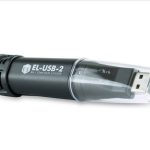
EasyLog EL-USB คู่มือผู้ใช้การบันทึกข้อมูลต้นทุนต่ำอย่างง่าย

9 มีนาคม 2022
คู่มือเริ่มต้นใช้งาน EL-USB ฉบับย่อ ดาวน์โหลดและติดตั้งซอฟต์แวร์ Windows™ 7/8/10 (32 และ 64 บิต) เยี่ยมชม www.lascarelectronics.com/software และคลิก 'ดาวน์โหลด' การใช้งานซอฟต์แวร์ เสียบเครื่องบันทึกข้อมูลเข้ากับพอร์ต USB ที่ว่างอยู่…

EasyLog EL-IOT Wireless Cloud-Connected Data Logger คู่มือผู้ใช้

20 พฤศจิกายน 2021
คู่มือผู้ใช้เครื่องบันทึกข้อมูลไร้สายแบบเชื่อมต่อกับระบบคลาวด์ EasyLog EL-IOT การตั้งค่าบัญชีคลาวด์ ในการเริ่มต้นตั้งค่า EL-IOT คุณต้องมีบัญชี EasyLog Cloud ก่อน ไปที่ easylogcloud.com แล้วคลิก…

EasyLog WiFi Data Logging Sensor 21CFR คู่มือผู้ใช้

13 พฤศจิกายน 2021
คู่มือผู้ใช้เซ็นเซอร์บันทึกข้อมูล WiFi EasyLog 21CFR 5 ขั้นตอนง่ายๆ ในการเริ่มต้นใช้งานเซ็นเซอร์ WiFi EasyLog ของคุณ ชาร์จเซ็นเซอร์ เซ็นเซอร์จะถูกชาร์จมาบางส่วนแล้ว แต่สำหรับ…

คู่มือผู้ใช้ LASCAR EasyLog EL-WiFi-TPX+ เครื่องบันทึกข้อมูล

วันที่ 27 ธันวาคม 2021
คู่มือผู้ใช้เครื่องบันทึกข้อมูล LASCAR EasyLog EL-WiFi-TPX+ คุณสมบัติ ช่วงการวัดอุณหภูมิ -40 ถึง +125 °C (-40 ถึง +257 °F) ระดับการแจ้งเตือนที่ตั้งค่าได้ พร้อมไฟเตือนและเสียงเตือนในตัว ปรับเทียบค่าแบบดิจิทัลได้…

คู่มือผู้ใช้เครื่องบันทึกข้อมูล LASCAR EL-WiFi-DULT

วันที่ 27 ธันวาคม 2021
เครื่องบันทึกข้อมูล LASCAR EL-WiFi-DULT แบบสองช่องสัญญาณ สำหรับอุณหภูมิต่ำมาก (Ultra Low Temperature Cryogenic Vaccine) ช่วงการวัด -100 ถึง +100°C (-148 ถึง +212°F) หัววัดแบบ T-type บนสายเคเบิลยาว 1 เมตร บันทึกข้อมูลแบบสองช่องสัญญาณ…

EasyLog Data Loggers: Quick Start Guide and Product Overview

คู่มือเริ่มต้นอย่างรวดเร็ว
Get started with EasyLog data loggers from Lascar. This guide covers setup, software usage, battery replacement, and an overview of the EL-USB, EL-CC, EL-GFX, EL-WiFi, and EL-MOTE product ranges, along…

คู่มือคำถามที่พบบ่อยเกี่ยวกับเซ็นเซอร์ WiFi EasyLog

แนะนำ
คู่มือคำถามที่พบบ่อย (FAQ) ฉบับสมบูรณ์สำหรับเซ็นเซอร์บันทึกข้อมูล WiFi EasyLog ครอบคลุมหัวข้อต่างๆ เช่น อายุการใช้งานแบตเตอรี่ พื้นที่จัดเก็บ การชาร์จ การตั้งค่าเซิร์ฟเวอร์คลาวด์ การลบซอฟต์แวร์ การเข้ารหัส WEP และข้อมูลจำเพาะโดยละเอียด

EasyLog support FAQ

คำถามที่พบบ่อยเกี่ยวกับคู่มือ การลงทะเบียน และการสนับสนุนสำหรับแบรนด์นี้

  • How do I set up my EasyLog USB data logger?

    Insert the data logger into an available USB port, install the EasyLog USB software from Lascar Electronics' website onto your PC, and double-click the desktop icon to run the setup wizard before logging.

  • Where can I download the EasyLog software?

    You can download the latest version of the EasyLog USB and Cloud software directly from the Lascar Electronics website under their software section at www.lascarelectronics.com/software.

  • How do I connect my EasyLog EL-IOT to the Cloud?

    First, sign up for an account at easylogcloud.com. Download the EasyLog Cloud App on your mobile device, select 'Setup Device' from the menu, and follow the on-screen instructions to connect your logger to your WiFi network.

  • What does a flashing signal icon mean on my WiFi sensor?

    A flashing signal icon indicates that the EasyLog sensor is attempting to communicate with your WiFi network. Once the icon is solid, the sensor is successfully communicating with the network.