📘 คู่มือการใช้งาน DisplayLink • ไฟล์ PDF ออนไลน์ฟรี
DisplayLink logo

คู่มือการใช้งานและคำแนะนำผู้ใช้ DisplayLink

DisplayLink is a universal graphics technology by Synaptics that enables multi-monitor connectivity and docking solutions via USB for Windows, macOS, Chrome OS, and Android devices.

คำแนะนำ: โปรดระบุหมายเลขรุ่นทั้งหมดที่พิมพ์อยู่บนฉลาก DisplayLink เพื่อให้ได้ข้อมูลที่ตรงกันมากที่สุด

เกี่ยวกับคู่มือ DisplayLink บน Manuals.plus

DisplayLink, a technology brand owned by Synaptics, specializes in USB graphics solutions that connect computers and displays using standard interfaces like USB, Ethernet, and Wi-Fi.

This technology is widely integrated into universal docking stations, video adapters, and monitors from various manufacturers, allowing users to effortlessly extend their desktops and connect peripherals regardless of the host device's make or model. DisplayLink is particularly renowned for enabling multiple external displays on computers with limited native video support, such as Apple M-series MacBooks. The core software driver acts as a virtual graphics card, compressing and transmitting video data to offer high-resolution productivity setups.

คู่มือการใช้งาน DisplayLink

คู่มือล่าสุดจาก manuals+ คัดสรรมาเพื่อแบรนด์นี้

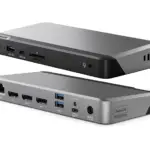
คู่มือการใช้งาน DisplayLink PN 27263 USB-C Triple DisplayDock 4K

28 ตุลาคม 2024
ข้อมูลผลิตภัณฑ์และรายละเอียดทางเทคนิคของ DisplayLink PN 27263 USB-C Triple DisplayDock 4K: ชื่อผลิตภัณฑ์: LMP USB-C Triple-DisplayDock 4K หมายเลขรุ่น: P/N 27263 พอร์ต: พอร์ต HDMI 2.0 สองพอร์ตที่มีเครื่องหมาย "DisplayLink" ความละเอียด: สูงสุด…

คู่มือการใช้งานสถานีเชื่อมต่อ DisplayLink พร้อมอะแดปเตอร์แปลงไฟ 150W

15 มกราคม 2024
คู่มือการใช้งานสถานีเชื่อมต่อ DisplayLink พร้อมอะแดปเตอร์ไฟ 150W วิธีติดตั้งไดรเวอร์ Display Link สำหรับ Windows! ไปที่ webไปที่หน้าเว็บแล้วคลิกที่หน้าดาวน์โหลดที่ด้านบน...

คู่มือการติดตั้ง DisplayLink Docking Station Triple Monitor

14 มกราคม 2024
คู่มือการติดตั้งไดรเวอร์ DisplayLink Docking Station Triple Monitor Displaylink ก่อนใช้งานโทรศัพท์มือถือ คอมพิวเตอร์ Windows และ Mac คุณต้องไปที่เจ้าหน้าที่ของ DisplayLink webเว็บไซต์สำหรับติดตั้งอุปกรณ์ที่เกี่ยวข้อง…

คู่มือผู้ใช้แอปตัวจัดการ DisplayLink

14 มกราคม 2024
ข้อมูลผลิตภัณฑ์แอป DisplayLink Manager แอป DisplayLink Manager เป็นซอฟต์แวร์ที่ช่วยให้คุณเชื่อมต่อและจัดการจอภาพภายนอกกับอุปกรณ์ของคุณ โดยมีไอคอนบนแถบเมนู…

คู่มือผู้ใช้ซอฟต์แวร์กราฟิก DisplayLink USB

10 พฤษภาคม 2023
คู่มือผู้ใช้ซอฟต์แวร์ Display Link USB Graphics โปรดดูที่ https://www.displaylink.com/downloads เพื่อดาวน์โหลด/อัปเดตไดรเวอร์ก่อนใช้งาน เลือก "INDIVIDUAL INSTALLERS" หรือ "CORPORATE INSTALLERS" >> "Windows" หรือ "MacOS" เปิดและดาวน์โหลด Display Link USB…

ไดรเวอร์ ALOGIC DisplayLink บน MacOS เวอร์ชัน 12 คู่มือการใช้งาน

วันที่ 26 ธันวาคม 2022
คู่มือการใช้งานไดรเวอร์ DisplayLink บน MacOS เวอร์ชัน 12 หมายเหตุทางเทคนิค การติดตั้งไดรเวอร์ DisplayLink บน MacOS เวอร์ชัน 12 (Monterey) ผลิตภัณฑ์ที่ได้รับผลกระทบ สถานีเชื่อมต่อแบบ DisplayLink…

Totu Display Device Drivers สำหรับ Windows และ Mac

7 เมษายน 2021
ผลิตภัณฑ์ใดบ้างที่ต้องใช้ไดรเวอร์ DisplayLink จึงจะทำงานได้? ขณะนี้เราใช้ชิปเซ็ตกราฟิก USB DisplayLink ในผลิตภัณฑ์อะแดปเตอร์กราฟิก USB 2.0 และ 3.0 และแท่นวางทั้งหมดของเรา...

วิธีใช้แอป DisplayLink Manager บน macOS - คู่มือการติดตั้งและตั้งค่า

คู่มือการใช้งาน
คู่มือฉบับสมบูรณ์เกี่ยวกับการติดตั้ง การกำหนดค่า และการใช้งานแอปพลิเคชัน DisplayLink Manager บน macOS รวมถึงการตั้งค่าสำหรับการเริ่มต้นอัตโนมัติ การแจ้งเตือน และสิทธิ์ในการบันทึกหน้าจอ เรียนรู้เกี่ยวกับการเข้าสู่ระบบ…

การแก้ไขปัญหา DisplayLink ด้วย macOS Ventura: การบันทึกหน้าจอ รายการการเข้าสู่ระบบ และปัญหาการติดตั้ง

คู่มือการแก้ไขปัญหา
คู่มือครอบคลุมในการแก้ไขปัญหาทั่วไปที่พบเมื่อใช้ซอฟต์แวร์ DisplayLink กับ macOS Ventura ครอบคลุมถึงการอนุญาตการบันทึกหน้าจอ การจัดการรายการเข้าสู่ระบบ และความล้มเหลวในการติดตั้ง

ซอฟต์แวร์กราฟิก USB DisplayLink: คู่มือการดาวน์โหลดและการติดตั้ง

คู่มือการติดตั้ง
คู่มือฉบับสมบูรณ์สำหรับการดาวน์โหลดและติดตั้งซอฟต์แวร์กราฟิก USB DisplayLink สำหรับทั้ง Windows และ macOS ประกอบด้วยขั้นตอนการอัปเดตไดรเวอร์ คำแนะนำระบบปฏิบัติการเฉพาะ และหมายเหตุสำหรับอุปกรณ์ Apple Silicon (M1)

DisplayLink video guides

รับชมวิดีโอการตั้งค่า การติดตั้ง และการแก้ไขปัญหาสำหรับแบรนด์นี้

DisplayLink support FAQ

คำถามที่พบบ่อยเกี่ยวกับคู่มือ การลงทะเบียน และการสนับสนุนสำหรับแบรนด์นี้

  • Where can I download DisplayLink drivers?

    Drivers for Windows, macOS, Android, and Ubuntu Chrome OS are available on the official Synaptics DisplayLink downloads page.

  • Why does the DisplayLink Manager app require Screen Recording permission on macOS?

    On macOS, 'Screen Recording' permission is necessary for the DisplayLink driver to access the pixel data required to render your screen to external monitors. The software does not record or store your screen content; it only captures data to transmit to the extended display.

  • Can I use DisplayLink with Apple M1, M2, or M3 MacBooks?

    Yes, DisplayLink technology allows Apple Silicon (M1/M2/M3) Macs to support multiple external monitors, bypassing the native single-external-display limitation of the base chips.

  • What should I do if my monitors are not detected?

    Ensure you have the latest DisplayLink software installed and that the application is running. For macOS users, verify that the DisplayLink Manager app is running in the menu bar and permissions are granted.