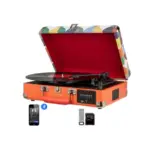
คู่มือและคำแนะนำการใช้งาน DIGITNOW
DIGITNOW specializes in digital preservation tools and audio equipment, offering film scanners, video grabbers, and turntables to easily digitize and preserve cherished memories.
เกี่ยวกับคู่มือ DIGITNOW Manuals.plus
DIGITNOW is a consumer electronics brand dedicated to bridging the gap between analog legacy media and modern digital formats. The company is best known for its user-friendly preservation tools, including high-resolution film scanners capable of digitizing 35mm, 110, and Super 8 negatives, as well as video capture cards that convert old VHS tapes and camcorder footage into digital files.
Beyond digitization, DIGITNOW manfuctures a variety of retro-inspired audio equipment. Their product lineup includes multi-speed vinyl turntables, cassette players, and Bluetooth transmitters. Many of their devices feature standalone functionality, allowing users to record directly to SD cards or USB drives without the need for a computer, making the preservation of memories accessible to everyone.
คู่มือการใช้งาน DIGITNOW
คู่มือล่าสุดจาก manuals+ คัดสรรมาเพื่อแบรนด์นี้
คู่มือการใช้งานเครื่องสแกนฟิล์มดิจิตอล DIGITNOW C101
DIGITNOW C189 เครื่องสแกนฟิล์มและสไลด์ Viewer คู่มือผู้ใช้
คู่มือผู้ใช้เครื่องสแกนฟิล์มและสไลด์ DIGITNOW JUM-FS14MP
DIGITNOW 8541730152 135 คู่มือผู้ใช้เครื่องสแกนเนกาทีฟฟิล์ม
DIGITNOW M46 กระเป๋าเดินทางแบบหมุนได้พร้อมมัลติฟังก์ชั่น Bluetooth คู่มือผู้ใช้
คู่มือการใช้งานเครื่องเล่นแผ่นเสียงไวนิลไร้สาย DIGITNOW M422
คู่มือการใช้งาน DIGITNOW Dual Monitor HDMI KVM Switch
DIGITNOW V308 คู่มือผู้ใช้การ์ดจับภาพวิดีโอ HDMI
DIGITNOW M504 คู่มือผู้ใช้ระบบเครื่องเล่นแผ่นเสียงสเตอริโออัตโนมัติ
คู่มือเริ่มต้นใช้งานฉบับย่อสำหรับเครื่องแปลงเทปคาสเซ็ตเป็น MP3 แบบพกพา Digitnow BR608
คู่มือผู้ใช้ Digitnow U148 USB3.0 HDMI อุปกรณ์บันทึกวิดีโอ 4K
คู่มือการติดตั้งอย่างรวดเร็วสำหรับอุปกรณ์บันทึกเสียง USB
คู่มือผู้ใช้เครื่องสแกนฟิล์ม Digitnow RODFS35 WiFi
คู่มือผู้ใช้เครื่องแปลงสัญญาณภาพยนต์แบบ 8 มม. และ Super 8 Reels
คู่มือผู้ใช้ U170: คู่มือการติดตั้งอย่างรวดเร็วสำหรับการบันทึกวิดีโอพร้อมเสียง
คู่มือผู้ใช้เครื่องสแกนฟิล์ม Digitnow และคู่มือ
คู่มือการใช้งานกล้องดักสัตว์ BR693
คู่มือผู้ใช้ระบบไมโครโฟนไร้สาย UHF ช่องสัญญาณคู่ Digitnow K201
BR117 อุปกรณ์บันทึกวิดีโอพร้อมเสียงผ่าน USB 2.0: คู่มือผู้ใช้และคู่มือการติดตั้ง
คู่มือผู้ใช้เครื่องบันทึกวิดีโอมัลติฟังก์ชั่นความละเอียดสูง Digitnow V102-A
คู่มือผู้ใช้การ์ดจับภาพเกม Digitnow V316 HDMI - จับภาพวิดีโอ HD 1080p สำหรับการสตรีมและการบันทึก
คู่มือ DIGITNOW จากผู้ค้าปลีกออนไลน์
DIGITNOW High Resolution 135 Film/Slide Scanner M125 User Manual
DIGITNOW! Record Player Needle Replacement (Model M002-R) - Instruction Manual
DIGITNOW M485 Belt Drive Turntable User Manual
DIGITNOW! WiFi Trail Camera DT802 Instruction Manual
DIGITNOW Digital Film and Slide Scanner (Model SF198) Instruction Manual
DIGITNOW! M122 5.1 Megapixel Film, Slide, and Photo Scanner User Manual
DIGITNOW M513 Record Player User Manual
DIGITNOW 35mm Film Scanner & Slide Viewer (Model C189) Instruction Manual
DIGITNOW BR630 Portable Cassette Player with AM/FM Radio and Voice Recorder User Manual
DIGITNOW PCIe Capture Card 4Kp60 (Model K801) Instruction Manual
DIGITNOW Belt Drive Turntable Instruction Manual
DIGITNOW BR120 Video Capture and Converter User Manual
คู่มือวิดีโอ DIGITNOW
รับชมวิดีโอการตั้งค่า การติดตั้ง และการแก้ไขปัญหาสำหรับแบรนด์นี้
DIGITNOW support FAQ
คำถามที่พบบ่อยเกี่ยวกับคู่มือ การลงทะเบียน และการสนับสนุนสำหรับแบรนด์นี้
-
How do I contact DIGITNOW support?
You can contact DIGITNOW technical support via email at support@digitnow.us or by calling +1 626-420-3417.
-
Does the DIGITNOW film scanner require a computer to work?
Many DIGITNOW film scanner models, such as the C189 and FS14MP, feature built-in screens and save scanned images directly to an SD card, allowing them to operate independently without a computer.
-
What types of film can I scan with DIGITNOW scanners?
Most DIGITNOW scanners support standard 35mm negatives and slides. Specific models also include adapters for 110, 126, and Super 8 film formats.
-
How do I record video using the DIGITNOW V102-A recorder?
To record, connect your video source (HDMI or AV), insert a formatted SD card or USB drive, long-press the power button to turn the device on, select the input source, and press the recording button.