📘 CTC Connect manuals • Free online PDFs
CTC Connect logo

CTC Connect Manuals & User Guides

CTC Connect offers industrial wireless condition monitoring solutions, including vibration sensors and network gateways for predictive maintenance.

Tip: include the full model number printed on your CTC Connect label for the best match.

About CTC Connect manuals on Manuals.plus

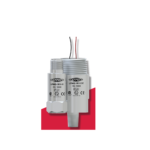
CTC Connect is the wireless product line from Connection Technology Center (CTC), specializing in industrial predictive maintenance hardware. The brand provides a comprehensive ecosystem of wireless vibration sensors, such as the WS300 Series, and network controllers like the ACCESS360 Connect Bridge Gateway.

These devices utilize Bluetooth® Low Energy technology to transmit critical data—including vibration and temperature readings—to the ConnectView™ web application. Designed for harsh environments, CTC Connect solutions enable facility managers to monitor machine health remotely, ensuring operational reliability and preventing unexpected downtime.

CTC Connect manuals

คู่มือล่าสุดจาก manuals+ คัดสรรมาเพื่อแบรนด์นี้

คู่มือผู้ใช้ CTC CA Contractor Step by Step Infographic

24 พฤศจิกายน 2025
ข้อมูลผลิตภัณฑ์และรายละเอียดทางเทคนิคของอินโฟกราฟิกขั้นตอนการขอใบอนุญาตผู้รับเหมาก่อสร้างทั่วไปในแคลิฟอร์เนีย (CTC CA) ผลิตภัณฑ์: ใบอนุญาตผู้รับเหมาก่อสร้างทั่วไปในแคลิฟอร์เนีย ข้อกำหนด: ประสบการณ์ภายใน 10 ปีที่ผ่านมา, การสอบผ่าน, การตรวจสอบประวัติ หน่วยงานที่ออกใบอนุญาต: ผู้รับเหมาก่อสร้าง…

คู่มือการใช้งาน CTC LP802 Intrinsic Safety Loop Power Sensors

วันที่ 18 กันยายน 2023
ฮาร์ดแวร์การวิเคราะห์การสั่นสะเทือน คู่มือผลิตภัณฑ์ ซีรี่ส์ LP802 การตรวจสอบการสั่นสะเทือน 4-20 mA เกินกระบวนการview เทคโนโลยี 4-20 mA สามารถใช้ในการวัดอุณหภูมิ ความดัน การไหล และความเร็ว รวมถึง...

คู่มือการใช้งานเซ็นเซอร์ CTC AC93X-94X Class I Division 2

วันที่ 18 กันยายน 2023
เซ็นเซอร์ CTC AC93X-94X คลาส I ดิวิชั่น 2 บทนำ เอกสารนี้มีข้อมูลเกี่ยวกับการติดตั้ง การใช้งาน และการบำรุงรักษาเซ็นเซอร์วัดการสั่นสะเทือนคลาส I ดิวิชั่น 2 (โซน 2) ที่มี Ex…

CTC LP902 คู่มือการใช้งานเซ็นเซอร์กำลังลูปที่ปลอดภัยภายใน

วันที่ 18 กันยายน 2023
CTC LP902 เซ็นเซอร์กำลังลูปที่ปลอดภัยภายใน บทนำกระบวนการตรวจสอบการสั่นสะเทือน 4-20 mA สิ้นสุดลงview เทคโนโลยี 4-20 mA สามารถใช้ในการวัดอุณหภูมิ ความดัน การไหล และความเร็ว รวมถึง...

CTC CLATRONIC WKS 3766 กาต้มน้ำ คู่มือการใช้งาน

วันที่ 21 ธันวาคม 2022
คู่มือการใช้งานกาต้มน้ำ CTC CLATRONIC WKS 3766 สำคัญ: โปรดอ่านคำแนะนำด้านความปลอดภัยที่แนบมาแยกต่างหากก่อน คู่มือการใช้งาน ขอบคุณที่เลือกใช้ผลิตภัณฑ์ของเรา เราหวังว่า...

คู่มือการใช้งาน CTC CLATRONIC Cotton Candy

23 ตุลาคม 2022
คู่มือการใช้งานเครื่องทำสายไหม CTC CLATRONIC ขอบคุณที่เลือกใช้ผลิตภัณฑ์ของเรา เราหวังว่าคุณจะเพลิดเพลินกับการใช้งานเครื่องนี้ สัญลักษณ์ในคู่มือการใช้งานนี้ ข้อมูลสำคัญสำหรับคุณ…

คู่มือการใช้งานระบบเสียง Bluetooth CTC BSS 7006

5 ตุลาคม 2022
คู่มือการใช้งานระบบเสียง Bluetooth BSS 7006 ระบบเสียง Bluetooth BSS 7006 เกินview คำแนะนำด้านความปลอดภัยของส่วนประกอบ โปรดอ่านคำแนะนำการใช้งานอย่างละเอียดก่อนเริ่มใช้งานอุปกรณ์ และเก็บรักษา...

คู่มือการใช้งานไมโครโฟน Skullcandy Set

15 พฤศจิกายน 2020
คู่มือผู้ใช้ ชุดไมโครโฟน Skullcandy แผนภาพการใช้งาน การรับ/โทรออก คลิก..... เล่น/หยุดชั่วคราว คลิก..... เพลงถัดไป คลิก..... เพลงก่อนหน้า คลิก..... คำสั่งเสียง (กดค้าง) คลิก..... Americas Skullcandy, Inc. 6301 N Landmark Dr. Park…

CTC Connect support FAQ

คำถามที่พบบ่อยเกี่ยวกับคู่มือ การลงทะเบียน และการสนับสนุนสำหรับแบรนด์นี้

  • How do I install the battery in a CTC Connect WS300 sensor?

    CTC Wireless sensors ship with the battery disconnected. Remove the sensor cap, connect the battery's connector to the receptacle on the circuit board, and tighten the cap securely.

  • How do I access the ACCESS360 Gateway interface?

    Ensure the gateway is on the network. Open a browser and navigate to http://ctcap-XXXX, where XXXX is the eight-digit serial number of your gateway.

  • What is the range of CTC Connect wireless sensors?

    Within a clear line of sight, CTC Connect sensors can transmit data via Bluetooth® Low Energy up to 1200 ft (365 m).

  • Does the ACCESS360 Gateway require external power?

    The ACCESS360 functions using Power over Ethernet (PoE). If your network does not support PoE, an external PoE injector supporting IEEE 802.3af or above is required.

  • ฉันสามารถไปที่ไหนได้ view CTC Connect warranty policies?

    Warranty and refund policies for CTC Connect products can be found on the official website at www.ctconline.com.