การแนะนำ
Welcome to your new Baseus 100W Power Bank 20000mAh. This portable charger is designed to provide fast and efficient power to your devices, including laptops, tablets, and smartphones, with its 100W Power Delivery and built-in dual USB-C cables. Please read this manual carefully to ensure proper use and maintenance of your device.
คุณสมบัติหลัก
- การชาร์จอย่างรวดเร็ว 100W PD: Rapidly charges compatible laptops, tablets, and smartphones.
- สาย USB-C คู่ในตัว: Integrated cables for convenience, eliminating the need for extra wires.
- ความจุสูง 20000mAh: Provides multiple charges for phones and tablets, and extends laptop battery life.
- การชาร์จแบบผ่าน: Allows the power bank to be recharged while simultaneously charging other devices.
- จอแสดงผลดิจิตอลอัจฉริยะ: Real-time information on battery level and charging status.
- การออกแบบตามหลักสรีรศาสตร์: Features a 5D curved body for a comfortable grip and a slim, lightweight profile เพื่อการพกพา
- ความปลอดภัยขั้นสูง: Built with automotive-grade battery cells, an AI temperature control chip, and graphene cooling technology for stable and efficient power delivery.
- ได้รับการอนุมัติจาก TSA: เหมาะสำหรับการเดินทางโดยเครื่องบิน
มีอะไรอยู่ในกล่อง
- 1 x Baseus Enerfill FC41 100W 20000mAh Laptop Power Bank Built in Dual Cables
- คู่มือเริ่มต้นอย่างรวดเร็ว 1 ชุด
- คู่มือความปลอดภัย 1 เล่ม
- สติกเกอร์อิโมจิ 1 แบบ
สินค้าเกินview

The Baseus 100W Power Bank 20000mAh, featuring a sleek dark black design with integrated cables.
Official video demonstrating the features and usage of the Baseus Enerfill FC41 100W 20000mAh Power Bank.
การตั้งค่าเริ่มต้น
การชาร์จพาวเวอร์แบงค์
- เชื่อมต่อสาย USB-C ในตัวหรือสาย USB-C ภายนอกเข้ากับพอร์ตอินพุตของพาวเวอร์แบงค์
- เชื่อมต่อปลายอีกด้านของสายเคเบิลเข้ากับอะแดปเตอร์แปลงไฟที่ใช้งานร่วมกันได้ (ไม่ได้รวมอยู่ในชุด)
- The digital display will show the charging progress. A full charge typically takes approximately 2 hours with a 65W charger.
การใช้ครั้งแรก
เพื่อให้ได้ประสิทธิภาพสูงสุด ควรชาร์จแบตเตอรี่สำรองให้เต็มก่อนใช้งานครั้งแรก

The power bank being recharged via a 65W adapter, illustrating its fast recharge capability.
คำแนะนำการใช้งาน
การชาร์จอุปกรณ์ของคุณ
The power bank supports charging up to four devices simultaneously using its built-in dual USB-C cables and additional USB-A and USB-C ports.
- การใช้งานสาย USB-C ในตัว: Extend the integrated USB-C cables from the power bank. Connect one or both to your compatible devices.
- การใช้งานพอร์ตภายนอก: For devices requiring USB-A or an additional USB-C connection, use your own cables with the available ports.
- The smart digital display will show the current battery level and charging status.
การชาร์จแบบผ่าน
The power bank supports pass-through charging, allowing you to charge the power bank itself while it simultaneously charges other devices.

ภาพระยะใกล้ view of the Baseus power bank's dual built-in USB-C cables, highlighting the integrated cable buckle and durable braided design.

The Baseus power bank simultaneously charging a MacBook, iPhone, and AirPods, demonstrating its multi-port charging capability.
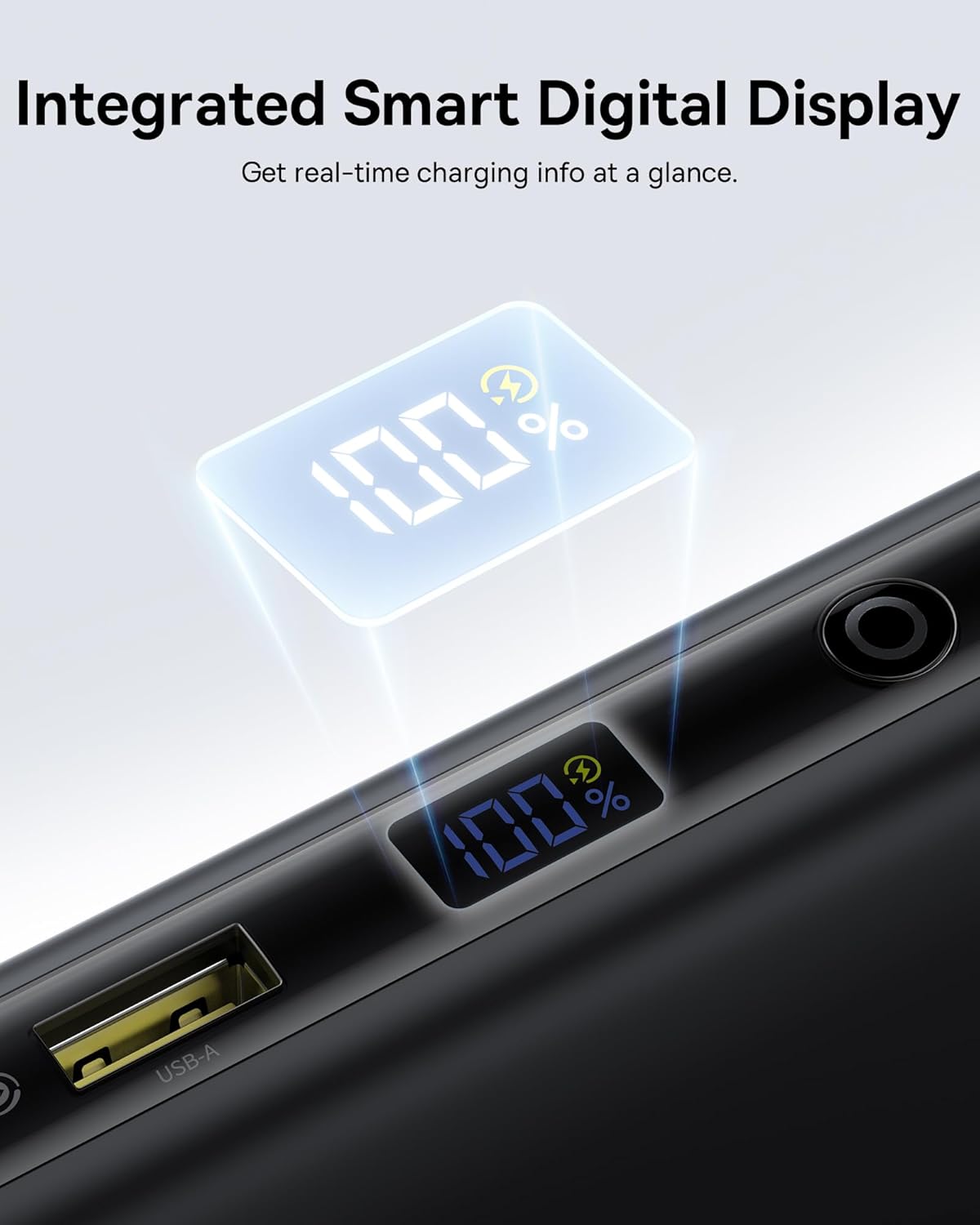
A close-up of the power bank's smart digital display showing the battery percentage.
การดูแลรักษา
- เก็บพาวเวอร์แบงค์ให้ห่างจากอุณหภูมิที่สูงหรือต่ำมาก แสงแดดโดยตรง และของเหลว
- ห้ามถอดแยกชิ้นส่วนหรือพยายามซ่อมแซมอุปกรณ์
- Clean the surface with a soft, dry cloth. Avoid using harsh chemicals.
- เก็บไว้ในที่แห้งและเย็นเมื่อไม่ได้ใช้งานเป็นเวลานาน
การแก้ไขปัญหา
อุปกรณ์ไม่ชาร์จ
- ตรวจสอบให้แน่ใจว่าพาวเวอร์แบงค์มีประจุไฟเพียงพอแล้ว และดูตัวเลขบนหน้าจอแสดงผลดิจิทัล
- Verify that the cables are securely connected to both the power bank and your device.
- Confirm that your device is compatible with the power bank's output specifications.
- ลองใช้สายเคเบิลหรือพอร์ตอื่น
ชาร์จช้า
- Ensure you are using a cable and device that support fast charging protocols (PD, QC).
- การชาร์จอุปกรณ์หลายเครื่องพร้อมกันอาจทำให้ความเร็วในการชาร์จของแต่ละอุปกรณ์ลดลง
- Check if the power bank itself is being charged simultaneously (pass-through charging can affect output speed).
พาวเวอร์แบงค์ไม่ชาร์จ
- Ensure the charging adapter is functional and provides sufficient power (e.g., 65W for optimal speed).
- ตรวจสอบสายชาร์จว่ามีรอยชำรุดหรือไม่
- Verify the input port on the power bank is clean and free of debris.
ข้อมูลจำเพาะทางเทคนิค
| ยี่ห้อ | เบสอุส |
| หมายเลขรุ่น | E0028Q |
| ความจุของแบตเตอรี่ | 20000 มิลลิวินาทีamp ชั่วโมง |
| ประเภทขั้วต่อ | USB ประเภท A, USB ประเภท C |
| แหล่งพลังงาน | แบตเตอรี่ |
| เล่มที่tage | 5 โวลต์ |
| จำนวนพอร์ต | 4 |
| คุณสมบัติพิเศษ | 100W Fast Charging, Built In Dual USB-C Cables, Digital Display, Pass-through Charging, TSA-Approved |
| อุปกรณ์ที่รองรับ | Gaming Devices: Steam Deck, ASUS ROG Ally, Nintendo Switch; Cameras & Drones: GoPro, DJI Osmo Action, Insta360, DJI Drones; Audio: AirPods, Galaxy Buds, Apple Watch, Samsung Watch; Laptops: MacBook Air (M1/M2/M3), MacBook Pro 13"/14"/16", Dell / HP / Lenovo / ASUS / Acer (XPS 13 / Inspiron / Spectre / Yoga / ThinkPad / ZenBook / Swift), Surface Laptop, Surface Pro, Pixelbook, Samsung Galaxy Chromebook; Phones: iPhone 17, iPhone 17 Air, iPhone 17 Pro, iPhone 17 Pro Max, iPhone 16, iPhone 16 Plus, iPhone 16 Pro, iPhone 16 Pro Max, iPhone 15, iPhone 15 Plus, iPhone 15 Pro, iPhone 15 Pro Max, iPhone 14, iPhone 14 Plus, iPhone 14 Pro, iPhone 14 Pro Max, iPhone 13, iPhone 13 Pro, iPhone 13 Pro Max, iPhone 13 mini, iPhone 12, iPhone 12 Pro, iPhone 12 Pro Max, iPhone 12 mini, Samsung Galaxy S25 Ultra, S24 Ultra, S23 / S22, Google Pixel 9 / 8 / 7 / 6 / 6 Pro, OnePlus / Motorola / LG / Sony phones; Tablets: iPad Pro / iPad Air / iPad Mini, Samsung Galaxy Tab S9 / S8, Microsoft Surface Go / Surface Pro |
| Item Dimensions (L x W x Th) | ยาว 6 นิ้ว x กว้าง 3 นิ้ว x หนา 1 นิ้ว |
| ประเภทเซลล์แบตเตอรี่ | ลิเธียมโพลีเมอร์ |
การรับประกันและการสนับสนุนลูกค้า
ผลิตภัณฑ์ Baseus ชิ้นนี้มาพร้อมกับ รับประกัน 2 ปี. Additionally, Baseus offers a 24-Month Full Protection Plan and Lifetime Tech Support. For warranty claims, technical assistance, or any product-related inquiries, please contact Shenzhen Baseus Technology Co., Ltd. customer support. Refer to the included Safety Manual for detailed warranty terms and contact information.


