1. สินค้าหมดview
The Thunderobot Radiant 16 is a high-performance gaming laptop designed for demanding applications and immersive gaming experiences. It features an Intel Core i9-13900HX processor, NVIDIA GeForce RTX 5080 graphics, a 16-inch QHD+ 300Hz display, 16GB DDR5 RAM, and a 1TB PCIe M.2 SSD. This manual provides essential information for setup, operation, maintenance, and troubleshooting.

Figure 1: Thunderobot Radiant 16 Gaming Laptop
2. การตั้งค่าเริ่มต้น
2.1 การแกะกล่องและเนื้อหา
นำส่วนประกอบทั้งหมดออกจากบรรจุภัณฑ์อย่างระมัดระวัง กล่องควรบรรจุ:
- Thunderobot Radiant 16 Gaming Laptop
- อะแดปเตอร์แปลงไฟและสายเคเบิล
- คู่มือการใช้งาน (เอกสารนี้)
2.2 การต่อสายไฟ
Connect the power adapter to the laptop's AC power input port and then plug the power cable into a wall outlet. It is recommended to fully charge the laptop before initial use.
2.3 เปิดเครื่องครั้งแรก
Press the power button located on the laptop. The system will guide you through the initial Windows 11 Home setup process. Follow the on-screen instructions to configure your operating system, network, and user account.
2.4 การเชื่อมต่ออุปกรณ์ต่อพ่วงและเครือข่าย
Utilize the available ports to connect external devices such as a mouse, keyboard, or external display. The laptop supports Wi-Fi 6 for wireless network connectivity and also includes an RJ45 port for wired Ethernet connections.
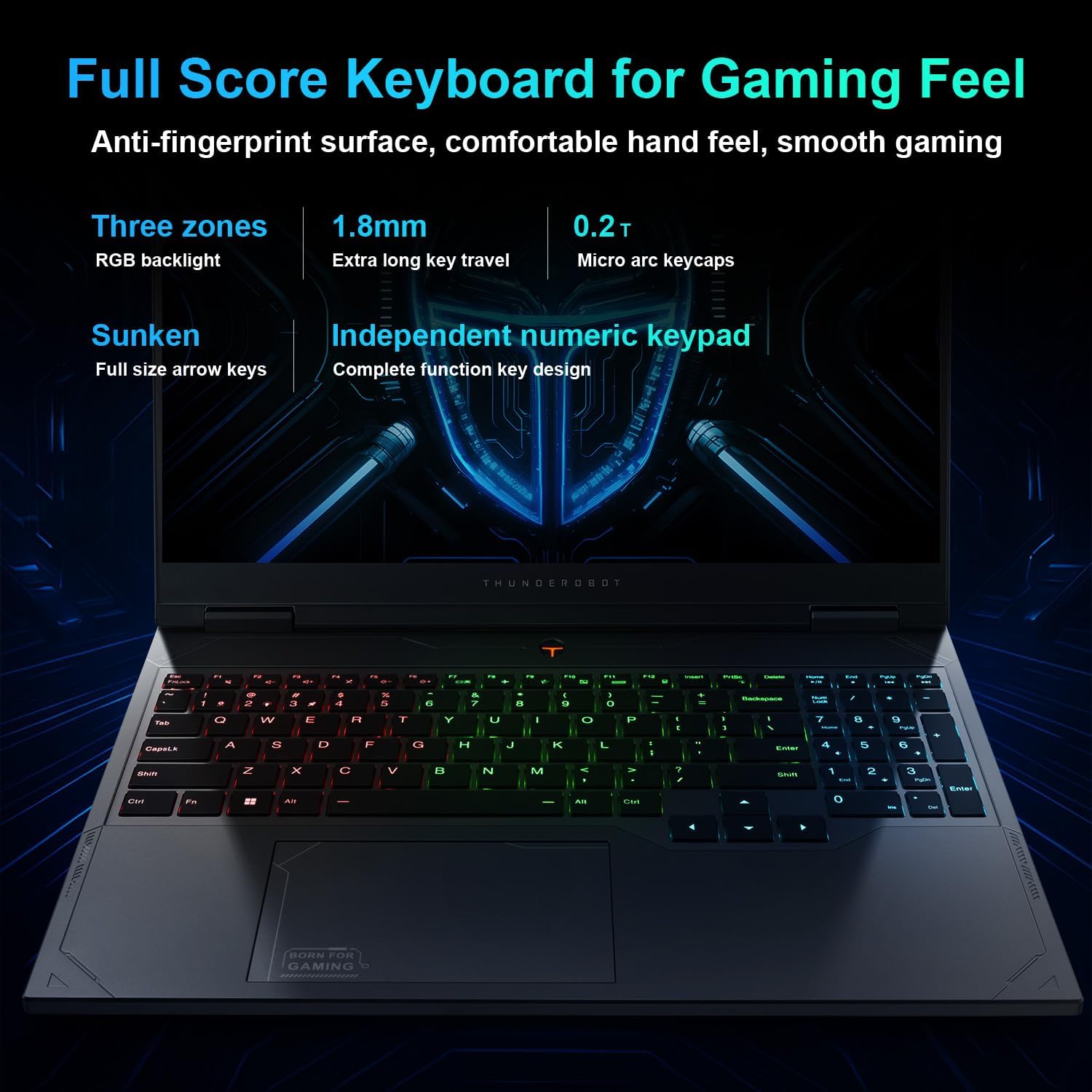
Figure 2: Laptop Ports and Slots
The laptop features multiple connectivity options:
- พอร์ต USB 3.1 Gen1 Type-A: Three ports for standard USB devices.
- พอร์ต USB 3.1 Gen2 Type-C: One port for high-speed data transfer and display output.
- HDMI2.1: สำหรับเชื่อมต่อกับจอภาพภายนอกหรือทีวี
- RJ45: พอร์ตอีเทอร์เน็ตสำหรับการเชื่อมต่อเครือข่ายแบบใช้สาย
- แจ็คเสียง: สำหรับหูฟังหรือลำโพงภายนอก
- แหล่งจ่ายไฟ AC: สำหรับการเชื่อมต่ออะแดปเตอร์ไฟฟ้า
3. คู่มือการใช้งาน
3.1 การจัดการพลังงาน
To power on the laptop, press the power button. To shut down, click the Start button in Windows, then select Power > Shut down. You can also use sleep or hibernate modes for quick resume.
3.2 คีย์บอร์ดและทัชแพด
The laptop is equipped with an RGB backlit keyboard and an independent numeric keypad. The keys feature 1.8mm extra long key travel for comfortable typing. The touchpad supports multi-touch gestures for navigation.
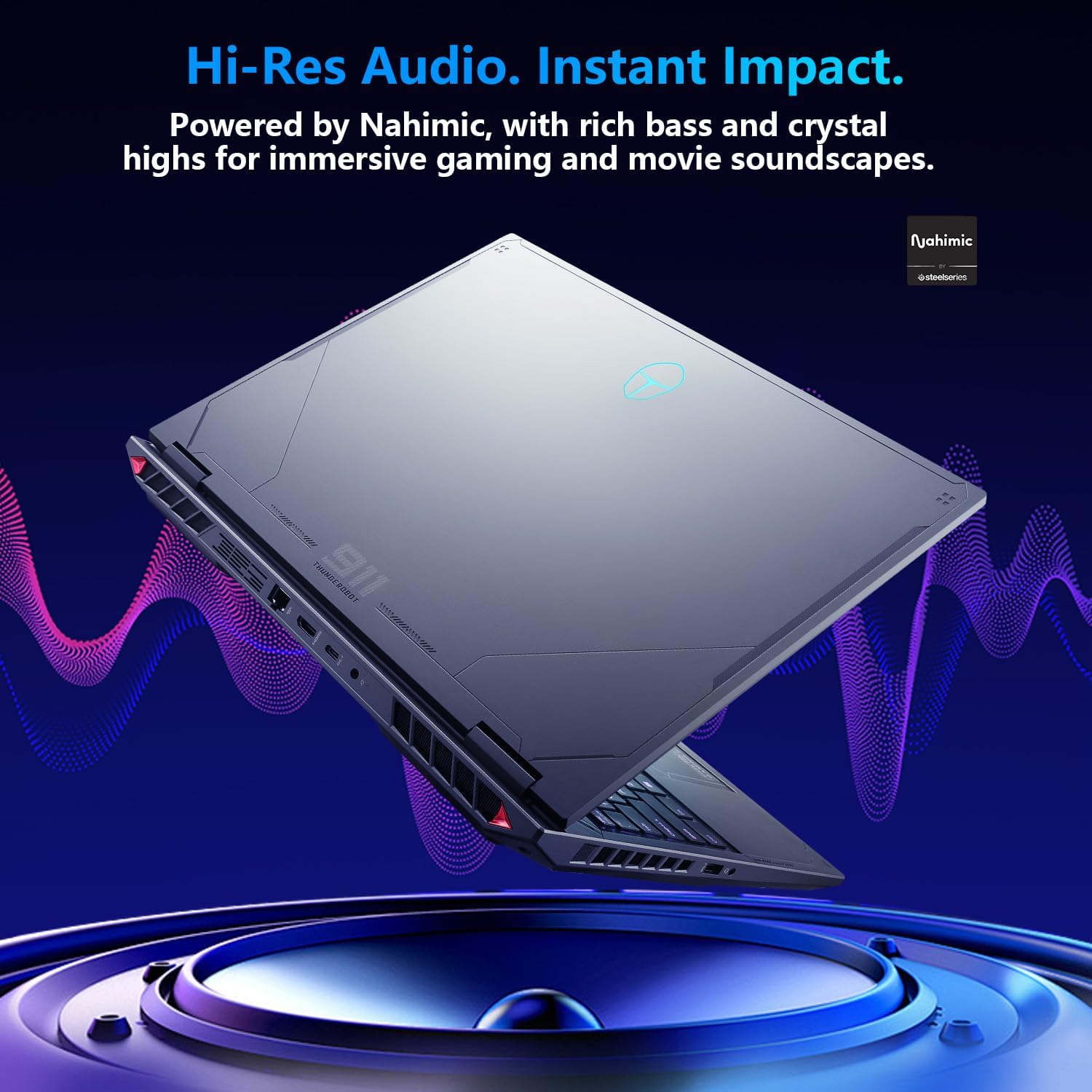
Figure 3: RGB Backlit Keyboard
3.3 การตั้งค่าการแสดงผล
The 16-inch QHD+ (2560x1600) display offers a 300Hz refresh rate for smooth visuals. To achieve the highest refresh rate, ensure the dedicated graphics direct connection mode is enabled in the Control Center. Adjust display settings via Windows Display Settings.

Figure 4: High Refresh Rate Display
3.4 ศูนย์ควบคุม
The Thunderobot Control Center software allows you to manage performance modes, fan speeds, and RGB lighting. It offers three primary performance modes:
- โหมดคลั่ง: Full performance release for maximum power.
- โหมดเกม: Optimized for smooth gaming performance.
- โหมดสำนักงานเสียงและวิดีโอ: Balances performance with battery life for productivity.
หมายเหตุ: การสลับโหมดระบบในศูนย์ควบคุมจำเป็นต้องเชื่อมต่ออุปกรณ์กับแหล่งจ่ายไฟ

Figure 5: Control Center Interface
3.5 ระบบเสียง
The laptop features Nahimic Audio for enhanced sound quality, providing 3D surround sound, treble stabilization, and noise reduction for an immersive audio experience.

Figure 6: Nahimic Audio System
4. การบำรุงรักษา
4.1 การทำความสะอาด
Regularly clean the laptop's screen with a soft, lint-free cloth and a screen-safe cleaning solution. Use compressed air to clear dust from keyboard keys and ventilation grilles. Ensure the laptop is powered off and unplugged before cleaning.
4.2 การอัปเดตซอฟต์แวร์
Keep your operating system, drivers, and applications updated to ensure optimal performance and security. Check for Windows updates regularly and visit the Thunderobot support website for the latest driver versions.
4.3 การดูแลแบตเตอรี่
To prolong battery life, avoid extreme temperatures and do not leave the laptop fully charged or fully discharged for extended periods. For long-term storage, charge the battery to approximately 50-60%.
4.4 ระบบทำความเย็น
The Radiant 16 features an advanced cooling system with dual 12V fans, Glacier Six copper tubes, and 3D heat pipes. Ensure ventilation grilles are unobstructed to maintain efficient cooling. The Control Center allows for one-click turbo cooling activation for maximum performance.

Figure 7: Wind-Driven Thermal Mastery Cooling System
5 การแก้ไขปัญหา
This section addresses common issues you might encounter. For more complex problems, refer to the Thunderobot support webเว็บไซต์หรือติดต่อฝ่ายบริการลูกค้า
5.1 ไม่มีไฟฟ้า
- ตรวจสอบให้แน่ใจว่าอะแดปเตอร์ไฟฟ้าเชื่อมต่อกับแล็ปท็อปและเต้ารับไฟฟ้าที่ใช้งานได้แน่นหนา
- ตรวจสอบว่าเต้ารับไฟฟ้าใช้งานได้โดยเสียบอุปกรณ์อื่น
- หากแบตเตอรี่หมด ให้ชาร์จทิ้งไว้สักสองสามนาทีก่อนที่จะลองเปิดเครื่อง
5.2 ปัญหาการแสดงผล
- หากหน้าจอว่างเปล่า ให้ลองเชื่อมต่อจอภาพภายนอกเพื่อตรวจสอบว่าปัญหาเกิดจากจอแสดงผลของแล็ปท็อปหรือเอาต์พุตกราฟิก
- ตรวจสอบให้แน่ใจว่าไดรเวอร์การแสดงผลเป็นเวอร์ชันล่าสุด
- Check display settings in Windows to confirm resolution and refresh rate.
5.3 ปัญหาด้านประสิทธิภาพ
- Check the Control Center to ensure the laptop is in the appropriate performance mode (e.g., Berserk or Game Mode for demanding tasks).
- Monitor CPU and GPU temperatures. Excessive heat can lead to performance throttling. Ensure cooling vents are clear.
- ปิดแอพพลิเคชันพื้นหลังที่ไม่จำเป็น
- โปรดตรวจสอบให้แน่ใจว่าไดรเวอร์การ์ดจอได้รับการอัปเดตเป็นเวอร์ชันล่าสุดแล้ว
6. ข้อมูลจำเพาะ
Detailed technical specifications for the Thunderobot Radiant 16 Gaming Laptop:
| คุณสมบัติ | ข้อมูลจำเพาะ |
|---|---|
| ชื่อรุ่น | เรเดียนท์ 16 |
| โปรเซสเซอร์ | Intel Core i9-13900HX (5.4 GHz Max Turbo, 24 Cores, 32 Threads, 36 MB Cache) |
| กราฟฟิก | การ์ดจอ NVIDIA GeForce RTX 5080 สำหรับแล็ปท็อป (หน่วยความจำ GDDR7 16GB) |
| แสดง | 16-inch QHD+ (2560x1600) IPS, 300Hz Refresh Rate, 100% sRGB, 500 Nits |
| แรม | 16GB DDR5 4800 เมกะเฮิรตซ์ |
| พื้นที่จัดเก็บ | SSD PCIe M.1 ขนาด 2TB |
| ระบบปฏิบัติการ | วินโดวส์ 11 โฮม |
| การเชื่อมต่อแบบไร้สาย | Wi-Fi 6, บลูทูธ |
| พอร์ต | 3x USB 3.1 Gen1 Type-A, 1x USB 3.1 Gen2 Type-C, 1x HDMI 2.1, 1x RJ45, 1x Audio Jack |
| แป้นพิมพ์ | RGB Backlit, Numeric Keypad, 1.8mm Key Travel |
| เสียง | นาฮิมิค ออดิโอ |
| ขนาด (กxยxส) | 14.09 x 10 x 0.82 นิ้ว |
| น้ำหนัก | ประมาณ 12 ปอนด์ |

Figure 8: Core Component Specifications
7. การรับประกันและการสนับสนุน
แล็ปท็อป Thunderobot ทุกเครื่องมาพร้อมกับ... รับประกัน 12 เดือนโดยให้บริการสนับสนุนจากผู้เชี่ยวชาญ การวินิจฉัยอย่างละเอียด และอะไหล่แท้หากจำเป็นต้องซ่อมแซม นอกจากนี้ ยังมี... รับประกัน 90 วัน มีบริการนี้สำหรับชิ้นส่วนอะไหล่ทุกชิ้นที่เปลี่ยนภายใต้การรับประกัน เพื่อให้การซ่อมแซมเป็นไปอย่างราบรื่น
หากต้องการความช่วยเหลือด้านเทคนิค ดาวน์โหลดไดรเวอร์ หรือเรียกร้องการรับประกัน โปรดไปที่เว็บไซต์ฝ่ายสนับสนุนอย่างเป็นทางการของ Thunderobot website or contact their customer service department. Refer to your product packaging or the Thunderobot webไซต์สำหรับรายละเอียดการติดต่อที่เฉพาะเจาะจง


