1. บทนำ
This manual provides detailed instructions for the installation, operation, and maintenance of your Zebronics ZEB-WR3004G 4G/5G SIM Router. Please read this manual thoroughly before using the device to ensure proper functionality and safety. This router is designed to provide high-speed internet access using 4G or 5G nano SIM cards, featuring LAN/WAN auto-switching and WPA2-PSK security.
2. ข้อมูลด้านความปลอดภัย
- ใช้เฉพาะอะแดปเตอร์แปลงไฟที่ให้มากับเครื่องเท่านั้น
- Do not expose the router to water, moisture, or extreme temperatures.
- ควรหลีกเลี่ยงการวางเราเตอร์ไว้ใกล้แหล่งความร้อนหรือในที่ที่มีแสงแดดส่องโดยตรง
- ตรวจสอบให้แน่ใจว่ามีการระบายอากาศที่เหมาะสมรอบๆ เราเตอร์เพื่อป้องกันความร้อนสูงเกินไป
- อย่าพยายามเปิดหรือซ่อมแซมอุปกรณ์ด้วยตนเอง แนะนำให้ส่งช่างผู้ชำนาญเข้ารับบริการทั้งหมด
- Keep the router away from children and pets.
3. เนื้อหาบรรจุภัณฑ์
ตรวจสอบว่ามีรายการทั้งหมดอยู่ในแพ็คเกจ:
- Zebronics ZEB-WR3004G Router
- อะแดปเตอร์แปลงไฟ
- สายเคเบิลเครือข่าย
- คู่มือการใช้งาน (เอกสารนี้)
4. สินค้าหมดview
The Zebronics ZEB-WR3004G router is designed for reliable and high-speed internet connectivity. It features multiple external antennas for enhanced signal coverage and performance.
ภาพ: ด้านหน้า view of the Zebronics ZEB-WR3004G router, showcasing its sleek white design and external antennas.
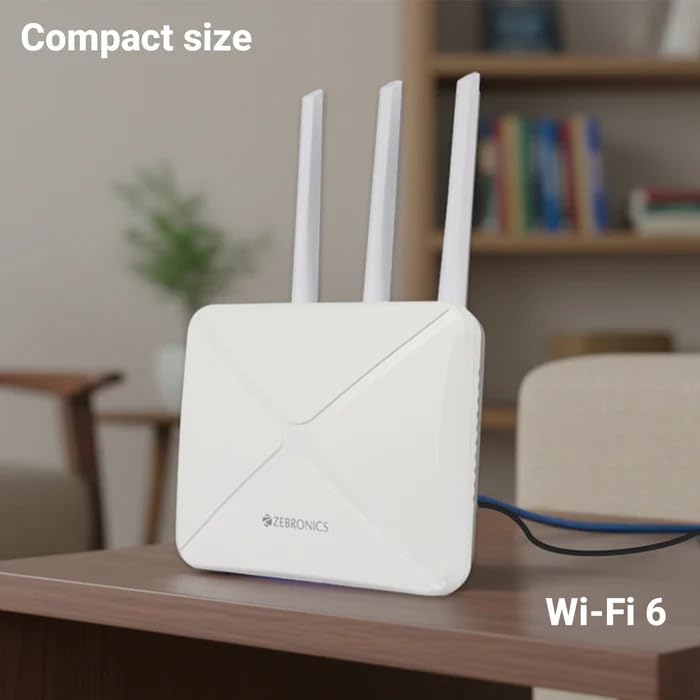
Image: The Zebronics ZEB-WR3004G router placed on a desk, illustrating its compact size and modern aesthetic.
4.1. พอร์ตและตัวบ่งชี้
ทำความคุ้นเคยกับพอร์ตและไฟแสดงสถานะต่างๆ บนเราเตอร์ของคุณ:
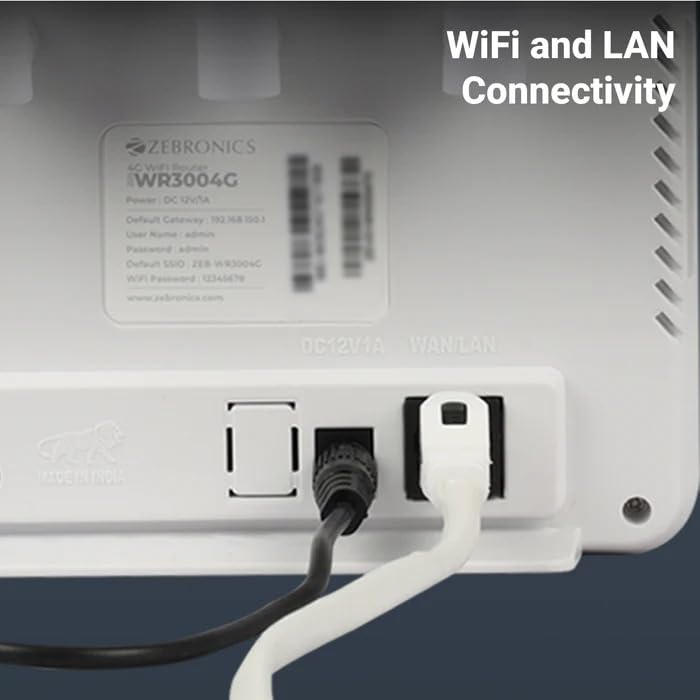
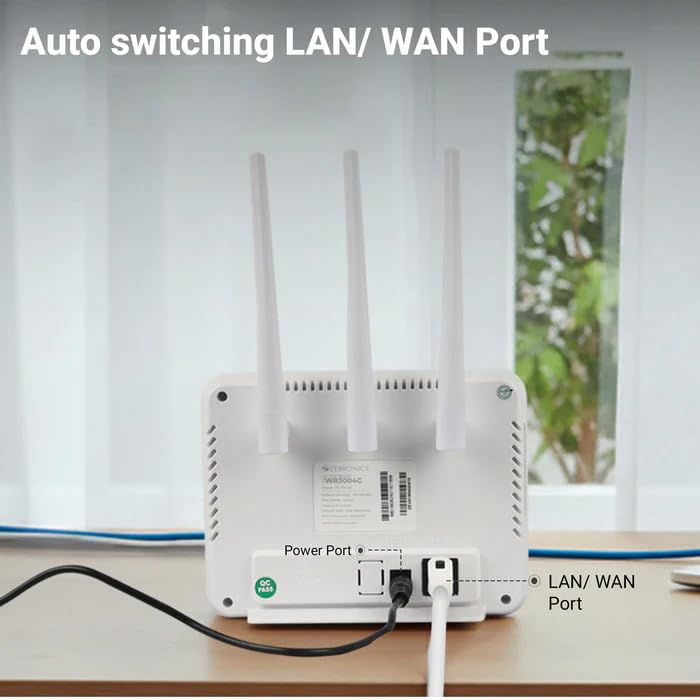
ภาพ: ด้านหลัง view of the Zebronics ZEB-WR3004G router, highlighting the power port and the auto-switching LAN/WAN port.
- พอร์ตไฟ: เชื่อมต่อกับอะแดปเตอร์ไฟ
- พอร์ต LAN/WAN: An auto-switching port for connecting to a wired network or an external modem.
- ช่องใส่ซิมการ์ด: For inserting a nano SIM card.
- ปุ่มรีเซ็ต: ใช้สำหรับคืนค่าการตั้งค่าเริ่มต้นจากโรงงาน (โดยปกติจะเป็นปุ่มเล็กๆ)
- ไฟ LED แสดงสถานะ: Provide status information for power, internet connectivity, Wi-Fi, and signal strength.
5. การตั้งค่า
5.1. การติดตั้งซิมการ์ด
- ตรวจสอบให้แน่ใจว่าเราเตอร์ปิดอยู่
- ค้นหาช่องใส่การ์ด SIM บนเราเตอร์
- Insert a nano SIM card into the slot with the gold contacts facing down and the notched corner aligned correctly. Push until it clicks into place.
5.2. การเชื่อมต่อไฟฟ้า
- Connect the supplied power adapter to the router's power port.
- เสียบอะแดปเตอร์ไฟฟ้าเข้ากับเต้ารับไฟฟ้าที่ผนัง
- The router will power on automatically. Wait for the LED indicators to stabilize, which may take a few minutes.
5.3. การกำหนดค่าเริ่มต้น
- เชื่อมต่อกับ Wi-Fi: On your computer or mobile device, search for available Wi-Fi networks. The default Wi-Fi name (SSID) and password are usually printed on a label on the bottom of the router.
- เข้าสู่แผงควบคุมผู้ดูแลระบบ: เปิด web browser and enter the default gateway IP address (e.g.,
192.168.1.1) into the address bar. This IP address is also typically found on the router's label. - เข้าสู่ระบบ: ป้อนชื่อผู้ใช้และรหัสผ่านเริ่มต้น (เช่น
adminfor both). It is highly recommended to change these default credentials immediately for security. - การตั้งค่าเครือข่าย: Follow the on-screen wizard or navigate to the network settings to configure your internet connection. The router should automatically detect the SIM card and establish a connection.
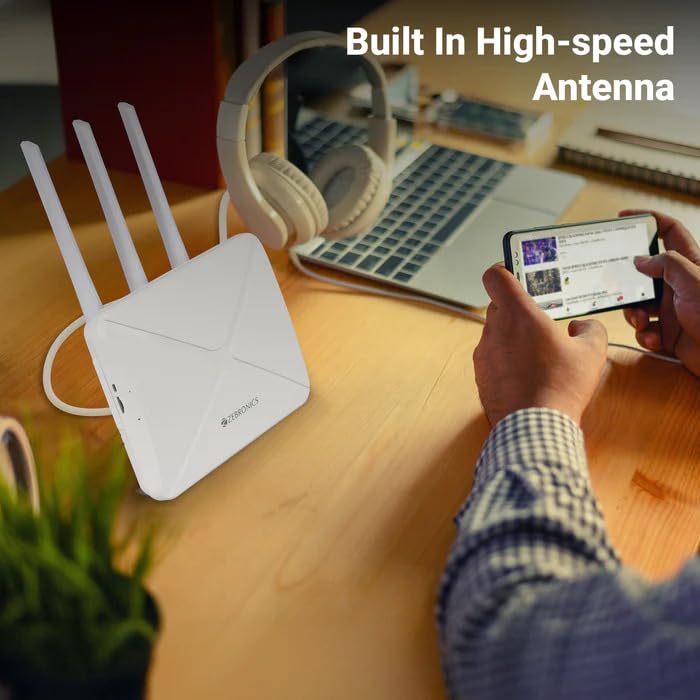
Image: The Zebronics ZEB-WR3004G router on a desk, emphasizing its built-in high-speed antenna system for optimal signal reception.
6. คู่มือการใช้งาน
6.1. อุปกรณ์เชื่อมต่อ
- การเชื่อมต่อ Wi-Fi: On your wireless devices (smartphones, laptops, tablets), select the router's Wi-Fi network name (SSID) and enter the Wi-Fi password.
- การเชื่อมต่อ LAN: Use an Ethernet cable to connect devices like desktop computers, smart TVs, or gaming consoles to the LAN/WAN port on the router. The port automatically switches to LAN mode when a device is connected.
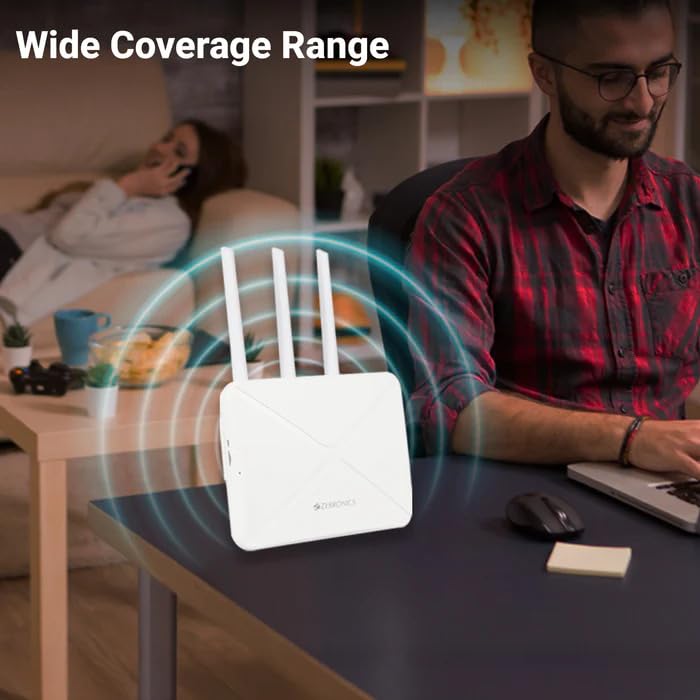
Image: The Zebronics ZEB-WR3004G router emitting a wide coverage range, indicating its ability to provide internet across a large area.
6.2. การตั้งค่าเราเตอร์
เข้าถึงเราเตอร์ web-based management interface (as described in Section 5.3) to configure advanced settings:
- การตั้งค่า Wi-Fi: Change SSID, password, security type (WPA2-PSK is recommended), and channel.
- โหมดเครือข่าย: Configure 4G/5G specific settings if required by your service provider.
- LAN/WAN Configuration: Adjust IP address, DHCP server settings, or switch between LAN and WAN modes manually if auto-switching is not desired.
- ความปลอดภัย: Set up firewall rules, port forwarding, and parental controls.
Image: The Zebronics ZEB-WR3004G router with visual cues indicating a faster and more efficient internet connection.
Image: The Zebronics ZEB-WR3004G router with visual representation of minimized network congestion, ensuring smoother data flow.
7. การบำรุงรักษา
7.1. การอัปเดตเฟิร์มแวร์
Periodically check the Zebronics official website for firmware updates. Keeping your router's firmware up-to-date ensures optimal performance, security, and access to new features. Follow the instructions provided with the firmware update carefully.
7.2. การทำความสะอาด
ใช้ผ้าแห้งเนื้อนุ่มเช็ดทำความสะอาดภายนอกเราเตอร์ ห้ามใช้น้ำยาทำความสะอาดหรือสเปรย์ เพราะอาจทำให้เครื่องเสียหายได้
7.3. การจัดวางที่เหมาะสมที่สุด
For the best Wi-Fi coverage and signal strength, place the router in a central location in your home or office, away from obstructions like thick walls, metal objects, and other electronic devices that may cause interference.
8 การแก้ไขปัญหา
| ปัญหา | สาเหตุที่เป็นไปได้ | สารละลาย |
|---|---|---|
| ไม่มีการเชื่อมต่ออินเตอร์เน็ต | SIM card not inserted correctly, no data plan, network issue, incorrect APN settings. | Check SIM card insertion. Verify data plan with your service provider. Check APN settings in the router's admin panel. Restart the router. |
| สัญญาณ WiFi อ่อน | Router placement, interference, outdated firmware. | Relocate the router to a central, open area. Avoid placing near other electronics. Update firmware. |
| Cannot access admin panel | Incorrect IP address, wrong credentials, network conflict. | Ensure correct IP address (e.g., 192.168.1.1). Verify username and password. Try a different browser. Reset router to factory defaults if necessary. |
| LAN/WAN port not working | Faulty cable, incorrect settings, device issue. | Try a different Ethernet cable. Ensure the connected device is working. Check LAN/WAN settings in the admin panel. |
9. ข้อมูลจำเพาะ
| คุณสมบัติ | รายละเอียด |
|---|---|
| แบบอย่าง | ZEB-WR3004G |
| ความเข้ากันได้ | 4G and 5G Nano SIM cards |
| ระบบเสาอากาศ | Built-in High-speed Antenna, Multiple External Antennas |
| พอร์ต | 1x LAN/WAN Auto-switching Port, Power Port |
| ความปลอดภัย | WPA2-PSK encryption |
| มาตรฐานไร้สาย | 802.11b, 802.11g, 802.11n |
| อัตราการถ่ายโอนข้อมูล | สูงสุดถึง 150 Mbps |
| ความเข้ากันได้ของระบบปฏิบัติการ | แอนดรอยด์, ไอโอเอส, มอสซาเรลล่า, วินโดว์ |
| กำลังไฟเข้า | 12 โวลต์ |
| ขนาด (กxยxส) | 20 x 15.2 x 18.5 ซม. |
| น้ำหนัก | 200 กรัม |
10. การรับประกันและการสนับสนุน
For warranty information and technical support, please refer to the warranty card included with your product or visit the official Zebronics webไซต์ โปรดเก็บใบเสร็จรับเงินไว้เป็นหลักฐานการซื้อสำหรับการเรียกร้องการรับประกัน
Zebronics Customer Support:
- Webเว็บไซต์: www.zebronics.com
- Contact information can typically be found in the 'Support' or 'Contact Us' section of the webเว็บไซต์.


