การแนะนำ
This manual provides detailed instructions for setting up, operating, maintaining, and troubleshooting your AWOW AiBook 11 Windows 11 Tablet with Keyboard. Please read this manual thoroughly before using your device to ensure proper function and longevity.
มีอะไรอยู่ในกล่อง
ตรวจสอบว่ามีรายการทั้งหมดอยู่ในแพ็คเกจ:
- แท็บเล็ตพีซี
- แป้นพิมพ์ที่ถอดออกได้
- เครื่องชาร์จ PD 36W
- คู่มือการใช้งาน
สินค้าเกินview
The AWOW AiBook 11 is a versatile 2-in-1 device designed to function as both a tablet and a mini laptop. It features a 10.1-inch display, an Intel N150 processor, 12GB of RAM, and a 256GB SSD, running on Windows 11.

ภาพ: เหนือview of the AWOW AiBook 11's key features including display size, processor, storage, RAM, operating system, connectivity, and cameras.
การตั้งค่า
1. การชาร์จอุปกรณ์
Before initial use, fully charge your tablet. Use the provided 36W Power Delivery (PD) charger. A full charge typically takes approximately 3 hours.

Image: The AWOW AiBook 11 tablet connected to a charger, illustrating the 36W PD fast charging capability and battery life indicators.
2. การติดตั้งแป้นพิมพ์
The keyboard connects magnetically to the tablet. Align the tablet with the keyboard's connector and allow the magnets to secure it in place. The keyboard also functions as a protective cover and includes an integrated stand.
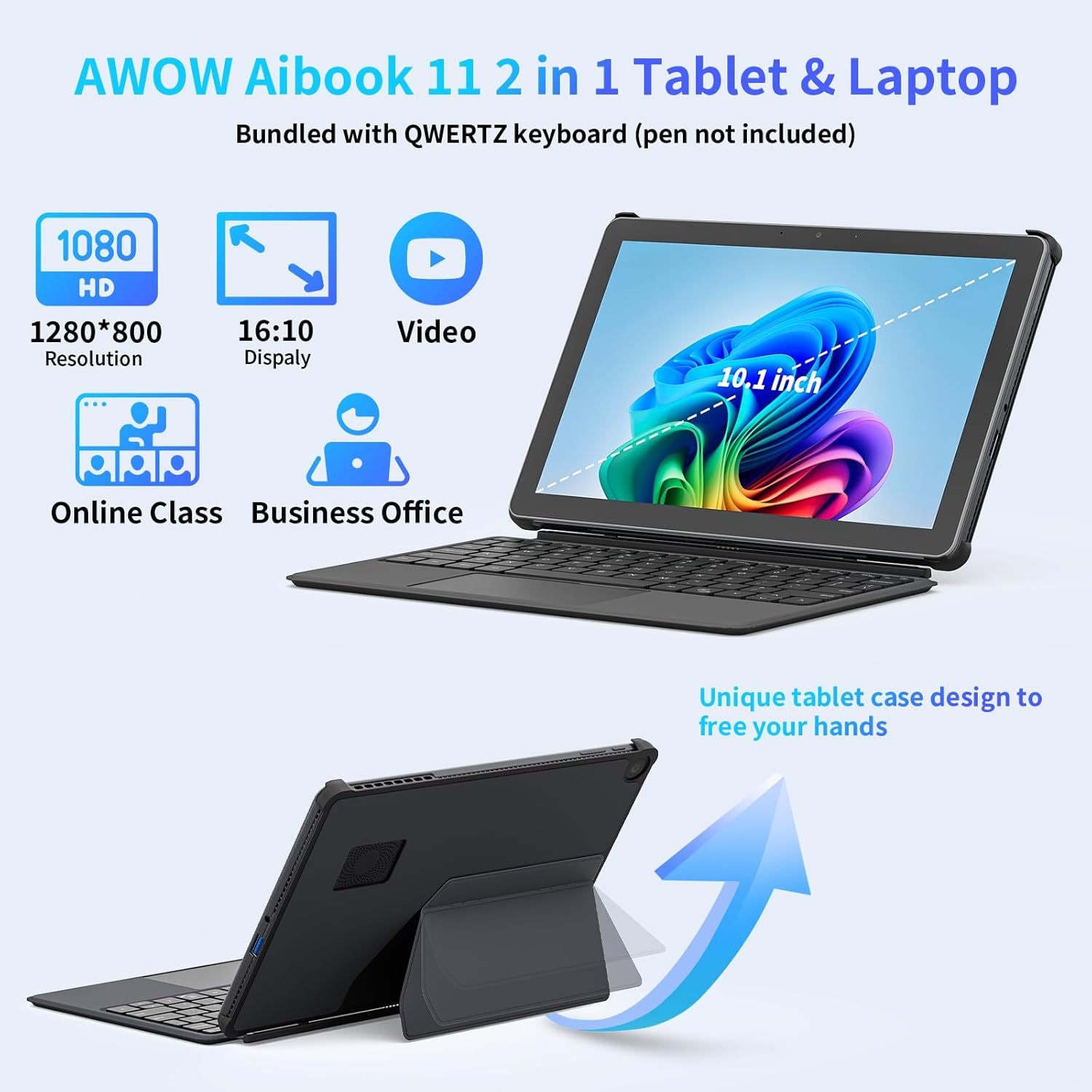
Image: The AWOW AiBook 11 tablet shown with its detachable keyboard and protective cover, highlighting its 2-in-1 functionality.
3. การเปิดเครื่องครั้งแรกและการตั้งค่า Windows
Press and hold the power button located on the side of the tablet until the screen illuminates. Follow the on-screen prompts to complete the Windows 11 initial setup, including language selection, network connection, and user account creation.
การใช้งานอุปกรณ์ของคุณ
1. รูปแบบการใช้งาน
The AiBook 11 supports multiple usage modes:
- โหมดแท็บเล็ต: Detach the keyboard for a pure tablet experience, ideal for touch navigation and media consumption.
- โหมดแล็ปท็อป: Attach the keyboard and use the integrated stand for a traditional laptop setup, suitable for typing and productivity.
- โหมดสร้างสรรค์: Adjust the stand to an angled position for drawing or comfortable viewการไอเอ็นจี

Image: The AWOW AiBook 11 tablet demonstrating its flexibility in laptop, creative, and handheld tablet modes.
2. คุณสมบัติการแสดงผล
The device features a 10.1-inch In-Cell Full HD (1920x1080) display. In-Cell technology integrates the touch layer directly into the LCD, resulting in a thinner panel and clear visuals with reduced glare.

Image: A visual comparison illustrating the difference between traditional display layers and the thinner, integrated layers of an In-Cell display.
3. การเชื่อมต่อ
The AiBook 11 offers various connectivity options:
- ไร้สาย: Supports WiFi 6 (802.11ax) for high-speed internet and Bluetooth 5.0 for connecting peripherals.
- พอร์ต: Includes Micro HDMI (4K 60Hz), a full-function Type-C port (4K 144Hz), and a USB 3.0 port. A headphone jack is also available.

Image: The AWOW AiBook 11 tablet connected to two external monitors, demonstrating its capability to extend the display via Type-C and Micro HDMI ports.
4. ประสิทธิภาพและการจัดเก็บ
The tablet is powered by an Intel N150 Quad-Core processor, paired with 12GB of LPDDR5 RAM and a 256GB PCIe 3.0 SSD. This configuration supports efficient multitasking and quick application loading. Storage can be expanded via a TF card slot, supporting up to 512GB.

Image: A diagram showing the benefits of 12GB LPDDR5 RAM and 256GB PCIe 3.0 SSD for multitasking and data access speed.
การซ่อมบำรุง
1. การทำความสะอาดอุปกรณ์
ใช้ผ้าเนื้อนุ่มที่ไม่เป็นขุยเช็ดทำความสะอาดหน้าจอและพื้นผิวด้านนอก สำหรับคราบสกปรกที่ล้างออกยาก ให้ใช้ผ้าชุบน้ำหมาดๆ เช็ดเบาๆampen the cloth with water or a screen-cleaning solution. Avoid abrasive materials or harsh chemicals.
2. การจัดการแบตเตอรี่
เพื่อยืดอายุการใช้งานแบตเตอรี่ ควรหลีกเลี่ยงการปล่อยให้แบตเตอรี่หมดเกลี้ยงบ่อยๆ ชาร์จอุปกรณ์เมื่อระดับแบตเตอรี่เหลือน้อย เก็บอุปกรณ์ไว้ในที่แห้งและเย็นเมื่อไม่ได้ใช้งานเป็นเวลานาน
3. การอัปเดตซอฟต์แวร์
ตรวจสอบและติดตั้งการอัปเดต Windows เป็นประจำ เพื่อให้แน่ใจว่าระบบของคุณมีแพทช์ความปลอดภัยล่าสุดและการปรับปรุงประสิทธิภาพ ไปที่ การตั้งค่า > Windows Update เพื่อจัดการการอัปเดต
4. การขยายพื้นที่เก็บข้อมูล
If additional storage is required, insert a TF (microSD) card into the designated slot. The device supports TF cards up to 512GB.
5. ระบบระบายความร้อน
The AiBook 11 includes an internal fan system to manage heat and maintain stable CPU performance during operation. Ensure ventilation slots are not obstructed to allow for proper airflow.

Image: A diagram illustrating the internal fan system designed to cool the processor and maintain device stability.
การแก้ไขปัญหา
- อุปกรณ์ไม่ได้เปิดเครื่อง: Ensure the device is charged. Connect the charger and wait a few minutes before attempting to power on again. If the issue persists, perform a hard reset by holding the power button for 10-15 seconds.
- หน้าจอไม่ตอบสนอง: If the touchscreen is unresponsive, try restarting the device. If using the keyboard, ensure it is properly connected.
- ปัญหาการเชื่อมต่อ Wi-Fi/Bluetooth: Check if Wi-Fi or Bluetooth is enabled in Windows settings. Restart the device and your router/Bluetooth accessory. Ensure drivers are up to date via Device Manager.
- Slow Performance or Overheating: Close unnecessary applications running in the background. Ensure ventilation slots are clear. If the device consistently runs warm, reduce intensive tasks.
- แป้นพิมพ์ไม่ทำงาน: Ensure the magnetic connection is secure. Restart the tablet. If the issue continues, detach and reattach the keyboard.
หากต้องการความช่วยเหลือเพิ่มเติม โปรดดูส่วนการสนับสนุน
ข้อมูลจำเพาะ
| คุณสมบัติ | ข้อมูลจำเพาะ |
|---|---|
| ชื่อรุ่น | AiBook 11 |
| ระบบปฏิบัติการ | วินโดวส์ 11 |
| ขนาดหน้าจอ | 10.1 นิ้ว |
| ความละเอียดหน้าจอ | 1920x1080 พิกเซล |
| โปรเซสเซอร์ | อินเทล N150 (สูงสุด 3.6 GHz) |
| แรม | 12GB LPDDR5 ความจุ |
| พื้นที่จัดเก็บ | 256 GB PCIe 3.0 SSD |
| พื้นที่เก็บข้อมูลแบบขยายได้ | TF Card up to 512 GB |
| โคโปรเซสเซอร์กราฟิก | กราฟิก Intel UHD |
| ประเภทไร้สาย | 802.11ax (WiFi 6), บลูทูธ 5.0 |
| พอร์ต | Micro HDMI, Type-C (Full-function), USB 3.0, Headphone Jack |
| อายุการใช้งานแบตเตอรี่โดยเฉลี่ย | 7 ชั่วโมง |
| การชาร์จไฟ | PD 36W Fast Charging |
| น้ำหนักสินค้า | 2.5 ปอนด์ (ประมาณ 1.13 กก.) |
| ขนาดสินค้า | 9.6 x 0.4 x 6.5 นิ้ว (ประมาณ 24.5 x 1.0 x 16.4 ซม.) |
การรับประกันและการสนับสนุน
Your AWOW AiBook 11 Tablet is covered by a manufacturer's warranty. Please refer to the warranty card included in your product packaging for specific terms and conditions. For technical support, troubleshooting assistance, or warranty claims, please visit the official AWOW webหรือติดต่อฝ่ายบริการลูกค้า โดยทั่วไปข้อมูลการติดต่อจะอยู่ในเว็บไซต์ของผู้ผลิต webเว็บไซต์หรือในเอกสารประกอบผลิตภัณฑ์


