1. บทนำ
The SANSUI W12 AI Translation Earbuds are designed to facilitate real-time language translation, high-definition calls, and immersive audio experiences. Featuring advanced Bluetooth 6.0 technology and an open-ear design, these earbuds offer comfort and functionality for various daily activities, including travel, business, and learning.

Image: SANSUI W12 AI Translation Earbuds and their compact charging case.
Video: A detailed physical display of the SANSUI W12 AI Translation Earbuds, showcasinก. การออกแบบและคุณลักษณะของมัน
2. อะไรอยู่ในกล่อง
Upon unboxing your SANSUI W12 AI Translation Earbuds, you should find the following items:
- หูฟังแปลภาษา SANSUI W12 AI (ซ้ายและขวา)
- เคสชาร์จไฟ
- สายชาร์จ USB-C
- คู่มือผู้ใช้ W12
- SANSUI AI Smart App User Guide

ภาพ: สินค้าทั้งหมดที่บรรจุอยู่ในบรรจุภัณฑ์ของ SANSUI W12
3. การตั้งค่า
3.1. การดาวน์โหลดและติดตั้งแอป
The SANSUI AI Smart App is essential for utilizing the full translation capabilities of your earbuds. You can download it via QR code or by searching in your device's app store.
- สแกนรหัส QR: Locate the QR code on the product packaging or in the included user guide. Use your phone's built-in QR code scanner to scan it. This will direct you to a download page.
- Select Your System: On the download page, select your operating system (Android or iOS).
- ดาวน์โหลดจาก App Store: You will be redirected to the Google Play Store (for Android) or the Apple App Store (for iOS). Download and install the "SANSUI" app.
- Direct Search: Alternatively, open your device's app store (Google Play Store or Apple App Store) and search for "SANSUI" to find and install the app directly.
Video: Instructions for downloading and connecting the SANSUI App on Android devices.
Video: Tutorial for downloading the SANSUI AI Smart App on iOS devices.
3.2. การจับคู่บลูทู ธ
Follow these steps to pair your SANSUI W12 earbuds with your smartphone:
- ตรวจสอบให้แน่ใจว่าได้เปิดใช้งาน Bluetooth บนสมาร์ทโฟนของคุณแล้ว
- เปิดกล่องชาร์จและนำหูฟังทั้งสองข้างออก หูฟังจะเข้าสู่โหมดจับคู่โดยอัตโนมัติ
- On your phone, go to Bluetooth settings and search for available devices.
- Select "SANSUI W12" from the list of available devices to connect.
- Once connected, open the SANSUI AI Smart App. In the app, click the "+" sign to search for and connect to your earbuds within the application.

Image: The SANSUI AI Smart App interface, displaying EQ settings and device connection status.
4. คู่มือการใช้งาน
4.1. การแปลแบบเรียลไทม์
The SANSUI W12 earbuds support over 100 languages for real-time translation through the AI Smart App.
- Open the SANSUI AI Smart App and navigate to the AI function window.
- Select your desired translation mode (e.g., Voice Translation, Text Translation, Simultaneous Interpretation, Conversation Translation).
- เลือกภาษาต้นทางและภาษาเป้าหมายสำหรับการแปล
- Press the record button or follow the on-screen prompts to begin the translation conversation.

Image: Demonstrates various scenarios where the earbuds facilitate communication, such as learning, travel, and business meetings.
วิดีโอ: จบแล้วview of the SANSUI W12 AI Translation Earbuds model experience, highlighting its features in use.
4.2. การเล่นเสียงและการโทร
The earbuds provide immersive 8D surround sound and clear communication with dual microphones and advanced noise cancellation.
- การเล่นเพลง: Enjoy high-fidelity audio for music. The AI Smart App allows for customizable sound effects and EQ settings.
- การโทรแบบความคมชัดสูง: The dual microphones and noise cancellation ensure clear voice transmission during calls.
- การบันทึกการประชุมอัจฉริยะ: Utilize the smart meeting recording feature for transcribing conversations.

Image: A user wearing the earbuds, with icons representing key functionalities: Music, Audio control, Calls, Smart meeting transcription, AI models, and Translation.
4.3. การออกแบบตามหลักสรีรศาสตร์และความสะดวกสบาย
The SANSUI W12 features an open-ear design with TPEE ear hooks for comfort and stability.
- การออกแบบแบบเปิดหู: Allows for ambient sound awareness, enhancing safety during activities like cycling or jogging.
- พอดีปลอดภัย: TPEE elastic ear hooks prevent the earbuds from falling out during physical activity.
- เหมาะสำหรับผู้ที่สวมแว่นตา: The slim ear hooks are designed to be comfortable for users who wear glasses.

Image: A visual comparison of open-ear versus in-ear earbud designs, emphasizing the comfortable and secure fit of the SANSUI W12.

Image: A person wearing the SANSUI W12 earbuds comfortably with eyeglasses, showcasing the ergonomic design for glasses wearers.
5. การบำรุงรักษา
เพื่อให้หูฟังแปลภาษา SANSUI W12 AI ของคุณใช้งานได้ยาวนานและมีประสิทธิภาพสูงสุด โปรดปฏิบัติตามคำแนะนำในการบำรุงรักษาเหล่านี้:
- การทำความสะอาด: เช็ดหูฟังและกล่องชาร์จเบาๆ ด้วยผ้าแห้งเนื้อนุ่ม หลีกเลี่ยงการใช้วัสดุที่มีฤทธิ์กัดกร่อนหรือสารเคมีรุนแรง
- ความต้านทานน้ำ: The earbuds feature a nano-coating for water resistance, protecting against sweat and light rain. However, they are not designed for submersion in water. Avoid prolonged exposure to moisture.
- การชาร์จ: Use the provided USB-C cable for charging. Ensure the charging ports are clean and dry before connecting.
- พื้นที่จัดเก็บ: เก็บหูฟังไว้ในกล่องชาร์จเมื่อไม่ใช้งาน เพื่อปกป้องหูฟังและรักษาระดับพลังงาน เก็บในที่แห้งและเย็น หลีกเลี่ยงอุณหภูมิที่สูงหรือต่ำเกินไป
6 การแก้ไขปัญหา
If you encounter issues with your SANSUI W12 earbuds, refer to the following common solutions:
- Earbuds Not Connecting to Phone:
- ตรวจสอบให้แน่ใจว่าเปิดใช้งาน Bluetooth บนโทรศัพท์ของคุณแล้ว
- ตรวจสอบให้แน่ใจว่าหูฟังชาร์จแล้วและไม่ได้นำออกจากกล่องชาร์จ
- ลืมอุปกรณ์ในการตั้งค่าบลูทูธของโทรศัพท์ของคุณและลองจับคู่ใหม่อีกครั้ง
- รีสตาร์ทโทรศัพท์และหูฟังของคุณ
- ปัญหาการดาวน์โหลดแอป:
- ตรวจสอบการเชื่อมต่ออินเทอร์เน็ตของคุณ
- ตรวจสอบให้แน่ใจว่าระบบปฏิบัติการของอุปกรณ์ของคุณได้รับการอัปเดตแล้ว
- Clear the cache of your app store (Google Play Store or Apple App Store).
- If scanning the QR code doesn't work, try searching for "SANSUI" directly in the app store.
- Translation Inaccuracies or Lag:
- Ensure a stable internet connection for optimal real-time translation.
- พูดอย่างชัดเจนและด้วยจังหวะที่พอเหมาะ
- Check the selected languages in the app to ensure they are correct.
- Update the SANSUI AI Smart App to the latest version.
- คุณภาพเสียงไม่ดี:
- ตรวจสอบให้แน่ใจว่าหูฟังอยู่ในตำแหน่งที่ถูกต้องบนหูของคุณ
- Adjust the EQ settings within the SANSUI AI Smart App.
- ทำความสะอาดเศษสิ่งสกปรกออกจากลำโพงของหูฟัง
7. ข้อมูลจำเพาะ
| คุณสมบัติ | รายละเอียด |
|---|---|
| ชื่อรุ่น | W12 |
| ยี่ห้อ | ซันซุย |
| เทคโนโลยีการเชื่อมต่อ | ไร้สาย (บลูทูธ 6.0) |
| ช่วงบลูทูธ | 15 เมตร |
| อายุการใช้งานแบตเตอรี่ (หูฟัง) | สูงสุด 8 ชั่วโมงต่อการชาร์จหนึ่งครั้ง |
| อายุการใช้งานแบตเตอรี่ทั้งหมด (รวมเคส) | 42 ชั่วโมง |
| เวลาในการชาร์จ | 1.5 Hours (Type-C) |
| ขนาดไดร์เวอร์เสียง | 14.2 มิลลิเมตร |
| การควบคุมเสียงรบกวน | ระบบตัดเสียงรบกวนแบบแอคทีฟ |
| ระดับความต้านทานต่อน้ำ | Water Resistant (Nano-coating) |
| น้ำหนักสินค้า (หูฟัง) | 8.3 กรัมต่อเอียร์บัด |
| ประเภทการควบคุม | App Control / Touch Control / Volume Control |
| อุปกรณ์ที่รองรับ | Cellphones, Gaming Consoles, Laptops, Tablets, Telephones |
| คุณสมบัติพิเศษ | Integrated Equalizer, Noise Cancellation, Surround Sound, Touch Control, Volume Control, AI Translation, Smart Meeting Recording |

Image: Technical diagram highlighting the Bluetooth 6.0 technology and 14.2mm dynamic driver for superior audio performance.
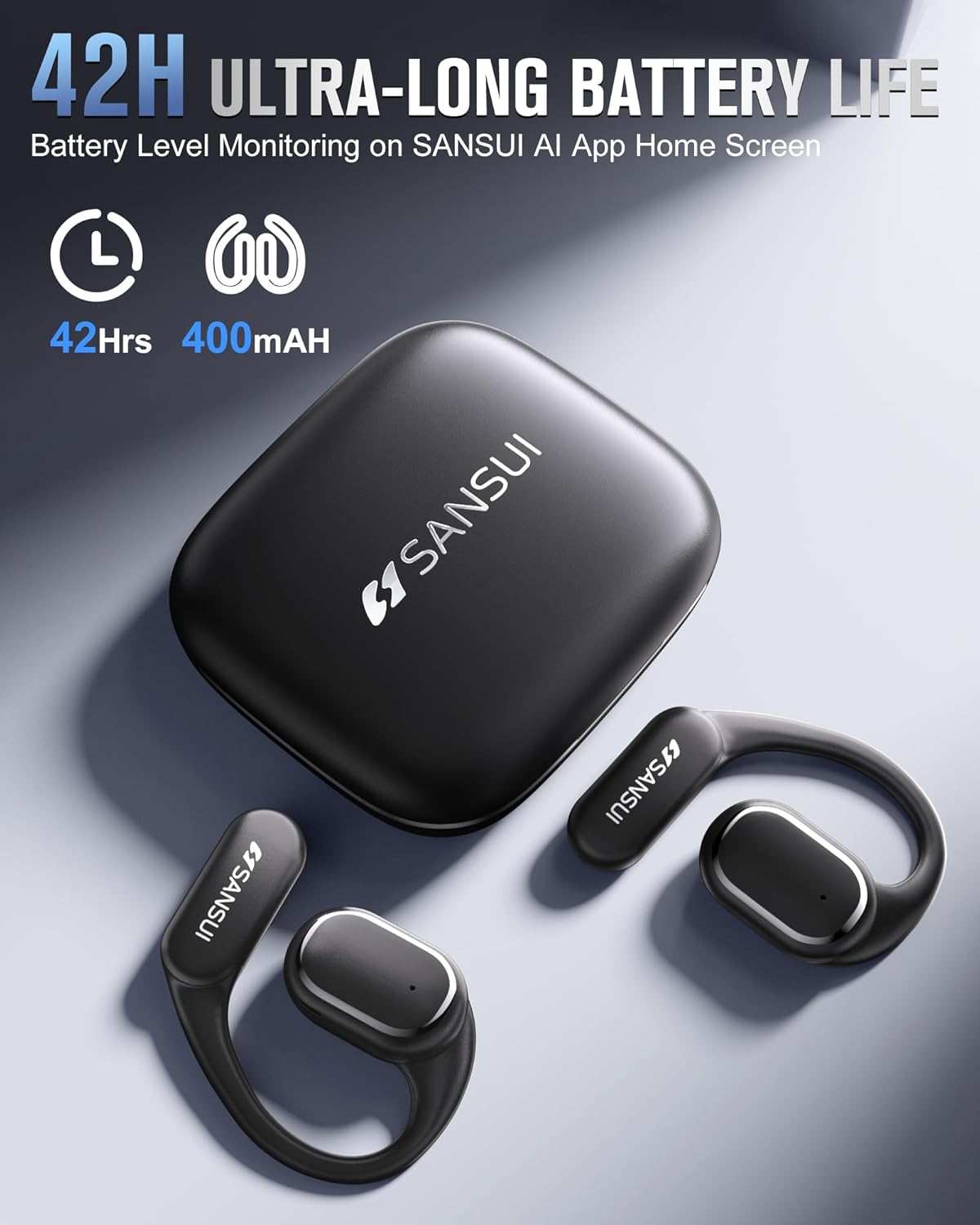
Image: The SANSUI W12 earbuds and charging case, illustrating the 42-hour ultra-long battery life.
8. การรับประกันและการสนับสนุน
SANSUI is committed to providing quality products and customer satisfaction. For any inquiries or support needs, please refer to the following:
- การรับประกัน: The product comes with a standard manufacturer's warranty. Please refer to the warranty card included in your packaging for specific terms and conditions.
- การสนับสนุนลูกค้า: For technical assistance, troubleshooting, or general inquiries, please visit the official SANSUI website or contact their customer service. Contact information can be found in the user manual or on the SANSUI AI Smart App.
- แผนการคุ้มครอง: Extended protection plans are available for purchase separately to cover your device beyond the standard warranty period.


