1. บทนำ
TOPDON Topscan Master เป็นเครื่องมือวินิจฉัยไร้สายระดับมืออาชีพ ออกแบบมาสำหรับช่างเทคนิคยานยนต์และผู้ที่ชื่นชอบรถยนต์ อุปกรณ์นี้เชื่อมต่อกับพอร์ต OBD2 ของรถยนต์ของคุณและสื่อสารผ่านบลูทูธกับสมาร์ทโฟน iOS หรือ Android ของคุณ ให้การวินิจฉัยรถยนต์อย่างครอบคลุม การควบคุมแบบสองทิศทาง และฟังก์ชันการบำรุงรักษามากมาย คู่มือนี้ให้คำแนะนำโดยละเอียดเกี่ยวกับการติดตั้ง การใช้งาน และการบำรุงรักษา เพื่อให้มั่นใจถึงประสิทธิภาพสูงสุดและอายุการใช้งานที่ยาวนานของอุปกรณ์ของคุณ
2. สินค้าหมดview
เครื่อง Topscan Master มีคุณสมบัติครบครันสำหรับการวิเคราะห์และบำรุงรักษารถยนต์อย่างละเอียด การออกแบบที่กะทัดรัดทำให้พกพาและใช้งานได้ง่ายในสภาพแวดล้อมต่างๆ

ภาพที่ 2.1: อุปกรณ์ TOPDON Topscan Master พร้อมอินเทอร์เฟซสมาร์ทโฟน แสดงข้อมูลแบบเรียลไทม์
คุณสมบัติหลัก:
- ความคุ้มครองยานพาหนะที่ครอบคลุม: รองรับแบรนด์รถยนต์ทั่วโลกกว่า 120 แบรนด์ รวมถึงโปรโตคอลที่ทันสมัย เช่น CAN-FD และ DoIP สำหรับรถยนต์ GM/Chrysler รุ่นปี 2020 ขึ้นไป, แชสซี BMW F/G และ Land Rover รุ่นปี 2017 ขึ้นไป
- การเข้าถึงเกตเวย์ที่ปลอดภัย: ให้การวินิจฉัยแบบไม่จำกัดสำหรับรถยนต์ FCA และรองรับการเข้าถึงเกตเวย์ที่ปลอดภัยอื่นๆ (เช่น Nissan, Renault)
- การควบคุมแบบสองทิศทาง: ทำการทดสอบการทำงานอย่างต่อเนื่องกับชิ้นส่วนต่างๆ เช่น กระจกหน้าต่าง ไฟหน้า หัวฉีด และปั๊มเชื้อเพลิง
- หน้าที่การบำรุงรักษาอย่างครอบคลุม: สามารถเข้าถึงฟังก์ชันการบริการมากกว่า 30 รายการ รวมถึงการรีเซ็ตน้ำมันเครื่อง การรีเซ็ตเบรกมือไฟฟ้า การสร้างใหม่ของตัวกรองอนุภาคดีเซล การรีเซ็ตระบบตรวจสอบแรงดันลมยาง การรีเซ็ตระบบจัดการแบตเตอรี่ และการทดสอบความสมดุลของกระบอกสูบ
- การวินิจฉัยระบบอย่างครบถ้วน: การเข้าถึงระดับ OE ไปยังโมดูลยานยนต์ทั้งหมด (เครื่องยนต์ เกียร์ ABS ถุงลมนิรภัย เครื่องปรับอากาศ ฯลฯ) เพื่ออ่าน/ล้างรหัสข้อผิดพลาด และ viewกำลังประมวลผลข้อมูลแบบเรียลไทม์
- ผู้ช่วย AI ของ TopFix: โปรแกรมนี้ตีความรหัสข้อผิดพลาดและให้ขั้นตอนการซ่อมแซมทีละขั้นตอน แผนผังวงจร และแผนผังขาต่อของขั้วต่อ
- ความสะดวกในการพกพาแบบไร้สาย: ทำงานผ่านบลูทูธ ช่วยให้สามารถวินิจฉัยปัญหาจากสมาร์ทโฟนของคุณได้
- รองรับหลายภาษา: มีเมนูให้บริการใน 45 ภาษา
3. คู่มือการติดตั้ง
3.1 แกะกล่อง
โปรดตรวจสอบสิ่งของในพัสดุของคุณ:
- อุปกรณ์หลัก Topscan (1 ชิ้น)
- คู่มือเริ่มต้นอย่างรวดเร็ว (x1)
3.2 การติดตั้งแอพ
เครื่อง Topscan Master ทำงานร่วมกับแอปพลิเคชัน TOPDON ที่ออกแบบมาโดยเฉพาะ ซึ่งใช้งานได้กับอุปกรณ์ iOS และ Android
- ดาวน์โหลดแอป: ค้นหา ค้นหา 'TOPDON' ใน Apple App Store (สำหรับ iOS) หรือ Google Play Store (สำหรับ Android) แล้วติดตั้งแอปพลิเคชัน
- การติดตั้ง NFC อย่างรวดเร็ว (ไม่บังคับ): สำหรับอุปกรณ์ที่รองรับ ให้แตะสมาร์ทโฟนของคุณกับ NFC tag บนบรรจุภัณฑ์ของ Topscan Master เพื่อเปิดหน้าดาวน์โหลดแอปได้อย่างรวดเร็ว

ภาพที่ 3.1: คุณสมบัติการติดตั้งด่วนด้วย NFC สำหรับดาวน์โหลดแอป TOPDON
3.3 การเชื่อมต่ออุปกรณ์
- ค้นหาพอร์ต OBD2: ค้นหาพอร์ตวินิจฉัย OBD2 16 พินของรถคุณ ซึ่งโดยทั่วไปจะอยู่ใต้แผงหน้าปัดด้านคนขับ
- เชื่อมต่ออุปกรณ์: เสียบอุปกรณ์ Topscan Master เข้ากับพอร์ต OBD2 ของรถยนต์ให้แน่น ไฟแสดงสถานะของอุปกรณ์ควรจะสว่างขึ้น
- เปิดสวิตช์กุญแจ: หมุนสวิตช์กุญแจรถไปที่ตำแหน่ง 'เปิด' (เครื่องยนต์ดับ)
- จับคู่ผ่านบลูทู ธ : เปิดแอป TOPDON บนสมาร์ทโฟนของคุณ แอปจะค้นหาและเชื่อมต่อกับ Topscan Master ผ่านบลูทูธโดยอัตโนมัติ ทำตามคำแนะนำบนหน้าจอสำหรับการจับคู่ครั้งแรก
- การระบุยานพาหนะ: แอปจะพยายามระบุรถยนต์โดยอัตโนมัติผ่าน AutoVIN หากไม่สำเร็จ คุณอาจต้องป้อนข้อมูลรถยนต์ด้วยตนเอง
4. คู่มือการใช้งาน
เมื่อเชื่อมต่อแล้ว แอป TOPDON จะมีอินเทอร์เฟซที่ใช้งานง่ายสำหรับฟังก์ชันการวินิจฉัยและการบำรุงรักษาต่างๆ
4.1 การวินิจฉัยระบบทั้งหมด
ฟังก์ชันนี้ช่วยให้คุณสามารถเข้าถึงและวินิจฉัยโมดูลควบคุมอิเล็กทรอนิกส์ (ECU) ทั้งหมดที่มีอยู่ในรถยนต์ได้
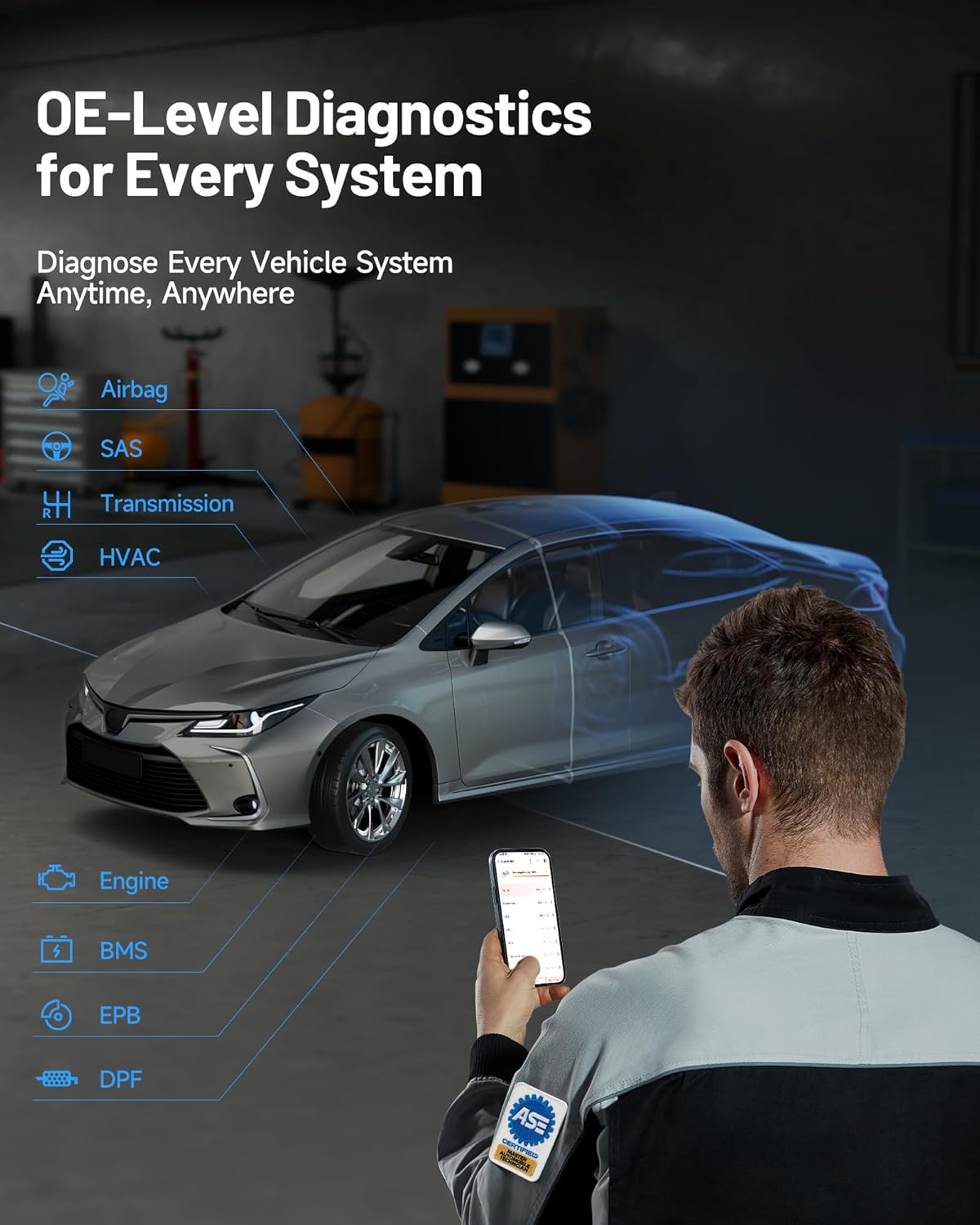
ภาพที่ 4.1: การวินิจฉัยระดับ OE สำหรับทุกระบบ แสดงให้เห็นช่างกำลังใช้เครื่องมือกับรถยนต์
- อ่าน/ล้างรหัสข้อผิดพลาด (DTC): ดึงรหัสข้อผิดพลาดในการวินิจฉัย (DTC) จากทุกระบบ และล้างรหัสเหล่านั้นหลังจากซ่อมแซมเสร็จแล้ว
- สตรีมข้อมูลสด: View ข้อมูลพารามิเตอร์แบบเรียลไทม์จากเซ็นเซอร์และส่วนประกอบต่างๆ สามารถแสดงผลได้ในรูปแบบข้อความ กราฟ หรือมาตรวัด
- อ่าน Freeze Frame: บันทึกภาพสภาวะการทำงานของรถยนต์ในขณะที่รหัสข้อผิดพลาด (DTC) ปรากฏขึ้น
- อ่านข้อมูล ECU: แสดงข้อมูลเฉพาะสำหรับชุดควบคุมที่ทดสอบ รวมถึงประเภทของชุดควบคุม หมายเลขเวอร์ชัน และข้อกำหนดอื่นๆ
4.2 การควบคุมแบบสองทิศทาง (การทดสอบเชิงรุก)
คุณสมบัตินี้ช่วยให้คุณสามารถส่งคำสั่งไปยังชิ้นส่วนต่างๆ ของรถยนต์เพื่อทดสอบการทำงานได้โดยตรง ซึ่งจะช่วยให้ระบุสาเหตุของปัญหาได้รวดเร็วยิ่งขึ้น

ภาพที่ 4.2: อินเทอร์เฟซควบคุมแบบสองทิศทาง แสดงให้เห็นถึงความสามารถในการสั่งการโดยตรงสำหรับส่วนประกอบต่างๆ ของยานยนต์
เพื่อทำการทดสอบเชิงรุก:
- เข้าไปที่ส่วน 'การควบคุมแบบสองทิศทาง' ภายในแอปพลิเคชัน
- เลือกส่วนประกอบที่คุณต้องการทดสอบ (เช่น 'เลื่อนกระจกขึ้น/ลง', 'เปิด/ปิดปั๊มน้ำมัน')
- ทำตามคำแนะนำบนหน้าจอเพื่อเปิดใช้งานและสังเกตการตอบสนองของส่วนประกอบ
4.3 ฟังก์ชันการบำรุงรักษา (การรีเซ็ตและการปรับเทียบ)
โปรแกรม Topscan Master ประกอบด้วยฟังก์ชันการบำรุงรักษาและการบริการทั่วไปกว่า 30 ฟังก์ชัน

ภาพที่ 4.3: จบแล้วview ประกอบด้วยฟังก์ชันการบำรุงรักษาทั่วไปกว่า 30 รายการที่มีให้ใช้งานใน Topscan Master
Exampฟังก์ชันต่างๆ ได้แก่:
- รีเซ็ตน้ำมัน: รีเซ็ตระบบอายุการใช้งานน้ำมันเครื่องหลังจากเปลี่ยนถ่ายน้ำมันเครื่องแล้ว
- รีเซ็ต EPB: ปิดใช้งานและเปิดใช้งานระบบเบรกมือไฟฟ้าอีกครั้งเมื่อต้องเข้ารับบริการซ่อมบำรุงเบรก
- การฟื้นฟู DPF: ดำเนินการฟื้นฟูตัวกรองอนุภาคดีเซลแบบบังคับ
- รีเซ็ต TPMS: รีเซ็ตเซ็นเซอร์ระบบตรวจสอบแรงดันลมยาง
- รีเซ็ต BMS: บันทึกการเปลี่ยนแบตเตอรี่ใหม่ลงใน ECU
- การปรับคันเร่ง: เรียนรู้ตำแหน่งของลิ้นปีกผีเสื้ออีกครั้ง
- การรีเซ็ตมุมพวงมาลัย: รีเซ็ตเซ็นเซอร์มุมพวงมาลัย
- การเข้ารหัสหัวฉีด: กำหนดหมายเลขหัวฉีดใหม่ให้กับ ECU
โปรดอ้างอิงคู่มือการซ่อมบำรุงของรถแต่ละรุ่นและปฏิบัติตามข้อควรระวังด้านความปลอดภัยทั้งหมดเมื่อทำการบำรุงรักษา
4.4 ผู้ช่วย AI TopFix
ระบบผู้ช่วย AI ของ TopFix ที่ผสานรวมเข้ามา ช่วยลดความซับซ้อนของการซ่อมแซมที่ซับซ้อนโดยการให้ข้อมูลโดยละเอียดและคำแนะนำทีละขั้นตอน

ภาพที่ 4.4: หน้าจอผู้ใช้งาน TopFix AI Assistant ที่แสดงคำอธิบายข้อผิดพลาดโดยละเอียดและขั้นตอนการซ่อมแซม
- การตีความข้อผิดพลาด: รับคำอธิบายที่ชัดเจนสำหรับรหัสข้อผิดพลาดในการวินิจฉัย (DTCs)
- คำแนะนำทีละขั้นตอน: เข้าถึงขั้นตอนการซ่อมแซมแบบมีคำแนะนำ
- ข้อมูลทางเทคนิค: View แผนผังการเดินสายไฟ แผนผังการเชื่อมต่อขา และเอกสารการซ่อมแซมระดับมืออาชีพอื่นๆ
4.5 การเข้าถึงเกตเวย์ที่ปลอดภัย (SGW)
Topscan Master รองรับการเข้าถึงเกตเวย์ที่ปลอดภัยสำหรับรถยนต์บางยี่ห้อ ทำให้สามารถวินิจฉัยปัญหาได้อย่างเต็มรูปแบบในรุ่นใหม่ๆ

ภาพที่ 4.5: การเปรียบเทียบการเข้าถึงเกตเวย์ที่ปลอดภัย โดยเน้นถึงความเข้ากันได้ที่กว้างขวางยิ่งขึ้นของ Topscan Master
สำหรับรถยนต์ FCA อุปกรณ์นี้ช่วยให้สามารถวินิจฉัยปัญหาได้อย่างไม่จำกัด โปรดทราบว่าเกตเวย์รักษาความปลอดภัยบางแห่งอาจต้องการบัญชี OEM ที่ถูกต้องเพื่อเข้าถึงฟังก์ชันบางอย่างได้อย่างเต็มรูปแบบ
5. การบำรุงรักษา
การดูแลรักษาอย่างถูกวิธีจะช่วยยืดอายุการใช้งานของอุปกรณ์ Topscan Master ของคุณได้
- การทำความสะอาด: ใช้ผ้านุ่มและแห้งทำความสะอาดอุปกรณ์ หลีกเลี่ยงการใช้น้ำยาทำความสะอาดหรือตัวทำละลายที่มีฤทธิ์กัดกร่อน
- พื้นที่จัดเก็บ: เก็บอุปกรณ์ไว้ในที่แห้งและเย็น หลีกเลี่ยงแสงแดดโดยตรงและอุณหภูมิที่สูงหรือต่ำเกินไป
- การอัปเดตซอฟต์แวร์: ตรวจสอบและติดตั้งซอฟต์แวร์อัปเดตเป็นประจำผ่านแอป TOPDON เพื่อให้มั่นใจว่าสามารถใช้งานร่วมกับรุ่นรถยนต์ล่าสุดและคุณสมบัติการวินิจฉัยต่างๆ ได้ อุปกรณ์นี้มาพร้อมกับการอัปเดตฟรี 1 ปี
- การเชื่อมต่อ: ตรวจสอบให้แน่ใจว่าขั้วต่อ OBD2 สะอาดและปราศจากสิ่งสกปรก
6 การแก้ไขปัญหา
หากคุณพบปัญหาเกี่ยวกับ Topscan Master โปรดดูขั้นตอนการแก้ไขปัญหาทั่วไปต่อไปนี้:
- อุปกรณ์ไม่ได้เปิดเครื่อง: ตรวจสอบให้แน่ใจว่าได้เสียบอุปกรณ์เข้ากับพอร์ต OBD2 ของรถยนต์อย่างแน่นหนา และสวิตช์กุญแจรถอยู่ในตำแหน่ง 'เปิด' หากจำเป็น ให้ตรวจสอบฟิวส์ของพอร์ต OBD2 ในรถยนต์ด้วย
- ความล้มเหลวในการเชื่อมต่อบลูทูธ: ตรวจสอบให้แน่ใจว่าได้เปิดใช้งานบลูทูธบนสมาร์ทโฟนของคุณแล้ว ปิดและเปิดแอป TOPDON ใหม่ หากปัญหายังคงอยู่ ให้ลองรีสตาร์ททั้งสมาร์ทโฟนและอุปกรณ์ Topscan Master
- แอปตรวจไม่พบยานพาหนะ: ตรวจสอบให้แน่ใจว่าอุปกรณ์เชื่อมต่อกับพอร์ต OBD2 อย่างถูกต้องและเปิดสวิตช์กุญแจแล้ว หาก AutoVIN ล้มเหลว ให้ลองป้อนหมายเลข VIN ด้วยตนเอง ตรวจสอบให้แน่ใจว่ารถยนต์เป็นไปตามมาตรฐาน OBD2
- ฟังก์ชันการวินิจฉัยไม่ทำงาน: โปรดตรวจสอบให้แน่ใจว่าได้ระบุรุ่นและปีของรถยนต์ในแอปอย่างถูกต้องแล้ว ฟังก์ชันขั้นสูงบางอย่างอาจต้องการเงื่อนไขเฉพาะของรถยนต์ (เช่น เครื่องยนต์ทำงาน อุณหภูมิที่กำหนด)
- ประสิทธิภาพการทำงานช้า: ตรวจสอบให้แน่ใจว่าสมาร์ทโฟนของคุณมีหน่วยความจำเพียงพอและใช้งานแอป TOPDON เวอร์ชันล่าสุด ปิดแอปพลิเคชันอื่นๆ ที่ทำงานอยู่เบื้องหลัง
- ข้อความแสดงข้อผิดพลาด: จดบันทึกรหัสข้อผิดพลาดหรือข้อความใดๆ ที่ปรากฏ และดูข้อมูลในส่วนช่วยเหลือของแอป หรือติดต่อฝ่ายสนับสนุนด้านเทคนิค
7. ข้อมูลจำเพาะ
| คุณสมบัติ | ข้อมูลจำเพาะ |
|---|---|
| ยี่ห้อ | ท็อปดอน |
| แบบอย่าง | ท็อปดอน ท็อปสแกน มาสเตอร์ |
| หมายเลขรุ่นสินค้า | ท็อปสแกน มาสเตอร์-ซีเอ |
| แหล่งพลังงาน | พอร์ต OBD2 ของรถยนต์ |
| ขนาดสินค้า | ยาว 3.1 นิ้ว x กว้าง 1.5 นิ้ว x สูง 4.7 นิ้ว |
| น้ำหนักสินค้า | 3.87 ออนซ์ |
| ความเข้ากันได้ของระบบปฏิบัติการ | iOS และ Android |
| ประเภทความพอดีของยานยนต์ | สามารถใช้ได้กับรถยนต์ทุกรุ่น (ที่รองรับระบบ OBD2) |
| การเชื่อมต่อ | บลูทูธ |
| โปรโตคอลที่รองรับ | โปรโตคอล CAN-FD, DoIP และ OBD2 มาตรฐาน |
8. การรับประกันและการสนับสนุน
8.1 การอัปเดตซอฟต์แวร์
TOPDON Topscan Master ของคุณประกอบด้วย อัปเดตซอฟต์แวร์ฟรีหนึ่งปี นับจากวันที่เปิดใช้งาน การอัปเดตเหล่านี้จะช่วยให้มั่นใจได้ว่าอุปกรณ์ของคุณยังคงใช้งานร่วมกับรถยนต์รุ่นใหม่ๆ ได้ และได้รับคุณสมบัติการวินิจฉัยล่าสุดและการแก้ไขข้อผิดพลาดต่างๆ หลังจากปีแรก คุณสามารถต่ออายุได้อย่างยืดหยุ่น (รายเดือน รายไตรมาส หรือรายปี) ฟังก์ชันหลัก เช่น การอ่าน/ล้างรหัสข้อผิดพลาดของระบบทั้งหมด และข้อมูลแบบเรียลไทม์ ยังคงใช้งานได้อย่างเต็มที่แม้ว่าจะไม่ได้ต่ออายุ
8.2 การสนับสนุนด้านเทคนิค
TOPDON ให้บริการสนับสนุนทางเทคนิคในพื้นที่อย่างรวดเร็วเพื่อช่วยเหลือคุณในทุกคำถามหรือปัญหาที่คุณอาจพบเจอ โดยมีบริการสนับสนุนใน 45 ภาษา
หากต้องการความช่วยเหลือด้านเทคนิค โปรดเยี่ยมชมเว็บไซต์อย่างเป็นทางการของ TOPDON webดูรายละเอียดเพิ่มเติมได้ที่เว็บไซต์ หรือดูข้อมูลติดต่อที่ระบุไว้ในแอป TOPDON


