การแนะนำ
This manual provides detailed instructions for the installation, operation, and maintenance of your PNI AGD1200 Garage Door Opener Automation Kit. Please read this manual thoroughly before beginning installation or operation to ensure safe and correct use of the product. This kit is designed for automating sectional garage doors up to 17 square meters.
เนื้อหาแพ็คเกจ
ตรวจสอบว่าส่วนประกอบทั้งหมดที่ระบุไว้ด้านล่างมีอยู่ในแพ็คเกจของคุณ:
- หน่วยมอเตอร์
- รีโมทคอนโทรล (2 ชิ้น)
- Rail Sections (3 x 110 cm)
- Rail Connection Pieces (2 units)
- อุปกรณ์ติดตั้ง
- คู่มือการใช้งาน (เอกสารนี้)

Image: Included mounting accessories for installation.

Image: Rail sections and chain mechanism.
ข้อมูลด้านความปลอดภัย
Always observe the following safety precautions to prevent injury or damage to the product and property:
- อ่านคำแนะนำทั้งหมดอย่างละเอียดก่อนการติดตั้งและใช้งาน
- Ensure the garage door is balanced and in good working condition before installing the opener.
- ตัดการเชื่อมต่อไฟฟ้าจากเครื่องเปิดประตูโรงรถก่อนดำเนินการบำรุงรักษาหรือซ่อมแซมใดๆ
- ควรกันเด็กและสัตว์เลี้ยงให้อยู่ห่างจากบริเวณประตูโรงรถ โดยเฉพาะอย่างยิ่งขณะที่ประตูกำลังทำงาน
- Do not allow children to play with the remote controls.
- ติดตั้งปุ่มควบคุมติดผนังให้สูงจากพื้นอย่างน้อย 1.5 เมตร (5 ฟุต) และห่างจากชิ้นส่วนที่เคลื่อนไหวได้ทั้งหมดของประตู
- Never walk or stand under a moving garage door.
- Ensure the safety reversal system is tested monthly.
- ใช้เฉพาะอะไหล่และอุปกรณ์เสริมของแท้เท่านั้น
ข้อมูลจำเพาะ
| คุณสมบัติ | ข้อมูลจำเพาะ |
|---|---|
| รหัสสินค้า | PNI-AGD1200 |
| พาวเวอร์ซัพพลายฉบับที่tage | 230 โวลต์ กระแสสลับ 50/60 เฮิรตซ์ |
| Motor Force (Closing/Opening) | 1200 น. |
| ความถี่ในการควบคุมระยะไกล | 433 เมกะเฮิรตซ์ |
| พลังการควบคุมระยะไกล | แบตเตอรี่ 27A 12V |
| Signal Encoding | รหัสไดนามิก |
| ไฟ LED | 3 โวลต์ 0.045 วัตต์ |
| LED Illumination Duration | 3 นาที |
| อุณหภูมิในการทำงาน | -26 ~ 80 องศาเซลเซียส |
| Product Dimensions (Motor Unit) | 21 x 11 x 37 ซม. |
| น้ำหนักผลิตภัณฑ์ | 13.7 กก. |
| วัสดุ | โลหะ |
| Recommended Door Type | Sectional Garage Doors up to 17m² |
การติดตั้งและการตั้งค่า
การตรวจสอบก่อนการติดตั้ง
- Ensure the garage door operates smoothly manually and is properly balanced.
- Check for any obstructions in the door's path.
- Verify that the power outlet is within reach and meets the specified voltagข้อกำหนดอี
Assembling the Rail
- Connect the three rail sections using the provided rail connection pieces. Ensure the chain is correctly threaded through the entire rail assembly.
- Secure all connections firmly with the appropriate hardware.

Image: Rail mounting brackets.
การติดตั้งชุดมอเตอร์
- Attach the assembled rail to the motor unit.
- Position the motor unit centrally above the garage door, ensuring it is level.
- Secure the motor unit to the ceiling joists or a sturdy mounting board using the provided mounting accessories.
- Connect the other end of the rail to the garage door header bracket.

ภาพ: ด้านหน้า view ของชุดมอเตอร์
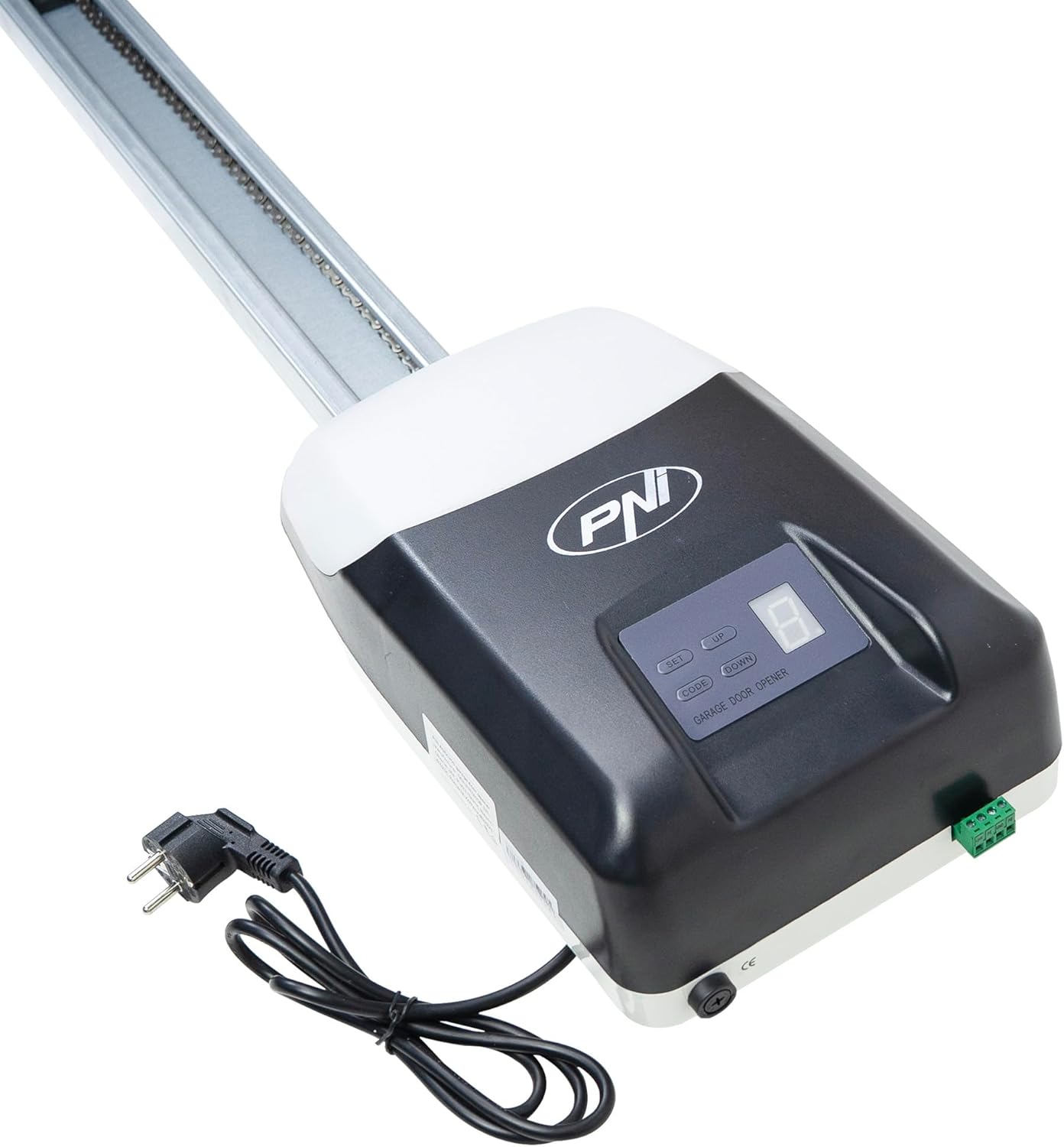
Image: Motor unit with rail and power cable.
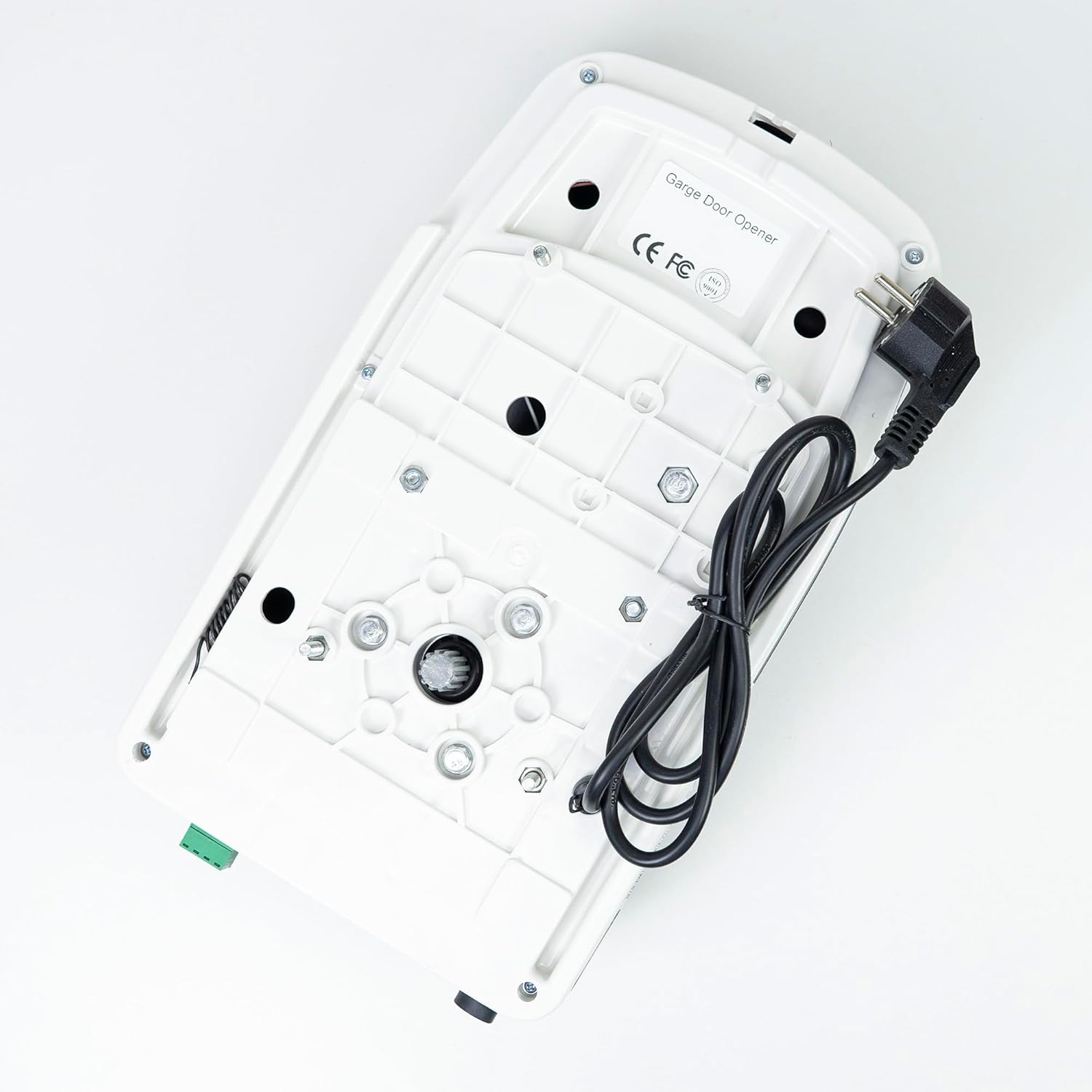
ภาพ: ด้านล่าง view of the motor unit, showing mounting points.
การเชื่อมต่อไฟฟ้า
Once the motor unit and rail are securely mounted, plug the power cord into a grounded 230V AC outlet. Ensure the power cord is routed safely and not pinched by any moving parts.
คำแนะนำการใช้งาน
การจับคู่รีโมทคอนโทรล
- Press and hold the 'CODE' button on the motor unit's control panel until the LED display shows 'P'.
- Within 30 seconds, press the desired button on your remote control. The LED display will flash to confirm successful pairing.
- Repeat for any additional remote controls.

Image: Motor unit with two remote controls.

Image: Remote control for the garage door opener.
การทำงานพื้นฐาน
- เปิดประตู: Press the programmed button on the remote control or the 'UP' button on the control panel.
- ปิดประตู: Press the programmed button on the remote control or the 'DOWN' button on the control panel.
- Stop Door: Press any button on the remote control or the 'SET' button on the control panel while the door is in motion.
การปรับขีดจำกัด
The opener automatically learns the door's travel limits during initial setup. If adjustments are needed:
- Press and hold the 'SET' button until the LED display shows '1' for the open limit or '2' for the close limit.
- Use the 'UP' and 'DOWN' buttons to move the door to the desired open or close position.
- Press 'SET' again to confirm the new limit.
การซ่อมบำรุง
Regular maintenance ensures optimal performance and longevity of your garage door opener:
- รายเดือน: Test the safety reversal system. Place a 2x4 inch board flat on the floor in the door's path. The door should reverse upon contact. If it does not, adjust the force settings or consult a technician.
- รายไตรมาส: Lubricate the door's moving parts (rollers, hinges, bearings) with a garage door lubricant. Do not lubricate the rail or chain unless specifically instructed.
- รายปี: Inspect all hardware for loose bolts, worn parts, or signs of damage. Tighten any loose fasteners.
- Keep the motor unit and rail clean from dust and debris.
การแก้ไขปัญหา
โปรดดูตารางด้านล่างเพื่อดูปัญหาทั่วไปและวิธีแก้ไขที่เป็นไปได้:
| ปัญหา | สาเหตุที่เป็นไปได้ | สารละลาย |
|---|---|---|
| เครื่องเปิดประตูไม่ตอบสนองต่อรีโมทคอนโทรล | Remote battery is dead; remote is not paired; signal interference. | Replace remote battery; re-pair remote control; check for sources of interference. |
| Door does not open or close completely. | Travel limits need adjustment; obstruction in door path. | Adjust travel limits as per instructions; remove any obstructions. |
| ประตูเปิดย้อนกลับโดยไม่คาดคิด | Safety reversal system activated by obstruction; force settings too high/low. | Check for obstructions; test safety reversal system; adjust force settings if necessary (consult manual for specific steps). |
| Motor runs but door does not move. | Trolley disengaged from door; chain/belt broken or loose. | Re-engage trolley; inspect chain/belt for damage or tension. |
| ไฟ LED ไม่ติด | LED bulb faulty; power issue. | ตรวจสอบการเชื่อมต่อสายไฟ หากปัญหายังคงอยู่ โปรดติดต่อฝ่ายสนับสนุน |
การรับประกันและการสนับสนุน
Your PNI AGD1200 Garage Door Opener Automation Kit is covered by a manufacturer's warranty against defects in materials and workmanship. Please retain your proof of purchase for warranty claims.
For technical assistance, troubleshooting beyond this manual, or warranty service, please contact PNI customer support through their official website or the retailer where the product was purchased. Provide your model number (AGD1200) and a detailed description of the issue when seeking support.