1. บทนำ
Thank you for choosing the DREAME L40 Ultra Gen 2 Robot Vacuum and Mop. This device is designed to provide efficient and comprehensive cleaning for your home, combining powerful vacuuming with advanced mopping capabilities. Please read this manual thoroughly before use to ensure proper operation, maintenance, and safety.
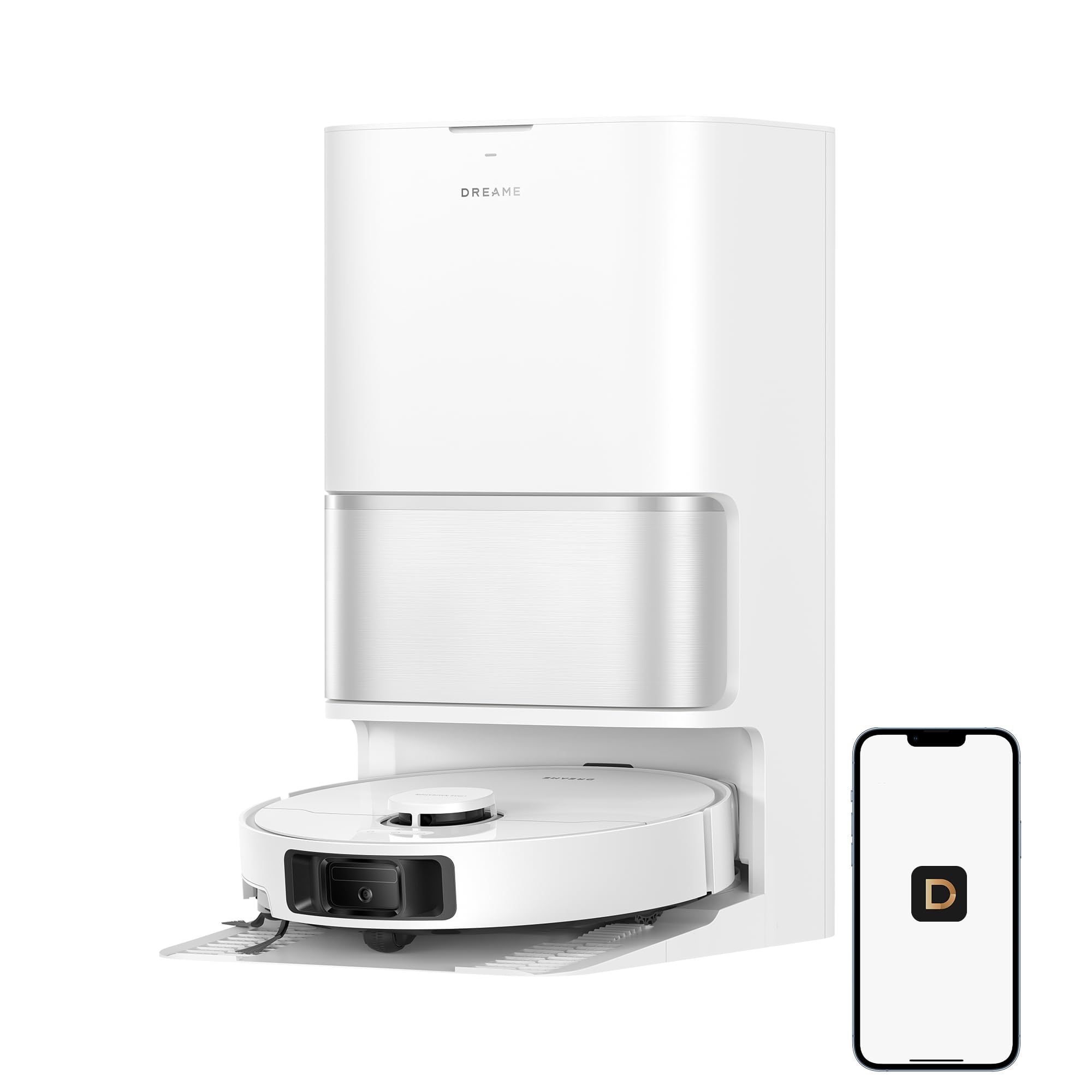
Figure 1: DREAME L40 Ultra Gen 2 Robot Vacuum and Mop with its All-in-One Self-Cleaning Dock.
2. ข้อมูลด้านความปลอดภัย
เพื่อลดความเสี่ยงต่อการบาดเจ็บหรือความเสียหาย โปรดอ่านคำแนะนำด้านความปลอดภัยเหล่านี้อย่างละเอียดและเก็บไว้เพื่อใช้อ้างอิงในอนาคต
- เด็กอายุตั้งแต่ 8 ปีขึ้นไป รวมไปถึงบุคคลที่มีความบกพร่องทางร่างกาย ประสาทสัมผัส หรือจิตใจ หรือขาดประสบการณ์และความรู้ สามารถใช้เครื่องใช้ไฟฟ้านี้ได้ หากมีการดูแลหรือได้รับคำแนะนำเกี่ยวกับการใช้เครื่องใช้ไฟฟ้าในลักษณะที่ปลอดภัย และเข้าใจถึงอันตรายที่อาจเกิดขึ้น
- ควรมีผู้ดูแลเด็กเพื่อให้แน่ใจว่าไม่ได้เล่นกับเครื่องใช้ไฟฟ้าดังกล่าว
- การทำความสะอาดและการบำรุงรักษาผู้ใช้ไม่ควรทำโดยเด็กโดยไม่มีผู้ดูแล
- ห้ามใช้หุ่นยนต์ในสภาพแวดล้อมที่เปียกชื้นหรือใกล้แหล่งน้ำ
- Ensure all power cords, curtains, and other objects that could entangle the robot are cleared from the cleaning path.
- ห้ามใช้หุ่นยนต์หยิบเศษขยะขนาดใหญ่ วัตถุมีคม หรือของเหลว
- โปรดใช้แท่นชาร์จและอะแดปเตอร์แปลงไฟที่ให้มากับผลิตภัณฑ์เท่านั้น
3. เนื้อหาบรรจุภัณฑ์
ตรวจสอบว่ามีส่วนประกอบทั้งหมดอยู่ในแพ็คเกจ:
- DREAME L40 Ultra Gen 2 Robot Vacuum
- All-in-One Self-Cleaning Dock
- สายไฟ
- แปรงด้านข้าง
- Mop Pads (2 installed, 2 spare)
- Dust Bag (1 installed, 1 spare)
- เครื่องมือทำความสะอาด
- คู่มือการใช้งาน
4. สินค้าหมดview
The DREAME L40 Ultra Gen 2 features advanced technology for superior cleaning performance.
4.1. High-Powered Suction
Equipped with 25,000Pa suction power, the robot effectively removes dust, hair, and debris from various floor types.

Figure 2: The robot vacuum's powerful 25,000Pa suction for particle pickup and hair removal.
4.2. Extendable Side Brush and Mop
The robot features an extendable side brush and mop pads to reach deep into corners and along edges, ensuring thorough cleaning coverage.
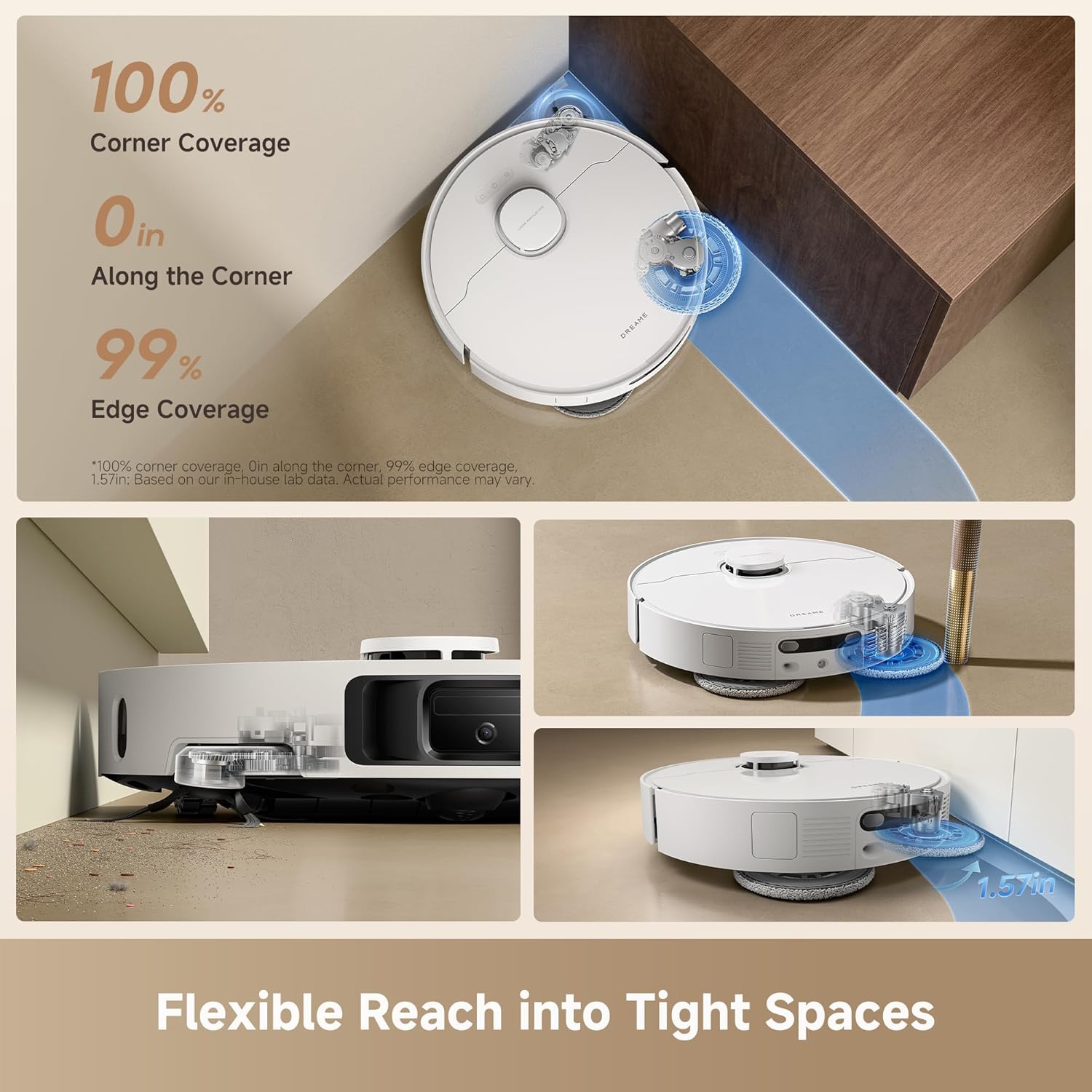
Figure 3: The extendable side brush and mop system for enhanced corner and edge cleaning.
4.3. DuoScrub Mopping System
The DuoScrub mopping system with 32-level moisture control provides effective stain removal and a fast-drying finish.

Figure 4: The DuoScrub Mopping System with precise moisture control.
4.4. All-in-One Self-Cleaning Dock
The multifunctional dock automates mop washing, hot air drying, and dust emptying, minimizing manual intervention.

รูปที่ 5: เกินview of the Multifunctional PowerDock features.
4.5. ระบบนำทางอัจฉริยะและการหลีกเลี่ยงสิ่งกีดขวาง
Using Smart Pathfinder and 3DAdapt technologies, the robot precisely maps your home and avoids obstacles.

Figure 6: The robot vacuum utilizing 3DAdapt for precise obstacle avoidance.
4.6. Carpet Detection and Mop Lifting
The robot intelligently detects carpets and lifts its mop pads by 0.41 inches to prevent wetting and ensure effective vacuuming.

Figure 7: Automatic mop lifting for carpet protection.
5. การตั้งค่า
5.1. การแกะกล่องและการจัดวาง
- Remove all packaging materials and protective films from the robot and the dock.
- Place the All-in-One Self-Cleaning Dock on a hard, level surface against a wall. Ensure there is at least 0.5 meters (1.6 feet) of clear space on both sides and 1.5 meters (4.9 feet) in front of the dock.
- Connect the power cord to the dock and plug it into a power outlet.
5.2. การชาร์จครั้งแรก
Place the robot onto the charging dock. Ensure the charging contacts align. The robot will automatically power on and begin charging. Fully charge the robot before its first use.
5.3. การดาวน์โหลดแอปและการเชื่อมต่อ
- Download the DREAME Home app from your mobile app store.
- เปิดแอปและสร้างบัญชีหรือเข้าสู่ระบบ
- Follow the in-app instructions to add your DREAME L40 Ultra Gen 2. Ensure your Wi-Fi network is 2.4GHz.

Figure 8: Connecting the robot vacuum to the DREAME Home app.
5.4. การกำหนดแผนที่เบื้องต้น
After connecting to the app, initiate a quick mapping run. The robot will navigate your home to create a detailed map, which is essential for efficient cleaning and advanced features.
6. คู่มือการใช้งาน
6.1. การเริ่มต้นและการหยุดการทำความสะอาด
- เริ่มทำความสะอาด: Press the power button on the robot or tap 'Start Cleaning' in the DREAME Home app.
- หยุดการทำความสะอาด: Press the power button on the robot or tap 'Pause' in the app.
- กลับสู่ท่าเรือ: Press the home button on the robot or tap 'Recharge' in the app.
6.2. คุณสมบัติการควบคุมแอป
The DREAME Home app provides extensive control and customization options:
- การทำความสะอาดตามกำหนดเวลา: ตั้งเวลาเฉพาะให้หุ่นยนต์ทำความสะอาดอัตโนมัติ
- กิจวัตรที่กำหนดเอง: Define cleaning sequences for different areas or times.
- ระดับความเข้มข้นของการทำความสะอาด: Adjust suction power and mop moisture levels.
- เขตห้ามเข้า/กำแพงเสมือน: Create virtual boundaries to restrict cleaning in certain areas.
- การทำแผนที่หลายระดับ: Store maps for up to 4 different floors.
- การแสดงผลแผนที่แบบ 3 มิติ: View a detailed 3D representation of your home's map.
- การชาร์จแบบ Off-Peak: Optimize charging times to save energy costs.
- การล็อคเด็ก: Prevent accidental operation by children.

รูปที่ 9: เกินview of DREAME Home app features.
6.3. การควบคุมด้วยเสียง
The robot supports voice control via Alexa, Siri, and Google Home. Link your DREAME Home account to your preferred voice assistant for hands-free operation.

Figure 10: Voice and smart device control options.
7. การบำรุงรักษา
การบำรุงรักษาตามปกติจะช่วยให้หุ่นยนต์ดูดฝุ่นของคุณทำงานได้อย่างเหมาะสมที่สุดและยืดอายุการใช้งาน
7.1. Mop Pad Self-Cleaning and Drying
The dock automatically washes and hot-air dries the mop pads after each cleaning cycle. Ensure the clean and dirty water tanks are properly installed and maintained.

Figure 11: Mop pad self-cleaning in progress within the dock.
7.2. การเปลี่ยนถุงเก็บฝุ่น
The dock automatically empties the robot's dustbin into a 3.2L dust bag, providing up to 100 days of hands-free dust disposal. Replace the dust bag when the app indicates it is full.
7.3. Optional Auto-Dispensing Module
The base station supports an automatic cleaning solution replenishment function. An optional auto-dispensing module is required to activate this feature. This module can be purchased separately and enabled in the DREAME Home app.

Figure 12: The optional auto-dispensing module for cleaning solution.
7.4. Cleaning Brushes and Filters
- แปรงหลัก: Remove the main brush cover and clean any tangled hair or debris using the provided cleaning tool.
- แปรงด้านข้าง: Remove the side brush and clean any hair or debris. Replace if damaged.
- กรอง: Tap the filter to remove dust. Rinse the filter with water if necessary, and ensure it is completely dry before reinstallation.
7.5. การทำความสะอาดเซ็นเซอร์
Wipe all sensors on the robot (cliff sensors, wall sensor, charging contacts) with a soft, dry cloth to ensure proper functionality.
8 การแก้ไขปัญหา
หากคุณพบปัญหาเกี่ยวกับหุ่นยนต์ดูดฝุ่น โปรดดูวิธีแก้ไขปัญหาทั่วไปต่อไปนี้:
| ปัญหา | สาเหตุที่เป็นไปได้ | สารละลาย |
|---|---|---|
| หุ่นยนต์ไม่เปิดเครื่องหรือชาร์จไฟ | Low battery; charging contacts not aligned; power cord disconnected. | Ensure robot is properly docked; check power cord connection; allow to charge for several hours. |
| หุ่นยนต์ติดขัดบ่อยครั้ง | สิ่งกีดขวาง (สายเคเบิล, พรม); เซ็นเซอร์สกปรก | Clear obstacles; clean sensors; set No-Go Zones in the app. |
| ประสิทธิภาพการทำความสะอาดไม่ดี | Full dust bag; clogged filter; worn brushes; low suction setting. | Replace dust bag; clean/replace filter; clean/replace brushes; increase suction setting in app. |
| ไม้ถูพื้นทำความสะอาดได้ไม่ทั่วถึง | Dirty mop pads; low water level; low moisture setting. | Ensure mop pads are clean; check water tanks; increase mop moisture setting in app. |
| ปัญหาการเชื่อมต่อแอป | Incorrect Wi-Fi password; 5GHz Wi-Fi network; router issues. | Ensure 2.4GHz Wi-Fi; re-enter password; restart router and robot. |
For further assistance, please refer to the DREAME Home app or contact customer support.
9. ข้อมูลจำเพาะ
| คุณสมบัติ | ข้อมูลจำเพาะ |
|---|---|
| ยี่ห้อ | ฝัน |
| ชื่อรุ่น | L40 Ultra Gen2 |
| หมายเลขรุ่น | RLL53SE |
| พลังดูด | 25,000ปาสคาล |
| คุณสมบัติพิเศษ | DuoScrub Mopping System, Auto-empty, Hot Air Drying, Mop Washing, Precise Obstacle Avoidance, Smart Carpet Cleaning |
| สี | สีขาว |
| ขนาดสินค้า | ยาว 13.8 นิ้ว x กว้าง 13.4 นิ้ว x สูง 23.3 นิ้ว |
| อายุการใช้งานแบตเตอรี่ | 200 minutes (up to 231 minutes in Quiet Mode) |
| ความจุของแบตเตอรี่ | 5,200mAh |
| เล่มที่tage | 110 โวลต์ |
| วิธีการควบคุม | App, Voice (Alexa, Siri, Google Home) |
| คำแนะนำด้านพื้นผิว | ไม้ หินอ่อน กระเบื้อง |
| น้ำหนักสินค้า | 38.1 ปอนด์ |
| ยูพีซี | 810142562751 |
10. การรับประกันและการสนับสนุน
DREAME is committed to providing excellent customer service and product support.

Figure 13: DREAME Service Policy overview.
10.1. การรับประกันสินค้า
This product typically comes with a manufacturer's warranty of up to 3 years. Please refer to your purchase documentation or the DREAME official webไซต์สำหรับข้อกำหนดและเงื่อนไขการรับประกันเฉพาะที่ใช้บังคับกับภูมิภาคของคุณ
10.2. นโยบายการคืนสินค้า
DREAME offers a 30-day hassle-free return policy. For details on eligibility and process, please consult your retailer or the DREAME official webเว็บไซต์.
10.3. การสนับสนุนลูกค้า
For technical support, troubleshooting assistance, or warranty claims, please contact DREAME customer support through the DREAME Home app or visit the official DREAME website. Have your product model number (RLL53SE) and purchase information ready.
11. การสาธิตวิดีโอผลิตภัณฑ์
Watch this video for a visual guide on the DREAME L40 Ultra Gen 2's features and operation.
Video 1: DREAME L40 Ultra Gen 2 Robot Vacuum and Mop product demonstration.