การแนะนำ
This manual provides detailed instructions for the installation, operation, and maintenance of your ZOSI 1080p HD-TVI Pan/Tilt Dome Surveillance Camera. Please read this manual thoroughly before using the product to ensure proper setup and functionality. This camera is designed for both indoor and outdoor surveillance, offering 360° pan and 140° tilt capabilities, 1080p full HD video, audio recording, and infrared night vision.
เนื้อหาแพ็คเกจ
- ZOSI 1080p HD-TVI Pan/Tilt Dome Camera (x4)
- อะแดปเตอร์ไฟ (x1)
- 1 to 4 Power Splitter (x1)
- 60ft BNC Cable (x4)
- คู่มือเริ่มต้นอย่างรวดเร็ว (x1)
- ถุงใส่สกรูสำหรับติดตั้ง (4 ถุง)
- แม่แบบการติดตั้ง (x4)
- สติกเกอร์เตือน (4 ชิ้น)
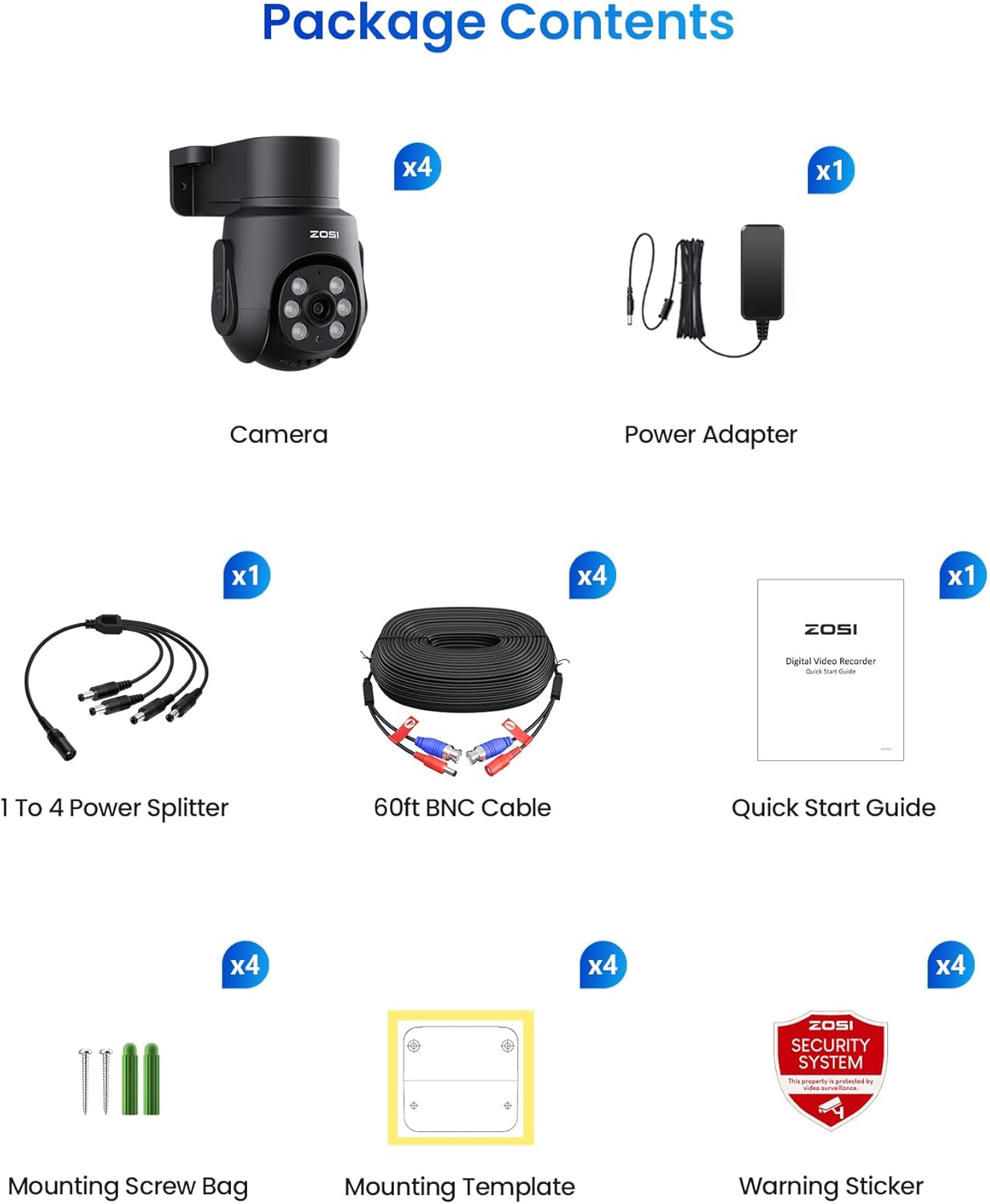
Figure 1: Contents of the ZOSI 1080p HD-TVI Pan/Tilt Dome Camera package.
คุณสมบัติหลัก
- วิดีโอ 1080p ฟูลเอชดี: บันทึกภาพอาหารได้อย่างชัดเจนและละเอียดtage with a 2MP CMOS sensor (1920×1080 resolution).
- หมุนได้ 360° ในแนวนอน และ 140° ในแนวตั้ง: Allows comprehensive monitoring without blind spots, controllable via app or DVR.
- เสียงในตัว: Records high-quality audio along with video for enhanced situational awareness.
- Powerful Infrared Night Vision: Provides up to 65ft (20m) of clear black-and-white night vision using 6 IR LEDs and an automatic ICR filter.
- การออกแบบกันน้ำกันฝุ่นระดับ IP66: Durable ABS housing protects against rain, dust, and snow, operating reliably from -20°C to 55°C.
- Easy Installation & DVR Compatibility: Connects via BNC cable and DC12V power supply, compatible with ZOSI 1080P/5MP TVI DVRs (requires specific DVR firmware versions).
- การตรวจจับมนุษย์/ยานพาหนะ: AI-driven motion detection to classify humans and vehicles, reducing false alarms.
การตั้งค่า
ข้อกำหนดในการติดตั้ง
- This camera is an add-on analog camera and is not a standalone device. It requires a compatible ZOSI 1080P/5MP TVI DVR for operation.
- Ensure your DVR firmware is updated to v1.8.1 or above for 8CH DVRs (ZM08JM/ZR08JN/ZR08VM/ZR08VN) and v1.8.1+ for ZOSI 16CH DVRs.
- For stable pan/tilt operation, use a 2-in-1 BNC video + DC power Siamese cable made of CCA (copper-clad aluminum) or pure copper.
- The camera can be mounted on a ceiling or wall. Use the provided mounting template and screws.
แผนผังการเชื่อมต่อ

Figure 2: Connection diagram for the ZOSI Pan/Tilt camera to a compatible DVR. Note that the DVR, power adapter, and BNC cable are not included with the camera unit itself.
Connect the camera to your ZOSI DVR using the BNC cable for video transmission and the DC12V power supply. Ensure all connections are secure. Refer to your DVR's manual for specific port identification and setup procedures.
การดำเนินการ
ฟังก์ชันแพนและเอียง
The camera features 360° horizontal rotation (pan) and 140° vertical tilt, allowing you to adjust the viewing angle remotely. This functionality is controlled through the ZOSI mobile application or directly from your connected DVR interface.

Figure 3: Remote control of camera pan and tilt via the ZOSI mobile application.
Video 1: Demonstration of the ZOSI camera's 360° pan and tilt capabilities, showing how the camera can be remotely adjusted to cover a wide area.
การมองเห็นตอนกลางคืน
The camera is equipped with infrared (IR) LEDs and an automatic ICR filter to provide clear surveillance in low-light or complete darkness. It automatically switches between color mode during the day and black-and-white IR mode at night, with a night vision range of up to 65 feet (20 meters).
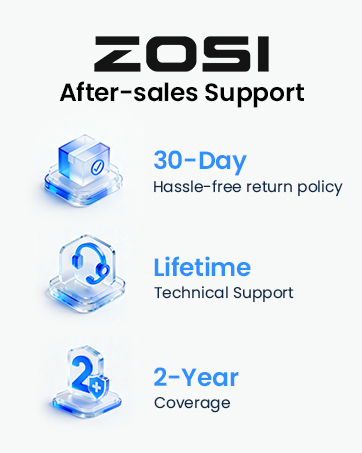
Figure 4: Comparison of daytime color footage and nighttime black-and-white infrared footage.
การบันทึกเสียง
A built-in microphone allows the camera to record audio along with video footage. This provides additional context and information for surveillance. The audio is one-way, meaning you can listen to the camera's surroundings but cannot speak through the camera.

Figure 5: The camera's one-way audio capability captures sound from its environment.
การตรวจจับมนุษย์/ยานพาหนะ
The camera utilizes AI-driven motion detection to intelligently distinguish between human and vehicle movements. This feature helps to minimize false alarms caused by environmental factors and ensures you receive relevant notifications.

Figure 6: Human and vehicle detection with corresponding app push, email, or buzzer alerts.
การเข้าถึงและการเล่นจากระยะไกล
Access your surveillance system and review บันทึกเสียงฟูtage from any device, whether locally or remotely. The ZOSI app provides full control and smart playback features, allowing you to easily review key moments with event detection.

Figure 7: Remote access and smart playback across multiple devices.
การซ่อมบำรุง
การออกแบบทนทานต่อสภาพอากาศ
The camera features an IP66-rated ABS housing, providing protection against dust and water ingress. This design ensures reliable operation in various weather conditions, including rain and snow, within a temperature range of -20°C to 55°C.

Figure 8: The camera's IP66 weatherproof construction for outdoor durability.
Regularly inspect the camera's housing and mounting for any signs of damage or loose connections. Clean the lens periodically with a soft, damp cloth to ensure optimal image clarity. Avoid using harsh chemicals or abrasive materials.
การแก้ไขปัญหา
If you encounter any issues with your ZOSI camera, please refer to the troubleshooting section of your ZOSI DVR manual or contact ZOSI customer support for assistance. Common issues may include:
- No video signal: Check BNC cable connections, power supply, and DVR compatibility.
- Pan/Tilt not responding: Ensure the 2-in-1 BNC video + DC power Siamese cable is correctly installed and made of appropriate material (CCA or pure copper).
- Poor night vision: Verify the camera lens is clean and there are no obstructions.
- False motion alerts: Adjust detection sensitivity settings in your DVR or app.
ข้อมูลจำเพาะ
| คุณสมบัติ | รายละเอียด |
|---|---|
| ยี่ห้อ | โซซี่ |
| หมายเลขรุ่น | 4AK-2802B-US-VC |
| เทคโนโลยีการเชื่อมต่อ | มีสาย |
| ความละเอียดในการจับภาพวิดีโอ | 1080p (2MP) |
| คุณสมบัติพิเศษ | Night Vision, Pan/Tilt, Audio Recording, Human/Vehicle Detection |
| สี | สีดำ |
| แหล่งพลังงาน | Corded Electric (DC12V) |
| ขนาดรายการ (ยาว x กว้าง x สูง) | 17.3 x 4.7 x 11.4 นิ้ว (บรรจุภัณฑ์) |
| การใช้ที่แนะนำ | ในร่ม/กลางแจ้ง |
| อุปกรณ์ที่รองรับ | ZOSI 1080P/5MP TVI DVRs, Smartphones (for remote viewไอเอ็นจี) |
| คะแนนสภาพอากาศ | IP66 |
| อุณหภูมิในการทำงาน | -20°C ถึง 55°C (-4°F ถึง 131°F) |
| ช่วงการมองเห็นตอนกลางคืน | สูงถึง 65 ฟุต (20 เมตร) |
การรับประกันและการสนับสนุน
การรับประกัน
- ZOSI offers a 2-Year Coverage for this product.
- A 30-Day Hassle-Free Return Policy is also available.
การสนับสนุนด้านเทคนิค
- ZOSI provides Lifetime Technical Support for its products.
- For any technical inquiries or assistance, please contact ZOSI customer service.


