1. บทนำ
Thank you for choosing the Blackstorm 27-inch QHD Mini-LED Gaming Monitor. This monitor is designed to provide an exceptional visual experience for gaming enthusiasts, offering unparalleled precision and performance. Featuring a 27-inch IPS panel with advanced Mini-LED backlighting, it delivers superior image quality, making every gaming moment vivid and immersive. This manual will guide you through the setup, operation, and maintenance of your new monitor.
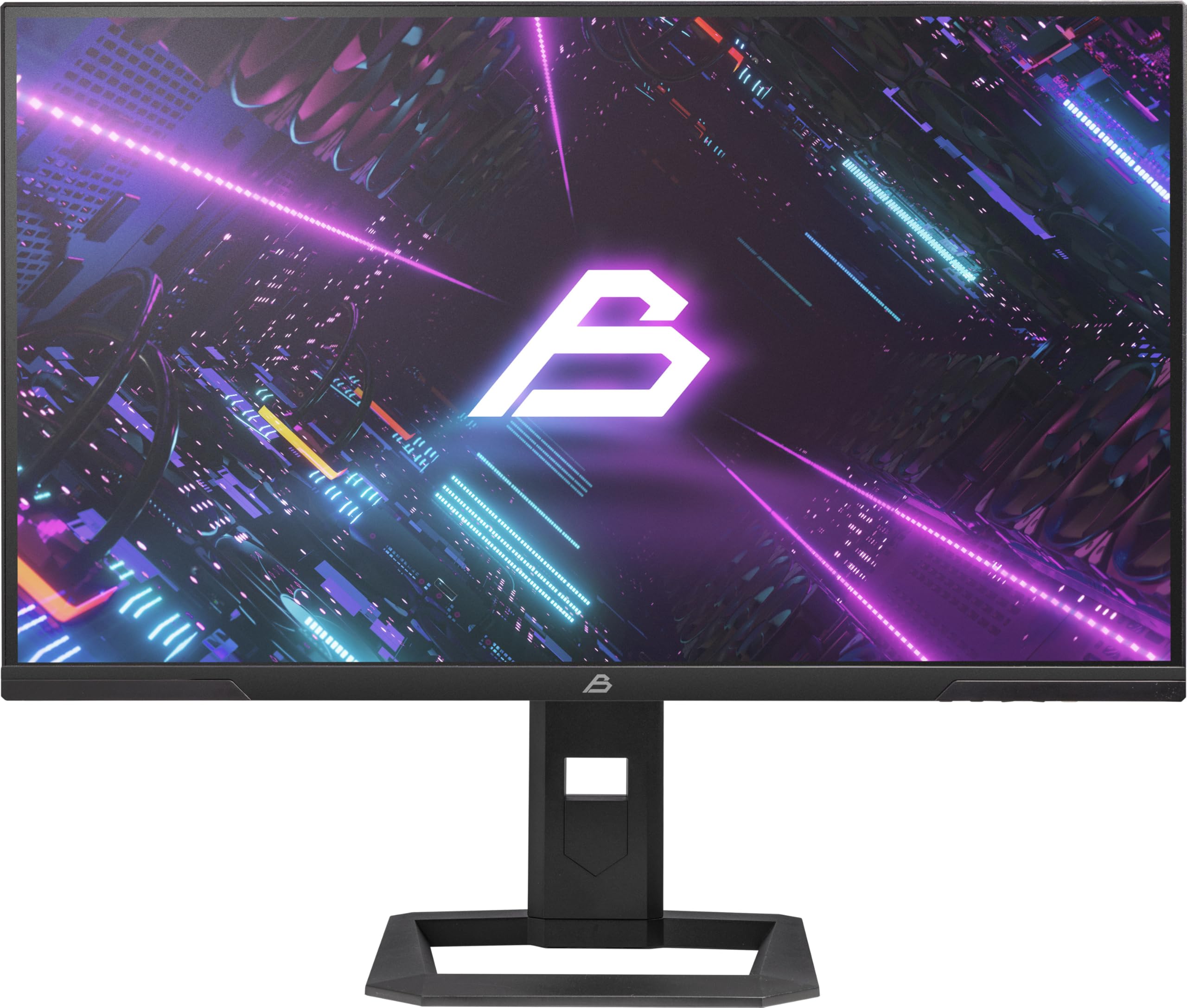
รูปที่ 1 : ด้านหน้า view of the Blackstorm 27-inch QHD Mini-LED Gaming Monitor.
2. คุณสมบัติหลัก
- High-Performance Gaming Display: A 27-inch IPS panel with Mini-LED backlighting provides exceptional brightness, contrast, and color reproduction, ideal for visual precision and performance in all game types.
- ประสบการณ์การเล่นเกมที่ราบรื่น: WQHD resolution (2560 x 1440) and a 180 Hz refresh rate ensure smooth, detailed visuals. A rapid 2 ms response time is crucial for fast-paced games.
- Superior Color Reproduction and Brightness: Covers 99% of AdobeRGB and DCI-P3 color spaces for accurate and vibrant colors. Features 450 nits (SDR) brightness and HDR1000 compatibility for an impressive gaming experience in any environment.
- Ergonomic Design and Connectivity: The ergonomic stand allows for height, tilt, swivel, and pivot adjustments. VESA 100x100 mount compatible. Includes HDMI 2.1 and DisplayPort 1.4 connections for high-resolution, fast image transfer.
- เทคโนโลยีการแสดงผลขั้นสูง: IPS panel with Mini-LED technology, 576 dimming zones, and a 1,000,000:1 contrast ratio.
3. เนื้อหาบรรจุภัณฑ์
โปรดตรวจสอบสิ่งของภายในบรรจุภัณฑ์อย่างละเอียด หากมีสินค้าใดสูญหายหรือเสียหาย โปรดติดต่อผู้ค้าปลีกของคุณ
- Blackstorm 27-inch QHD Mini-LED Gaming Monitor
- ขาตั้งจอมอนิเตอร์ (ฐานและคอ)
- สายไฟ
- สาย HDMI
- สายเคเบิล DisplayPort
- คู่มือการใช้งาน (เอกสารนี้)
- บัตรรับประกัน (ถ้ามี)
4. คำแนะนำในการตั้งค่า
4.1 การประกอบขาตั้ง
- ถอดส่วนประกอบของจอภาพและขาตั้งออกจากบรรจุภัณฑ์อย่างระมัดระวัง
- ติดส่วนคอของขาตั้งเข้ากับแผงจอภาพ ตรวจสอบให้แน่ใจว่าล็อคเข้าที่อย่างแน่นหนา หรือยึดด้วยสกรูตามที่ระบุไว้ในคู่มือเริ่มต้นใช้งานฉบับย่อ
- ติดฐานขาตั้งเข้ากับส่วนคอของขาตั้ง ขันสกรูให้แน่นเพื่อความมั่นคง
- วางจอภาพที่ประกอบแล้วไว้บนพื้นผิวที่มั่นคงและเรียบ

รูปที่ 2: ด้านหลัง view of the monitor showing the stand attachment and port area.
4.2 การเชื่อมต่อกับคอมพิวเตอร์
- โปรดตรวจสอบให้แน่ใจว่าทั้งคอมพิวเตอร์และจอภาพปิดอยู่
- เชื่อมต่อปลายด้านหนึ่งของสาย HDMI หรือ DisplayPort ที่ให้มาเข้ากับพอร์ตที่ตรงกันบนการ์ดกราฟิกของคอมพิวเตอร์ของคุณ
- Connect the other end of the cable to the HDMI 2.1 or DisplayPort 1.4 input on the back of the monitor.
- Connect the power cable to the monitor's power input, then plug the other end into a power outlet.
- เปิดคอมพิวเตอร์ จากนั้นเปิดจอภาพ จอภาพควรตรวจจับสัญญาณอินพุตโดยอัตโนมัติ
4.3 การปรับตามหลักสรีรศาสตร์
ขาตั้งจอภาพสามารถปรับได้หลากหลายเพื่อเพิ่มประสิทธิภาพของคุณ viewความสะดวกสบาย:
- การปรับความสูง: ค่อยๆ ดันหรือดึงจอภาพขึ้นหรือลงไปยังระดับความสูงที่ต้องการ
- การปรับเอียง: ปรับเอียงหน้าจอมอนิเตอร์ไปข้างหน้าหรือข้างหลังเพื่อหามุมที่เหมาะสมที่สุด viewมุมอิง
- การปรับหมุน: หมุนจอภาพไปทางซ้ายหรือขวาบนฐาน
- การปรับเดือย: หมุนจอภาพ 90 องศาเพื่อสลับระหว่างโหมดแนวนอนและแนวตั้ง

รูปที่ 3: ด้านข้าง view illustrating the monitor's adjustable stand.
5. การใช้งานจอภาพ
5.1 เมนูการแสดงผลบนหน้าจอ (OSD)
The OSD menu allows you to adjust various monitor settings. Typically, buttons are located on the back or bottom edge of the monitor. Refer to the quick start guide for exact button locations.
- Press the OSD button to open the menu.
- ใช้ปุ่มนำทาง (ขึ้น/ลง/ซ้าย/ขวา) เพื่อเลื่อนดูตัวเลือกในเมนู
- กดปุ่มเลือกเพื่อเข้าสู่เมนูย่อยหรือยืนยันการตั้งค่า
- Press the exit button to return to the previous menu or close the OSD.
5.2 การปรับการตั้งค่าการแสดงผล
การตั้งค่าหลักที่คุณสามารถปรับเปลี่ยนได้ ได้แก่:
- ความสว่าง/คอนทราสต์: Adjust for optimal visual comfort.
- การตั้งค่าสี: Fine-tune color temperature, gamma, and color space (e.g., AdobeRGB, DCI-P3).
- อัตราการรีเฟรช: Ensure your computer's display settings are configured to utilize the monitor's 180 Hz refresh rate for the smoothest experience.
- โหมด HDR: Enable HDR1000 for compatible content to experience enhanced dynamic range.
- แสงพื้นหลังแบบไดนามิก: This feature enhances depth and realism. For competitive gaming requiring extreme responsiveness, you may choose to disable dynamic backlighting for a more consistent and precise image.
6. การบำรุงรักษา
การดูแลอย่างเหมาะสมจะช่วยให้จอภาพของคุณมีอายุการใช้งานยาวนานและมีประสิทธิภาพเหมาะสมที่สุด
- การทำความสะอาดหน้าจอ:
- ปิดเครื่องและถอดปลั๊กจอภาพทุกครั้งก่อนทำความสะอาด
- ใช้ผ้านุ่มไม่เป็นขุยค่อยๆ งampened with water or a non-ammonia, non-alcohol based screen cleaner.
- Wipe the screen gently to remove dust and smudges. Avoid applying direct pressure.
- การทำความสะอาด Casing:
- ใช้ผ้าแห้งนุ่มเช็ดจอภาพasing.
- หลีกเลี่ยงการใช้สารทำความสะอาดที่มีฤทธิ์กัดกร่อนหรือตัวทำละลายที่อาจทำลายพื้นผิวได้
- การระบายอากาศ : ตรวจสอบให้แน่ใจว่าช่องระบายอากาศของจอภาพไม่ได้ถูกปิดกั้นเพื่อป้องกันความร้อนสูงเกินไป
- พื้นที่จัดเก็บ: เมื่อไม่ได้ใช้งานเป็นเวลานาน ควรเก็บจอภาพไว้ในที่แห้งและเย็น โดยควรเก็บไว้ในบรรจุภัณฑ์เดิม
7 การแก้ไขปัญหา
หากคุณพบปัญหาเกี่ยวกับจอภาพของคุณ โปรดดูวิธีแก้ไขทั่วไปต่อไปนี้:
| ปัญหา | วิธีแก้ปัญหาที่เป็นไปได้ |
|---|---|
| ไม่มีภาพบนหน้าจอ / ข้อความ "ไม่มีสัญญาณ" |
|
| ภาพเบลอหรือบิดเบี้ยว |
|
| จอภาพไม่เปิดใช้งาน |
|
| สีที่ปรากฏไม่ถูกต้อง |
|
If the problem persists after trying these solutions, please contact Blackstorm customer support.
8. ข้อมูลจำเพาะทางเทคนิค
| คุณสมบัติ | ข้อมูลจำเพาะ |
|---|---|
| ยี่ห้อ | พายุดำ |
| แบบอย่าง | GMF27QHD180-MLED |
| ขนาดหน้าจอ | 27 นิ้ว |
| เทคโนโลยีการแสดงผล | IPS with Mini-LED |
| ปณิธาน | 2560 x 1440 พิกเซล (WQHD) |
| อัตราการรีเฟรช | 180 เฮิรตซ์ |
| เวลาตอบสนอง | 2 มิลลิวินาที |
| ความสว่าง (SDR) | 450 candela/square meter |
| อัตราส่วนคอนทราสต์ | 1,000,000:1 น. |
| ช่วงสี | 99% AdobeRGB, DCI-P3 |
| รองรับ HDR | HDR1000 |
| โซนหรี่แสง | 576 |
| อัตราส่วนภาพ | 16:9 (1.77:1) |
| ฮาร์ดแวร์อินเตอร์เฟซ | DisplayPort 1.4, HDMI 2.1 |
| คุณสมบัติพิเศษ | HDR, Height Adjustment, Tilt Adjustment, Swivel Adjustment, Pivot Adjustment, Adjustable Stand |
| ความเข้ากันได้ของ VESA | 100x100 มม. |
| ขนาดสินค้า | 23.5 x 54 x 96 ซม. ; 12.66 กก. |

Figure 4: Energy efficiency label. For more details, visit ฐานข้อมูล EPREL.
9. การรับประกันและการสนับสนุน
For warranty information, please refer to the separate warranty card included with your product or visit the official Blackstorm website. For technical support, troubleshooting assistance beyond this manual, or service inquiries, please contact Blackstorm customer support through their official channels.
คุณสามารถหาข้อมูลเพิ่มเติมและรายละเอียดการติดต่อได้ที่ Blackstorm Store on Amazon.


