ข้อมูลด้านความปลอดภัยที่สำคัญ
- อย่าให้เครื่องสัมผัสกับอุณหภูมิที่สูงหรือต่ำเกินไป แสงแดดโดยตรง หรือความชื้นสูง
- หลีกเลี่ยงการทำอุปกรณ์หล่นหรือกระแทกอย่างรุนแรง
- เก็บให้ห่างจากน้ำและของเหลวอื่นๆ
- ห้ามพยายามถอดประกอบ ซ่อมแซม หรือปรับเปลี่ยนอุปกรณ์
- Use only the provided 45W power adapter and Type-C cable.
- ตรวจสอบให้แน่ใจว่ามีการระบายอากาศที่เหมาะสมระหว่างการใช้งานเพื่อป้องกันความร้อนสูงเกินไป
- เก็บให้พ้นจากมือเด็ก
เนื้อหาแพ็คเกจ
ตรวจสอบว่ามีรายการทั้งหมดอยู่ในแพ็คเกจของคุณ:
- Baseus Picogo AF21 3-in-1 Wireless Charging Station
- อะแดปเตอร์ 45W
- 3.3ft Type-C to Type-C Cable
- คู่มือการใช้งาน (เอกสารนี้)
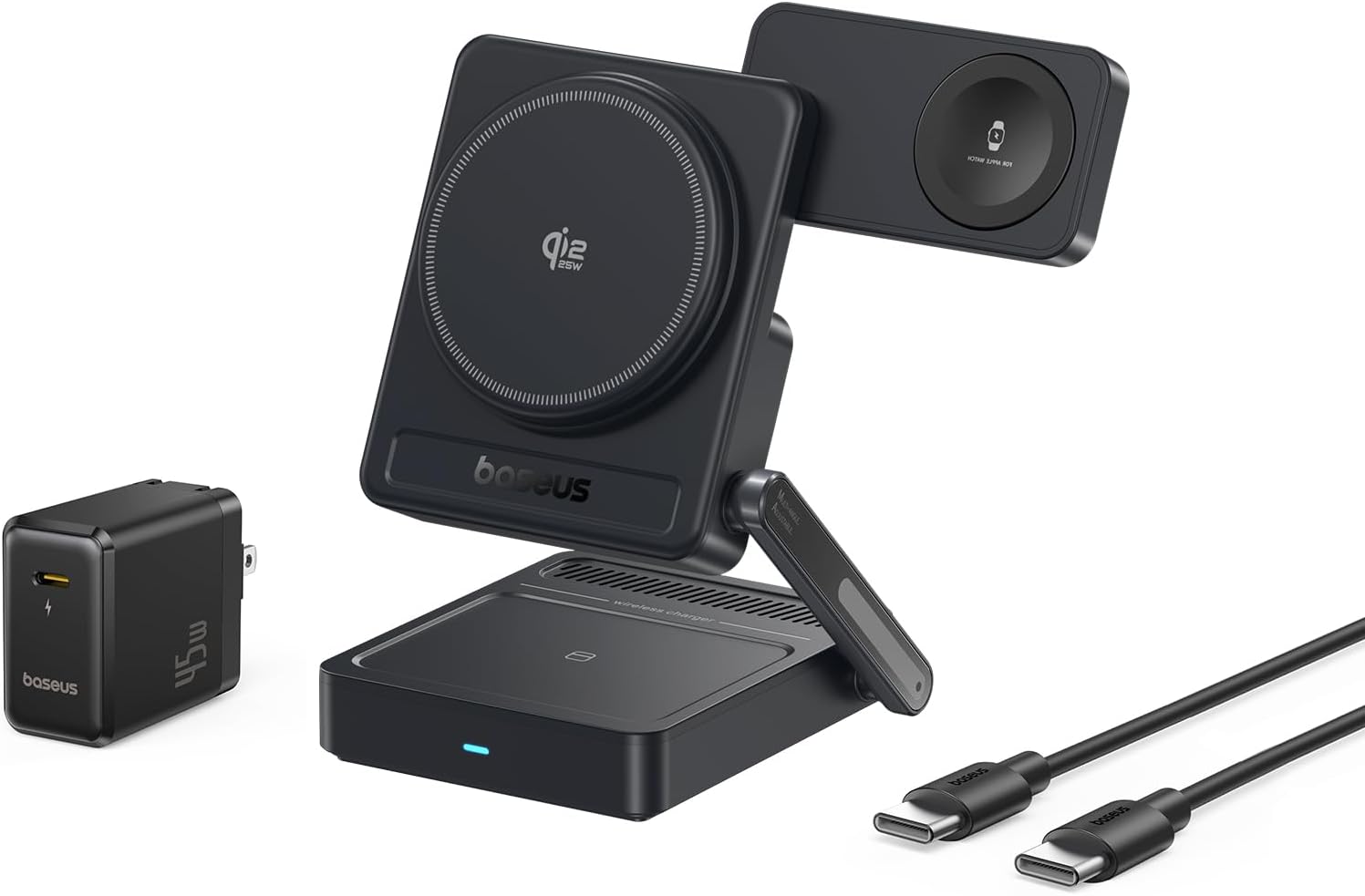
Image: Contents of the Baseus Picogo AF21 package, showing the charging station, power adapter, and cable.
สินค้าเกินview
The Baseus Picogo AF21 is a versatile 3-in-1 wireless charging station designed to simultaneously charge your iPhone, Apple Watch, and AirPods. It features Qi2.2 25W fast charging for compatible iPhones, magnetic alignment, and a foldable design for portability.
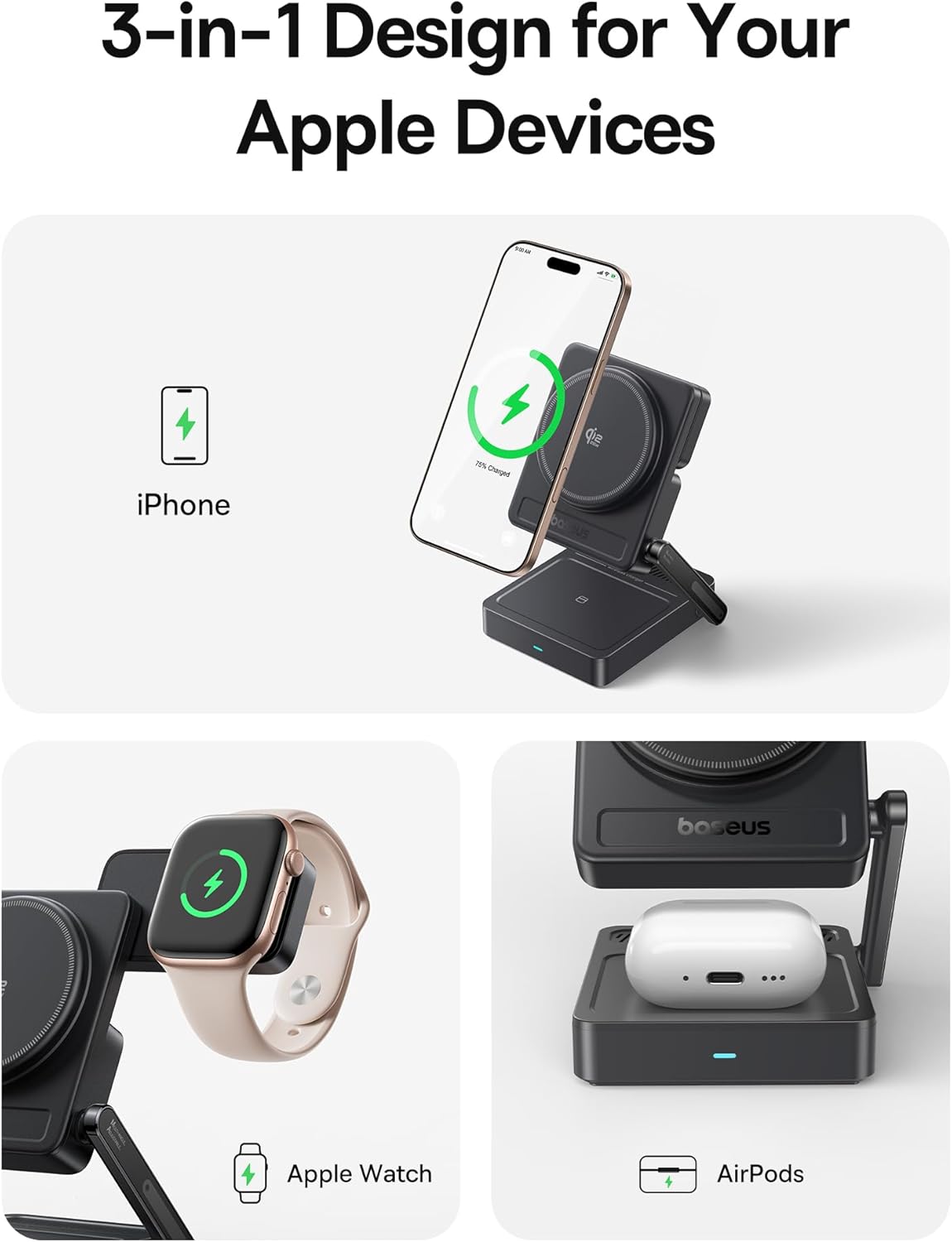
Image: The Baseus Picogo AF21 charging station highlighting its three charging zones for an iPhone, Apple Watch, and AirPods.
คู่มือการติดตั้ง
- เปิดสถานีชาร์จ: Gently unfold the charging station from its compact travel state. The phone charging panel and watch charging panel can be adjusted to your desired angle.
- เชื่อมต่อพลังงาน: Insert the provided Type-C to Type-C cable into the charging station's input port and connect the other end to the 45W power adapter.
- เสียบเข้ากับเต้ารับไฟฟ้า: Plug the 45W power adapter into a wall outlet. The LED indicator on the base will illuminate, indicating the station is ready for use.

Image: Visual guide demonstrating the adjustable angles of the charging station's base, phone panel, and watch panel.
คำแนะนำการใช้งาน
Charging Your iPhone (Qi2.2 25W)
Place your MagSafe-compatible iPhone (iPhone 12 and newer) onto the main magnetic charging panel. The strong N52M magnets will automatically align your device for optimal charging. For iPhone 17 series, 25W charging is supported. For iPhone 16 series, update to iOS 26 or later for 25W. iPhone 12-15 series support up to 15W Qi2.0 charging.

Image: An iPhone 16 Pro Max charging wirelessly on the station, illustrating the speed of Qi2.2 25W charging.
Charging Your Apple Watch (5W Max)
Place your Apple Watch (all models S1-S10, SE, Ultra) onto the dedicated magnetic watch charging puck. The puck can be rotated 180 degrees for convenient placement.

Image: An Apple Watch charging on the side puck of the Baseus Picogo AF21.
Charging Your AirPods (5W Max)
Place your Qi-enabled AirPods case onto the flat charging pad at the base of the station.
StandBy Mode
When your iPhone is charging horizontally, it will automatically enter Apple's StandBy mode, displaying widgets, clocks, or photo galleries.
Video: Demonstration of the Baseus Picogo AF21 3-in-1 Charging Station in use, showing an iPhone in StandBy mode, Apple Watch, and AirPods charging simultaneously.
คุณสมบัติหลัก
- Qi2.2 25W Wireless Fast Charging: Provides rapid charging for compatible iPhones, significantly faster than previous Qi standards.
- การชาร์จแบบ 3-in-1: Simultaneously charges iPhone, Apple Watch, and Qi-enabled AirPods.
- Foldable & Compact Design: Easily folds down to a small size (2.97 × 3.15 × 1.5 inches, 0.56 lbs) for convenient travel and storage.
- การจัดตำแหน่งแม่เหล็ก: Features 16 N52M magnets for secure and precise alignment of your iPhone, ensuring efficient charging.
- ปรับได้ Viewอิงมุม: Base bracket (0–55°), phone panel (0–115°), and watch panel (180° rotation) offer flexible viewing and charging positions.
- 8-Layer Protection: Built-in safeguards against over-temperature, over-current, over-voltage, foreign object detection, under-voltage, no fire risk, static shielding, and short-circuit detection.

ภาพ: ระเบิด view of the charging station highlighting its internal safety features and protection layers.
ความเข้ากันได้
- ไอโฟน : iPhone 12 series and newer (including iPhone 17, 16, 15, 14, 13, 12 series). Requires iOS 26 or later for full 25W Qi2.2 charging on iPhone 16 series. iPhone 12-15 series support up to 15W Qi2.0.
- นาฬิกาแอปเปิ้ล: All Apple Watch models (Series 1-10, SE, Ultra).
- AirPods: All Qi-enabled AirPods models (with wireless charging case).
- Other Qi-enabled Devices: Compatible with other Qi-enabled smartphones and earbuds, though charging speeds may vary.
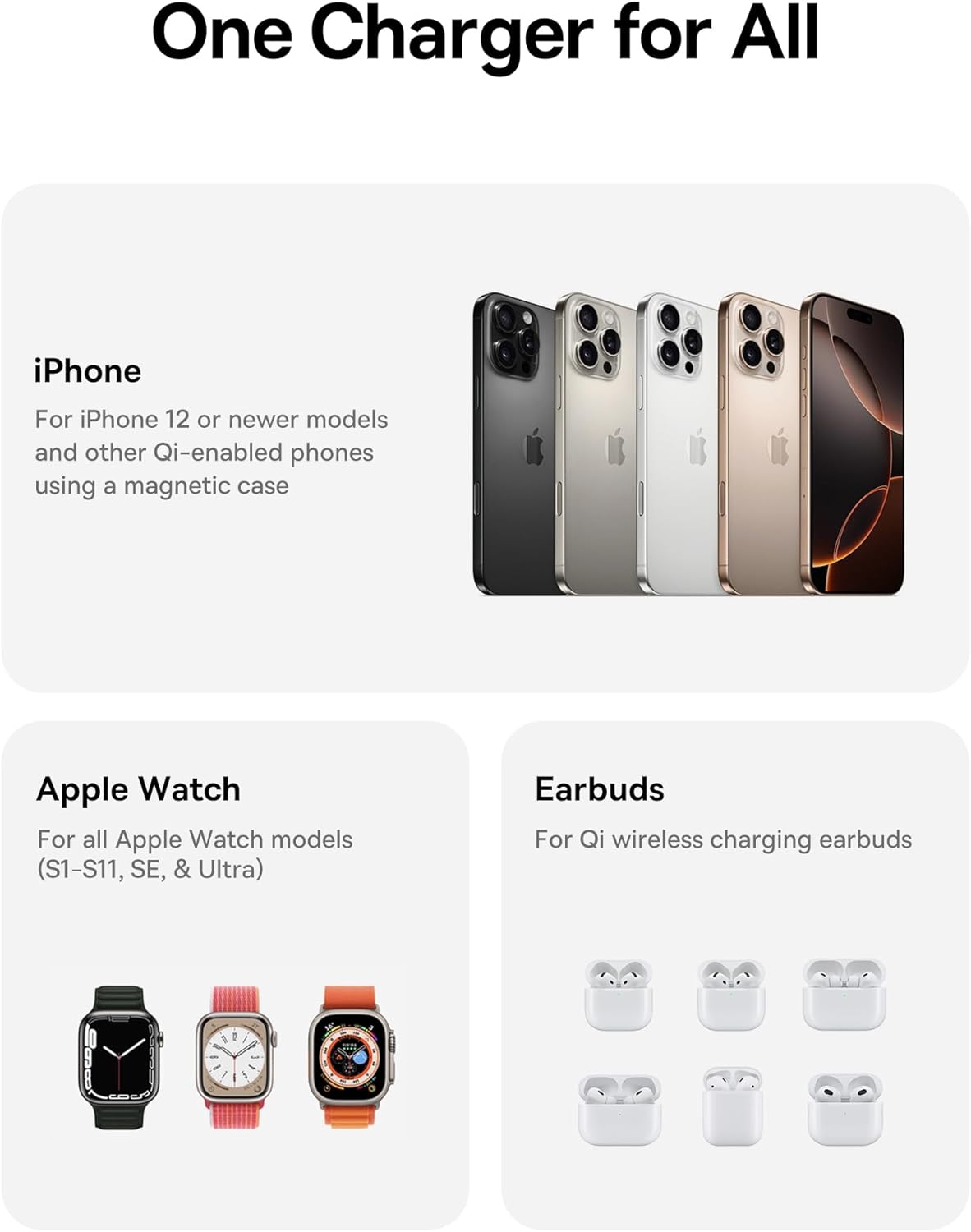
Image: A visual representation of the charging station's compatibility with different Apple devices.
ข้อมูลจำเพาะ
| หมายเลขรุ่น | E02054 |
| อินพุต Voltage | 240 โวลต์ |
| Ampอีเรจ | 3 Amps |
| วัดtage | 25 วัตต์ (สูงสุด) |
| ประเภทขั้วต่อ | USB ประเภท C |
| ขนาดสินค้า (พับ) | 3.15 x 2.97 x 1.5 นิ้ว |
| น้ำหนักสินค้า | 1.08 ปอนด์ |
| คุณสมบัติพิเศษ | Charging Indicator, Magsafe Compatible, Multi Device Charging, Travel, Wireless Charging |
การแก้ไขปัญหา
- อุปกรณ์ไม่ชาร์จ:
- Ensure the charging station is properly connected to the 45W power adapter and a live power outlet.
- Verify your device is correctly aligned on the charging pad. For iPhones, ensure magnetic connection.
- Remove any thick cases or metallic objects from your device that might interfere with wireless charging.
- Check if your device is Qi-enabled or MagSafe-compatible.
- การชาร์จช้า:
- Confirm you are using the provided 45W power adapter and cable. Lower wattagอะแดปเตอร์อิเล็กทรอนิกส์อาจทำให้การชาร์จช้าลง
- Ensure your iPhone's software is up to date, especially for 25W Qi2.2 charging on iPhone 16 series (requires iOS 26 or later).
- Avoid using your device heavily while charging, as this can slow down the charging process.
- ไฟ LED ไม่ติด:
- Check the power connection from the wall outlet to the adapter and to the charging station.
- ลองใช้เต้ารับไฟอื่น
การดูแลรักษา
- Clean the charging surfaces regularly with a soft, dry cloth to remove dust and debris.
- อย่าใช้สารเคมีรุนแรงหรือน้ำยาทำความสะอาดที่มีฤทธิ์กัดกร่อน
- Store the charging station in a cool, dry place when not in use.
การรับประกันและการสนับสนุน
สำหรับข้อมูลการรับประกันหรือการสนับสนุนทางเทคนิค โปรดดูที่ Baseus อย่างเป็นทางการ webหรือติดต่อฝ่ายบริการลูกค้า เก็บใบเสร็จรับเงินไว้เพื่อใช้ในการเคลมประกัน
ผู้ผลิต: เซินเจิ้น Baseus Technology Co., Ltd.
วันที่เข้าใช้งานครั้งแรก: วันที่ 18 กันยายน 2025
ลิงค์ผลิตภัณฑ์: หน้าผลิตภัณฑ์ของ Amazon


