การแนะนำ
Welcome to the cosmic adventures of Super Mario Galaxy and Super Mario Galaxy 2! This manual provides guidance for enjoying these classic titles on your Nintendo Switch or Nintendo Switch 2 console. Prepare to explore vast galaxies, collect Power Stars, and team up with Mario and Yoshi in an unforgettable journey.
These enhanced versions offer an immersive experience, with a free update available for Nintendo Switch 2 users to enjoy gameplay at 4K resolution in TV mode or 1080p in Handheld and Tabletop mode. Please note that 4K resolution and 120 fps are available in supported games and require a compatible display, with frame rates capped at 60 fps for 4K output.
การตั้งค่า
- ใส่การ์ดเกม: Ensure your Nintendo Switch or Nintendo Switch 2 console is powered off. Carefully insert the Super Mario Galaxy + Super Mario Galaxy 2 game card into the game card slot until it clicks into place.
- เปิดเครื่องคอนโซล: Power on your Nintendo Switch or Nintendo Switch 2 console. The game icon should appear on the HOME Menu.
- การอัปเดตระบบ: It is recommended to connect your console to the internet and check for any available system updates or game software updates to ensure optimal performance and access to the latest features, including the Nintendo Switch 2 enhancements.
- การจับคู่คอนโทรลเลอร์: ตรวจสอบให้แน่ใจว่าจอยคอนหรือคอนโทรลเลอร์ Nintendo Switch Pro ของคุณเชื่อมต่อและชาร์จแบตเตอรี่เรียบร้อยแล้ว
คำแนะนำการใช้งาน (การเล่นเกม)
การควบคุมทั่วไป
- ความเคลื่อนไหว: Use the Left Stick to move Mario.
- กระโดด: Press the A or B button to jump.
- Spin Attack: Shake the Joy-Con controller or press the Y button to perform a spin attack. This can be used to break objects, defeat enemies, or gain extra height during a jump.
- Ground Pound: While in the air, press ZL/ZR to perform a ground pound.
- การควบคุมกล้อง: ใช้จอยสติ๊กด้านขวาเพื่อปรับมุมกล้อง view.
Super Mario Galaxy
In Super Mario Galaxy, Mario embarks on a quest to rescue Princess Peach and recover the stolen Power Stars from Bowser. Navigate through various galaxies, each with unique gravitational mechanics and challenges. Collect enough Power Stars to unlock new areas and confront Bowser.
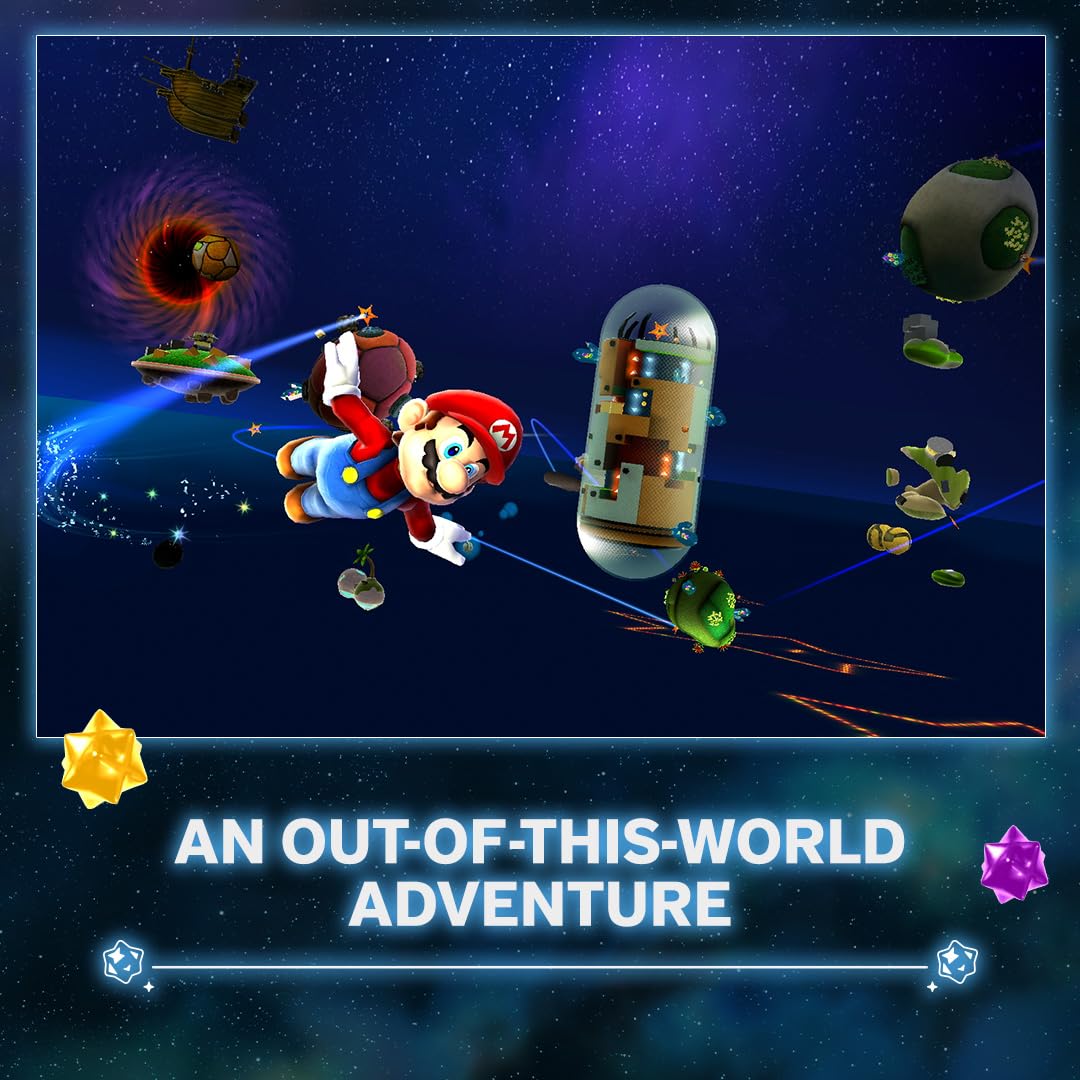
ภาพ: Mario is depicted floating in a starry space environment, surrounded by small planetary bodies, emphasizing the 'out-of-this-world' nature of the adventure.
Super Mario Galaxy 2
Super Mario Galaxy 2 sees Mario once again called upon to rescue Princess Peach. This time, he teams up with Yoshi and travels across the universe in Starship Mario, a flying vessel shaped like Mario’s head. Yoshi introduces new gameplay mechanics, allowing Mario to use his tongue to grab items and enemies, and gain special abilities by eating certain fruits.

ภาพ: This image shows Mario riding Yoshi on a wooden ramp, set against a space background, highlighting Yoshi's role in the game.
Co-Star Mode
Both games feature a Co-Star Mode, allowing a second player to join the adventure. The second player can assist by collecting Star Bits, stunning enemies, and helping Mario navigate challenges. This mode is ideal for cooperative play.

ภาพ: This image illustrates the Co-Star Mode gameplay, where two players can collaborate to collect coins and power-ups.
การซ่อมบำรุง
- การดูแลรักษาการ์ดเกม: Keep the game card clean and free from dust or debris. Store it in its original case or a protective holder when not in use. Avoid touching the gold connectors on the back of the card.
- การอัปเดตคอนโซล: Regularly check for and install system updates for your Nintendo Switch console to ensure compatibility and optimal performance with the game.
- การบันทึกความคืบหน้า: The game features an auto-save function, but it is always recommended to manually save your progress at designated save points to prevent loss of data.
การแก้ไขปัญหา
- เกมไม่โหลด: If the game does not load, ensure the game card is inserted correctly. Try removing and reinserting it. If the issue persists, clean the game card's connectors with a soft, dry cloth.
- ปัญหาเกี่ยวกับคอนโทรลเลอร์: If controllers are unresponsive, ensure they are charged and properly paired with the console. Refer to your Nintendo Switch console's manual for detailed controller troubleshooting.
- ปัญหาประสิทธิภาพการทำงาน: For issues like frame rate drops or graphical glitches, ensure your console has the latest system updates and the game software is updated. If playing on Nintendo Switch 2, verify your display supports 4K resolution and 120 fps if aiming for those settings.
- Freezing/Crashing: If the game freezes or crashes, try restarting the console. Ensure there is sufficient free space on your console's internal storage or microSD card.
For further assistance, please refer to the official Nintendo Support website or contact Nintendo customer service.
ข้อมูลจำเพาะ
- ASIN: B0FR9BVJSL
- ผู้ผลิต: นินเทนโด
- ประเภทของรายการ: วิดีโอเกม
- ภาษา: ภาษาอังกฤษ
- เรตติ้ง: ทุกคน
- น้ำหนักสินค้า: 1.76 ออนซ์
- ขนาดแพ็คเกจ: 6.69 x 4.09 x 0.47 นิ้ว
- วันที่เข้าใช้งานครั้งแรก: วันที่ 30 กันยายน 2025
- Enhanced Play (Nintendo Switch 2): Supports 4K resolution in TV mode and 1080p in Handheld/Tabletop mode. Requires compatible display for 4K/120fps, with frame rates capped at 60 fps for 4K output.
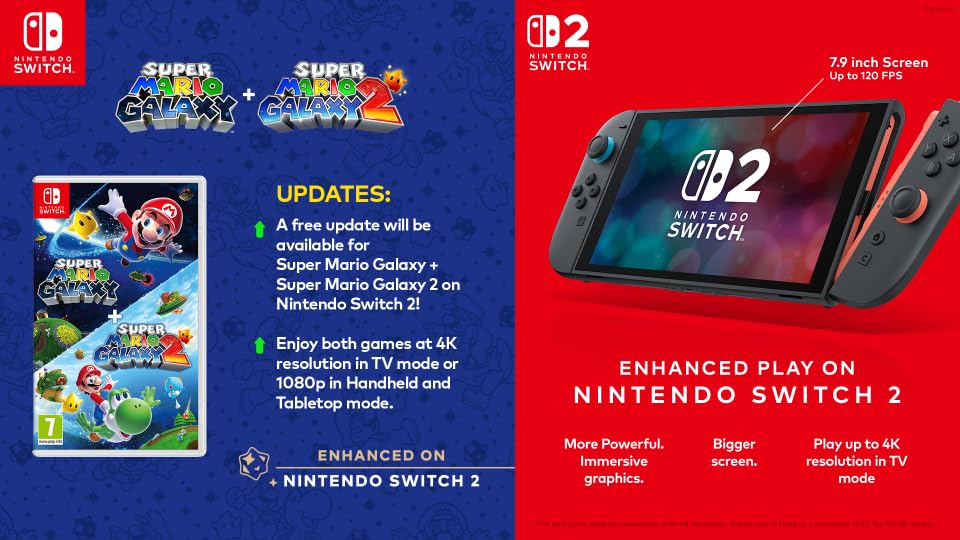
ภาพ: This image compares the game case with the Nintendo Switch 2 console, outlining the free update for enhanced play, including 4K resolution in TV mode and 1080p in Handheld/Tabletop mode, and improved graphics.
การรับประกันและการสนับสนุน
For information regarding product warranty, please refer to the warranty documentation included with your Nintendo Switch console or visit the official Nintendo website. Nintendo provides comprehensive support for its products.
การติดต่อฝ่ายสนับสนุน
If you encounter any issues not covered in this manual or require further assistance, please visit the official Nintendo Support website for your region. You can find FAQs, troubleshooting guides, and contact information for customer service.


