การแนะนำ
This manual provides essential information for setting up, operating, and maintaining your Insta360 X4 Air 8K 360 Camera. Please read it thoroughly before using the device to ensure proper function and longevity.
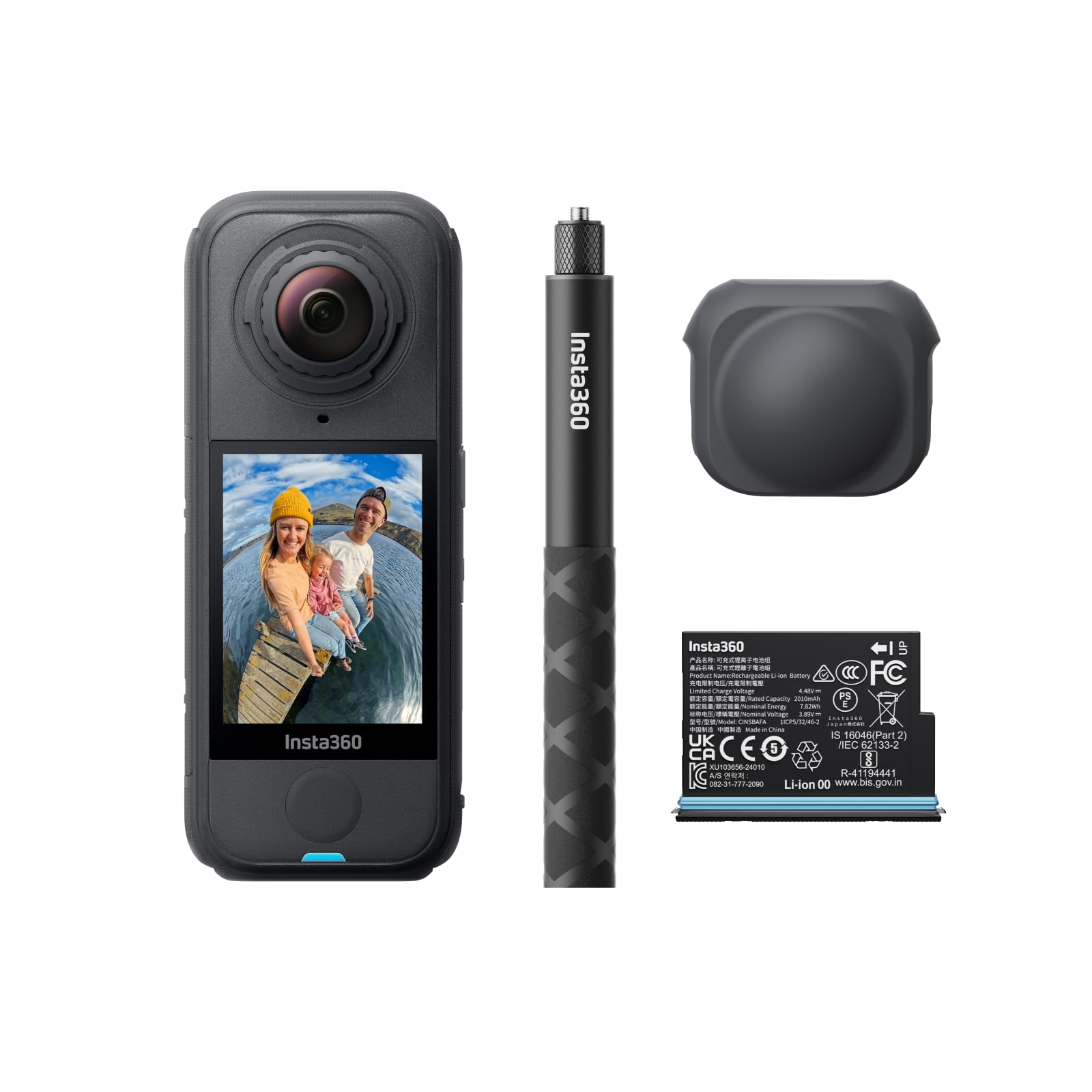
รูปที่ 1 : ด้านหน้า view of the Insta360 X4 Air camera.
มีอะไรอยู่ในกล่อง
The Insta360 X4 Air Starter Bundle includes the following items:
- 1x Insta360 X4 Air Camera
- 1x แบตเตอรี่เสริม
- ไม้เซลฟี่ล่องหน 1 ชิ้น ขนาด 114 ซม.
- ฝาปิดเลนส์ 1x

Figure 2: All components included in the Insta360 X4 Air Starter Bundle.
การตั้งค่า
1. การติดตั้งแบตเตอรี่
- Locate the battery compartment on the side of the Insta360 X4 Air.
- เปิดฝาครอบช่อง
- Insert the provided battery, ensuring correct orientation.
- ปิดฝาปิดช่องใส่ให้แน่น
Video 1: Demonstrates the installation of the Insta360 X4 Air battery and provides a review of its specifications.
2. การใส่การ์ด Micro SD
A Micro SD card (not included in all bundles) is required for storing footage. Ensure the card is a high-speed UHS-I, V30 or above for optimal performance.
- หาช่องเสียบการ์ด Micro SD ซึ่งโดยทั่วไปจะอยู่ใกล้กับช่องใส่แบตเตอรี่
- Insert the Micro SD card with the contacts facing down until it clicks into place.
3. การติดฝาครอบเลนส์
To protect the camera lenses when not in use, attach the provided rubber lens cap.
Video 2: Shows how to attach and remove the lens cap for the Insta360 X4 Air.
4. Attaching the Invisible Selfie Stick
The 114cm Invisible Selfie Stick is designed to vanish from your 360 footage. Attach it to the camera's screw mount.
Video 3: Demonstrates the build quality and attachment mechanism of the Insta360 selfie stick.
5. เปิดเครื่องและเลือกภาษา
- Press and hold the power button (usually marked with a power symbol) to turn on the camera.
- ทำตามคำแนะนำบนหน้าจอเพื่อเลือกภาษาที่คุณต้องการ
วิดีโอ 4: A review of the Insta360 X4 Air buttons and initial language selection process.
Operating Your Insta360 X4 Air
บันทึกวิดีโอ 8K 360
The Insta360 X4 Air captures stunning 8K30fps 360-degree video, ensuring no angle is missed. Simply press the record button to begin capturing your surroundings.

Figure 3: The camera's dual lenses capture a full 360-degree view in 8K resolution.
Shoot First, Frame Later
With 360-degree capture, you don't need to aim the camera. Record the entire scene and use the Insta360 app's reframing tools to select the best angles and perspectives after shooting.
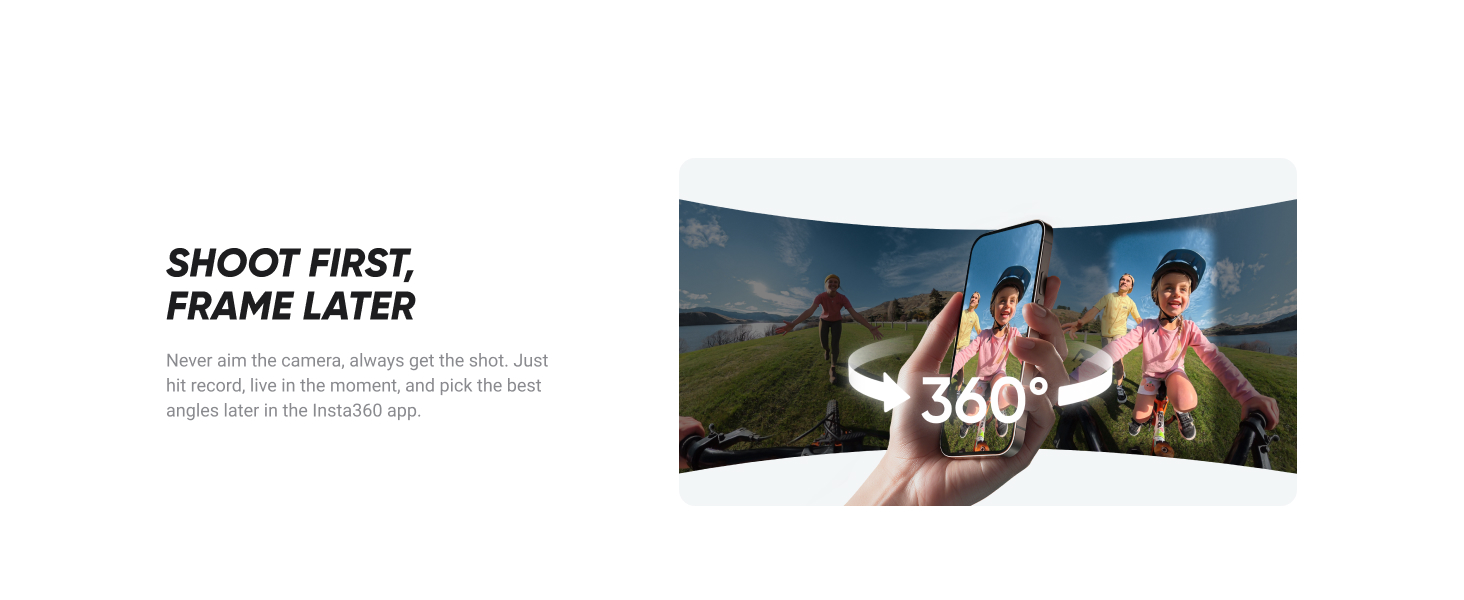
Figure 4: Reframing footage using the Insta360 app on a smartphone.
เอฟเฟกต์ไม้เซลฟี่ที่มองไม่เห็น
Achieve drone-like shots and third-person perspectives. The selfie stick is automatically removed from your 360 footage, creating a seamless and immersive view.
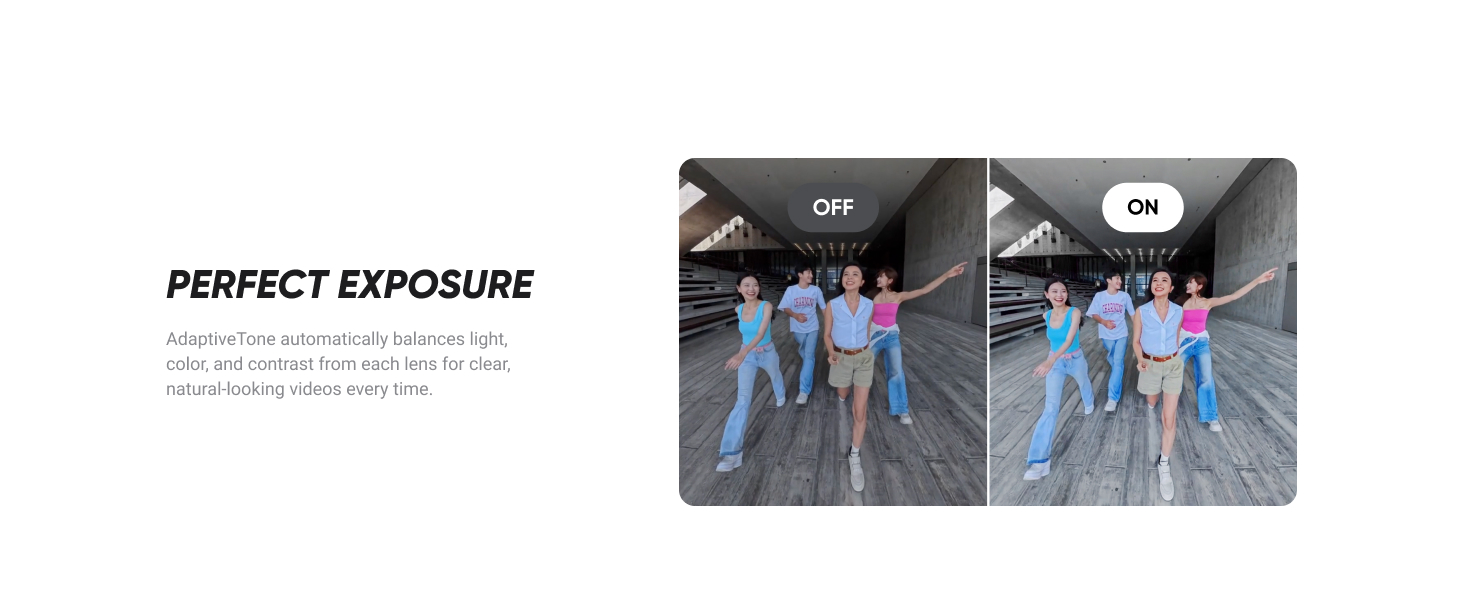
Figure 5: Comparison of raw footage and the result with the invisible selfie stick effect.
FlowState Stabilization & 360º Horizon Lock
The camera features advanced FlowState Stabilization for smooth video and 360º Horizon Lock to keep your footage perfectly level, regardless of camera movement.
Figure 6: Visual comparison of unstabilized vs. stabilized footage with Horizon Lock.
8K30fps Active HDR
Active HDR mode enhances colors and details in both highlights and shadows, providing superior image quality in challenging lighting conditions.
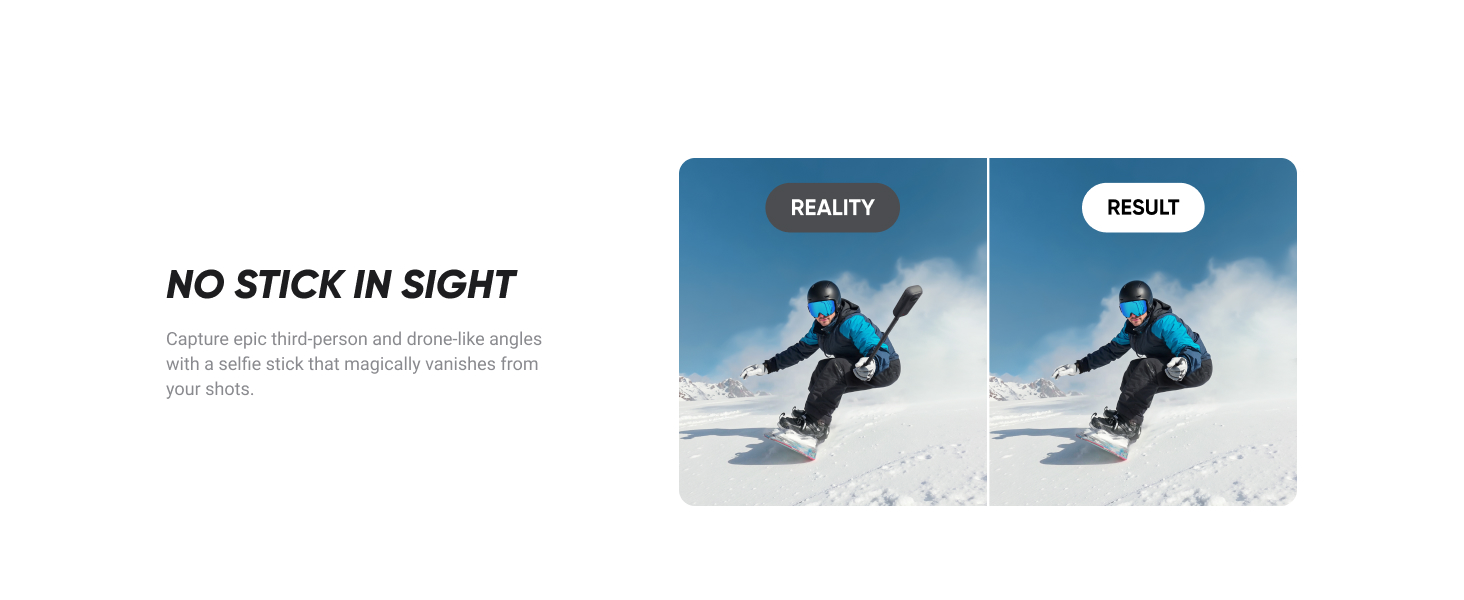
Figure 7: Comparison of footage with Active HDR off and on, showing improved dynamic range.
คุณสมบัติด้านเสียง
The Insta360 X4 Air includes a built-in wind guard to reduce wind noise and improved audio modes for clear sound, even in windy conditions or at high speeds.

Figure 8: Visual representation of the camera's wind guard and enhanced audio capabilities.
AI-Powered Editing
Utilize the Insta360 app's AI tools for dynamic video editing, one-tap templates, and creative effects. Features include Auto Edit and AI Frame to simplify content creation.

รูปที่ 9: อดีตamples of AI-powered Auto Edit and AI Frame features in the Insta360 app.
ตัวเลือกการควบคุม
- บิดเพื่อยิง: Rotate your selfie stick twice to start/stop filming or take a photo.
- การควบคุมด้วยท่าทาง: Film and take pictures using only your palm and the peace sign.
- การควบคุมด้วยเสียง 2.0: Give voice commands to control your camera from a distance.

Figure 10: Various methods for controlling the Insta360 X4 Air camera.
การซ่อมบำรุง
Replaceable Lenses
The X4 Air features rugged, durable, and easily replaceable lenses. If a lens gets damaged, you can swap it out using a replacement kit without needing to replace the entire camera.
Figure 11: Illustration of how to replace the camera lenses.
การทำความสะอาด
Regularly clean the camera body and lenses with a soft, lint-free cloth. For lenses, use a specialized lens cleaning solution and cloth to avoid scratches. Ensure the camera is dry before closing any ports or compartments.
การดูแลแบตเตอรี่
To prolong battery life, store the battery in a cool, dry place. Avoid fully discharging the battery or leaving it fully charged for extended periods. Refer to the battery's specifications for optimal charging and usage.
การแก้ไขปัญหา
- กล้องไม่เปิดเครื่อง: ตรวจสอบให้แน่ใจว่าแบตเตอรี่ชาร์จเต็มและใส่เข้าไปอย่างถูกต้อง
- ปัญหาการบันทึก: Check if the Micro SD card is properly inserted and has sufficient free space. Ensure it meets the recommended speed class.
- คุณภาพวิดีโอไม่ดี: Verify that the lenses are clean and free from smudges or scratches. Check lighting conditions and consider using Active HDR.
- ปัญหาการเชื่อมต่อแอพ: Ensure your camera's Wi-Fi is enabled and your smartphone is connected to the camera's Wi-Fi network.
- บริการคลาวด์: The Insta360+ Cloud Service offers auto file backup and cloud editing, which can help resolve storage or editing issues.
ข้อมูลจำเพาะ
| คุณสมบัติ | รายละเอียด |
|---|---|
| ชื่อยี่ห้อ | อินสตา360 |
| น้ำหนักสินค้า | 1.76 ปอนด์ (ประมาณ 798 กรัม) |
| ขนาดสินค้า | 8.54 x 10.79 x 2.72 นิ้ว (ประมาณ 21.7 x 27.4 x 6.9 ซม.) |
| หมายเลขรุ่นสินค้า | CINSAAFA |
| แบตเตอรี่ | ต้องใช้แบตเตอรี่ AAA 2 ก้อน (รวมอยู่ด้วย) |
| ชื่อสี | กราไฟท์สีดำ |
| คุณสมบัติพิเศษ | กล้องกีฬา |
| เทคโนโลยีโฟโต้เซนเซอร์ | ซีมอส |
| ความละเอียดในการจับภาพวิดีโอ | 8K |
| ความยาวโฟกัสสูงสุด | 30 มิลลิเมตร |
| รูรับแสงสูงสุด | 1.95 ฟ. |
| ประเภทหน่วยความจำแฟลช | ไมโคร SD |
| รูปแบบการจับภาพวิดีโอ | เอ็มพี 4 |
| รูปแบบเสียงที่รองรับ | อคส.,พม |
| ขนาดหน้าจอ | 2.09 นิ้ว |
| เทคโนโลยีการเชื่อมต่อ | ไวไฟ |
การรับประกันและการสนับสนุน
Insta360+ Cloud Service
The Insta360+ Cloud Service offers valuable benefits including auto file backup, up to 2TB of cloud storage, one-tap sharing of 360 footage, cloud editing and export, and exclusive member benefits. This service helps keep your memories safe and accessible.
Insta360 FlexiCare
พิจารณาซื้อasing Insta360 FlexiCare for extended protection. This plan covers accidental damage with up to 4 low-cost replacements within 2 years and includes free shipping both ways. A 1-year coverage period for accessories is also available.

Figure 12: Information regarding Insta360 FlexiCare plans.
ติดต่อฝ่ายสนับสนุน
For further assistance, please visit the official Insta360 support webไซต์หรือดูข้อมูลการติดต่อที่ระบุไว้ในบรรจุภัณฑ์ผลิตภัณฑ์ของคุณ


