การแนะนำ
This manual provides essential information for the proper setup, operation, and maintenance of your Blaupunkt Smart TV 24HCG4000S. Please read these instructions carefully before using your television and retain them for future reference. This 24-inch HD Ready LED TV features Google TV, Wi-Fi, Bluetooth 5.0, multiple HDMI and USB ports, and integrated Chromecast, offering a comprehensive entertainment experience.
มีอะไรอยู่ในกล่อง
แกะกล่องอย่างระมัดระวังและตรวจสอบให้แน่ใจว่ามีสิ่งของต่อไปนี้ครบถ้วน:
- Blaupunkt Smart TV 24HCG4000S
- รีโมทคอนโทรล
- สายไฟ
- ขาตั้ง (2 ชิ้น)
- คู่มือการใช้งาน (เอกสารนี้)
Note: A 12V adapter for vehicle compatibility is not included and must be purchased separately.
สินค้าเกินview
The Blaupunkt 24HCG4000S Smart TV is designed for versatile use, offering clear visuals and smart functionalities in a compact form factor.
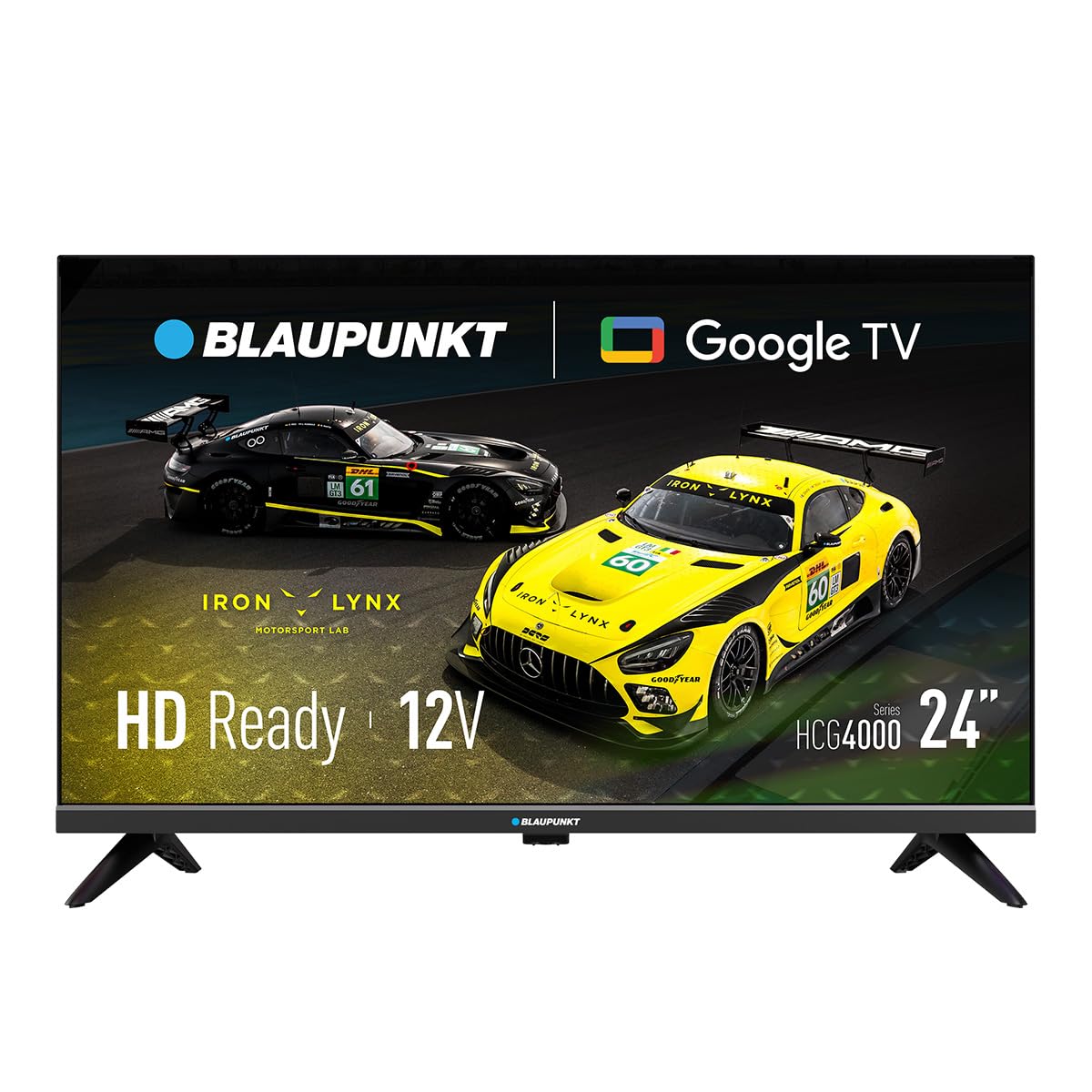
รูปที่ 1 : ด้านหน้า view of the Blaupunkt 24HCG4000S Smart TV.
คุณสมบัติที่สำคัญ ได้แก่:
- แสดง: 24-inch HD Ready LED screen (1366 x 768 pixels) with vivid colors and a 178° viewมุมอิง
- คุณสมบัติสมาร์ท: Integrated Google TV platform providing access to popular streaming services like Netflix, YouTube, Disney+, Prime Video, and thousands of other applications.
- เสียง: Dolby Audio with 12W output for enhanced sound quality.
- การควบคุมด้วยเสียง: Google Assistant for convenient voice commands.
- การคัดเลือกนักแสดง: Built-in Chromecast for easy content sharing from mobile devices.
- การเชื่อมต่อ: Advanced options including WiFi 2T2R, Bluetooth 5.0, 3 HDMI ports, 2 USB ports, RJ45 Ethernet, CI+ slot, and a headphone output.
- ออกแบบ: Compact and lightweight (2.25 kg) with VESA 200x200 mm support for wall mounting.
- ประสิทธิภาพการใช้พลังงาน: Low power consumption of 17W.

รูปที่ 2: ด้านหลัง view of the TV, highlighting the port layout.

รูปที่ 3: ด้านข้าง view of the TV, showing accessible ports.
การตั้งค่า
1. การติดตั้งขาตั้ง
- วางจอทีวีลงบนพื้นผิวที่นุ่มและเรียบเพื่อป้องกันความเสียหาย
- จัดวางขาตั้งให้ตรงกับช่องที่ด้านล่างของทีวี
- Secure the stand pieces using the provided screws. Do not overtighten.
2. การเชื่อมต่อพลังงาน
Connect the power cable to the TV's power input and then to a wall outlet. The TV is compatible with 12V power sources, but a specific 12V adapter is required and sold separately.
3. การตั้งค่าเริ่มต้น
Upon first power-on, the TV will guide you through the initial setup process, including language selection, network connection (Wi-Fi or Ethernet), and Google TV account setup. Follow the on-screen instructions.
การใช้งานทีวี
เปิด/ปิดเครื่อง
กดปุ่ม พลัง กดปุ่มบนรีโมทคอนโทรลหรือบนทีวีเพื่อเปิดหรือปิดเครื่อง
การเลือกอินพุต
ใช้ ป้อนข้อมูล button on the remote to cycle through available input sources (HDMI 1, HDMI 2, HDMI 3, USB, AV, etc.).
อินเทอร์เฟซ Google TV
Navigate the Google TV interface using the remote control's directional pad and OK button. Access apps, settings, and content recommendations from the home screen.
ผู้ช่วยเสียง
กดปุ่ม ผู้ช่วย Google button on your remote control and speak into the microphone to search for content, control smart home devices, or get information.
การเชื่อมต่อ
Your Blaupunkt Smart TV offers a range of connectivity options:
- Wi-Fi (2T2R): Connect to your home wireless network for internet access and smart features.
- Bluetooth 5.0: Pair with compatible Bluetooth devices such as headphones, soundbars, or game controllers.
- HDMI (x3): Connect external devices like gaming consoles, Blu-ray players, or set-top boxes. One HDMI port supports ARC (Audio Return Channel).
- ยูเอสบี (x2): เล่นสื่อ files from USB storage devices or power compatible accessories.
- RJ45 (อีเธอร์เน็ต): เพื่อการเชื่อมต่ออินเตอร์เน็ตแบบมีสายที่เสถียร
- สล็อต CI+: For conditional access modules (CAM) to decrypt encrypted digital TV channels.
- เอาท์พุตหูฟัง: เชื่อมต่อหูฟังเพื่อการฟังแบบส่วนตัว
- S/PDIF (Optical Audio Output): สำหรับเชื่อมต่อกับระบบเสียงภายนอก
วิดีโอ 1: จบview of a 24-inch television, demonstrating its features and connectivity options. This video provides a visual guide to the product's design and functionality.
การซ่อมบำรุง
การทำความสะอาดหน้าจอ
เช็ดหน้าจอเบาๆ ด้วยผ้านุ่มที่ไม่เป็นขุย สำหรับรอยฝังแน่น ให้เช็ดเบาๆampชุบผ้าด้วยน้ำหรือน้ำยาทำความสะอาดหน้าจอโดยเฉพาะ ห้ามฉีดน้ำยาลงบนหน้าจอโดยตรง
การทำความสะอาดตู้
เช็ดตู้ทีวีด้วยผ้านุ่มและแห้ง หลีกเลี่ยงการใช้น้ำยาทำความสะอาดหรือสารละลายที่มีฤทธิ์กัดกร่อน
การระบายอากาศ
Ensure proper ventilation around the TV. Do not block the ventilation openings on the back or sides of the TV. Allow sufficient space for air circulation.
การแก้ไขปัญหา
หากคุณประสบปัญหาเกี่ยวกับทีวี โปรดดูวิธีแก้ไขทั่วไปต่อไปนี้:
- ไม่มีไฟฟ้า: ตรวจสอบว่าสายไฟเชื่อมต่อกับทีวีและเต้ารับที่ผนังอย่างแน่นหนาหรือไม่ ตรวจสอบให้แน่ใจว่าเต้ารับใช้งานได้
- ไม่มีภาพ/เสียง: ตรวจสอบให้แน่ใจว่าได้เลือกแหล่งสัญญาณเข้าที่ถูกต้องแล้ว ตรวจสอบการเชื่อมต่อสายเคเบิลทั้งหมด (HDMI, AV ฯลฯ) ว่าหลวมหรือไม่
- รีโมทคอนโทรลไม่ทำงาน: เปลี่ยนแบตเตอรี่ในรีโมทคอนโทรล ตรวจสอบให้แน่ใจว่าไม่มีสิ่งกีดขวางระหว่างรีโมทและเซ็นเซอร์อินฟราเรดของทีวี
- ปัญหาการเชื่อมต่อ Wi-Fi: Restart your router and the TV. Check your Wi-Fi password. Ensure the TV is within range of your Wi-Fi network.
- Smart App Problems: Try restarting the app or clearing its cache in the TV settings. Ensure your TV's software is up to date.
If the problem persists, consult the Blaupunkt support webเว็บไซต์หรือติดต่อฝ่ายบริการลูกค้า
ข้อมูลจำเพาะ
| คุณสมบัติ | ข้อมูลจำเพาะ |
|---|---|
| ยี่ห้อ | บลาพุงท์ |
| ชื่อรุ่น | 24HCG4000S |
| ขนาดจอแสดงผล | 24 นิ้ว |
| เทคโนโลยีการแสดงผล | นำ |
| ปณิธาน | รองรับ HD (1366 x 768 พิกเซล) |
| อัตราการรีเฟรช | 60 เฮิรตซ์ |
| ระบบปฏิบัติการ | กูเกิลทีวี |
| เอาท์พุตเสียง | 12W (Dolby Audio) |
| การเชื่อมต่อ | WiFi 2T2R, Bluetooth 5.0, 3x HDMI, 2x USB, RJ45, CI+ |
| คุณสมบัติพิเศษ | Built-in Speaker, Chromecast, Parental Control, Game Mode |
| ความเข้ากันได้ในการติดตั้ง | VESA 200x200 mm |
| ขนาดสินค้า | 15.6 x 53.6 x 36 ซม. |
| น้ำหนักผลิตภัณฑ์ | 2.25 กก. |
| การใช้พลังงาน | 17วัตต์ |
| 12V Compatibility | ใช่ (ไม่รวมอะแดปเตอร์) |
การรับประกันและการสนับสนุน
Your Blaupunkt Smart TV 24HCG4000S comes with a standard manufacturer's warranty. Please refer to the warranty card included in your product packaging for specific terms and conditions, including the warranty period and coverage details.
For technical support, troubleshooting assistance, or warranty claims, please visit the official Blaupunkt support webหรือติดต่อฝ่ายบริการลูกค้า โดยทั่วไปข้อมูลการติดต่อจะอยู่ในเว็บไซต์ของผู้ผลิต webเว็บไซต์หรือในเอกสารประกอบผลิตภัณฑ์
Always ensure you have your product model number (24HCG4000S) and serial number ready when contacting support.


