1. บทนำ
This manual provides essential information for the proper use and maintenance of your HOTWAV R9 Ultra 5G Rugged Tablet. Please read it thoroughly before operating the device to ensure optimal performance and longevity. The HOTWAV R9 Ultra is designed for durability and high performance, featuring 5G connectivity, a large display, and robust construction.
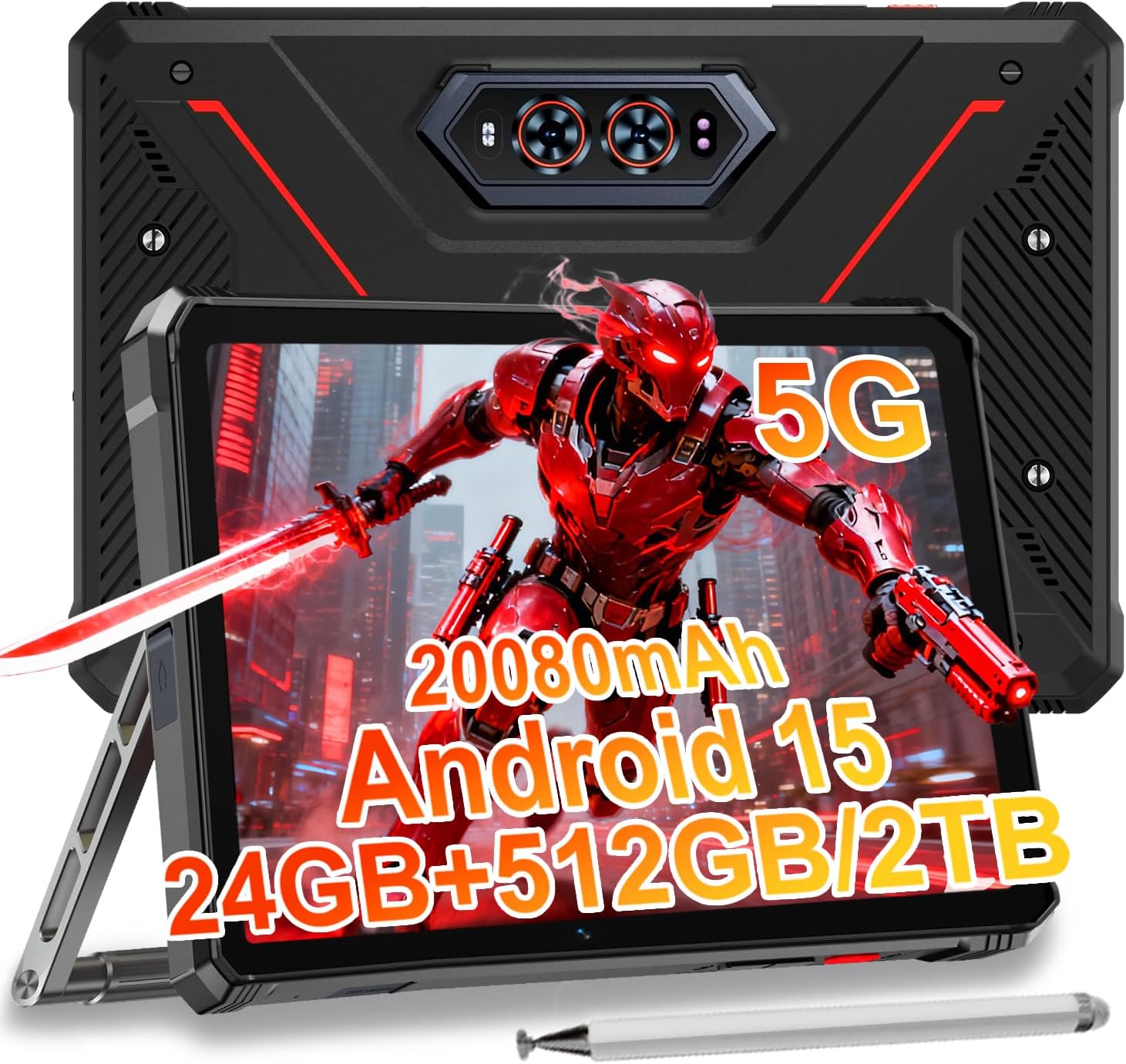
Image 1.1: The HOTWAV R9 Ultra 5G Rugged Tablet with its included stylus and stand.
2. อะไรอยู่ในกล่อง
ตรวจสอบว่ามีสินค้าครบทั้งหมดเมื่อแกะกล่อง:
- 1 x R9 Ultra Tablet
- 1 x คู่มือการใช้งาน
- 1 x Tablet Protective Film (pre-installed or separate)
- 1 x Tablet Charger Accessory
- 1 x Tablet Stand + Strap + Electronic Pen
3. อุปกรณ์โอเวอร์view
ทำความคุ้นเคยกับส่วนประกอบทางกายภาพของแท็บเล็ตของคุณ
3.1 ส่วนประกอบทางกายภาพ
- แสดง: 11-inch FHD+ 2K screen.
- กล้องหน้า: กล้อง 16MP สำหรับการสนทนาทางวิดีโอและการถ่ายเซลฟี่
- กล้องหลัง: 64MP main camera, 20MP night vision camera.
- พอร์ต: USB-C charging/data port, Dual SIM/MicroSD card slot.
- ปุ่ม: ปุ่มเปิด/ปิดเครื่อง, ปุ่มเพิ่ม/ลดเสียง
- วิทยากร: ลำโพงสเตอริโอในตัว
- Campแสง: Integrated high-performance light on the rear.

ภาพที่ 3.1: ด้านหลัง view of the tablet highlighting the camera system and integrated campแสงสว่าง
4. การตั้งค่า
4.1 การติดตั้งซิมการ์ดและการ์ด MicroSD
- ค้นหาช่องใส่การ์ด SIM/MicroSD ที่ด้านข้างของแท็บเล็ต
- ใช้เครื่องมือถอดซิมที่ให้มาเพื่อเปิดถาด
- Carefully place your Nano-SIM cards (up to two) and/or a MicroSD card (up to 2TB) into the tray, ensuring correct orientation.
- Insert the tray back into the tablet until it clicks into place.
Important Notice Before Purchase: HOTWAV rugged tablets are not compatible with AT&T, Cricket, or Verizon networks. They fully support T-Mobile, Mint, Boost, and Google Fi. Verify your carrier compatibility to ensure seamless connectivity.
4.2 การเปิดเครื่องครั้งแรกและการตั้งค่า Android 15
- Press and hold the Power button until the HOTWAV logo appears.
- ทำตามคำแนะนำบนหน้าจอเพื่อทำการตั้งค่าเริ่มต้นให้เสร็จสมบูรณ์ ซึ่งรวมถึงการเลือกภาษา การเชื่อมต่อ Wi-Fi การเข้าสู่ระบบบัญชี Google และการตั้งค่าความปลอดภัย
- The tablet runs on Android 15, offering enhanced features and security.

ภาพที่ 4.1: จบแล้วview of the Android 15 operating system interface.
5. การใช้งานแท็บเล็ต
5.1 การนำทางพื้นฐาน
- ท่าทางสัมผัส: ใช้การแตะ การปัด และการบีบเพื่อโต้ตอบกับหน้าจอ
- หน้าจอหลัก: Access apps and widgets.
- การแจ้งเตือน: ปัดลงจากด้านบนของหน้าจอไปที่ view การแจ้งเตือนและการตั้งค่าด่วน
5.2 การเชื่อมต่อ
- เครือข่าย 5G: Insert a compatible 5G SIM card for high-speed mobile data.
- ไวไฟ 5: เชื่อมต่อกับเครือข่ายไร้สายเพื่อการเข้าถึงอินเทอร์เน็ต
- Bluetooth 5.0: จับคู่กับอุปกรณ์บลูทูธ เช่น หูฟังหรือลำโพง
- จีพีเอส: Utilize multi-system navigation (Beidou, GPS, Galileo, Glonass) and a geomagnetic sensor for accurate positioning.

Image 5.1: The tablet's GPS functionality in use for navigation.
5.3 การใช้งานกล้อง
The tablet features a versatile camera system:
- กล้องหลัก 64MP: สำหรับภาพที่มีความละเอียดสูง
- กล้องมองกลางคืน 20 ล้านพิกเซล: For clear images in low-light conditions.
- กล้องหน้า 16MP: For video calls and self-portraits.
Camera modes include Night Mode, Pro Mode, Panorama Mode, and Underwater Mode for diverse shooting scenarios.

Image 5.2: Demonstrating the tablet's underwater and night vision camera capabilities.
5.4 การจัดการแบตเตอรี่
The tablet is equipped with a 20080mAh battery for extended use.
- การชาร์จ: Use the included 20W fast charger for efficient power replenishment.
- การชาร์จแบบ OTG ย้อนกลับ: The tablet can act as a power bank to charge other devices.

Image 5.3: Visual representation of the 20080mAh battery and 20W fast charging.
5.5 การใช้งานปากกาสไตลัส
The included stylus allows for precise interaction with the screen, ideal for drawing, note-taking, or navigating with gloves on.

Image 5.4: The stylus pen, designed for precise input.
5.6 คุณสมบัติพิเศษ
- Campแสง: Activate the rear camping light for illumination in dark environments.
- เจมินี AI: Utilize Gemini AI for advanced reasoning, creative solutions, and deeper conversations.
- โหมดถุงมือ: The display supports operation while wearing gloves.
- การระบุใบหน้า: Unlock your tablet using facial recognition.
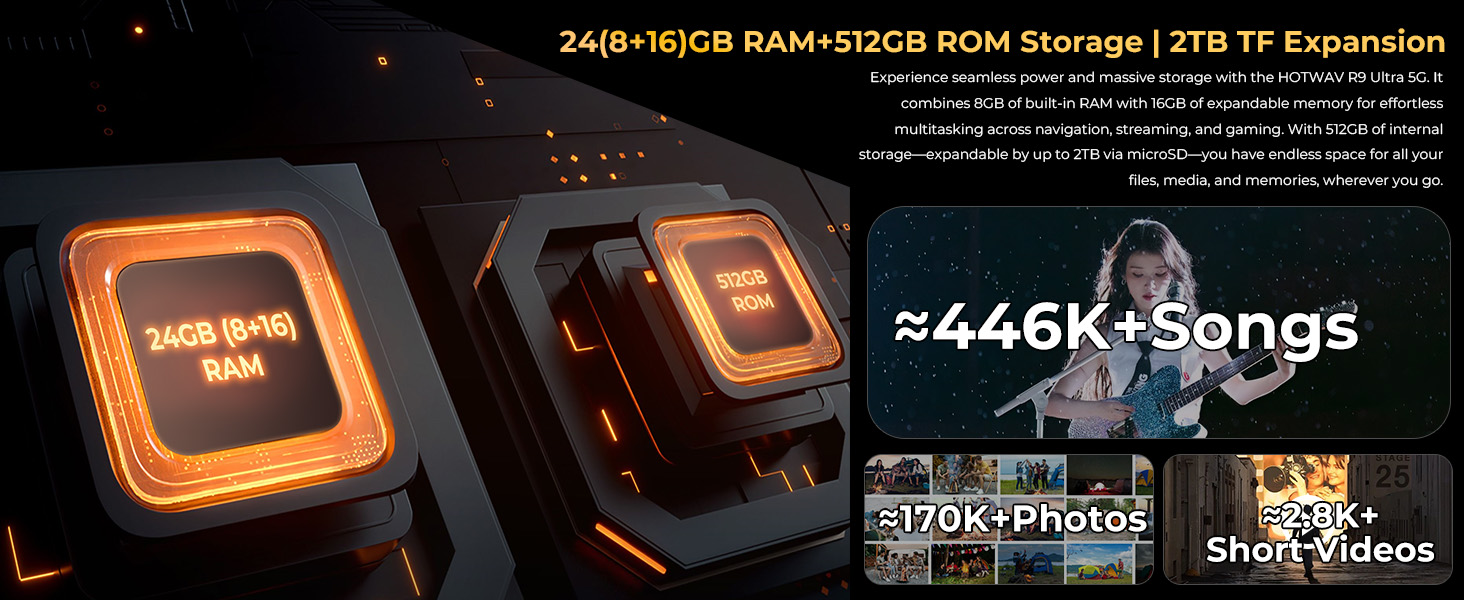
Image 5.5: The tablet's integrated camping light providing illumination.
5.7 คุณสมบัติความทนทาน
The HOTWAV R9 Ultra is built to withstand challenging conditions:
- ได้รับการรับรองมาตรฐาน IP68 และ IP69K: Fully dust-tight and protected against high-pressure, high-temperature water jets.
- ได้รับการรับรองตามมาตรฐาน MIL-STD-810H: Meets military standards for shock and drop resistance.
- กระจก Corning Gorilla Glass 3: Provides enhanced screen protection against scratches and impacts.

Image 5.6: The tablet's robust design, highlighting its resistance to drops, water, and dust.
6. การบำรุงรักษา
6.1 การทำความสะอาด
To clean your tablet, use a soft, lint-free cloth. For stubborn dirt, slightly dampชุบผ้าด้วยน้ำ หลีกเลี่ยงการใช้สารเคมีรุนแรงหรือวัสดุที่มีฤทธิ์กัดกร่อน
6.2 การอัปเดตซอฟต์แวร์
Regularly check for and install software updates to ensure your tablet has the latest features, security patches, and performance improvements. Navigate to การตั้งค่า > ระบบ > อัปเดตระบบ เพื่อตรวจสอบการอัปเดตที่มีอยู่
6.3 การจัดการการจัดเก็บข้อมูล
รีเป็นระยะๆview พื้นที่จัดเก็บข้อมูลของแท็บเล็ตของคุณ ลบข้อมูลที่ไม่จำเป็นออก fileถอนการติดตั้งแอปที่ไม่ใช้งาน และถ่ายโอนไฟล์มีเดียขนาดใหญ่ files to external storage or cloud services to maintain optimal performance. The tablet supports up to 2TB of expandable storage via MicroSD.
7 การแก้ไขปัญหา
หากคุณประสบปัญหาเกี่ยวกับแท็บเล็ตของคุณ โปรดดูวิธีแก้ไขทั่วไปต่อไปนี้:
- แท็บเล็ตไม่เปิดเครื่อง: ตรวจสอบให้แน่ใจว่าแบตเตอรี่ชาร์จเต็มแล้ว เสียบแท็บเล็ตเข้ากับที่ชาร์จและรอสักครู่ก่อนที่จะลองเปิดเครื่องอีกครั้ง
- ประสิทธิภาพช้า: Close unused applications, clear cache, or restart the tablet. Check for available software updates.
- ปัญหาการเชื่อมต่อ (Wi-Fi/5G): Toggle Wi-Fi or mobile data off and on. Restart your router for Wi-Fi issues. Verify SIM card installation and carrier compatibility for 5G issues.
- หน้าจอไม่ตอบสนอง: Perform a forced restart by holding the power button for approximately 10-15 seconds.
- แอปขัดข้อง: ล้างแคชและข้อมูลของแอปใน การตั้งค่า > แอป, or reinstall the app.
หากมีปัญหาเกิดขึ้นอย่างต่อเนื่อง โปรดติดต่อฝ่ายสนับสนุนลูกค้า
8. ข้อมูลจำเพาะ
| คุณสมบัติ | ข้อมูลจำเพาะ |
|---|---|
| ยี่ห้อ | ฮอตวาฟ |
| ชื่อรุ่น | R9 อุลตร้า |
| ระบบปฏิบัติการ | แอนดรอยด์ 15 |
| ขนาดหน้าจอ | 11 นิ้ว |
| ความละเอียดหน้าจอ | 1200 x 1920 Pixels (2K FHD+) |
| ยี่ห้อโปรเซสเซอร์ | ยูนิโซค |
| โคโปรเซสเซอร์กราฟิก | มาลี-G57 MC2 |
| แรม | 24GB (8GB หน่วยความจำจริง + 16GB หน่วยความจำเสมือน) |
| การจัดเก็บข้อมูลภายใน | 512GB |
| พื้นที่เก็บข้อมูลแบบขยายได้ | Up to 2TB via MicroSD |
| หลัง Webความละเอียดของกล้อง | 64 MP (Main) + 20 MP (Nightvision) |
| ด้านหน้า Webความละเอียดของกล้อง | 16 MP |
| ความจุของแบตเตอรี่ | 20080mAh |
| การชาร์จไฟ | ชาร์จเร็ว 20W, ชาร์จย้อนกลับ OTG |
| ระดับความทนทาน | IP68, IP69K, MIL-STD-810H |
| การเชื่อมต่อ | 5G, Wi-Fi 5, Bluetooth 5.0, GPS (Beidou, Galileo, Glonass) |
| น้ำหนักสินค้า | 2.64 ปอนด์ |
| ขนาดสินค้า | 10.6 x 7.1 x 0.7 นิ้ว |
9. การรับประกันและการสนับสนุน
9.1 ข้อมูลการรับประกัน
The HOTWAV R9 Ultra comes with a comprehensive 2-year hardware warranty. This warranty covers manufacturing defects and ensures the reliability of your device. Please retain your proof of purchase for warranty claims.
9.2 การสนับสนุนลูกค้า
For technical assistance, troubleshooting, or warranty inquiries, please contact HOTWAV customer support. Support options typically include:
- การสนับสนุนออนไลน์ตลอด 24 ชั่วโมงทุกวัน
- การสนับสนุนทางเทคนิคตลอดอายุการใช้งาน
Refer to the official HOTWAV webไซต์หรือเอกสารการซื้อของคุณสำหรับรายละเอียดการติดต่อที่เฉพาะเจาะจง

Image 9.1: Representation of HOTWAV's customer support services.


