1. บทนำ
This manual provides detailed instructions for the installation, operation, and maintenance of your CP PLUS CP-E21Q 2MP Smart Wi-Fi CCTV Camera. This indoor camera offers Full HD 1080p resolution, 360° pan and tilt functionality, advanced smart detection features, and secure cloud recording, designed to enhance your home security.
คุณสมบัติหลัก:
- 2MP Full HD Resolution: Provides clear 1080p video with H.265 compression for efficient storage.
- หมุนได้ 360° ในแนวนอน และ 71° ในแนวตั้ง: Ensures comprehensive area coverage without blind spots.
- 15M IR Night Vision: Delivers clear video monitoring in low-light or dark conditions.
- Smart Detection Suite: Includes motion detection, human body detection, sound detection, motion tracking, and a built-in siren for instant alerts.
- เสียงสองทาง: Enables communication through the camera via the View & Talk feature.
- การบันทึกบนคลาวด์: Offers secure and accessible video storage.
- CTC Cyber Secure Tech: Ensures advanced data privacy and security.
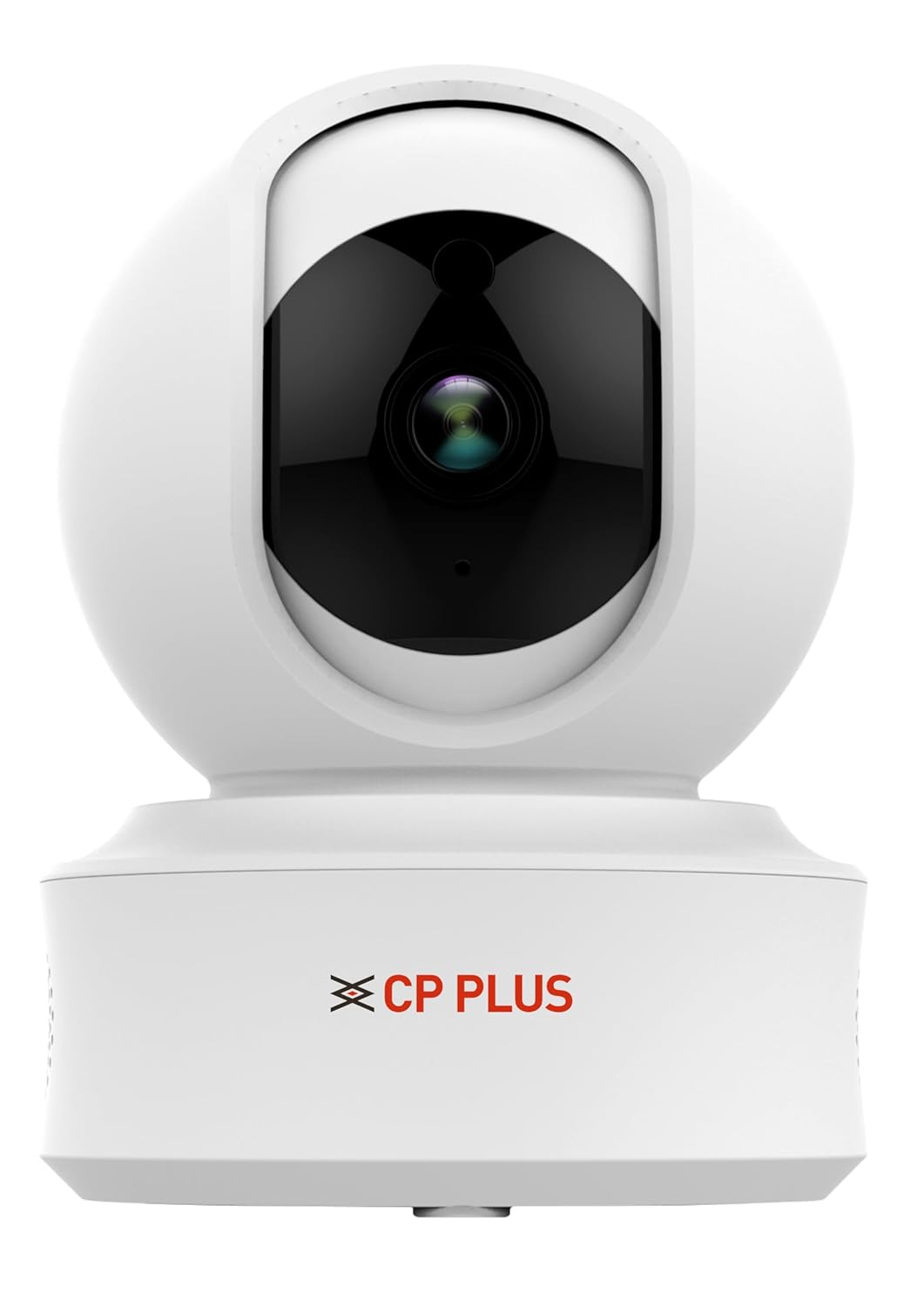
Figure 1: CP PLUS CP-E21Q Smart Wi-Fi CCTV Camera
2. เนื้อหาบรรจุภัณฑ์
ตรวจสอบว่ารายการทั้งหมดที่ระบุไว้ด้านล่างนี้รวมอยู่ในแพ็คเกจของคุณ:
- CP PLUS CP-E21Q Camera
- อะแดปเตอร์แปลงไฟ
- สายชาร์จ
- ยืน
- ชุดสกรูยึด
3. การตั้งค่าและการติดตั้ง
3.1 การติดตั้งทางกายภาพ
The CP-E21Q camera is designed for indoor use and can be placed on a tabletop or mounted on a ceiling using the provided stand and mounting screws.
- เลือกตำแหน่ง: เลือกสถานที่ภายในอาคารที่ให้บรรยากาศที่ต้องการ viewมุมการรับสัญญาณและอยู่ภายในระยะของเครือข่าย Wi-Fi ของคุณ
- ตำแหน่งบนโต๊ะ: เพียงวางกล้องบนพื้นผิวเรียบและมั่นคง
- การติดตั้งบนเพดาน:
- ติดขาตั้งเข้ากับตัวกล้อง
- Mark the screw positions on the ceiling using the stand as a template.
- Drill pilot holes and insert the mounting screws to secure the stand to the ceiling.
- Ensure the camera is securely fastened and oriented correctly.

รูปที่ 2 : ด้านหน้า view ของกล้อง
3.2 การเชื่อมต่อสายไฟ
Connect the camera to a power source using the provided power adapter and charging cable.
- Insert the small end of the charging cable into the power port on the camera.
- เสียบอะแดปเตอร์จ่ายไฟเข้ากับเต้ารับไฟฟ้ามาตรฐาน
- The camera will power on, and an indicator light will show its status.

รูปที่ 3: ย้อนกลับ view of the camera showing power port
3.3 การเชื่อมต่อเครือข่าย (Wi-Fi)
To connect your camera to your home Wi-Fi network, you will need the CP PLUS mobile application.
- ดาวน์โหลดแอป: ค้นหา the official CP PLUS app on your smartphone's app store (iOS or Android) and install it.
- สร้างบัญชี: เปิดแอปและทำตามคำแนะนำบนหน้าจอเพื่อสร้างบัญชีผู้ใช้ใหม่หรือเข้าสู่ระบบหากคุณมีบัญชีผู้ใช้อยู่แล้ว
- เพิ่มอุปกรณ์: Tap the '+' icon or 'Add Device' option in the app.
- เลือกประเภทกล้อง: Choose the appropriate camera model (CP-E21Q) or scan the QR code on the camera if available.
- ทำตามคำแนะนำในแอป: The app will guide you through connecting the camera to your Wi-Fi network. This typically involves entering your Wi-Fi password and allowing the camera to scan a QR code displayed on your phone screen.
- การยืนยัน: เมื่อเชื่อมต่อแล้ว ไฟแสดงสถานะของกล้องจะเปลี่ยนไป และแอปจะยืนยันการจับคู่สำเร็จ
3.4 การติดตั้งการ์ด MicroSD (ทางเลือก)
For local video storage, you can install a MicroSD card (up to 256GB).
- Locate the MicroSD card slot on the camera (refer to the camera's physical design for exact placement, often under the lens or on the side).
- ค่อยๆ เสียบการ์ด MicroSD เข้าไปในช่องเสียบจนกระทั่งได้ยินเสียงคลิกเข้าที่
- Format the MicroSD card through the camera settings in the mobile app for optimal performance.
4. การใช้งานกล้อง
Access and control your CP-E21Q camera using the CP PLUS mobile application.
4.1 สด View และการควบคุมแพน/เอียง
เปิดแอปและเลือกกล้องของคุณ view the live feed. Use the on-screen controls to remotely pan (rotate horizontally 360°) and tilt (rotate vertically 71°) the camera lens to monitor different areas.

Figure 4: Camera demonstrating pan and tilt capabilities

รูปที่ 5: อดีตample of 360° view ความคุ้มครอง
4.2 Two-Way Audio (View & Talk)
The camera features a built-in microphone and speaker. Tap the microphone icon in the app to speak through the camera, and listen to audio from the camera's location.

Figure 6: Two-Way Communication via the app
4.3 Smart Detection Suite
Configure various detection settings in the app to receive alerts for specific events:
- การตรวจจับการเคลื่อนไหว: ตรวจจับการเคลื่อนไหวทั่วไปภายในขอบเขตการมองเห็นของกล้อง view.
- Human Body Detection: Specifically identifies human shapes, reducing false alarms.
- การตรวจจับเสียง: Triggers alerts based on detected sounds.
- การติดตามการเคลื่อนไหว: The camera automatically follows detected movement.
- ไซเรนในตัว: Can be activated manually or automatically upon detection to deter intruders.
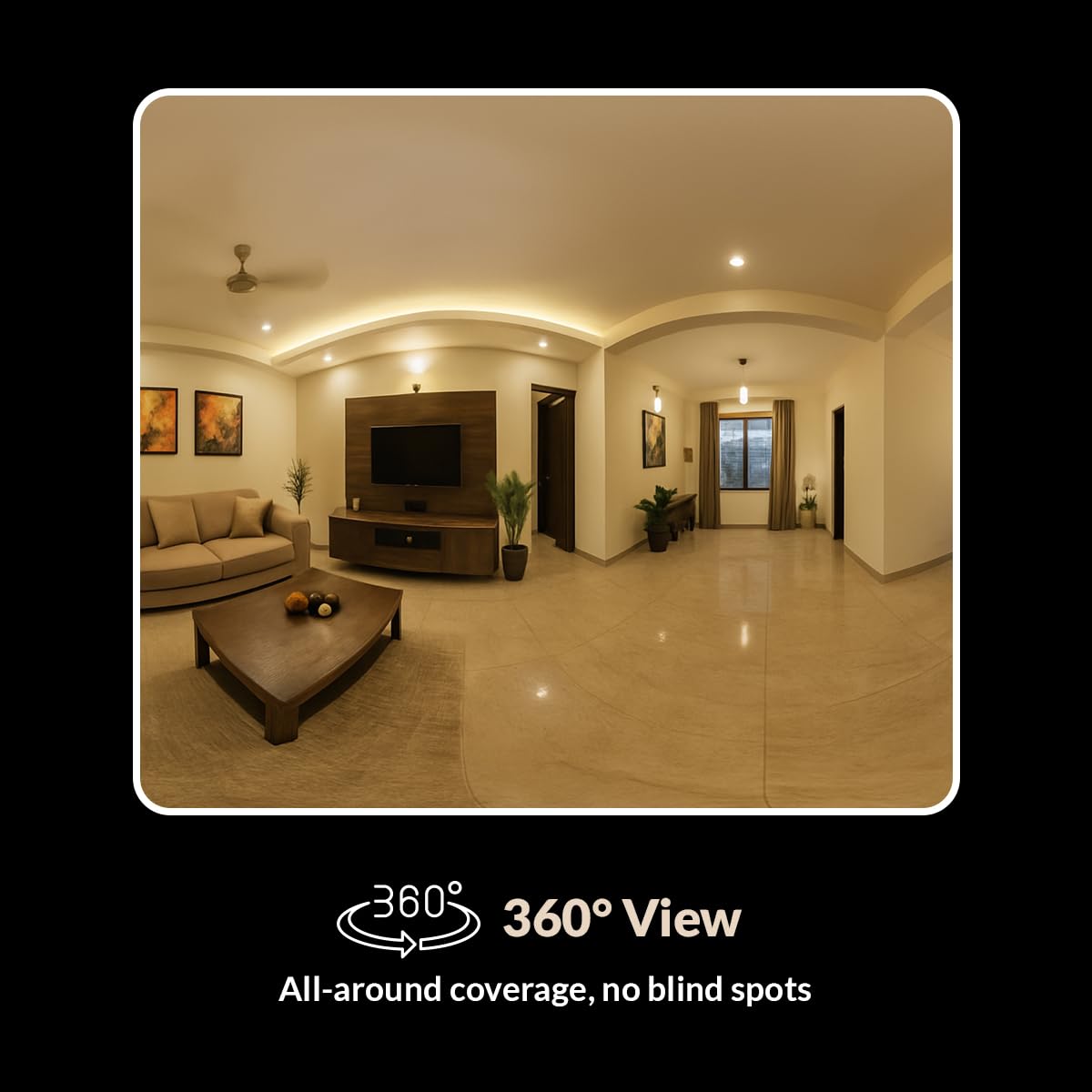
Figure 7: Smart Detection Suite capabilities
4.4 การมองเห็นตอนกลางคืน
The camera automatically switches to infrared (IR) night vision in low-light conditions, providing clear black-and-white video up to 15 meters.
4.5 Cloud Recording and Local Storage
สามารถจัดเก็บไฟล์บันทึกเสียงได้สองวิธี:
- การบันทึกบนคลาวด์: Subscribe to CP PLUS cloud services for secure, remote access to your video history.
- การจัดเก็บข้อมูลภายในเครื่อง: Videos are saved to an installed MicroSD card (up to 256GB). Manage recordings and playback through the app.

Figure 8: Cloud Recording for secure access
4.6 โหมดความเป็นส่วนตัว
เปิดใช้งานโหมดความเป็นส่วนตัวผ่านแอปเพื่อปิดใช้งานการบันทึกวิดีโอและการถ่ายทอดสดชั่วคราว viewing when privacy is desired.
5. การบำรุงรักษา
5.1 การทำความสะอาด
To maintain optimal performance, periodically clean the camera lens and exterior.
- ตรวจสอบให้แน่ใจว่ากล้องปิดอยู่ก่อนทำความสะอาด
- ใช้ผ้าแห้งนุ่มเช็ดตัวกล้อง
- For the lens, use a lens cleaning cloth and a specialized lens cleaning solution to avoid scratches.
- อย่าใช้สารเคมีรุนแรงหรือน้ำยาทำความสะอาดที่มีฤทธิ์กัดกร่อน
การอัปเดตเฟิร์มแวร์ 5.2 รายการ
Regularly check the CP PLUS app for available firmware updates. Updates often include performance improvements, new features, and security enhancements. Follow the in-app instructions to perform firmware updates.
6 การแก้ไขปัญหา
If you encounter issues with your CP-E21Q camera, refer to the following common problems and solutions:
| ปัญหา | วิธีแก้ปัญหาที่เป็นไปได้ |
|---|---|
| กล้องไม่เชื่อมต่อกับ Wi-Fi |
|
| คุณภาพวิดีโอไม่ดีหรือภาพเบลอ |
|
| Motion detection alerts are inconsistent |
|
| Two-way audio issues (echo, low volume) |
|
| Camera frequently goes offline or glitches during live view |
|
7. ข้อมูลจำเพาะ
| คุณสมบัติ | รายละเอียด |
|---|---|
| ชื่อรุ่น | CP-E21Q (Ezykam) |
| ความละเอียดในการจับภาพวิดีโอ | 1080p (ฟูลเอชดี) |
| เทคโนโลยีการเชื่อมต่อ | ไร้สาย (Wi-Fi) |
| โปรโตคอลการเชื่อมต่อ | ไวไฟ (2.4GHz) |
| คุณสมบัติพิเศษ | 2 Way Audio, HD Resolution, Motion Sensor, Night Vision, Pan & Tilt |
| การใช้งานภายใน/ภายนอกอาคาร | ในร่ม |
| แหล่งพลังงาน | สายไฟ |
| ประเภทการติดตั้ง | ที่วางบนโต๊ะ |
| ขนาดสินค้า (กxยxส) | 7.7 x 7.7 x 10.7 ซม. |
| น้ำหนักสินค้า | 176 กรัม |
| รองรับการ์ด microSD | สูงสุด 256GB |
8. การรับประกันและการสนับสนุน
Your CP PLUS CP-E21Q camera is manufactured by AIL DIXON Technologies and imported by Aditya Infotech Ltd. For specific warranty terms and conditions, please refer to the warranty card included with your product or visit the official CP PLUS webเว็บไซต์.
For technical assistance, troubleshooting beyond this manual, or warranty claims, please contact CP PLUS customer support. Contact details can typically be found on the product packaging, the official CP PLUS webไซต์หรือภายในแอปพลิเคชันมือถือ


