การแนะนำ
This manual provides essential information for the NIMO 15.6-inch Light Gaming Laptop N15A. It covers setup, operation, maintenance, troubleshooting, and product specifications. Please read this manual thoroughly before using your new laptop to ensure proper function and longevity.

Image: NIMO 15.6-inch Light Gaming Laptop N15A, showcasing its full display and keyboard.
เนื้อหาแพ็คเกจ
Verify that all items listed below are present in your product packaging. If any items are missing or damaged, please contact NIMO customer support.
- แล็ปท็อป NIMO N15A จำนวน 1 เครื่อง
- 1 x ที่ชาร์จเร็ว Type-C 100W PD
- 1 x คู่มือผู้ใช้
- ระบบปฏิบัติการ Windows 11 Home (ติดตั้งมาแล้ว)
สินค้าเกินview
The NIMO N15A laptop is designed for balanced performance, featuring an AMD Ryzen 7 Pro 6850U processor, 32GB LPDDR5 RAM, and a 1TB PCIe 4.0 SSD. It includes a 15.6-inch Full HD IPS display, a backlit keyboard, and an integrated fingerprint reader for secure access.
คุณสมบัติหลัก:
- โปรเซสเซอร์: AMD Ryzen 7 Pro 6850U with 8 Cores and 16 Threads, up to 4.7GHz.
- กราฟิก: การ์ดจอ AMD Radeon 680M ในตัว
- หน่วยความจำ: 32GB LPDDR5 RAM for efficient multitasking.
- พื้นที่จัดเก็บ: 1TB PCIe 4.0 SSD for fast boot times and data access.
- แสดง: 15.6-inch Full HD (1920x1080) IPS Anti-Glare Display.
- การชาร์จ: 100W USB-C Power Delivery fast charging.
- ความปลอดภัย: Integrated fingerprint reader for secure login.
- แป้นพิมพ์: Backlit keyboard for use in various lighting conditions.

Image: Visual representation of the AMD Ryzen 7 Pro 6850U processor's core and thread count, and turbo boost speed.
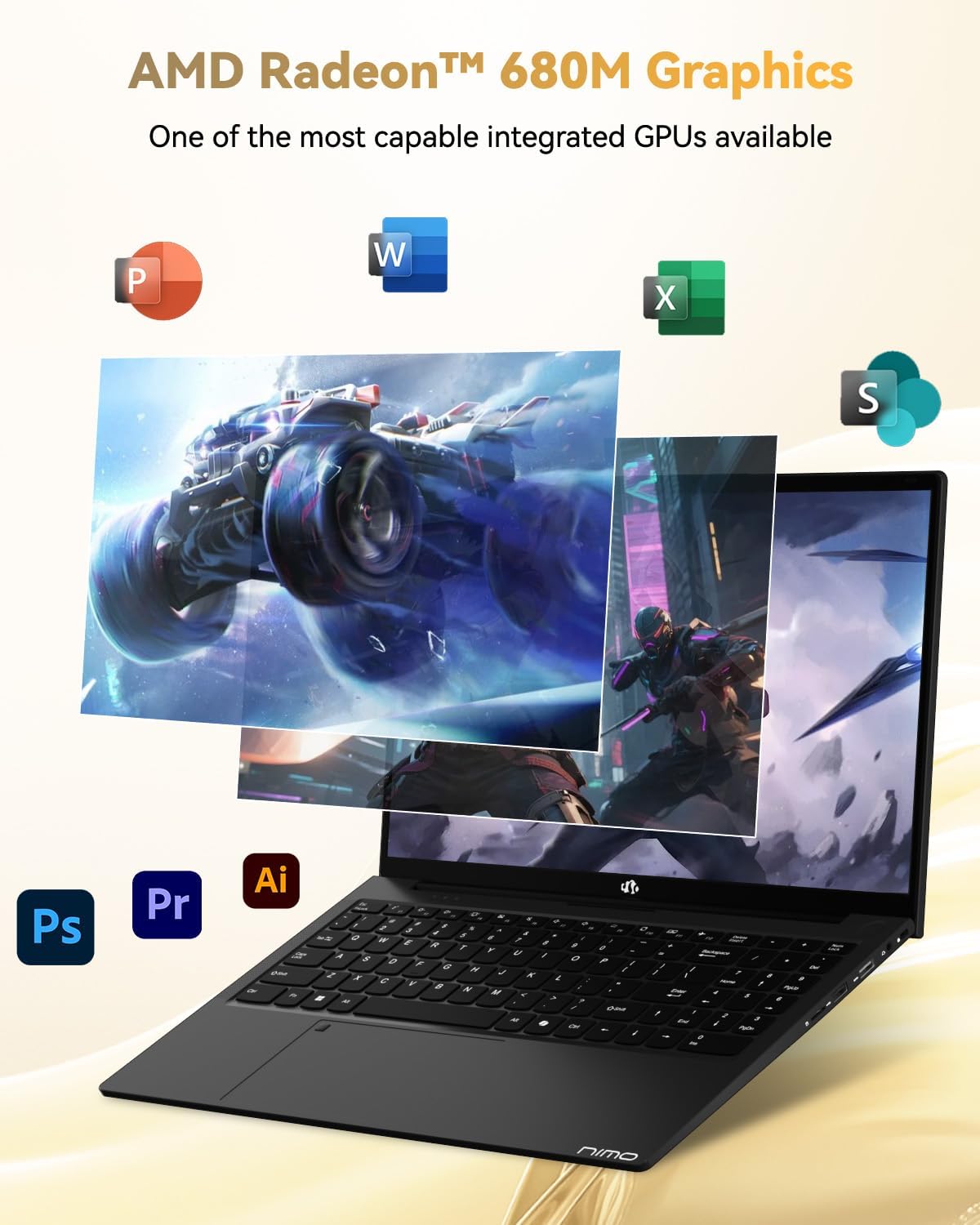
Image: Illustration highlighting the capabilities of the AMD Radeon 680M integrated graphics for various applications.

Image: Diagram showing the 32GB LPDDR5 RAM and 1TB PCIe 4.0 SSD for seamless multitasking and ampที่เก็บของ
Image: The NIMO N15A laptop displaying a vibrant image on its 15.6-inch Full HD IPS screen.
พอร์ตและการเชื่อมต่อ:

Image: Diagram illustrating the various ports on the NIMO N15A laptop, including USB, HDMI, and Type-C.
- เครื่องอ่าน Micro SD
- พอร์ต USB 2.0
- USB 3.2 Ports (multiple)
- แจ็คหูฟัง
- สล็อตล็อคเคนซิงตัน
- Type-C (Multifunction) Ports (supporting charging and data transfer)
- พอร์ต HDMI
การตั้งค่า
1. Initial Charging and Power On:
- Connect the provided 100W Type-C PD Fast Charger to the laptop's Type-C charging port and a power outlet.
- Allow the laptop to charge for at least 30 minutes before initial use, or until the charging indicator shows sufficient battery.
- กดปุ่มเปิด/ปิดที่อยู่บนแป้นพิมพ์เพื่อเปิดแล็ปท็อป

Image: Illustration of the NIMO N15A laptop being charged with the 100W Type-C PD Fast Charger.
2. Windows 11 Initial Setup:
Follow the on-screen prompts to complete the Windows 11 setup process. This typically includes:
- เลือกภูมิภาคและเค้าโครงแป้นพิมพ์ของคุณ
- การเชื่อมต่อกับเครือข่าย Wi-Fi
- Signing in with a Microsoft account or creating a local account.
- การตั้งค่ารหัส PIN หรือรหัสผ่าน
- Configuring privacy settings.
คำแนะนำการใช้งาน
การจัดการพลังงาน:
- เปิดเครื่อง: กดปุ่มเปิด/ปิด
- โหมดสลีป: ปิดฝาหรือกดปุ่มเปิด/ปิดสั้นๆ
- ปิดระบบ: คลิกปุ่มเริ่ม จากนั้นคลิกปุ่มเปิด/ปิดเครื่อง จากนั้นคลิกปิดเครื่อง
- เริ่มต้นใหม่อีกครั้ง: คลิกปุ่ม Start จากนั้นคลิกปุ่ม Power แล้วคลิก Restart
คีย์บอร์ดและทัชแพด:

ภาพ: ระยะใกล้ view of the NIMO N15A laptop's backlit keyboard and the integrated fingerprint reader on the touchpad.
- แป้นพิมพ์พร้อมไฟแบ็คไลท์: Use the dedicated function key (usually Fn + Fx) to toggle the keyboard backlight on/off and adjust brightness levels.
- เครื่องอ่านลายนิ้วมือ: The fingerprint reader is integrated into the touchpad. During Windows setup, you can configure your fingerprint for secure, quick login.
- ทัชแพดความแม่นยำสูง: รองรับการใช้งานท่าทางสัมผัสหลายนิ้วสำหรับการนำทาง โปรดดูการตั้งค่าของ Windows สำหรับการปรับแต่งเพิ่มเติม
การเชื่อมต่ออุปกรณ์ต่อพ่วง:
Utilize the various ports to connect external devices such as monitors, printers, external storage, and audio devices.
- อุปกรณ์ยูเอสบี: Plug USB devices into the available USB 2.0 or USB 3.2 ports.
- จอแสดงผลภายนอก: Connect an external monitor or TV using the HDMI port or a compatible Type-C adapter.
- เสียง: Use the 3.5mm headphone jack for headphones or external speakers.
ความเป็นส่วนตัวของกล้อง:

Image: Illustration of the NIMO N15A laptop's built-in privacy camera switch, allowing users to easily disable the webลูกเบี้ยว.
The NIMO N15A laptop features a built-in privacy camera switch. This allows you to physically disable the 2.0MP webcam when not in use, ensuring your privacy.
การซ่อมบำรุง
Cleaning the Laptop:
- Power off the laptop and disconnect the charger before cleaning.
- ใช้ผ้านุ่มไม่เป็นขุยเช็ดเล็กน้อยampชุบน้ำหรือน้ำยาทำความสะอาดหน้าจอเพื่อทำความสะอาดหน้าจอ
- สำหรับแป้นพิมพ์และตัวเครื่อง ให้ใช้ผ้านุ่มๆ หลีกเลี่ยงสารเคมีรุนแรงหรือวัสดุที่มีฤทธิ์กัดกร่อน
- ใช้ลมอัดเพื่อเป่าฝุ่นออกจากปุ่มคีย์บอร์ดและช่องระบายอากาศ
การดูแลแบตเตอรี่
- หลีกเลี่ยงการปล่อยแบตเตอรี่จนหมดบ่อยครั้ง
- Store the laptop in a cool, dry place if not used for extended periods, with the battery charged to around 50-70%.
- Use only the original NIMO 100W Type-C PD Fast Charger.
การอัปเดตซอฟต์แวร์:
- ตรวจสอบและติดตั้งการอัปเดต Windows เป็นประจำเพื่อให้มั่นใจถึงความเสถียรและความปลอดภัยของระบบ
- Keep device drivers updated, especially for graphics and chipset, by checking the NIMO support webเว็บไซต์หรือ Windows Update
การแก้ไขปัญหา
| ปัญหา | วิธีแก้ปัญหาที่เป็นไปได้ |
|---|---|
| โน๊ตบุ๊คไม่สามารถเปิดเครื่องได้ | Ensure the charger is properly connected and the power outlet is functional. Allow the battery to charge for at least 30 minutes. If the issue persists, contact support. |
| หน้าจอว่างเปล่าหรือกะพริบ | Try connecting an external monitor to check if the issue is with the laptop's display. Adjust display brightness. Restart the laptop. |
| ประสิทธิภาพการทำงานช้า | Close unnecessary applications. Check for background processes consuming high resources. Ensure sufficient free storage space. Run a system scan for malware. |
| ไฟแบ็คไลท์คีย์บอร์ดไม่ทำงาน | Press the dedicated function key combination (e.g., Fn + Fx) to toggle or adjust the backlight. Check keyboard settings in Windows. |
| Fingerprint reader not responding. | Ensure your finger is clean and dry. Re-register your fingerprint in Windows settings. Restart the laptop. |
สำหรับปัญหาที่ไม่ได้ระบุไว้ในที่นี้ หรือหากวิธีแก้ไขที่กล่าวมาแล้วไม่สามารถแก้ปัญหาได้ โปรดดูส่วนการรับประกันและการสนับสนุนเพื่อขอความช่วยเหลือเพิ่มเติม
ข้อมูลจำเพาะ
| คุณสมบัติ | รายละเอียด |
|---|---|
| ยี่ห้อ | นีโม |
| ชื่อรุ่น | NIMO N15AL (N15A) |
| ขนาดหน้าจอ | 15.6 นิ้ว |
| ความละเอียดหน้าจอ | 1920 x 1080 พิกเซล (ฟูลเอชดี) |
| โปรเซสเซอร์ | AMD Ryzen 7 Pro 6850U (8 Cores, up to 4.7 GHz) |
| แรม | 32GB LPDDR5 (6400 เมกะเฮิรตซ์) |
| ฮาร์ดไดรฟ์ | 1024 GB SSD (PCIe 4.0, Solid State) |
| โคโปรเซสเซอร์กราฟิก | การ์ดจอ AMD Radeon 680M (แบบรวมในตัว) |
| ระบบปฏิบัติการ | วินโดวส์ 11 |
| ประเภทไร้สาย | 802.11a/b/g/n/ac |
| พอร์ต USB 2.0 | 1 |
| พอร์ต USB 3.0/3.2 | 4 |
| อายุการใช้งานแบตเตอรี่โดยเฉลี่ย | 9 ชั่วโมง |
| น้ำหนักสินค้า | 3.75 ปอนด์ |
| ขนาดสินค้า | 14.07 x 8.98 x 0.76 นิ้ว |
| สี | สีดำ |
| หลัง Webความละเอียดของกล้อง | 2 MP |
| คุณสมบัติพิเศษ | คีย์บอร์ดเรืองแสง, เครื่องอ่านลายนิ้วมือ, ระบบเสียง HD, แป้นตัวเลข |
การรับประกันและการสนับสนุน
NIMO provides comprehensive support for your laptop.
- การรับประกัน: Your NIMO N15A laptop comes with a 2-year manufacturer's warranty.
- นโยบายการคืนสินค้า: A 90-day hassle-free return policy is offered from the date of purchase.
- การสนับสนุนลูกค้า: For technical assistance, warranty claims, or product-related inquiries, please contact NIMO customer support.
Contact information for support is typically available on the official NIMO website or through the product's packaging.
ข้อมูลด้านความปลอดภัย
สำคัญ: Read and follow these safety guidelines to prevent damage to your device or personal injury.
- Use only original chargers and regularly inspect cables for damage.
- Handle the laptop by its base and consider using a protective case. Avoid placing heavy objects on it.
- Place the laptop on a hard, flat surface to ensure proper ventilation and prevent overheating. Keep it away from extreme temperatures and moisture.
- Do not overcharge the battery. Discontinue use if the battery shows signs of swelling or damage.
- Set strong passwords, keep software updated, use antivirus software, and regularly back up your data.
- In case of liquid spills, immediately unplug the laptop and allow it to dry completely before attempting to power it on.
- For any issues, consult qualified professionals. Do not attempt to disassemble or repair the device yourself.
การปฏิเสธความรับผิดทางกฎหมาย
This NIMO laptop is provided "as is," without express or implied warranties, except for any applicable manufacturer's limited warranty. Implied warranties of merchantability or fitness for a specific purpose are disclaimed. NIMO is not liable for damages resulting from misuse (e.g., non-approved chargers, unauthorized repairs), physical damage, or failure to adhere to safety guidelines, including data loss or business interruption. Users are responsible for regularly backing up their data. This disclaimer does not exclude liability for manufacturing defects or violations of mandatory local laws. By using this laptop, you accept these terms, which are governed by the laws of the applicable jurisdiction.


