1. บทนำ
This manual provides essential information for setting up, operating, maintaining, and troubleshooting your NIMO N158 15.6-inch laptop. Please read this manual thoroughly before using your device to ensure optimal performance and longevity.
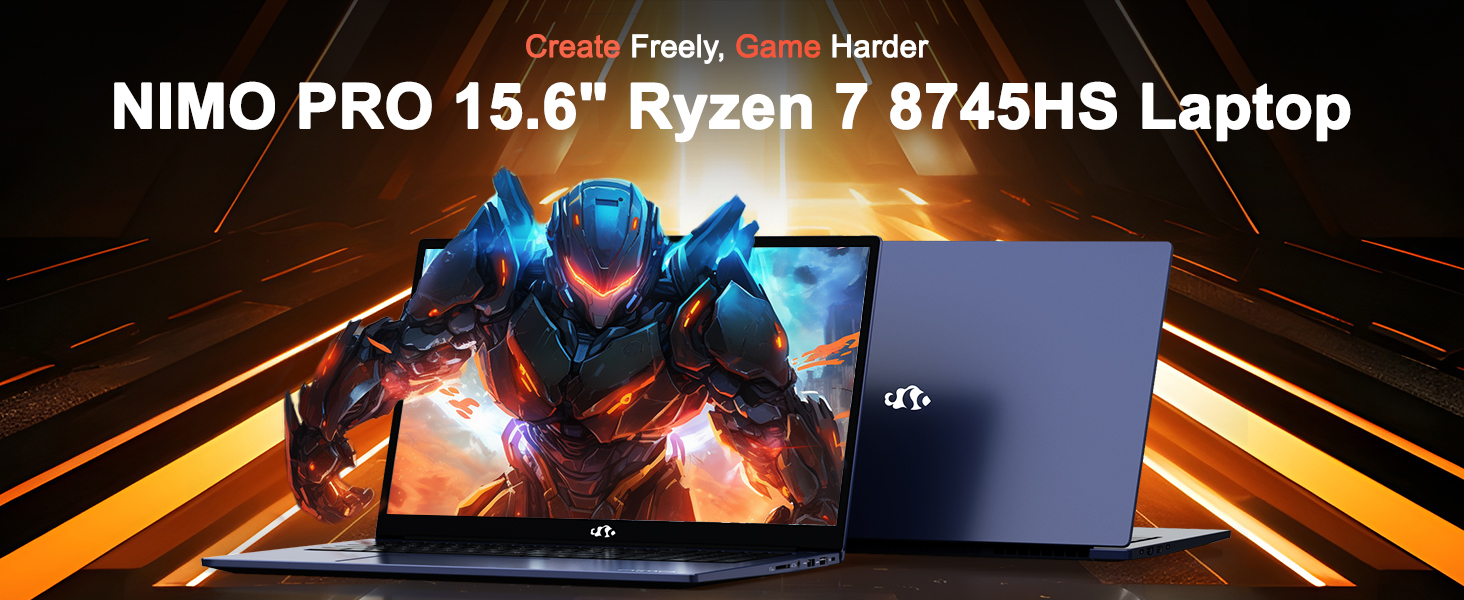
Image: The NIMO N158 15.6-inch laptop, showcasing การออกแบบและคุณสมบัติหลัก
2. สินค้าหมดview
The NIMO N158 is a high-performance laptop designed for productivity and entertainment. It features an AMD Ryzen 7 8745HS processor, 64GB DDR5 RAM, and a 1TB PCIe 4.0 SSD.
2.1 ส่วนประกอบหลัก
- โปรเซสเซอร์: AMD Ryzen 7 8745HS (8 คอร์, 16 เธรด, ความเร็วสูงสุด 4.9GHz)
- กราฟิก: AMD Radeon 780M Integrated Graphics
- หน่วยความจำ: แรม DDR5 ขนาด 64GB (4800 MHz)
- พื้นที่จัดเก็บ: SSD PCIe 4.0 ความจุ 1TB
- แสดง: 15.6-inch Full HD (1920x1080) IPS Anti-Glare
- ระบบปฏิบัติการ: วินโดวส์ 11 โฮม
- แบตเตอรี่: 75Wh Lithium Polymer
2.2 พอร์ตและอินเทอร์เฟซ
The NIMO N158 laptop offers a variety of ports for connectivity:

Image: Diagram illustrating the various ports and interfaces on the NIMO N158 laptop.
- พอร์ต USB 1 2.0 พอร์ต
- พอร์ต USB 3 จำนวน 3.0 พอร์ต
- 1 x USB 4.0 Type-C Port (with 100W PD fast charging support)
- 1 x พอร์ต HDMI
- 1 x แจ็คหูฟัง
- เครื่องอ่านการ์ด SD 1 ชิ้น
- 1 x สล็อตล็อค Kensington
3. การตั้งค่า
3.1 การเปิดเครื่องและการชาร์จครั้งแรก
- Unpack the laptop and the included 100W Type-C PD Fast Charger.
- Connect the charger to the USB Type-C port on the laptop and to a power outlet. The Charger LED will illuminate.
- ควรปล่อยให้แล็ปท็อปชาร์จไฟอย่างน้อย 30 นาทีก่อนใช้งานครั้งแรก หรือจนกว่าไฟแสดงสถานะแบตเตอรี่จะแสดงว่ามีประจุเพียงพอ
- กดปุ่มเพาเวอร์เพื่อเปิดแล็ปท็อป

Image: The NIMO N158 laptop connected to its 100W Type-C fast charger, illustrating the charging process.
3.2 การตั้งค่าระบบปฏิบัติการ
Upon first boot, you will be guided through the Windows 11 Home setup process. Follow the on-screen instructions to configure your language, region, network connection, and user account.
3.3 การตั้งค่าเครื่องอ่านลายนิ้วมือ
For enhanced security, set up the integrated fingerprint reader during the Windows 11 setup or later via Windows Settings > Accounts > Sign-in options. This allows for quick and secure login.
4. คู่มือการใช้งาน
4.1 คีย์บอร์ดและทัชแพด
- แป้นพิมพ์พร้อมไฟแบ็คไลท์: The keyboard features backlighting for comfortable typing in low-light conditions. Use the designated function key (Fn + F key combination, typically) to adjust brightness or toggle the backlight.
- ปุ่มกดตัวเลข: มีแป้นตัวเลขเฉพาะสำหรับการป้อนข้อมูลอย่างมีประสิทธิภาพ
- Precision Gesture Touchpad: ทัชแพดรองรับการใช้งานท่าทางสัมผัสหลายนิ้วสำหรับการนำทาง โปรดดูการตั้งค่าของ Windows สำหรับการปรับแต่งท่าทางสัมผัสของทัชแพด

Image: A user interacting with the NIMO N158 laptop, highlighting the backlit keyboard and fingerprint reader on the touchpad.
4.2 การแสดงผล
The 15.6-inch Full HD IPS anti-glare display provides clear and vibrant visuals. Adjust display settings (resolution, brightness, color) through Windows Display Settings.

Image: The NIMO N158 laptop displaying a vibrant image on its 15.6-inch Full HD IPS screen, emphasizing visual quality.
4.3 Webลูกเบี้ยว
แล็ปท็อปเครื่องนี้มีกล้องความละเอียด 2 ล้านพิกเซล webcam. For privacy, a physical webcam shield or switch is integrated. Ensure the webcam is open when in use and closed when not needed.

Image: A visual representation of the NIMO N158 laptop's privacy-focused camera, showing the open and closed states of the webcam switch.
4.4 ประสิทธิภาพการทำงานและการทำงานหลายอย่างพร้อมกัน
The AMD Ryzen 7 8745HS processor and 64GB DDR5 RAM provide robust performance for demanding tasks, content creation, and gaming. The 1TB PCIe 4.0 SSD ensures fast boot times and application loading.

Image: A close-up of the AMD Ryzen 7 8745HS processor chip, highlighting its core specifications.
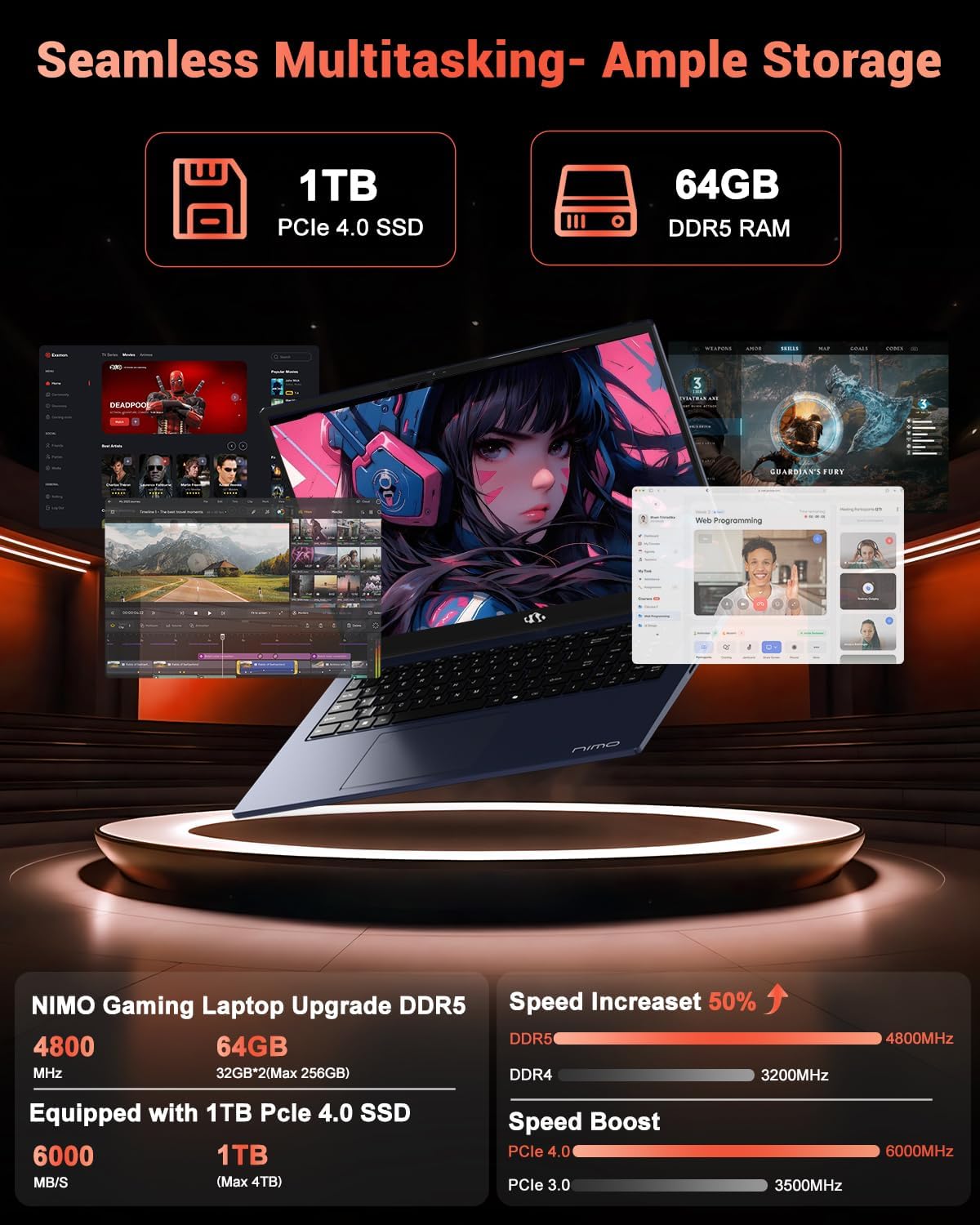
Image: The NIMO N158 laptop displaying multiple applications open, demonstrating its multitasking capabilities with 64GB RAM and 1TB SSD.
5. การบำรุงรักษา
5.1 การดูแลทั่วไป
- รักษาแล็ปท็อปให้สะอาดโดยเช็ดพื้นผิวด้วยผ้าแห้งและนุ่ม
- ควรหลีกเลี่ยงการวางแล็ปท็อปไว้ในที่ที่มีอุณหภูมิสูงหรือต่ำเกินไป แสงแดดโดยตรง หรือความชื้น
- อย่าวางวัตถุหนักบนแล็ปท็อป
- ตรวจสอบให้แน่ใจว่ามีการระบายอากาศที่เหมาะสมโดยไม่ปิดกั้นช่องระบายอากาศ
5.2 ความสามารถในการอัปเกรด
The NIMO N158 features an upgradable design, allowing for expansion of memory (RAM) and storage (SSD). Consult a qualified technician or refer to official NIMO support resources before attempting any internal upgrades to avoid voiding your warranty.
6 การแก้ไขปัญหา
If you encounter issues with your NIMO N158 laptop, consider the following basic troubleshooting steps:
- ไม่มีไฟฟ้า: ตรวจสอบให้แน่ใจว่าเสียบที่ชาร์จแน่นสนิทและปลั๊กไฟใช้งานได้ ลองเสียบกับปลั๊กไฟอื่นดู
- ปัญหาการแสดงผล: Check external display connections if using one. Adjust screen brightness. Restart the laptop.
- ประสิทธิภาพการทำงานช้า: ปิดแอปพลิเคชันที่ไม่จำเป็น ตรวจสอบการอัปเดตที่ทำงานอยู่เบื้องหลัง ตรวจสอบให้แน่ใจว่ามีพื้นที่จัดเก็บข้อมูลว่างเพียงพอ
- ปัญหาการเชื่อมต่อ: Restart your Wi-Fi router. Reconnect to the Wi-Fi network. Update network drivers.
- ระบบค้าง: กดปุ่มเปิด/ปิดค้างไว้ 10-15 วินาทีเพื่อบังคับปิดเครื่อง จากนั้นจึงเปิดเครื่องใหม่
For persistent issues, refer to the NIMO support webเว็บไซต์หรือติดต่อฝ่ายบริการลูกค้า
7. ข้อมูลจำเพาะ
| คุณสมบัติ | ข้อมูลจำเพาะ |
|---|---|
| ยี่ห้อ | นีโม |
| ชื่อรุ่น | นิโม N158B |
| ขนาดหน้าจอ | 15.6 นิ้ว |
| ความละเอียดหน้าจอ | 1920 x 1080 พิกเซล (FHD IPS) |
| โปรเซสเซอร์ | AMD Ryzen 7 8745HS (ความเร็วสูงสุด 4.9 GHz) |
| แรม | 64GB DDR5 (4800 เมกะเฮิรตซ์) |
| ฮาร์ดไดรฟ์ | SSD ขนาด 1024 GB (PCIe 4.0) |
| โคโปรเซสเซอร์กราฟิก | การ์ดจอ AMD Radeon 780M |
| ระบบปฏิบัติการ | วินโดวส์ 11 โฮม |
| ประเภทไร้สาย | 802.11a/b/g/n/ac (Wi-Fi 6E) |
| พอร์ต USB 2.0 | 1 |
| พอร์ต USB 3.0 | 3 |
| พอร์ต USB 4.0 Type-C | 1 |
| อายุการใช้งานแบตเตอรี่โดยเฉลี่ย | 15.5 ชั่วโมง |
| น้ำหนักสินค้า | 3.8 ปอนด์ |
| ขนาดสินค้า | 14.07 x 8.98 x 0.76 นิ้ว |
| คุณสมบัติพิเศษ | คีย์บอร์ดเรืองแสง, เครื่องอ่านลายนิ้วมือ, ระบบเสียง HD, แป้นตัวเลข |
8. การรับประกันและการสนับสนุน
NIMO is committed to providing excellent customer service and product support.
8.1 ข้อมูลการรับประกัน
Your NIMO N158 laptop comes with a รับประกัน 2 ปี นับจากวันที่ซื้อสินค้า การรับประกันนี้ครอบคลุมถึงข้อบกพร่องจากการผลิตและการทำงานผิดปกติของฮาร์ดแวร์ภายใต้การใช้งานปกติ โปรดเก็บหลักฐานการซื้อไว้เพื่อใช้ในการเรียกร้องการรับประกัน

Image: A technician performing maintenance on a laptop, representing the 2-year support provided by NIMO.
8.2 นโยบายการคืนสินค้า
NIMO offers a นโยบายการคืนสินค้าแบบไม่ยุ่งยากภายใน 90 วัน. If you are not satisfied with your purchase, you may return the product within 90 days from the date of purchase. Please refer to the official NIMO return policy for detailed terms and conditions.

Image: A delivery person handing a package to a customer, illustrating the 90-day return policy.
8.3 การสนับสนุนลูกค้า
Our dedicated support team is available to assist you with any questions or issues. You can reach us via:
- อีเมล: service@nimopc.com
- ออนไลน์: เยี่ยมชมเว็บไซต์อย่างเป็นทางการของ NIMO webไซต์สำหรับคำถามที่พบบ่อยและทรัพยากรสนับสนุน
We strive to provide quick solutions and a worry-free experience.

Image: Customer service representatives wearing headsets, representing professional customer assistance.


