เกินview

The Beats Powerbeats Fit are high-performance wireless earbuds designed for active lifestyles. They feature secure-fit wingtips for stability, Active Noise Cancelling (ANC) for immersive sound, and Transparency mode to stay aware of your surroundings. With up to 30 hours of battery life (with the charging case) and sweat & water resistance, these earbuds are built to support intense workouts and daily use. They are compatible with both Apple and Android devices.
คุณสมบัติที่สำคัญ ได้แก่:
- Flexible, secure-fit wingtips for exceptional stability and comfort.
- Custom acoustic platform delivering powerful, balanced sound.
- Active Noise Cancelling (ANC) to block external sounds.
- Transparency mode to hear your surroundings.
- IPX4 sweat and water resistance for both earbuds and charging case.
- แบตเตอรี่ใช้งานได้นานสูงสุด 30 ชั่วโมงพร้อมเคสชาร์จ
- Personalized Spatial Audio with dynamic head tracking.
- Compatibility with Apple (H1 chip features) and Android (Beats app).
- Exceptional call quality with dual beam-forming microphones.
มีอะไรอยู่ในกล่อง

Your Powerbeats Fit package includes the following items:
- Powerbeats Fit earbuds
- USB-C charging case
- Four ear tip sizes (extra-small, small, medium, and large)
- คู่มือเริ่มต้นอย่างรวดเร็ว
- บัตรรับประกัน
หมายเหตุ: อะแดปเตอร์แปลงไฟและสายชาร์จ USB-C จำหน่ายแยกต่างหาก
Video: Unboxing the Powerbeats Fit earbuds and reviewing the contents of the package.
การตั้งค่า
การชาร์จไฟ
Before first use, ensure your Powerbeats Fit earbuds and charging case are fully charged. Connect the USB-C charging case to a power source using a compatible USB-C cable and power adapter (sold separately). The LED indicator on the case will show charging status.
A 5-minute Fast Fuel charge provides up to 1 hour of playback when the battery is low.
การจับคู่
To pair your Powerbeats Fit with a device:
- Open the charging case with the earbuds inside and hold it near your unlocked Apple or Android device.
- ทำตามคำแนะนำบนหน้าจอเพื่อเชื่อมต่อ
- For Android devices, download the Beats app from the Google Play Store for one-touch pairing and additional features.
พอดีและสบาย
Achieving the correct fit is crucial for optimal sound quality, noise cancellation, and comfort. Powerbeats Fit come with four ear tip sizes (XS, S, M, L) to ensure a personalized fit.
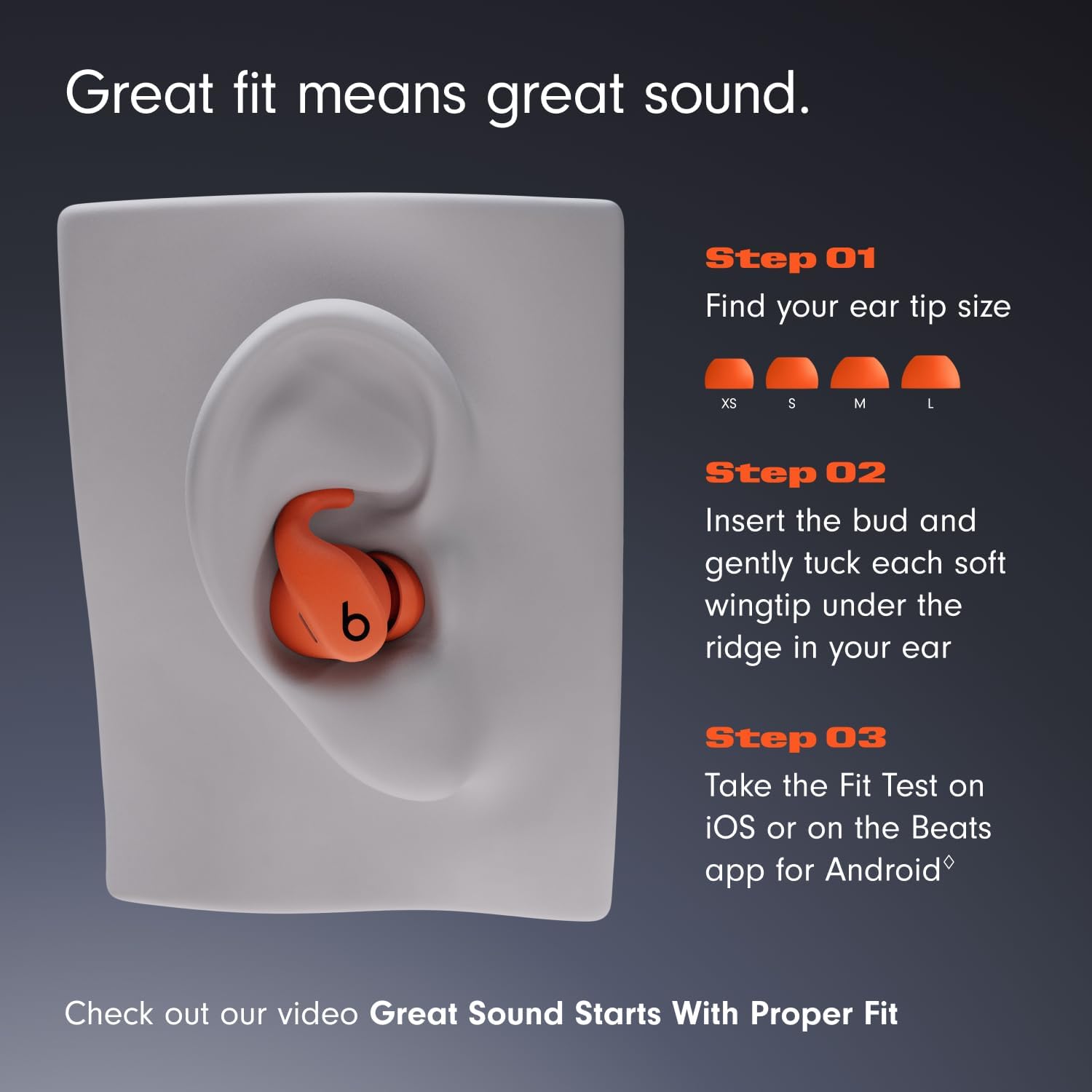
Image: Visual guide for selecting ear tip size and proper earbud insertion.
- Choose your ear tip size: Experiment with the different ear tip sizes to find the pair that creates a comfortable and secure seal in your ear canal.
- Insert the earbud: Gently place the earbud into your ear.
- Tuck the wingtip: Gently tuck the soft, flexible wingtip under the ridge of your upper ear to secure the earbud in place.
- Perform a Fit Test: Use the Ear Tip Fit Test on iOS (iOS 26 or later) or the Beats app for Android (Android 13 or later) to ensure an optimal acoustic seal for the best audio performance and noise cancellation.
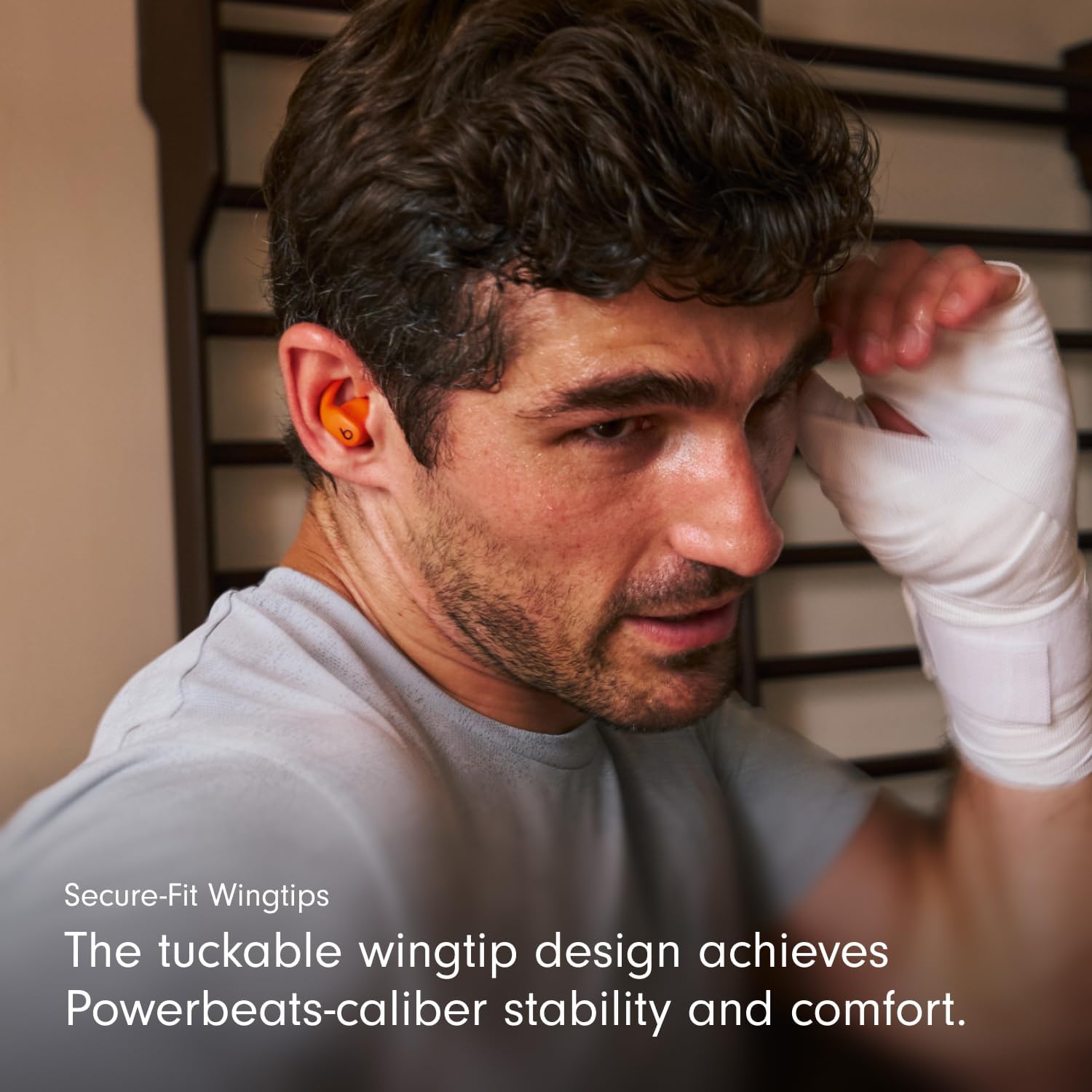
Image: Close-up of the secure-fit wingtip in use, providing stability.
Video: Demonstrates how to properly wear Powerbeats Fit earbuds and utilize the secure-fit wingtips for optimal comfort and stability.
คำแนะนำการใช้งาน
การควบคุม
Each earbud features a multi-function 'b' button for controlling music, calls, and listening modes. Controls are customizable via the Beats app for Android or iOS settings.
- การควบคุมเพลง: กดหนึ่งครั้งเพื่อเล่น/หยุดชั่วคราว กดสองครั้งเพื่อข้ามไปข้างหน้า กดสามครั้งเพื่อข้ามไปข้างหลัง
- การควบคุมการโทร: กดหนึ่งครั้งเพื่อรับ/วางสาย
- โหมดการฟัง: Press and hold the 'b' button to switch between Active Noise Cancelling and Transparency mode.
- ผู้ช่วยเสียง: Activate Siri hands-free on Apple devices. Voice assistant functionality may vary on Android devices.
Auto-Play/Pause sensors detect when earbuds are inserted or removed from your ears, automatically playing or pausing audio.
Active Noise Cancelling (ANC) & Transparency Mode
Powerbeats Fit offer two distinct listening modes:
- ระบบตัดเสียงรบกวนแบบแอคทีฟ (ANC): Blocks external sounds for an immersive listening experience, allowing you to focus on your audio.
- โหมดความโปร่งใส: ช่วยให้คุณได้ยินสิ่งรอบข้างไปพร้อมๆ กับการฟังเพลง ซึ่งเป็นประโยชน์สำหรับการเพิ่มความระมัดระวังในสภาพแวดล้อมที่วุ่นวาย
Switch between these modes by pressing and holding the 'b' button on either earbud.
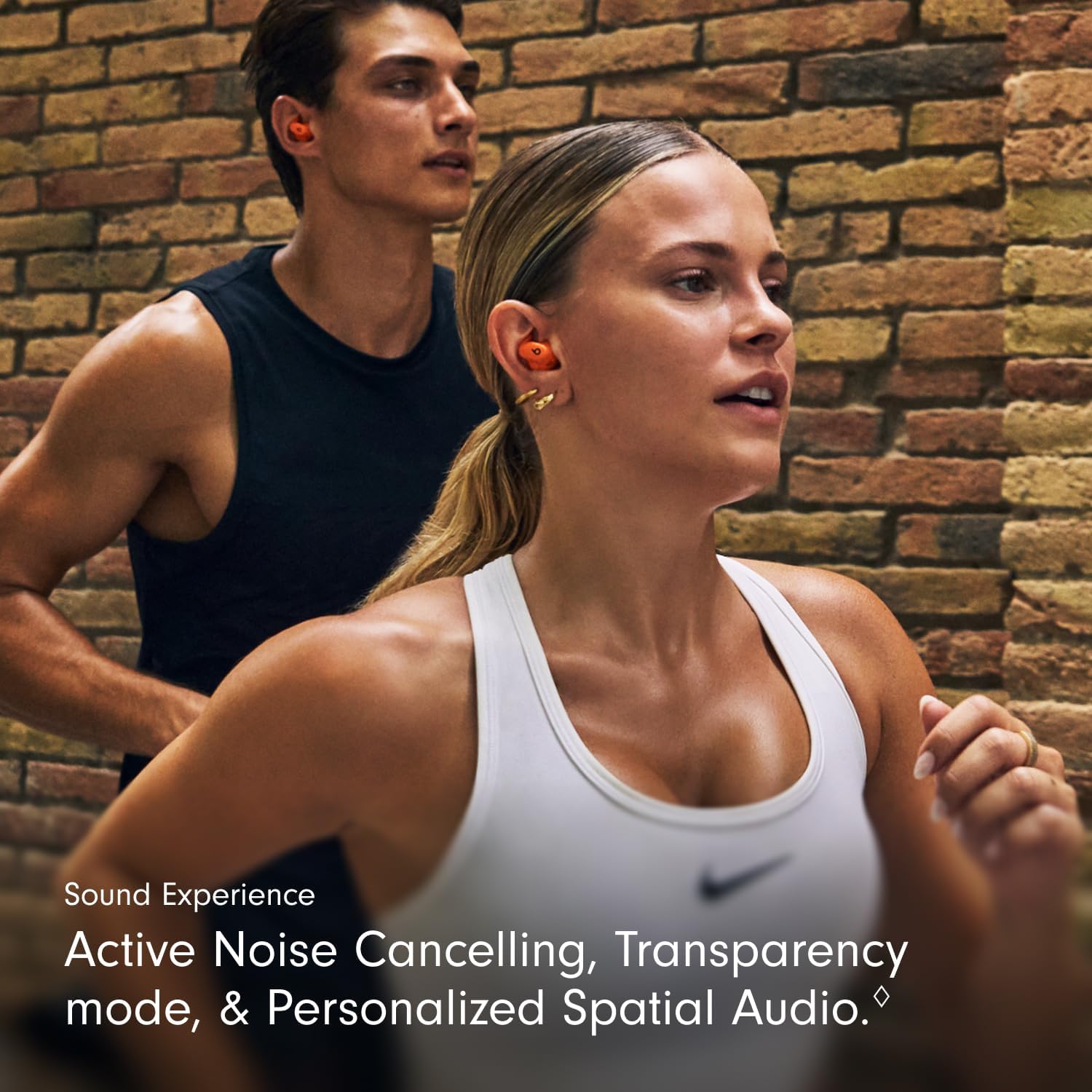
Image: Illustrates the sound experience with ANC and Transparency mode.
ระบบเสียงรอบทิศทางส่วนบุคคล
Experience immersive sound with Personalized Spatial Audio and dynamic head tracking. This feature adapts the audio to your head movements, creating a theater-like experience for compatible content. Adaptive EQ further tailors the sound to your earbud's personal fit and seal.
Video: Showcases the Powerbeats Fit in various workout scenarios, highlighting their secure fit and audio features.
การซ่อมบำรุง
การทำความสะอาด
Regular cleaning helps maintain optimal performance and hygiene. Use a soft, dry, lint-free cloth to wipe down the earbuds and charging case. Do not use abrasive materials or submerge the devices in liquid. Remove ear tips and clean them with water and mild soap, then dry thoroughly before reattaching.
ทนทานต่อน้ำและเหงื่อ

Image: Powerbeats Fit earbuds and case are IPX4 rated for sweat and water resistance.
Both Powerbeats Fit earbuds and the charging case are IPX4 rated, meaning they are resistant to sweat and splashes of water. This makes them suitable for intense workouts and use in light rain. However, they are not waterproof and should not be submerged in water. Always ensure the earbuds and case are dry before charging to prevent damage.
การแก้ไขปัญหา
If you encounter issues with your Powerbeats Fit, try the following solutions:
- ไม่มีเสียง/คุณภาพเสียงไม่ดี:
- ตรวจสอบให้แน่ใจว่าหูฟังมีการชาร์จแล้ว
- ตรวจสอบการเชื่อมต่อบลูทูธและจับคู่ใหม่หากจำเป็น
- Verify ear tip fit using the Ear Tip Fit Test in the Beats app or iOS settings.
- Clean ear tips and speaker mesh for any debris.
- หูฟังเอียร์บัดไม่ชาร์จ:
- ตรวจสอบให้แน่ใจว่าเคสชาร์จได้รับการชาร์จแล้ว
- ตรวจสอบสาย USB-C และอะแดปเตอร์ไฟฟ้าว่าได้รับความเสียหายหรือไม่
- Ensure earbuds are properly seated in the charging case.
- ทำความสะอาดหน้าสัมผัสการชาร์จบนทั้งหูฟังและเคส
- ปัญหาการเชื่อมต่อ:
- ปิดและเปิดบลูทูธบนอุปกรณ์ของคุณอีกครั้ง
- ลืมอุปกรณ์ในการตั้งค่าบลูทูธของคุณและจับคู่ใหม่อีกครั้ง
- ตรวจสอบให้แน่ใจว่าหูฟังอยู่ในระยะที่สามารถเชื่อมต่อกับอุปกรณ์ของคุณได้
- Active Noise Cancelling/Transparency Not Working:
- Ensure earbuds have a proper seal in your ears.
- Check settings in the Beats app or iOS to confirm the desired mode is active.
For further assistance, refer to the Digital Quick Start Guide or visit the official Beats support webเว็บไซต์.
ข้อมูลจำเพาะ
| คุณสมบัติ | รายละเอียด |
|---|---|
| ชื่อรุ่น | พาวเวอร์บีทส์ ฟิต |
| หมายเลขรุ่นสินค้า | ME2M4LL/A |
| การควบคุมเสียงรบกวน | ระบบตัดเสียงรบกวนแบบแอคทีฟ, การแยกเสียง |
| เทคโนโลยีการเชื่อมต่อ | ไร้สาย (บลูทูธ, Wi-Fi) |
| อายุการใช้งานแบตเตอรี่ (พร้อมเคสชาร์จ) | นานถึง 30 ชั่วโมง |
| การชาร์จไฟเร็ว | 5-minute charge provides up to 1 hour of playback |
| ระดับความต้านทานต่อน้ำ | IPX4 (กันเหงื่อและน้ำ) |
| การวางตำแหน่งหู | ในหู |
| ฟอร์มแฟกเตอร์ | In Ear, True Wireless |
| ประเภทการควบคุม | การควบคุมระดับเสียง, การควบคุมแอปพลิเคชัน, การควบคุมด้วยปุ่ม, Siri, การควบคุมด้วยระบบสัมผัส, การควบคุมด้วยเสียง |
| อุปกรณ์ที่รองรับ | โทรศัพท์มือถือ, คอมพิวเตอร์ตั้งโต๊ะ, แล็ปท็อป, สมาร์ทวอทช์, แท็บเล็ต (Apple และ Android) |
| น้ำหนักสินค้า (รวม) | 61.3 กรัม |
| น้ำหนักเอียร์บัด | 5.78 กรัม (ต่อชิ้น) |
| น้ำหนักเคสชาร์จ | 49.75 กรัม |
| ผู้ผลิต | จังหวะ |
| ยูพีซี | 195950384697, 195950384840 |
Video: Explores the design philosophy and engineering behind the Powerbeats Fit, focusing on the wingtip and acoustic drivers.
การรับประกันและการสนับสนุน
Your Powerbeats Fit earbuds come with a standard manufacturer's warranty. For detailed warranty information, please refer to the warranty card included in your package or visit the official Beats support webเว็บไซต์.
แอปเปิ้ลแคร์+: For extended coverage, including battery service and accidental damage protection, you may purchase AppleCare+. Scan the QR code on the included AppleCare+ card to learn more and purchase.
Apple Music Trial: Powerbeats Fit includes a free trial of Apple Music for new subscribers. Scan the QR code on the Apple Music card to activate your trial and enjoy great music.
For the most up-to-date information, digital quick start guides, and support resources, please visit the official Beats support webเว็บไซต์.


