1. บทนำ
Welcome to the user manual for your new TCL 55C6K 55-inch 4K QLED Mini LED Smart Google TV. This television combines advanced display technologies like 4K resolution, QLED, and Mini LED with a high 144Hz refresh rate for exceptional visual clarity and smoothness. Enjoy immersive audio with the integrated Onkyo 2.1 Hi-Fi sound system and Dolby Atmos. Powered by Google TV, it offers a smart and intuitive user experience with access to a wide range of applications and voice control capabilities. This manual provides essential information for setup, operation, maintenance, and troubleshooting to ensure you get the most out of your television.
2. ข้อมูลด้านความปลอดภัย
Before operating your television, please read all instructions carefully. Keep this manual for future reference. Adhere to all warnings and instructions marked on the product.
- แหล่งพลังงาน: Only use the power cord supplied with the TV. Ensure the voltage ตรงกับแหล่งจ่ายไฟในพื้นที่ของคุณ
- การระบายอากาศ : อย่าปิดกั้นช่องระบายอากาศ เว้นระยะห่างรอบทีวีให้เพียงพอเพื่อให้อากาศถ่ายเทได้สะดวก ป้องกันความร้อนสูงเกินไป
- น้ำและความชื้น: อย่าให้ทีวีโดนฝนหรือความชื้น อย่าวางสิ่งของที่บรรจุของเหลว เช่น แจกัน บนทีวี
- การทำความสะอาด: ถอดปลั๊กทีวีก่อนทำความสะอาด ใช้ผ้านุ่มและแห้ง ห้ามใช้น้ำยาทำความสะอาดชนิดน้ำหรือสเปรย์ทำความสะอาด
- การจัดวาง: วางทีวีบนพื้นผิวที่มั่นคงและเรียบ หลีกเลี่ยงการวางทีวีไว้กลางแดดหรือใกล้แหล่งความร้อน
- เด็ก: ดูแลเด็กๆ อย่างใกล้ชิดเพื่อป้องกันไม่ให้พวกเขาปีนป่ายขึ้นไปบนทีวีหรือขาตั้ง
- การบริการ: อย่าพยายามให้บริการผลิตภัณฑ์นี้ด้วยตนเอง ส่งต่อการบริการทั้งหมดไปยังช่างบริการที่ผ่านการรับรอง
3. เนื้อหาบรรจุภัณฑ์
ตรวจสอบว่ามีรายการทั้งหมดอยู่ในแพ็คเกจ:
- TCL 55C6K 55-inch 4K QLED Mini LED Smart Google TV
- รีโมทคอนโทรล
- สายไฟ
- คู่มือการใช้งาน (เอกสารนี้)
- บัตรรับประกัน
- ส่วนประกอบขาตั้งทีวี (ถ้ามี)
4. การตั้งค่า
4.1 การแกะกล่อง
Carefully remove the TV from its packaging. It is recommended to have two people for this process due to the size and weight of the unit. Retain the packaging materials for future transport or servicing.
4.2 การติดตั้งขาตั้ง / การติดผนัง
การติดตั้งขาตั้ง:
- Place the TV screen-down on a soft, flat surface (e.g., a blanket or foam) to prevent damage.
- ยึดส่วนประกอบของขาตั้งเข้ากับช่องที่กำหนดไว้ที่ด้านล่างของทีวีโดยใช้สกรูที่ให้มา ตรวจสอบให้แน่ใจว่ายึดแน่นดีแล้ว
การติดตั้งบนผนัง:
If you plan to wall mount your TV, please refer to the separate wall mount instruction manual provided with your wall mount kit. Ensure you use a VESA-compatible mount and follow all safety guidelines. Professional installation is recommended.

Figure 4.2.1: TCL 55C6K TV Dimensions
4.3 การเชื่อมต่ออุปกรณ์
Your TCL 55C6K TV offers various connectivity options. Refer to the image below for port locations.

รูปที่ 4.3.1: ด้านข้าง View พร้อมพอร์ต
- พอร์ต HDMI (x4): Connect Blu-ray players, gaming consoles, soundbars, and other HDMI-enabled devices. Supports ARC/eARC on one port and VRR 2.1 for enhanced gaming.
- พอร์ต USB (x1): Connect USB storage devices for media playback. Supports VRR 3.0.
- RF In (x1): Connect an antenna or cable for digital broadcast reception (DVB-T/T2/S/S2).
- พอร์ต LAN (x1): เชื่อมต่อสายเคเบิลอีเทอร์เน็ตสำหรับการเชื่อมต่ออินเทอร์เน็ตแบบใช้สาย
- เอาต์พุตเสียงดิจิตอล (ออปติคอล) (x1): Connect to an external audio receiver or sound system for high-quality digital audio.
- ไวไฟ : Built-in 5G Wi-Fi for wireless internet connectivity.
- บลูทูธ: Version 5.4 for connecting wireless headphones, speakers, or other Bluetooth devices.
4.4 การเปิดเครื่องครั้งแรก
- เชื่อมต่อสายไฟเข้ากับทีวีแล้วจึงเสียบเข้ากับเต้ารับไฟฟ้า
- กดปุ่มเปิดปิดบนรีโมทคอนโทรลหรือบนทีวีโดยตรง
- ทำตามคำแนะนำบนหน้าจอเพื่อทำการตั้งค่าเริ่มต้นให้เสร็จสมบูรณ์ รวมถึงการเลือกภาษา การเชื่อมต่อเครือข่าย และการตั้งค่าบัญชี Google TV
5. คู่มือการใช้งาน
5.1 การควบคุมระยะไกลจบลงview
The remote control allows you to navigate the TV's features. Familiarize yourself with the buttons for power, volume, channel, input selection, and smart TV functions.
5.2 อินเทอร์เฟซ Google TV และคุณสมบัติอัจฉริยะ
Your TCL 55C6K runs on Google TV, providing a personalized and intuitive smart TV experience.
- การนำทาง: Use the directional pad and OK button on your remote to browse content and settings.
- แอป: Access pre-installed apps like Netflix, YouTube, and Amazon Prime Video. Download more apps from the Google Play Store.
- การควบคุมด้วยเสียง: Use the built-in Google Assistant for voice commands. The TV supports Far Field Voice Control, allowing you to use voice commands without the remote.
- Chromecast Built-in & AirPlay 2: ส่งเนื้อหาจากสมาร์ทโฟนหรือแท็บเล็ตของคุณไปยังทีวีโดยตรง
- Other Smart Features: Time Shift, EPG (Electronic Program Guide), Recording, Sleep Timer, OSD Multi-language, Favorite Channel List, Channel Editor, PVR (Personal Video Recorder), Parental Control.
5.3 การตั้งค่าภาพ
เพิ่มประสิทธิภาพของคุณ viewing experience with various picture settings.
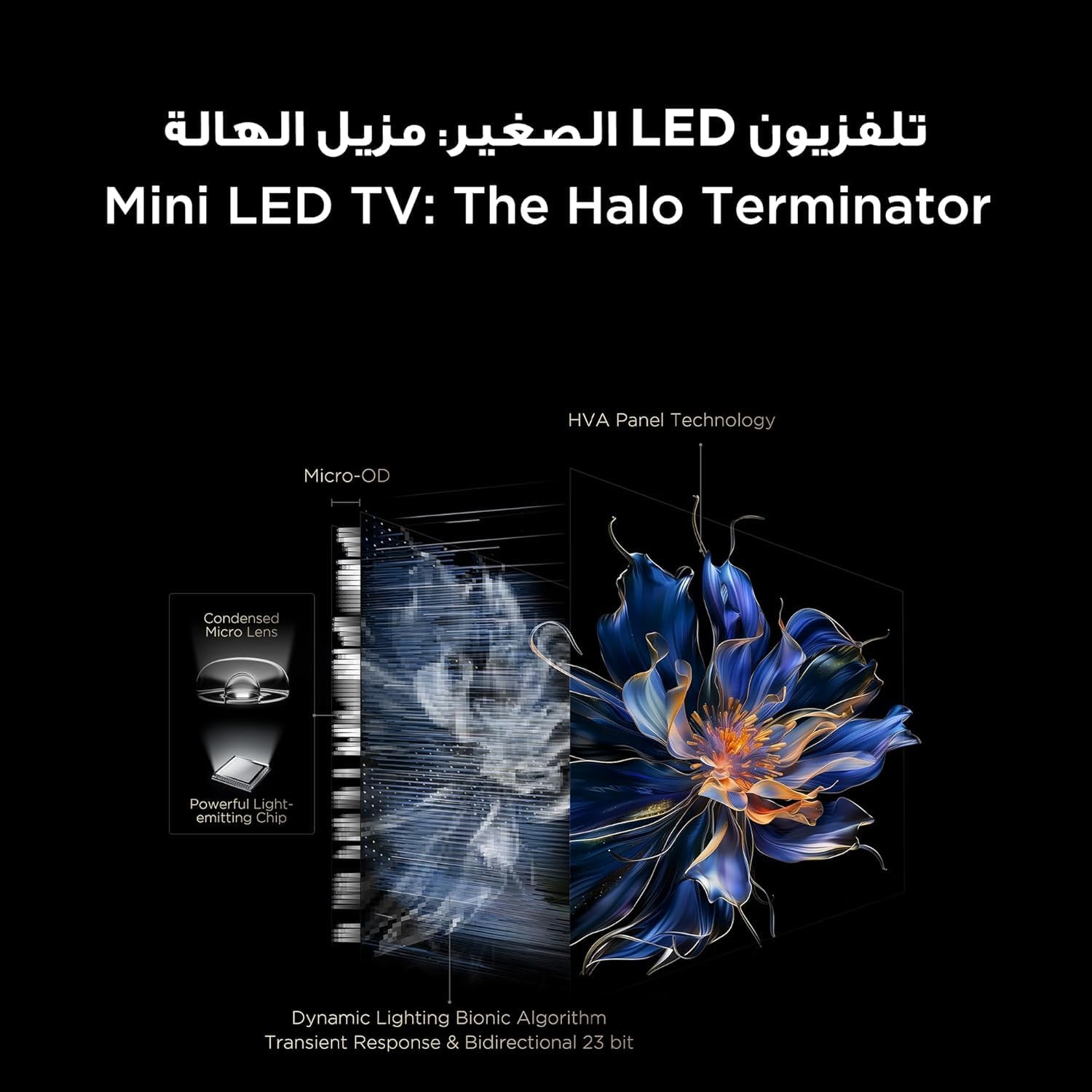
Figure 5.3.1: TV Feature Overview
- โหมดภาพ: Standard, Sports, Filmmaker Mode, Film, Game, Smart Game.
- เทคโนโลยี HDR: Supports Dolby Vision IQ, HDR 10+, and HLG for enhanced contrast and color.
- จอแสดงผล QLED: Enjoy over a billion hues of vivid color with 93% DCI-P3 color space.
- Mini LED Backlight: Precise dimming zones for deep blacks and high brightness.
- หน่วยความจำ: การประมาณค่าการเคลื่อนไหวและการชดเชยการเคลื่อนไหว เพื่อให้ฉากที่มีการเคลื่อนไหวเร็วดูราบรื่นยิ่งขึ้น
- iMax Contrast Enhancer: Improves contrast for a more dynamic picture.
- อุณหภูมิสี: Adjust between Normal, Cool, and Warm settings.

Figure 5.3.2: QLED Color Technology

Figure 5.3.3: Mini LED Technology
5.4 การตั้งค่าเสียง
Experience rich and immersive audio with your TV's advanced sound system.
- เทคโนโลยีเสียง: Features Dolby Atmos and DTS Virtual X for multi-dimensional sound.
- Onkyo 2.1 Hi-Fi Audio: Integrated Onkyo sound system with 10W x 2 speakers and a 20W subwoofer for powerful and clear audio.
- โหมดเสียง: Dynamic, Standard, Film, Music, Voice, Game, Sports.

Figure 5.4.1: Onkyo 2.1 Sound System
5.5 คุณสมบัติการเล่นเกม
The TCL 55C6K is designed for an enhanced gaming experience.
- 144Hz Native Refresh Rate: Enjoy ultra-smooth motion for fast-paced games.
- VRR (อัตราการรีเฟรชตัวแปร): Synchronizes the display's refresh rate with the game's frame rate to eliminate screen tearing and stuttering.
- ฟรีซิงค์ พรีเมียม โปร: Provides fluid, tear-free gameplay at peak performance.
- ALLM (โหมดเวลาแฝงต่ำอัตโนมัติ): เมื่อตรวจพบเครื่องเล่นเกม ทีวีจะเปลี่ยนไปใช้โหมดความหน่วงต่ำโดยอัตโนมัติ ช่วยลดอาการหน่วงในการรับสัญญาณ
- เกมมาสเตอร์: A dedicated suite of gaming features for optimal performance.

Figure 5.5.1: 144Hz Native Refresh Rate
6. การบำรุงรักษา
6.1 การทำความสะอาดทีวีของคุณ
- หน้าจอ: เช็ดหน้าจอเบาๆ ด้วยผ้านุ่มที่ไม่เป็นขุย สำหรับรอยฝังแน่น ให้เช็ดเบาๆampชุบผ้าด้วยน้ำหรือน้ำยาทำความสะอาดหน้าจอชนิดพิเศษ (ตรวจสอบให้แน่ใจว่าปลอดภัยสำหรับหน้าจอทีวี) แล้วเช็ดเบาๆ อย่าฉีดน้ำยาลงบนหน้าจอโดยตรง
- กรอบ: ใช้ผ้าแห้งนุ่มเช็ดกรอบทีวีและขาตั้ง
- ควรถอดปลั๊กทีวีออกจากเต้ารับไฟฟ้าทุกครั้งก่อนทำความสะอาด
6.2 การอัปเดตซอฟต์แวร์
Your TV may receive software updates to improve performance and add new features. It is recommended to keep your TV connected to the internet to receive these updates automatically. You can also manually check for updates in the TV's settings menu.
7 การแก้ไขปัญหา
หากคุณประสบปัญหาเกี่ยวกับทีวี โปรดดูปัญหาทั่วไปและวิธีแก้ไขต่อไปนี้:
| ปัญหา | วิธีแก้ปัญหาที่เป็นไปได้ |
|---|---|
| ไม่มีไฟฟ้า | Check if the power cable is securely connected to the TV and the power outlet. Ensure the power outlet is working. Try a different outlet. |
| ไม่มีภาพแต่มีเสียง | ตรวจสอบแหล่งสัญญาณเข้า ตรวจสอบให้แน่ใจว่าอุปกรณ์ที่เชื่อมต่อเปิดอยู่และทำงานได้อย่างถูกต้อง ลองใช้สาย HDMI เส้นอื่น |
| ไม่มีเสียงแต่มีภาพ | Check the volume level and mute status. Ensure external audio devices are connected correctly and powered on. Check audio output settings on the TV. |
| รีโมตคอนโทรลไม่ทำงาน | เปลี่ยนแบตเตอรี่ ตรวจสอบให้แน่ใจว่าไม่มีสิ่งกีดขวางระหว่างรีโมทและเซ็นเซอร์อินฟราเรดของทีวี |
| ปัญหาการเชื่อมต่อเครือข่าย | Restart your router and modem. Check Wi-Fi password. Try a wired Ethernet connection if available. |
| ปัญหาคุณภาพของภาพ (เช่น ภาพเบลอ ภาพบิดเบี้ยว) | Check the source resolution. Adjust picture settings (brightness, contrast, sharpness). Ensure the TV's software is up to date. |
If the problem persists after trying these solutions, please contact TCL customer support or your retailer for further assistance.
8. ข้อมูลจำเพาะ
Detailed technical specifications for the TCL 55C6K TV:
| คุณสมบัติ | ข้อมูลจำเพาะ |
|---|---|
| ขนาดจอแสดงผล | 55 นิ้ว |
| ปณิธาน | 3840 x 2160 (4K Ultra HD) |
| เทคโนโลยีการแสดงผล | QLED Mini LED |
| อัตราส่วนภาพ | 16:9 น. |
| Viewอิงแองเกิล | 178 องศา |
| อัตราการรีเฟรช | 144Hz (เนทีฟ) |
| VRR Support | 144Hz, FreeSync Premium Pro |
| รองรับ HDR | Dolby Vision IQ, HDR 10+, HLG |
| หน่วยความจำภายใน | 32GB |
| ระบบปฏิบัติการ | กูเกิลทีวี |
| ระบบเสียง | Onkyo 2.1 Hi-Fi Audio |
| กำลังขับเสียง | 2 x 10W (speakers) + 20W (subwoofer) |
| เทคโนโลยีเสียง | ดอลบี้ แอทมอส, ดีทีเอส เวอร์ชวล เอ็กซ์ |
| พอร์ต HDMI | 4 (ARC/eARC, VRR 2.1 compatible) |
| พอร์ต USB | 1 (VRR 3.0 compatible) |
| การเชื่อมต่อ | Wi-Fi 5G, Bluetooth 5.4, LAN, RF In, Digital Audio Out (Optical) |
| แหล่งจ่ายไฟ | 220-240V/50-60Hz |
| การใช้พลังงาน (ขณะทำงาน) | 220วัตต์ |
| การใช้พลังงาน (สแตนด์บาย) | 0.5วัตต์ |
| Dimensions (without stand, WxHxD) | 1229 x 713 x 55.9 มม. |
| Dimensions (with stand, WxHxD) | 1229 x 776 x 297 มม. |
| น้ำหนักสุทธิ | 12.4 กก. |
| น้ำหนักรวม | 16.3 กก. |
| ประเทศต้นกำเนิด | อียิปต์ |
9. การรับประกันและการสนับสนุน
9.1 ข้อมูลการรับประกัน
Your TCL 55C6K television comes with a รับประกันเต็มรูปแบบ 2 ปี from the date of purchase. Please refer to the warranty card included in your package for detailed terms and conditions. Keep your proof of purchase for warranty claims.
9.2 การสนับสนุนลูกค้า
For technical assistance, troubleshooting beyond this manual, or warranty service, please contact TCL customer support. You can find contact information on the warranty card or the official TCL website for your region. When contacting support, please have your TV model number (55C6K) and serial number ready.