1. บทนำและเรื่องอื่นๆview
The ALIENPRO Ultra15 is a professional active speaker designed to deliver powerful, clear, and advanced audio connectivity for various events. With 700W Peak and 400W RMS power, it ensures robust, high-fidelity sound reproduction. This speaker features a 15-inch woofer with a durable steel frame and a 1.34-inch driver, providing deep bass and crisp, defined treble.
An integrated Digital Signal Processor (DSP) allows for precise audio adjustments, optimizing sound for different environments and applications. The Bluetooth 5.0 wireless connection, coupled with True Wireless Stereo (TWS) functionality, enables seamless pairing of two Ultra15 speakers for an immersive stereo experience. Versatile connectivity options include a USB port for media playback, AUX/RCA inputs, a combo XLR/¼-inch jack, and an XLR output, accommodating diverse audio setups.
Constructed from resistant materials, the Ultra15 is built to withstand long operating hours. It operates on a 127V~ 60Hz power supply and features a robust design. With a weight of 23.5 kg and dimensions of 465 x 460 x 760 mm, it is an ideal solution for concerts, social gatherings, recording studios, and professional audio productions.

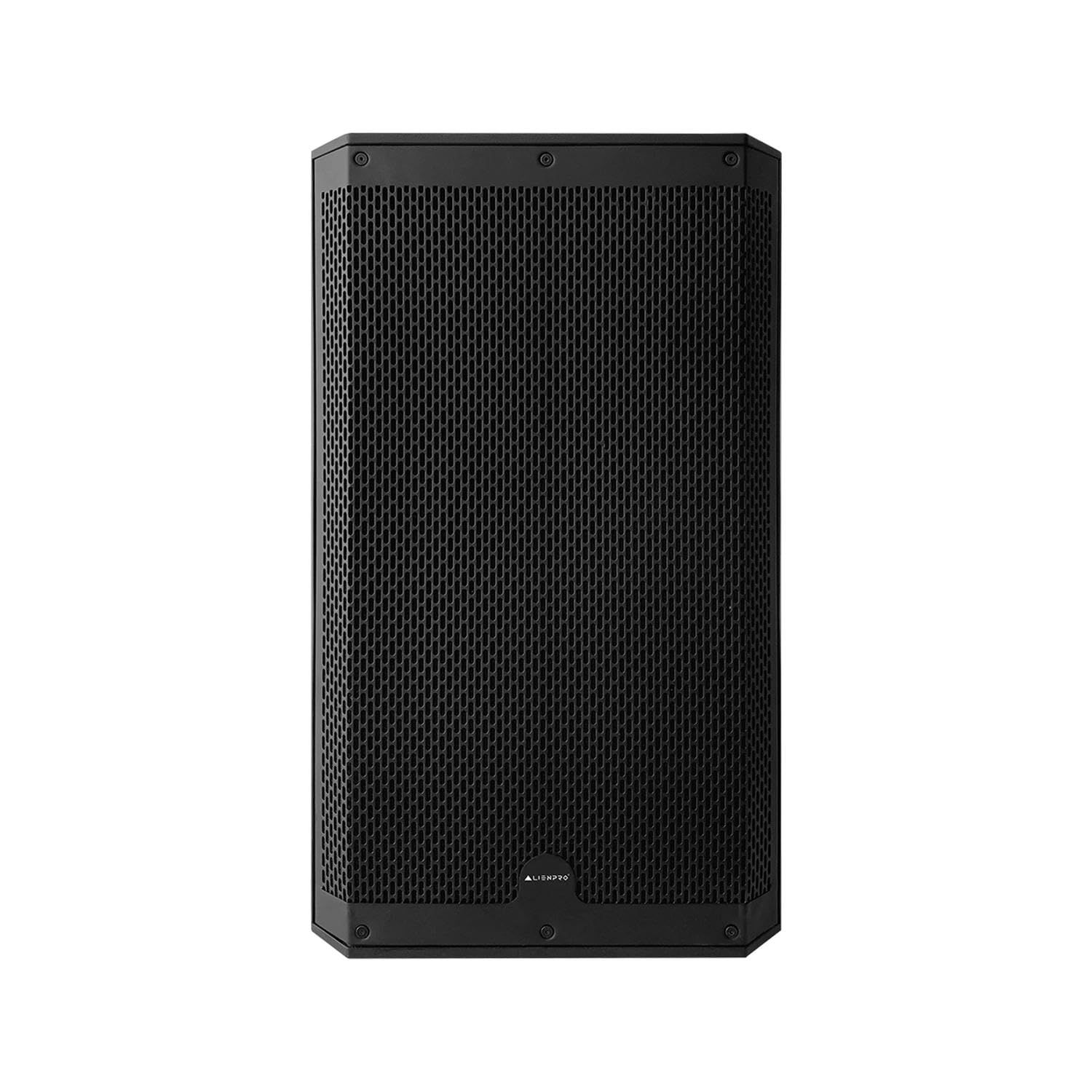
รูปที่ 1 : ด้านหน้า view of the ALIENPRO Ultra15 Active Speaker, showcasing its robust grille and design.
2. คุณสมบัติหลัก
- กำลังขับสูง: 700W Peak / 400W RMS for robust sound.
- Premium Transducers: 15-inch woofer (4 Ohm) with steel frame and 1.34-inch driver (8 Ohm).
- Integrated DSP: Digital Signal Processor for precise audio tuning.
- การเชื่อมต่อไร้สายขั้นสูง: Bluetooth 5.0 with True Wireless Stereo (TWS) function for linking two speakers.
- ตัวเลือกการเล่นหลายแบบ: Supports playback from USB, AUX, RCA, and Bluetooth sources.
- Versatile Inputs/Outputs: Includes AUX/RCA inputs, combo XLR/¼-inch jack, and XLR output.
- โครงสร้างทนทาน: Built with resistant materials for extended use.
- ขนาดที่เหมาะสมที่สุด: Weight: 23.5 kg | Dimensions: 465 x 460 x 760 mm.

Figure 2: The ALIENPRO Ultra15 speaker, emphasizing its 700W Peak power capability for strong audio performance.
3. การตั้งค่า
Follow these steps to set up your ALIENPRO Ultra15 Active Speaker:
- การแกะกล่อง: Carefully remove the speaker from its packaging. Inspect for any signs of damage.
- การจัดวาง: Place the speaker on a stable, flat surface or mount it using a compatible speaker pole (integrated pole mount available). Ensure adequate ventilation around the unit.
- การเชื่อมต่อไฟฟ้า: Connect the power cable to the speaker's power input (127V~ 60Hz) and then to a suitable power outlet. Do not power on the unit yet.
- การเชื่อมต่ออินพุต: Connect your audio sources to the appropriate inputs on the rear panel. Options include:
- XLR/¼-inch Combo Jack: For microphones or line-level instruments.
- AUX/RCA Inputs: For connecting devices like CD players, mixers, or other audio sources.
- พอร์ต USB: สำหรับการเล่นเสียง fileโดยตรงจากไดรฟ์ USB
- การเชื่อมต่อเอาต์พุต (ไม่บังคับ): If linking to another speaker or audio device, use the XLR output.
- เปิดเครื่อง: Once all connections are secure, switch on the power button located on the rear panel. The power indicator light will illuminate.
รูปที่ 3: รายละเอียด view of the ALIENPRO Ultra15 rear panel, showing power input, various audio inputs (XLR, 1/4-inch, RCA, USB), and control knobs.
4. ปฏิบัติการ
Operating your ALIENPRO Ultra15 speaker involves managing inputs, adjusting volume, and utilizing its advanced features:
- การควบคุมระดับเสียง: Use the 'VOLUME' knob on the rear panel to adjust the overall output level. Start with a low volume and gradually increase it to avoid sudden loud sounds.
- การเลือกอินพุต: The speaker automatically detects active inputs. Ensure your connected source is playing audio.
- การจับคู่บลูทู ธ :
- เปิดใช้งานบลูทูธบนอุปกรณ์มือถือของคุณ
- Press the 'Bluetooth' button on the speaker's rear panel. The Bluetooth indicator will flash.
- Select 'ALIENPRO Ultra15' from your device's Bluetooth list. The indicator will turn solid blue upon successful pairing.
- True Wireless Stereo (TWS) Linking: To link two Ultra15 speakers for stereo sound:
- ตรวจสอบให้แน่ใจว่าลำโพงทั้งสองเปิดอยู่และไม่ได้เชื่อมต่อกับอุปกรณ์ Bluetooth ใดๆ
- On one speaker (this will be the master), press and hold the 'TWS' button until the TWS indicator flashes.
- On the second speaker, press the 'TWS' button briefly. The speakers will attempt to link.
- Once linked, the TWS indicators on both speakers will turn solid. You can then pair your Bluetooth device to the master speaker.
- ค่าที่ตั้งไว้ล่วงหน้า DSP: Utilize the integrated DSP to optimize sound. Specific DSP modes (e.g., Music, Live, DJ) can be selected via controls on the rear panel or potentially through a dedicated app (if available for this model). Refer to the display for current DSP settings.
- การเล่น USB: เสียบไดรฟ์ USB ที่มีไฟล์เสียง files into the USB port. The speaker will automatically detect and begin playing compatible audio files. Use the navigation buttons (if present) to control playback.

Figure 4: Two ALIENPRO Ultra15 speakers demonstrating TWS linking for stereo sound, with a detailed view of the rear panel's TWS and DSP controls.
Note: No official product videos from the seller were available for embedding. The provided videos were for a different brand (Alto Professional) and are not relevant to the ALIENPRO Ultra15 speaker.
5. การบำรุงรักษา
Proper maintenance ensures the longevity and optimal performance of your ALIENPRO Ultra15 speaker:
- การทำความสะอาด: ใช้ผ้านุ่มและแห้งเช็ดทำความสะอาดภายนอกลำโพง สำหรับคราบสกปรกฝังแน่น ให้เช็ดเบาๆamp cloth can be used, followed by a dry cloth. Avoid abrasive cleaners, solvents, or harsh chemicals.
- การดูแลกระจังหน้า: Periodically check the speaker grille for dust or debris. Use a soft brush or vacuum cleaner with a brush attachment to gently remove any accumulation.
- พื้นที่จัดเก็บ: When not in use for extended periods, store the speaker in a cool, dry place, away from direct sunlight and extreme temperatures. If possible, use the original packaging or a protective cover.
- การระบายอากาศ : Ensure that the ventilation openings on the speaker are not blocked during operation or storage to prevent overheating.
- การตรวจสอบสายเคเบิล: Regularly inspect all cables (power, audio) for any signs of wear, cuts, or damage. Replace damaged cables immediately to prevent electrical hazards or performance issues.
6 การแก้ไขปัญหา
If you encounter issues with your ALIENPRO Ultra15 speaker, refer to the following common troubleshooting steps:
| ปัญหา | สาเหตุที่เป็นไปได้ | สารละลาย |
|---|---|---|
| ไม่มีเสียงออก | Power not connected; Volume too low; Incorrect input selected; Damaged audio cable; Source device issue. | Check power connection and switch; Increase volume; Verify input selection; Test with a different audio cable; Check source device output. |
| การจับคู่บลูทูธล้มเหลว | Speaker not in pairing mode; Device too far; Interference; Already paired to another device. | Ensure speaker is in pairing mode (flashing LED); Move device closer; Turn off other Bluetooth devices; Disconnect from previous device. |
| TWS linking failure | Speakers not in TWS pairing mode; One speaker already Bluetooth paired; Distance between speakers too great. | Ensure both speakers are in TWS pairing mode (master hold, slave brief press); Disconnect any Bluetooth devices from both speakers; Place speakers closer together. |
| เสียงเพี้ยน | Volume too high (clipping); Input signal too strong; DSP settings incorrect; Damaged speaker component. | Reduce volume; Lower input gain; Adjust DSP settings; If problem persists, contact support. |
| ปัญหาการเล่นไฟล์ผ่าน USB | ไม่เข้ากัน file format; USB drive not formatted correctly; Damaged USB drive. | ทำให้มั่นใจ files are compatible (e.g., MP3); Format USB drive to FAT32; Try a different USB drive. |
7. ข้อมูลจำเพาะ
| คุณสมบัติ | รายละเอียด |
|---|---|
| แบบอย่าง | อุลตร้า15 |
| กำลังขับ | สูงสุด 700W / 400W RMS |
| ขนาดวูฟเฟอร์ | 15 inches (4 Ohm) with steel frame |
| ขนาดไดร์เวอร์ | 1.34 inches (8 Ohm) |
| Ampลิฟิเคชันประเภท | คล่องแคล่ว |
| เทคโนโลยีการเชื่อมต่อ | Bluetooth 5.0, USB, AUX, RCA, XLR |
| คุณสมบัติไร้สาย | Bluetooth, True Wireless Stereo (TWS) |
| วิธีการควบคุม | Touch, Application (if available) |
| ดีเอสพี | Integrated Digital Signal Processor |
| วัสดุ | ไม้ |
| สี | สีดำ |
| อินพุต Voltage | 127V~60Hz. แรงดันไฟฟ้า |
| ขนาดสินค้า (ลึก x กว้าง x สูง) | 46.5 x 46 x 76 ซม. |
| น้ำหนักผลิตภัณฑ์ | 23.5 กก. |
| ประเภทการติดตั้ง | พื้น |
| กันน้ำ | เลขที่ |
8. การรับประกันและการสนับสนุน
The ALIENPRO Ultra15 Active Speaker comes with a manufacturer's warranty. Please refer to the warranty card included in your product packaging for specific terms, conditions, and duration of coverage. Keep your proof of purchase for warranty claims.
For technical support, service, or further inquiries, please contact ALIENPRO customer service through their official website or the contact information provided in your product documentation. Do not attempt to repair the unit yourself, as this may void your warranty and cause further damage.


