การแนะนำ
The BEREST A10 Baby Lovey Music Box is designed to provide a soothing environment for newborns and infants, aiding in peaceful sleep. This device features 10 calming sounds, a smart cry sensor, an adjustable timer, a recording function, and a rechargeable battery. This manual provides essential information for the safe and effective use of your BEREST A10.
ข้อมูลด้านความปลอดภัย
- Do not use the device in the bath or near water.
- Do not use the USB cable while the machine is in use.
- อุปกรณ์นี้ไม่ใช่ของเล่น โปรดเก็บให้พ้นมือเด็ก
- Use the device within recommended noise levels to prevent potential hearing damage.
เนื้อหาแพ็คเกจ
กรุณาทำเครื่องหมายในช่องสำหรับรายการต่อไปนี้:
- BEREST A10 Music Box
- สายชาร์จ Type-C
- คู่มือการใช้งาน
- Gifted Box

Image: Contents of the BEREST A10 package, including the music box, charging cable, and manual.
สินค้าเกินview
The BEREST A10 is a compact and versatile sleep soother. Its main features include:
- 10 เสียงผ่อนคลาย: Includes 2 heartbeat sounds, white noise, rain, shushing, and 5 different lullabies.
- Smart Baby Cry Sensor: Automatically detects baby's crying and plays soothing sounds for 30 minutes.
- ตัวจับเวลาแบบปรับได้: Set for 15, 30, or 60 minutes, or enable continuous play.
- ฟังก์ชั่นการบันทึก: Allows for up to 120 seconds of personalized recording.
- แบตเตอรี่ลิเธียมแบบชาร์จไฟได้: Provides long-lasting power, eliminating the need for disposable batteries.
- การควบคุมระดับเสียงที่ปรับได้: Fine-tune the sound level to protect infant hearing.
- การออกแบบที่กะทัดรัด: Measures 2.52 x 2.52 x 1.38 inches, designed to fit seamlessly into most plush toys and loveys.

Image: The BEREST A10 Music Box shown with various plush toys, highlighting its small size and versatility.
การตั้งค่า
1. การชาร์จอุปกรณ์
Before first use, fully charge the BEREST A10 using the provided Type-C charging cable. Connect the cable to the device and a suitable USB power source. The charging indicator light will show the charging status.
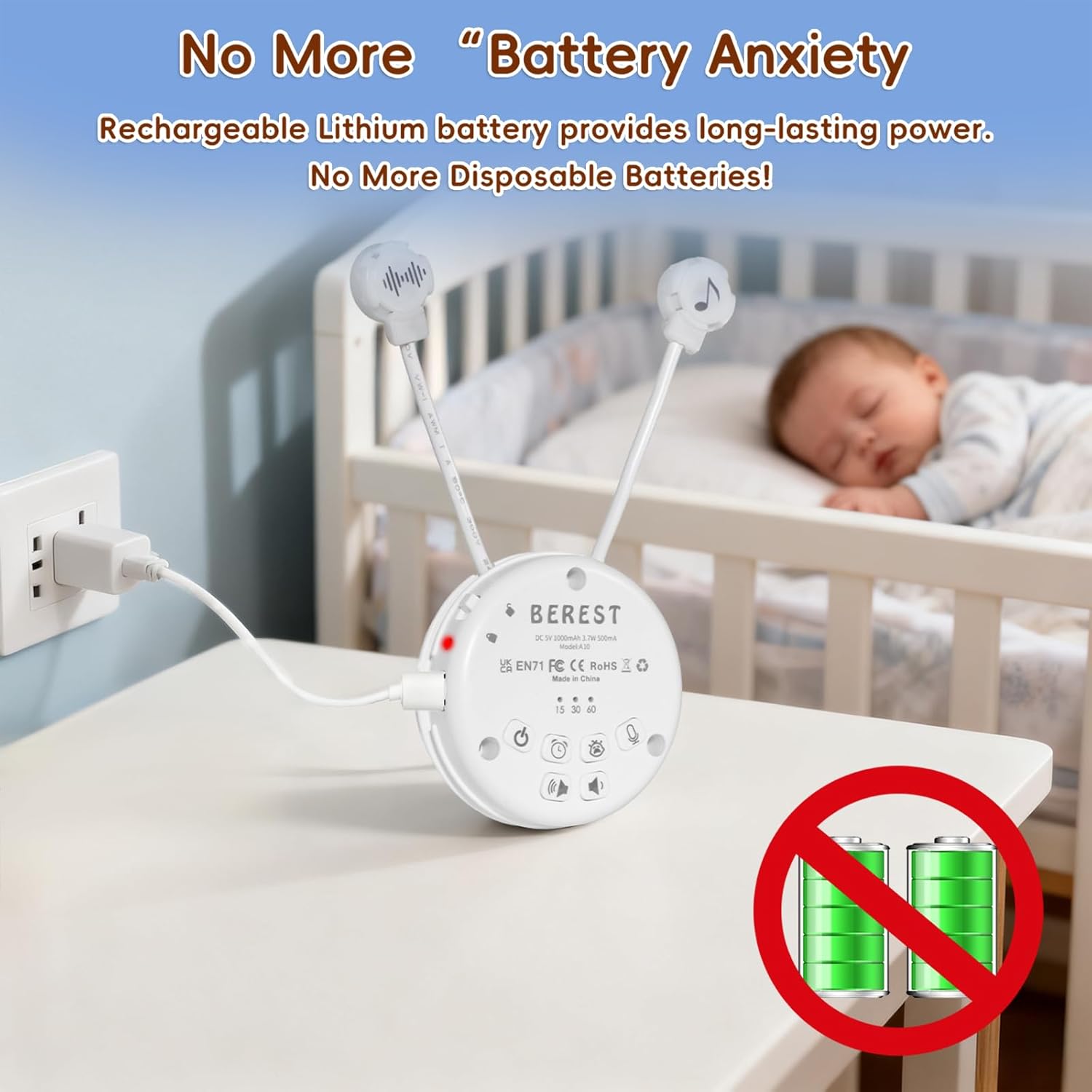
Image: The BEREST A10 Music Box being charged with its Type-C cable, indicating its rechargeable nature.
2. Inserting into a Plush Toy (Optional)
The compact design of the A10 allows it to be inserted into most plush toys or loveys. Locate the opening in your plush toy, gently insert the music box, and secure it if possible. Ensure the buttons are accessible if you plan to operate it while inside the plush.

ภาพ: ภาพระยะใกล้ view of the BEREST A10 Music Box being placed inside a plush toy for integrated use.
คำแนะนำการใช้งาน
Familiarize yourself with the control buttons on the device:
Image: Labeled diagram of the BEREST A10 Music Box controls.
1. เปิด/ปิดเครื่อง
- กดปุ่ม ปุ่มเปิด/ปิด once to turn the device on.
- กดปุ่มค้างไว้ ปุ่มเปิด/ปิด เป็นเวลา 3 วินาทีเพื่อปิดอุปกรณ์
2. การเลือกเสียง
- When the device is on, short press the ปุ่มเปิด/ปิด to cycle through the 10 available soothing sounds (2 heartbeats, white noise, rain, shushing, 5 lullabies).
- กดค้างไว้ ปุ่มเปิด/ปิด for 3 seconds (while on) to enable continuous loop playing of all songs.

Image: The BEREST A10 Music Box providing 10 soothing sounds for a sleeping baby.
3. การควบคุมระดับเสียง
- กดปุ่ม ปุ่มเพิ่มระดับเสียง เพื่อเพิ่มระดับเสียง
- กดปุ่ม ปุ่มลดระดับเสียง to decrease the sound level.
4. ฟังก์ชั่นจับเวลา
- กดปุ่ม ปุ่มตั้งเวลา to set the auto-off timer. The available options are 15, 30, or 60 minutes.
- If no timer is set, the device will play continuously until manually turned off or the battery runs out.

Image: The BEREST A10 Music Box with its timer function set to 15, 30, or 60 minutes.
5. Smart Baby Cry Sensor
- กดปุ่ม Baby Cry Sensor button เพื่อเปิดใช้งานคุณสมบัตินี้
- When activated, the device will automatically detect a baby's crying and play soothing sounds for 30 minutes to help calm the baby back to sleep.
- The sensor will reactivate if crying is detected again after the 30-minute cycle.

Image: The BEREST A10 Music Box's cry sensor feature, designed to soothe a crying baby.
6. ฟังก์ชั่นการบันทึก
- กดปุ่มค้างไว้ ปุ่มบันทึก to begin recording. The device supports up to 120 seconds of recording.
- ปล่อยปุ่มเพื่อหยุดการบันทึก
- กดสั้น ๆ ปุ่มบันทึก to play back your recorded message.

Image: The BEREST A10 Music Box's recording function being used to capture a heartbeat.
7. ระบบล็อกสำหรับเด็ก
- ค้นหาตำแหน่ง Children Lock switch ที่ด้านข้างของอุปกรณ์
- Slide the switch to the lock position to prevent accidental changes to settings by children.
การซ่อมบำรุง
การทำความสะอาด
- เช็ดอุปกรณ์ด้วยผ้านุ่มแห้ง
- Do not use liquid cleaners or immerse the device in water.
การดูแลแบตเตอรี่
- เพื่อยืดอายุการใช้งานแบตเตอรี่ ควรหลีกเลี่ยงการปล่อยแบตเตอรี่จนหมดบ่อยครั้ง
- เก็บอุปกรณ์ไว้ในที่แห้งและเย็นเมื่อไม่ได้ใช้งานเป็นเวลานาน
การแก้ไขปัญหา
| ปัญหา | สาเหตุที่เป็นไปได้ | สารละลาย |
|---|---|---|
| อุปกรณ์ไม่เปิด | แบตเตอรี่เหลือน้อยหรือหมด | ชาร์จอุปกรณ์โดยใช้สาย Type-C ที่ให้มา |
| ไม่มีเสียงหรือเสียงเบา | ตั้งระดับเสียงต่ำเกินไป | เพิ่มระดับเสียงโดยใช้ปุ่มเพิ่มระดับเสียง |
| Cry sensor not activating. | Cry sensor not enabled or ambient noise is too high. | Ensure the Baby Cry Sensor button is pressed. Reduce other noise sources. |
| อุปกรณ์ปิดเครื่องโดยไม่คาดคิด | Timer is set, or battery is low. | Check timer settings. Recharge the device if the battery is low. |
ข้อมูลจำเพาะ
| หมายเลขรุ่น | เอ10 |
| ขนาดสินค้า | 2.52 x 2.52 x 1.38 นิ้ว |
| น้ำหนักสินค้า | 3.2 ออนซ์ |
| ประเภทวัสดุ | พลาสติก |
| สี | ครีมขาว |
| ประเภทแบตเตอรี่ | Rechargeable Lithium-ion (1 AA battery included, likely referring to internal rechargeable equivalent) |
การรับประกันและการสนับสนุน
For warranty information or technical support, please refer to the contact details provided with your purchase or visit the official BEREST webไซต์ เก็บหลักฐานการซื้อของคุณไว้เพื่อใช้ในกรณีเรียกร้องการรับประกัน


