การแนะนำ
Welcome to the CYCPLUS Smart Indoor Cycling Fan F1 user manual. This guide provides detailed instructions for the safe and efficient use of your new smart fan. Designed with a BLDC motor, 5 speed modes, and advanced connectivity options, the F1 fan enhances your indoor cycling and training experience by providing intelligent, adaptive cooling.
ข้อมูลด้านความปลอดภัย
Please read all safety instructions before using the fan. Failure to follow these instructions may result in electric shock, fire, or serious injury.
- ตรวจสอบให้แน่ใจว่าพัดลมวางอยู่บนพื้นผิวที่มั่นคงและระดับเพื่อป้องกันการพลิกคว่ำ
- ห้ามสอดนิ้วหรือวัตถุใดๆ เข้าไปในตะแกรงพัดลม
- ควรวางพัดลมให้ห่างจากน้ำหรือของเหลวอื่นๆ และห้ามใช้งานในสภาพเปียกชื้น
- ถอดปลั๊กพัดลมออกจากเต้ารับไฟฟ้าก่อนทำความสะอาดหรือบำรุงรักษาใดๆ
- Do not use the fan if the power cord or plug is damaged. Contact customer support for assistance.
- เก็บให้พ้นจากมือเด็กและสัตว์เลี้ยง
- ใช้เฉพาะอะแดปเตอร์ที่ให้มาเท่านั้น
เนื้อหาแพ็คเกจ
ตรวจสอบว่ามีรายการทั้งหมดอยู่ในแพ็คเกจ:
- CYCPLUS Smart Fitness Fan (F1)
- Ground Base
- รีโมทคอนโทรล
- สายคล้องรีโมท
- Silicone Straps (x2) for Remote
- อะแดปเตอร์ DC
- สายไฟ AC
- คู่มือการใช้งาน
- ไขควง
- สกรู M5 (x2)

ภาพ: ส่วนประกอบทั้งหมดที่รวมอยู่ในชุดพัดลมปั่นจักรยานในร่มอัจฉริยะ CYCPLUS Smart Indoor Cycling Fan F1
การตั้งค่า
1. การติดตั้งฐาน
Place the fan securely into the provided ground base. Ensure it is stable before connecting power.
Video: Demonstrates the installation of the CYCPLUS F1 fan onto its ground base and initial setup.
2. การเชื่อมต่อไฟฟ้า
Connect the DC power adapter to the fan and then plug the AC power cable into a standard wall outlet. The fan is now ready for operation.
คำแนะนำการใช้งาน
เปิด/ปิดเครื่อง
กดปุ่มเปิด/ปิดค้างไว้ (⏻) on the fan's control panel for 2 seconds to turn the fan on or off.
การควบคุมความเร็วด้วยตนเอง
Once powered on, press the "+" หรือ "-" buttons to manually adjust the fan speed. There are 5 speed levels available.
การเลือกโหมด
กดปุ่มโหมด (⏻) once to cycle through the available operating modes:
- โหมดความเร็ว: The fan automatically adjusts airflow based on your cycling speed (requires ANT+ speed sensor).
- โหมดอัตราการเต้นของหัวใจ: The fan automatically adjusts airflow based on your heart rate (requires ANT+ heart rate monitor).
- โหมดพลังงาน: The fan automatically adjusts airflow based on your power output (requires ANT+ power meter or smart bike trainer).
- โหมดอัจฉริยะ: Connects multiple devices/sensors such as speed, heart rate, and power. The fan automatically adjusts airflow in real time based on multiple data inputs, ensuring the most optimal airflow.
- โหมดแมนนวล: Allows direct control of fan speed using the "+" และ "-" buttons or the remote control.

Image: The fan's control panel displaying icons for different smart speed modes.
Remote Control Pairing and Usage
To pair the remote control with the fan:
- Ensure the fan is in Manual Mode.
- Press any button on the remote control to wake it up and enter pairing mode (indicator light will flash).
- On the fan, press and hold the "+" และ "-" buttons simultaneously for 2 seconds.
- Once paired, the remote's indicator light will stay solid for 3 seconds, then turn off. The remote will auto-connect for future use.
Use the remote to power on/off, adjust speed, and change modes.

Image: The compact remote control for the CYCPLUS F1 fan, shown with its included silicone straps and lanyard for easy attachment.
การควบคุมแอพ
Download the CYCPLUS APP from your device's app store. Pair the fan via Bluetooth within the app to fine-tune workout parameters and control the fan from your smartphone.

Image: A smartphone displaying the CYCPLUS app interface for controlling the F1 fan, positioned next to the fan itself.
การปรับการไหลเวียนของอากาศ
The fan can be manually tilted from 0 to 60 degrees to direct airflow precisely where needed. The optimal placement distance is 1 meter from the user.

Image: The CYCPLUS F1 fan demonstrating its adjustable tilt mechanism, allowing airflow to be directed between 0 and 60 degrees.
หน่วยความจำอัตโนมัติ
The fan remembers your last settings and connected sensors, automatically pairing them for seamless use without repeated adjustments.
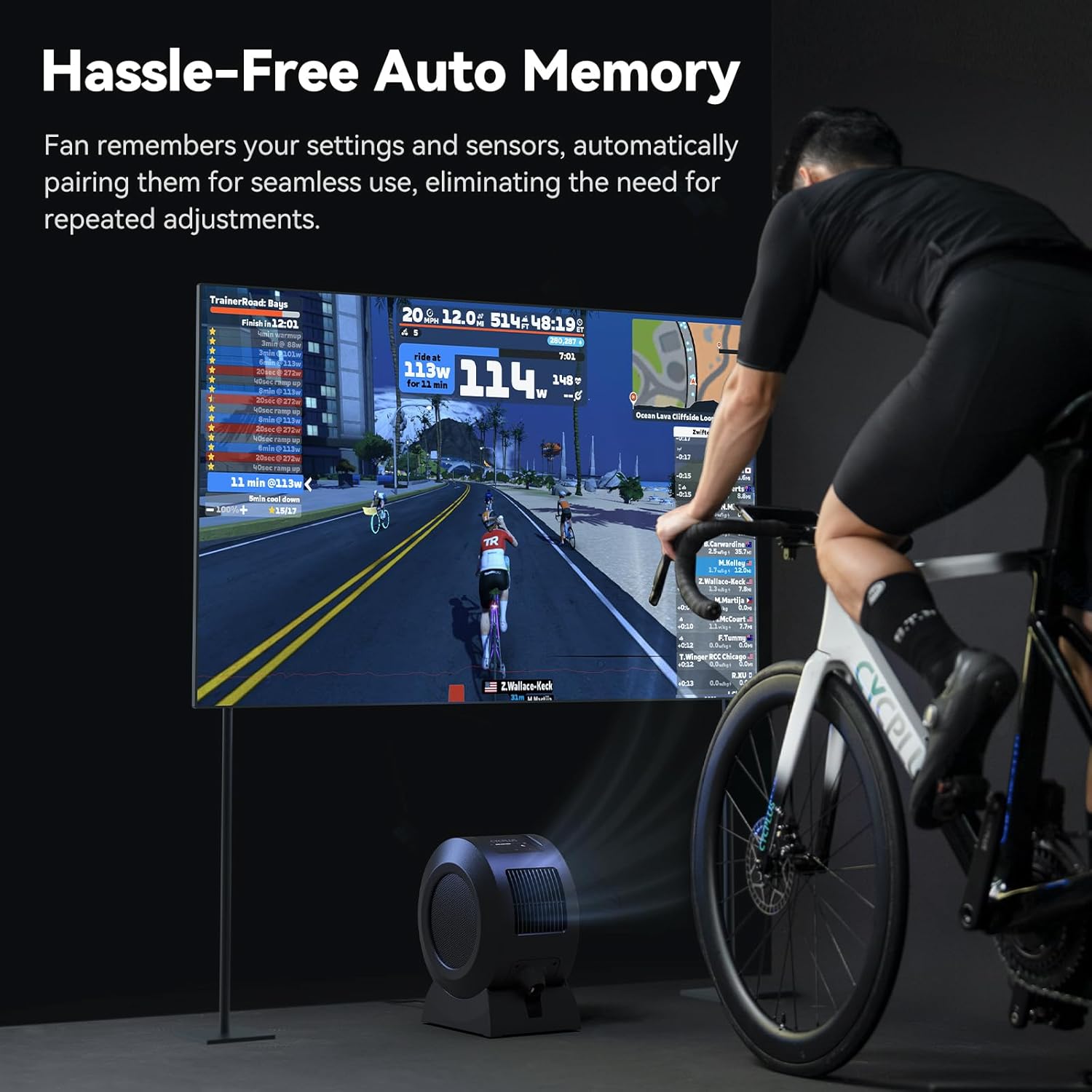
Image: The CYCPLUS F1 fan providing cooling during an indoor cycling session, with a large monitor showing real-time workout metrics.
การซ่อมบำรุง
การทำความสะอาด
To clean the fan, first unplug it from the power source. The front grille is removable for easy access to the fan blades. Use a soft, dry cloth to wipe down the exterior and blades. Do not use abrasive cleaners or immerse the fan in water.

ภาพ: รายละเอียด view of the CYCPLUS F1 fan with its front grille removed, illustrating the ease of access for cleaning.
การแก้ไขปัญหา
- พัดลมไม่เปิด: Ensure the power adapter is securely connected to both the fan and a working power outlet.
- การไหลเวียนของอากาศที่อ่อนแอ: Check for any obstructions in the fan's intake or exhaust grilles. Clean the fan blades if dust buildup is present.
- การควบคุมระยะไกลไม่ทำงาน: Ensure the remote control is paired correctly with the fan. Check the remote's battery.
- เซ็นเซอร์ไม่เชื่อมต่อ: Verify that your ANT+ sensor is powered on and within range. Ensure the fan is in the correct mode for the sensor type (Speed, Heart Rate, Power, or Smart Mode). Try re-pairing the sensor.
- ปัญหาการเชื่อมต่อแอป: Ensure Bluetooth is enabled on your smartphone and the fan is powered on. Restart the app and try pairing again.
ข้อมูลจำเพาะ
| คุณสมบัติ | รายละเอียด |
|---|---|
| ชื่อสินค้า | พัดลมฟิตเนสอัจฉริยะ |
| ชื่อรุ่น | F1 |
| กำลังไฟที่กำหนด | 68 วัตต์ |
| ความเร็วในการหมุนสูงสุด | 1280 รอบต่อนาที |
| กระแสลมสูงสุด | 670 ม³/ชม. |
| ความเร็วลมสูงสุด | ประมาณ 50 กม./ชม. |
| น้ำหนักสุทธิ | 4.3 กก. (9.48 ปอนด์) |
| ขนาดสินค้า | ลึก 10.5 นิ้ว x กว้าง 14.5 นิ้ว x สูง 8.46 นิ้ว |
| อินพุตที่เข้ากันได้ | 100-240V 50/60Hz |
| เอาท์พุตอะแดปเตอร์ | 36V - 2.5-3A |
| โปรโตคอลการเชื่อมต่อเซ็นเซอร์ | มด+ |
| โปรโตคอลการเชื่อมต่อมือถือ | BLE (บลูทูธพลังงานต่ำ) |
| อุณหภูมิในการทำงาน | 0-40 องศาเซลเซียส |
| ประเภทมอเตอร์ | มอเตอร์กระแสตรงไร้แปรงถ่าน (BLDC) |
| จำนวนระดับพลังงาน | 5 |

Image: A summary of the technical specifications for the CYCPLUS F1 fan.
การรับประกันและการสนับสนุน
For warranty information, technical support, or any inquiries regarding your CYCPLUS Smart Indoor Cycling Fan F1, please visit the official CYCPLUS webหรือติดต่อฝ่ายบริการลูกค้าโดยตรง เก็บใบเสร็จรับเงินไว้เพื่อใช้ในการเคลมประกัน
Official CYCPLUS Store: ร้านค้า CYCPLUS บน Amazon


