การแนะนำ
Thank you for choosing the Vandlion V11B Digital Voice Recorder. This manual provides detailed instructions on how to set up, operate, and maintain your device. Please read it carefully to ensure optimal performance and longevity of your recorder.

Image: The Vandlion V11B Digital Voice Recorder, a compact device shown held in a hand, highlighting its portable design.
มีอะไรอยู่ในกล่อง
ตรวจสอบว่ามีรายการทั้งหมดอยู่ในแพ็คเกจ:
- 1 x Digital voice recorder
- สายเคเบิลข้อมูล USB-C 1 เส้น
- 1 x หูฟัง
- 1 x คู่มือผู้ใช้ (เอกสารนี้)

Image: A visual representation of the package contents, including the digital voice recorder, USB-C cable, headphones, lanyard, and user manual.
อุปกรณ์โอเวอร์view
Familiarize yourself with the physical components of your Vandlion V11B recorder.

ภาพ: รายละเอียด view of the Vandlion V11B digital voice recorder, showing its display, control buttons (REC, SAVE, POWER, RESET), and integrated carabiner clip.

Image: The Vandlion V11B digital voice recorder shown attached to a backpack and a belt loop, illustrating its compact size and ease of carrying.
คุณสมบัติที่สำคัญ ได้แก่:
- หน้าจอแสดงผล: Shows recording status, time, battery level, and file ข้อมูล.
- REC/SAVE Switch: เลื่อนขึ้นเพื่อเริ่มบันทึก เลื่อนลงเพื่อบันทึก
- ปุ่มเพาเวอร์: กดค้างไว้เพื่อเปิด/ปิด
- ปุ่มรีเซ็ต: Small pinhole button for factory reset if needed.
- พอร์ต USB-C: สำหรับการชาร์จและถ่ายโอนข้อมูล
- แจ็คหูฟัง: 3.5mm port for audio playback.
- คลิปรวม: เพื่อการพกพาที่สะดวก
การตั้งค่า
1. การชาร์จอุปกรณ์
Before first use, fully charge the recorder. Connect the supplied USB-C cable to the device's USB-C port and the other end to a computer or a USB power adapter (not included).
- การชาร์จเต็มใช้เวลาประมาณ 1.5 ชั่วโมง.
- A fully charged device provides up to 20 ชั่วโมง of continuous recording.
- หน้าจอจะแสดงสถานะการชาร์จ

Image: The Vandlion V11B digital voice recorder connected to a laptop via its USB-C port for charging and data transfer.
2. การเปิด/ปิดเครื่อง
- เพื่อเปิดเครื่อง: กดปุ่มค้างไว้ พลัง กดปุ่มค้างไว้จนกว่าหน้าจอจะสว่างขึ้น
- วิธีปิดเครื่อง: กดปุ่มค้างไว้ พลัง กดปุ่มจนกระทั่งหน้าจอดับลง
คำแนะนำการใช้งาน
1. การบันทึกด้วยปุ่มเดียว
The device features a simple slide switch for quick recording.
- To start recording: Slide the REC/SAVE switch upwards to the "REC" position. The device will begin recording immediately.
- To save recording: Slide the REC/SAVE switch downwards to the "SAVE" position. The current recording will be saved, and the device will stop recording.

Image: An illustration demonstrating the one-button recording function, showing a finger sliding the REC/SAVE switch to initiate recording.
2. การลดเสียงรบกวนด้วย AI
The Vandlion V11B incorporates an advanced AI chip to enhance audio clarity by reducing background noise.
- This feature automatically identifies and minimizes distracting sounds, focusing on human speech.
- It is active during recording to provide high-fidelity voice capture.

Image: A graphic illustrating how AI noise reduction works, showing various types of noise (wind, static, hum) being filtered out to produce clear sound.
3. ระบบบันทึกเสียงอัตโนมัติ (VOR)
The Voice Activated Recording function allows the device to record only when sound is detected, conserving memory and battery life.
- To enable VOR: Access the device's menu by long pressing the เล่น/หยุดชั่วคราว/ยืนยัน button when not recording, then navigate to the VOR settings. Set VOR to "ON".
- Once enabled, slide the REC/SAVE button to "REC". The recorder will start recording when sound above a set threshold (e.g., >65dB) is detected and pause when sound falls below the threshold (e.g., <65dB).
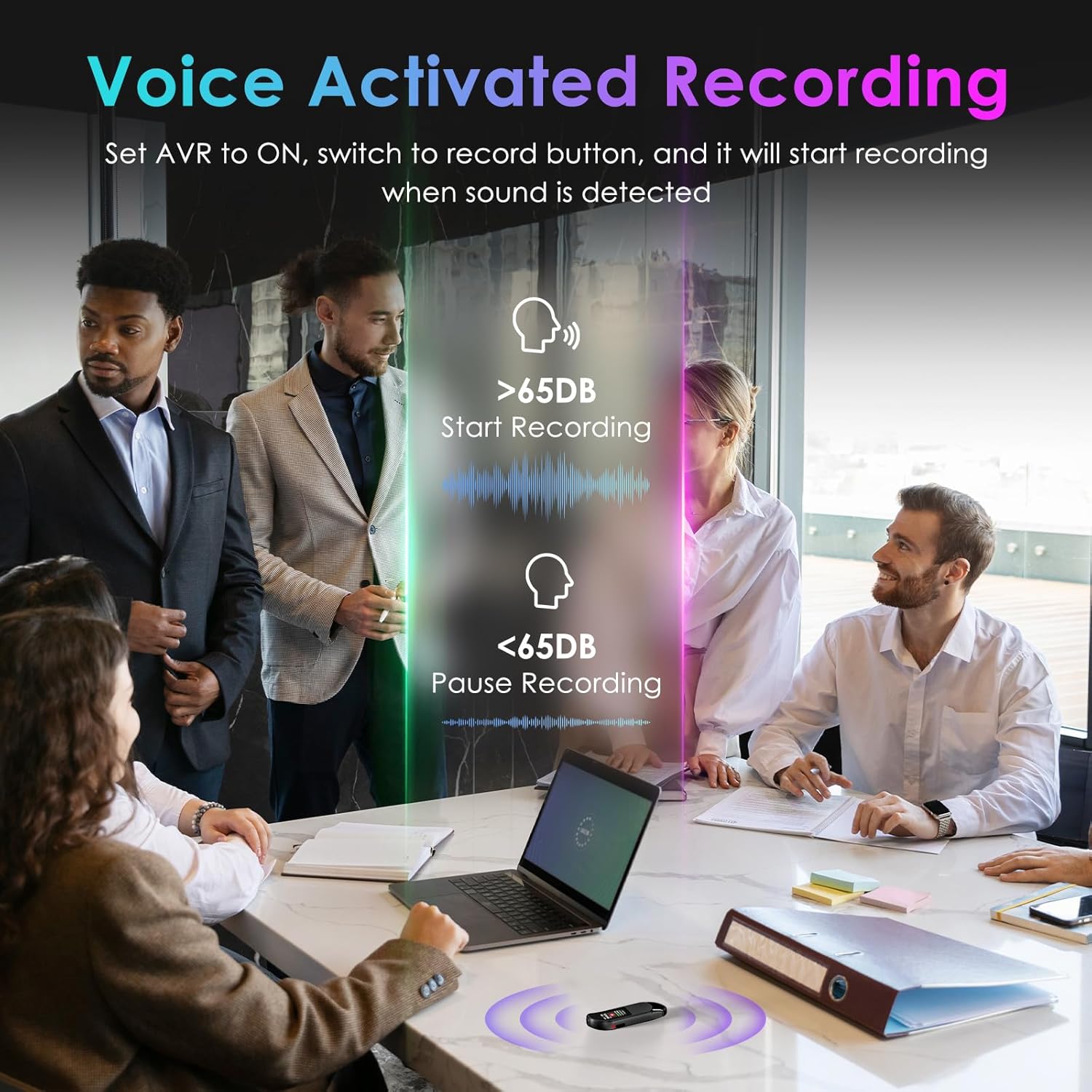
Image: A visual demonstrating voice-activated recording in a meeting, showing the device starting to record when sound is above 65dB and pausing when below.
4. การเล่น
You can listen to your recordings directly from the device using headphones or by transferring files to a computer or Android phone.
- การใช้หูฟัง: Connect the included headphones to the 3.5mm jack. Use the control buttons (Vol+, Vol-, Previous, Next, Play/Pause/Confirm) on the headphone cable to navigate and play recordings.
- Connecting to Computer/Phone: โอนย้าย files as described in the "File Management" section below.

Image: A diagram showing various playback methods: using wired headphones, connecting to a computer, and connecting to an Android phone. The image also illustrates the control buttons on the headphone cable for navigation.
5. การป้องกันรหัสผ่าน
To protect your recordings, you can set a 4-digit password.
- To set a password: Access the device's menu (long press the เล่น/หยุดชั่วคราว/ยืนยัน button when not recording) and navigate to the "Password" settings. Follow the on-screen prompts to set your 4-digit code.
- Once enabled, the password will be required to access the device's files.

Image: A visual representation of the password protection feature, showing the device screen prompting for a 4-digit password.
6. File การจัดการและการโอน
Recordings are saved with timestamps for easy organization. You can transfer files to a computer (Windows/Mac) or an Android phone.
- Connect the device to your computer or Android phone using the supplied USB-C cable.
- The device will appear as a removable storage drive.
- You can then drag and drop recording files (MP3 or WAV format) to your desired location.
- บันทึก: This device is not compatible with iPhones for direct file โอน.

Image: The Vandlion V11B connected to a laptop via USB-C, demonstrating file transfer and showing example filenames with timestamps.
การซ่อมบำรุง
- เก็บอุปกรณ์ให้แห้งและห่างจากอุณหภูมิที่สูงหรือต่ำเกินไป
- ทำความสะอาดอุปกรณ์ด้วยผ้านุ่มและแห้ง ห้ามใช้น้ำยาทำความสะอาด
- หลีกเลี่ยงการทำอุปกรณ์หล่นหรือกระแทกอย่างรุนแรง
- Regularly back up your recordings to prevent data loss.
- If the device becomes unresponsive, use a small pin to press the รีเซ็ต ปุ่ม.
การแก้ไขปัญหา
| ปัญหา | สาเหตุที่เป็นไปได้ | สารละลาย |
|---|---|---|
| อุปกรณ์ไม่เปิดเครื่อง | แบตเตอรี่อ่อน | ชาร์จอุปกรณ์อย่างน้อย 1.5 ชั่วโมง |
| บันทึกไม่ได้ | Memory full; device frozen. | โอนย้าย files to a computer to free up space. Press the RESET button. |
| คุณภาพเสียงไม่ดี | Microphone obstructed; excessive background noise. | Ensure microphone is clear. Use AI Noise Reduction in appropriate environments. |
| ไม่สามารถโอนได้ files to iPhone. | Device is not compatible with iPhone for direct transfer. | โอนย้าย files to a computer (Windows/Mac) or Android phone instead. |
| ลืมรหัสผ่าน. | ลืมรหัสผ่าน | Contact customer support for assistance. A factory reset might be required, which will erase all data. |
ข้อมูลจำเพาะ
| คุณสมบัติ | รายละเอียด |
|---|---|
| หมายเลขรุ่น | V11B |
| ความจุของหน่วยความจำ | 64 GB (บันทึกได้นานสูงสุด 900 ชั่วโมง) |
| รูปแบบการบันทึก | ไฟล์เสียง MP3, WAV |
| คุณภาพเสียง | 1536Kbps Crystal Audio |
| การลดเสียงรบกวน | ระบบตัดเสียงรบกวน AI |
| อายุการใช้งานแบตเตอรี่ (สำหรับการบันทึก) | นานถึง 20 ชั่วโมง |
| เวลาในการชาร์จ | ประมาณ 1.5 ชั่วโมง |
| อุปกรณ์ที่รองรับ | Personal Computer (Windows/Mac), Smartphone (Android) |
| ฮาร์ดแวร์อินเตอร์เฟซ | USB ประเภท C |
| ปัจจัยรูปแบบไมโครโฟน | บิวท์อิน |
| แจ็คหูฟัง | 3.5 มิลลิเมตร |
| ขนาดสินค้า | ขนาด 0.39 นิ้ว (ลึก) x 0.86 นิ้ว (กว้าง) x 2.99 นิ้ว (สูง) (10 มม. x 22 มม. x 76 มม.) |
| น้ำหนักสินค้า | 1.41 ออนซ์ (40 กรัม) |
| เส้นทแยงมุมของหน้าจอที่มองเห็นได้ | 1" / 3 ซม. |
การรับประกันและการสนับสนุน
Vandlion products are built for performance and durability. For warranty information or technical support, please refer to the contact details provided with your purchase or visit the official Vandlion webเว็บไซต์.
For common issues, please consult the Troubleshooting section of this manual.
ผู้ผลิต: แวนด์ไลออน
หมายเหตุสำคัญ
- Always ensure the device is fully charged before important recording sessions.
- Regularly transfer and back up your recordings to avoid data loss.
- The device does not have a built-in speaker; headphones or external playback devices are required to listen to recordings.


