การแนะนำ
The LDNIO SW03 Smart Watch is designed to provide comprehensive health monitoring, communication features, and fitness tracking. This manual provides instructions for setting up, operating, maintaining, and troubleshooting your device to ensure optimal performance and user experience.
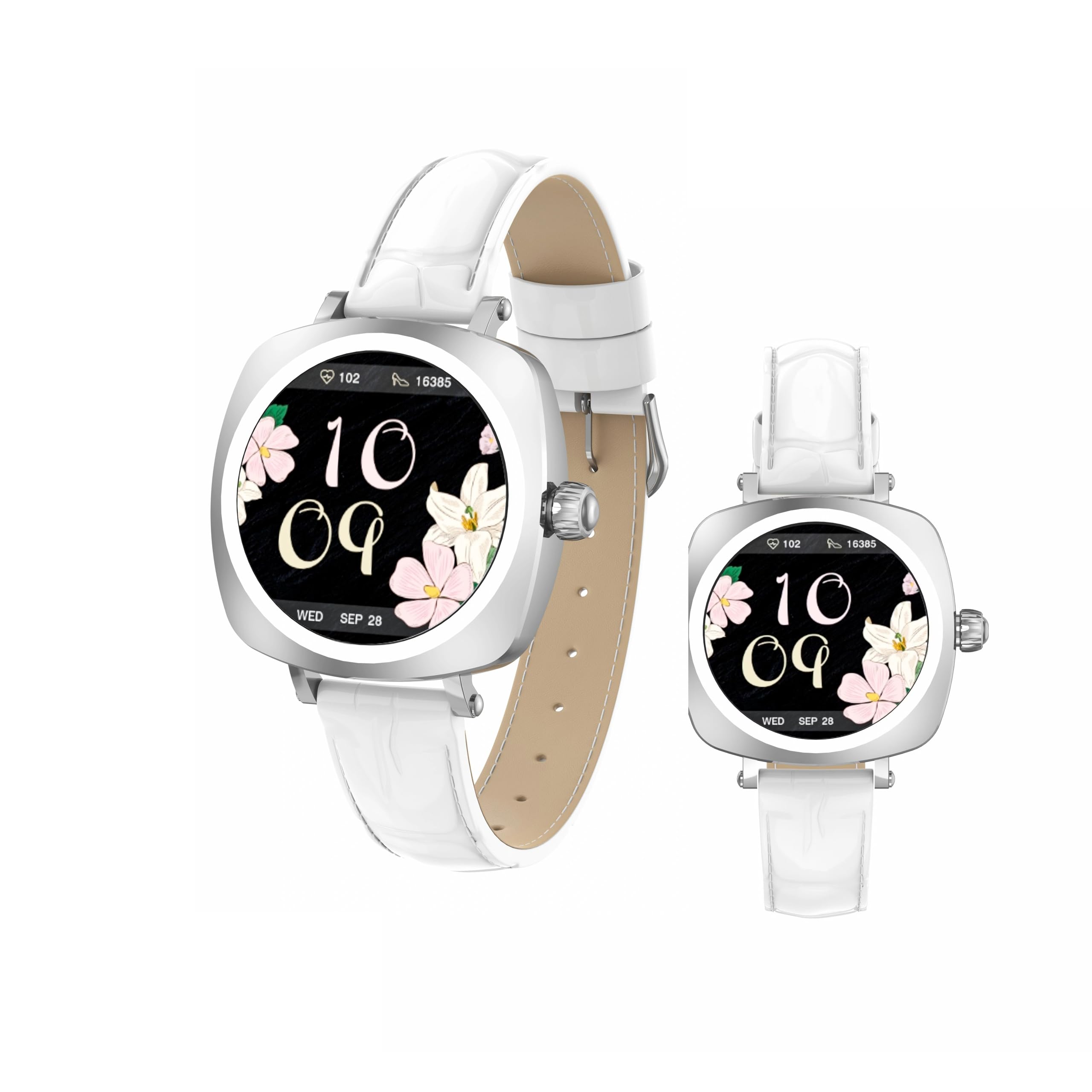
Image: LDNIO SW03 Smart Watch displaying a floral watch face.
การเริ่มต้น
1. การชาร์จอุปกรณ์
Before initial use, fully charge your LDNIO SW03 Smart Watch. The device uses a magnetic charging method for convenience.
- Connect the magnetic charging cable to a standard USB power adapter (DC5V ≥ 500mA).
- Align the magnetic end of the cable with the charging contacts on the back of your smartwatch. The magnets will secure the connection.
- หน้าจอของนาฬิกาจะแสดงสถานะการชาร์จ โดยปกติการชาร์จเต็มจะใช้เวลา 2-3 ชั่วโมง
2. การเปิด/ปิดเครื่อง
- เปิดเครื่อง: Long press the side button until the screen illuminates.
- หมดแรง: Navigate to the power off option in the watch settings or long press the side button and select 'Power Off' when prompted.
3. การติดตั้งและการจับคู่แอป
To unlock the full functionality of your smartwatch, install the DaFit app on your smartphone and pair the devices.
- ดาวน์โหลด ดาฟิต app from your smartphone's app store (compatible with Android 5.0+ and iOS 9.0+).
- ตรวจสอบให้แน่ใจว่าได้เปิดใช้งาน Bluetooth บนสมาร์ทโฟนของคุณแล้ว
- Open the DaFit app and follow the on-screen instructions to add your device. The app will search for available smartwatches.
- Select 'SW03' from the list of found devices to initiate pairing. Confirm the pairing request on both your watch and smartphone.
การใช้งานสมาร์ทวอทช์ของคุณ
1. การแสดงผลและการนำทาง
The LDNIO SW03 features a 1.19-inch AMOLED display with 390x390 resolution for clear visuals. Navigate the watch using touch gestures and the side button.
- ปัดไปทางซ้าย/ขวา: Enter the main menu or return to the previous interface.
- Quickly Press Twice (Side Button): Switch freely between multiple menus or watch faces.
- Long Press (Side Button): เปิด/ปิดอุปกรณ์

Image: Visual guide to the button functions: long press for power, quick double press for menu switching, and swipe for navigation.
2. คุณสมบัติการสื่อสาร
Stay connected by making and receiving calls and texts directly from your wrist via Bluetooth V5.4 connection to your smartphone.
- โทรออก: Access the dialer or contact list on your watch to initiate calls.
- การรับสาย: Answer or reject incoming calls directly from the watch display.
- การแจ้งเตือน: Receive notifications for messages, social media alerts, and other app updates.
3. การติดตามสุขภาพและการออกกำลังกาย
The SW03 Smart Watch offers comprehensive monitoring capabilities to support your health and fitness goals.
- การตรวจสอบอัตราการเต้นของหัวใจ: Continuously tracks your heart rate with off-hand detection.
- การวิเคราะห์การนอนหลับ: Provides 24-hour sleep monitoring, analyzing sleep quality and patterns.
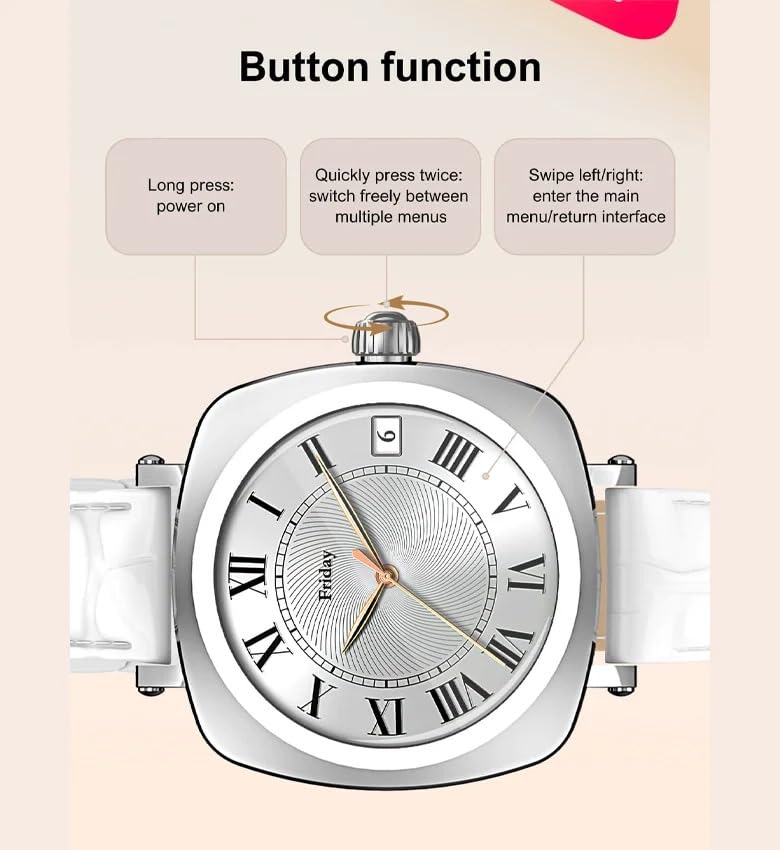
Image: The smartwatch screen showing sleep duration and analysis, worn by a user.
- การติดตามกิจกรรม: Counts daily steps, calories burned, and distance covered.
- โหมดการออกกำลังกาย: Supports multiple sports modes including running, cycling, and yoga.
- การจัดการสุขภาพสตรี: Features for scientifically recording and predicting menstrual periods and supporting pregnancy preparation.
4. ความทนทานต่อน้ำ
The LDNIO SW03 Smart Watch has an IP68 waterproof and dustproof rating, making it suitable for daily wear and various activities.
- It can withstand immersion in water up to 1.5 meters for up to 30 minutes.
- Suitable for swimming, showering, and exposure to rain.
- Avoid hot water, steam, or prolonged exposure to high-velocity water.
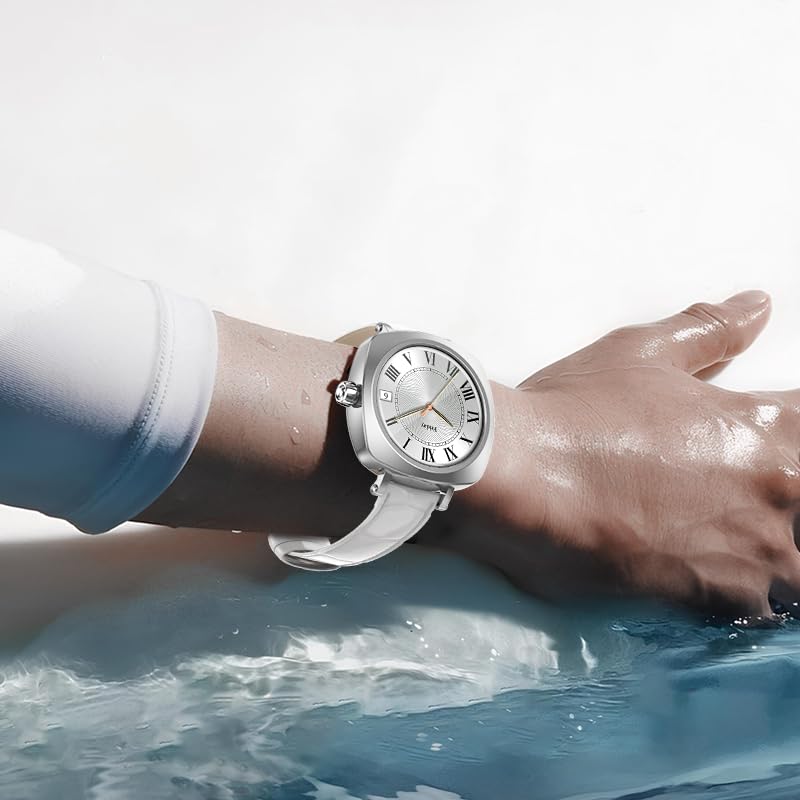
Image: The smartwatch on a user's wrist, partially submerged in water, demonstrating its water resistance.
5. การปรับแต่ง
Personalize your smartwatch experience with various watch faces and settings.
- หน้าปัดนาฬิกา: Choose from a selection of pre-installed watch faces or download more via the DaFit app.
- การตั้งค่า: Adjust brightness, vibration, notification preferences, and other settings through the watch interface or the DaFit app.
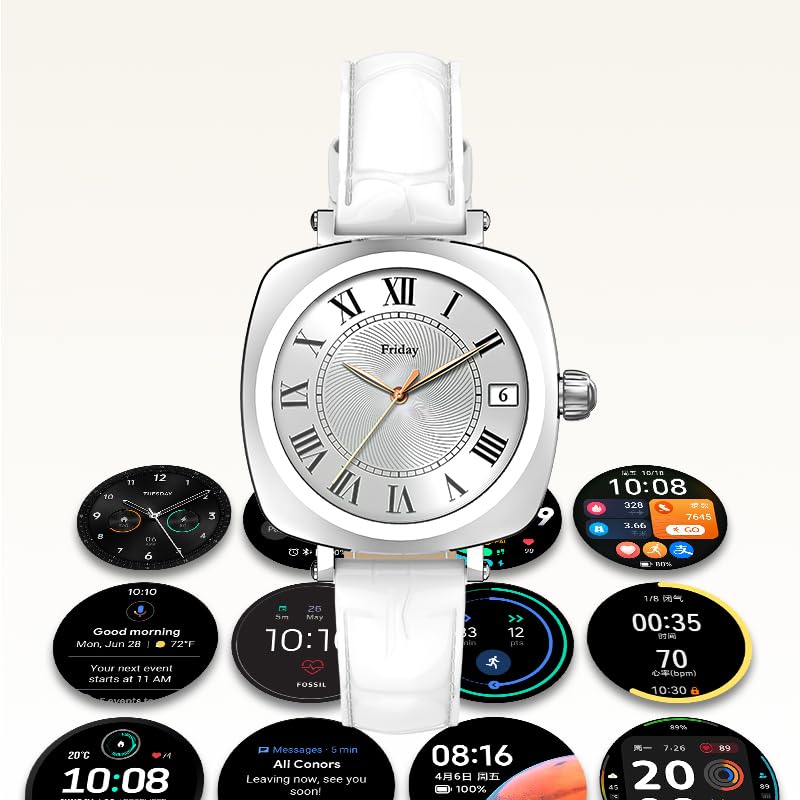
Image: A collection of different watch faces and functional widgets available on the LDNIO SW03 Smart Watch.
การซ่อมบำรุง
1. การทำความสะอาด
- Wipe the watch screen and strap regularly with a soft, dry, lint-free cloth.
- สำหรับสิ่งสกปรกฝังแน่น ให้เช็ดออกเล็กน้อยampชุบผ้าด้วยน้ำ หลีกเลี่ยงการใช้สารเคมีรุนแรงหรือวัสดุที่มีฤทธิ์กัดกร่อน
- ตรวจสอบให้แน่ใจว่าหน้าสัมผัสการชาร์จสะอาดและแห้งก่อนชาร์จ
2. ข้อมูลแบตเตอรี่
- The watch is powered by a 180mAh Polymer rechargeable lithium battery.
- Typical usage provides 5 to 10 days of battery life on a single charge, depending on usage patterns and enabled features.
- To prolong battery life, reduce screen brightness, limit notifications, and disable unnecessary features.
การแก้ไขปัญหา
- นาฬิกาไม่เปิดเครื่อง: ตรวจสอบให้แน่ใจว่านาฬิกาชาร์จเต็มแล้ว เสียบนาฬิกาเข้ากับเครื่องชาร์จอย่างน้อย 30 นาที
- ไม่สามารถจับคู่กับสมาร์ทโฟนได้: Make sure Bluetooth is enabled on both devices. Restart both the watch and the smartphone. Ensure the DaFit app is updated to the latest version.
- ข้อมูลสุขภาพที่ไม่ถูกต้อง: Ensure the watch is worn snugly on your wrist, not too tight or too loose. Keep the sensor clean.
- ไม่ได้รับการแจ้งเตือน: Check app permissions in your smartphone settings to ensure the DaFit app has access to notifications. Verify notification settings within the DaFit app.
ข้อมูลจำเพาะ
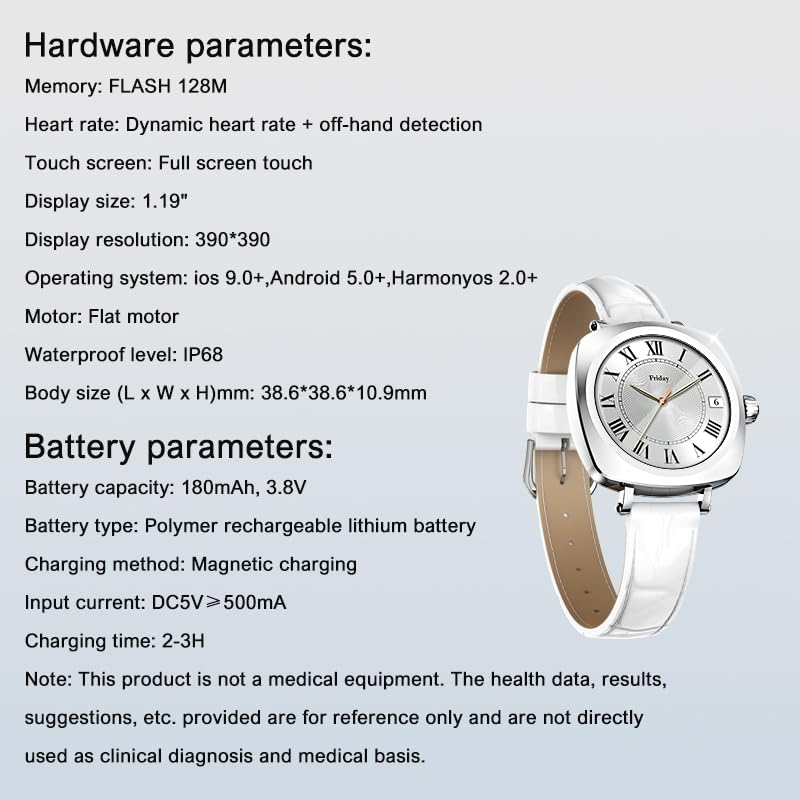
Image: Detailed specifications for the LDNIO SW03 Smart Watch, including hardware and battery parameters.
| คุณสมบัติ | รายละเอียด |
|---|---|
| แบบอย่าง | SW03 |
| แสดง | 1.19-inch AMOLED, 390×390 resolution |
| Memory (FLASH) | 128MB |
| ตรวจจับอัตราการเต้นของหัวใจ | Dynamic heart rate + off-hand detection |
| หน้าจอสัมผัส | สัมผัสแบบเต็มหน้าจอ |
| ความเข้ากันได้ของระบบปฏิบัติการ | iOS 9.0+, Android 5.0+, HarmonyOS 2.0+ |
| มอเตอร์ | Flat motor |
| ระดับการกันน้ำ | IP68 |
| Body Size (L x W x H) | 38.6 x 38.6 x 10.9 มม. |
| ความจุของแบตเตอรี่ | 180mAh, 3.8V |
| ประเภทแบตเตอรี่ | แบตเตอรี่ลิเธียมโพลิเมอร์แบบชาร์จไฟได้ |
| วิธีการชาร์จ | การชาร์จแบบแม่เหล็ก |
| กระแสไฟเข้า | DC5V ≥ 500mA |
| เวลาในการชาร์จ | 2-3 ชั่วโมง |
| เทคโนโลยีการเชื่อมต่อ | บลูทูธ V5.4 |
| คุณสมบัติพิเศษ | Fitness Monitoring, Call/Text Functionality |
บันทึก: This product is not a medical equipment. The health data, results, and suggestions provided are for reference only and are not directly used as clinical diagnosis or medical basis.
การรับประกันและการสนับสนุน
For warranty information and technical support, please refer to the documentation provided with your purchase or contact LDNIO customer service. Keep your proof of purchase for warranty claims.


