1. บทนำ
This manual provides essential information for setting up, operating, and maintaining your NIMO N151 15.6" FHD Laptop. Please read this guide thoroughly before using your device to ensure optimal performance and longevity.
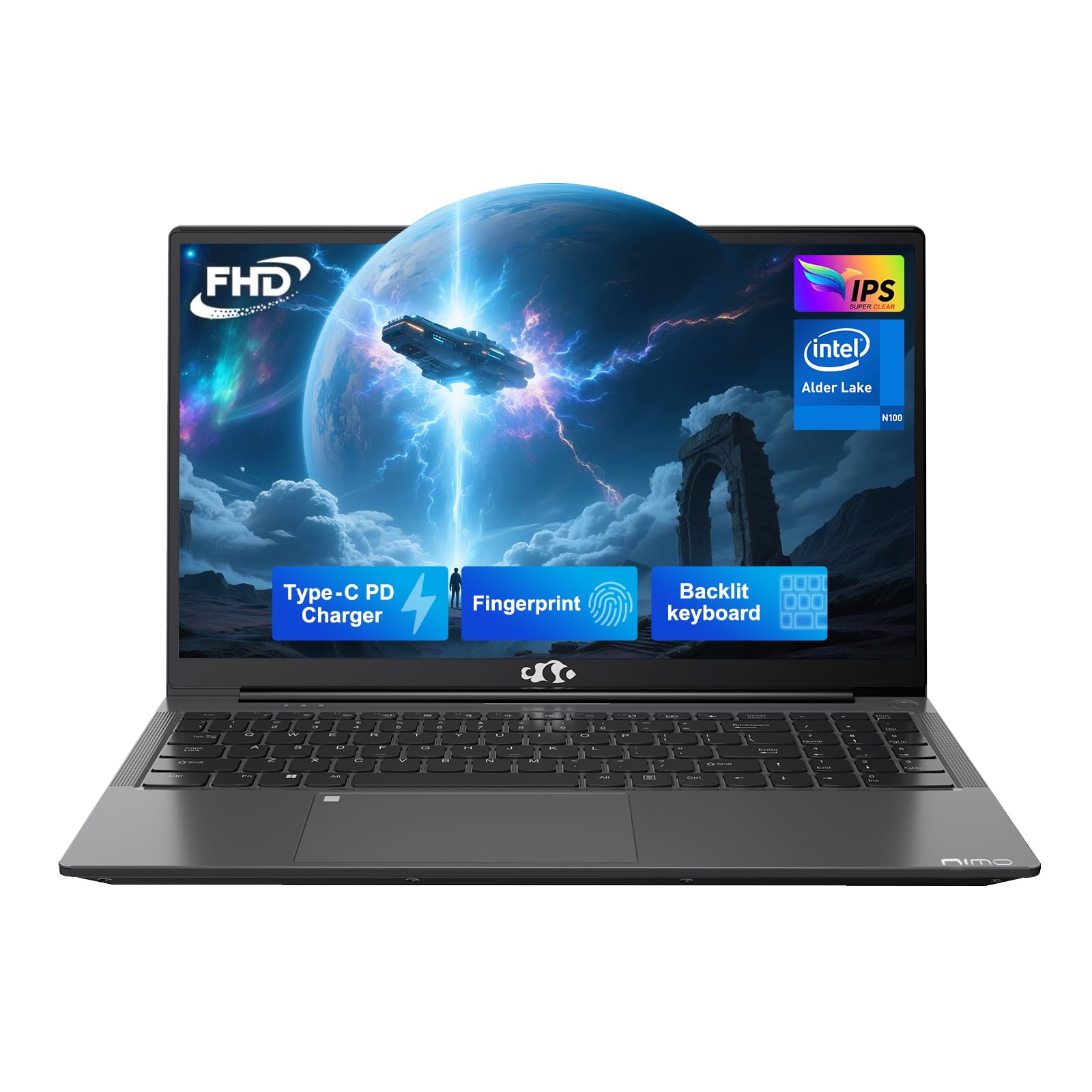
Figure 1: NIMO N151 Laptop, closed.
2. เนื้อหาบรรจุภัณฑ์
ตรวจสอบว่ามีรายการทั้งหมดอยู่ในแพ็คเกจ:
- แล็ปท็อป NIMO N151 จำนวน 1 เครื่อง
- 1 x ที่ชาร์จเร็ว Type-C 65W PD
- 1 x คู่มือผู้ใช้
- ระบบปฏิบัติการ Windows 11 Home (ติดตั้งมาแล้ว)
3. คู่มือการติดตั้ง
3.1 การเปิดเครื่องครั้งแรก
- Unpack the laptop and charger from the box.
- Connect the Type-C 65W PD Fast Charger to the laptop's Type-C port and a power outlet.
- Open the laptop lid. The laptop may power on automatically or require you to press the power button. The power button is typically located on the top right of the keyboard or on the side.
- Follow the on-screen instructions to complete the Windows 11 Home setup. This includes selecting your region, language, and connecting to a Wi-Fi network.
3.2 การเชื่อมต่อกับ Wi-Fi
During the initial Windows setup, you will be prompted to connect to a Wi-Fi network. If you need to connect later:
- คลิกที่ เครือข่าย icon (usually a Wi-Fi symbol) in the taskbar.
- เลือกเครือข่าย Wi-Fi ที่คุณต้องการจากรายการ
- ป้อนรหัสผ่านเครือข่ายหากระบบแจ้งให้ป้อน แล้วคลิก เชื่อมต่อ.
4. Operating Your NIMO N151 Laptop
4.1 การแสดงผล
The NIMO N151 features a 15.6-inch Full HD (1920x1080) IPS anti-glare display. This display is designed to reduce eye strain and provide clear visuals.
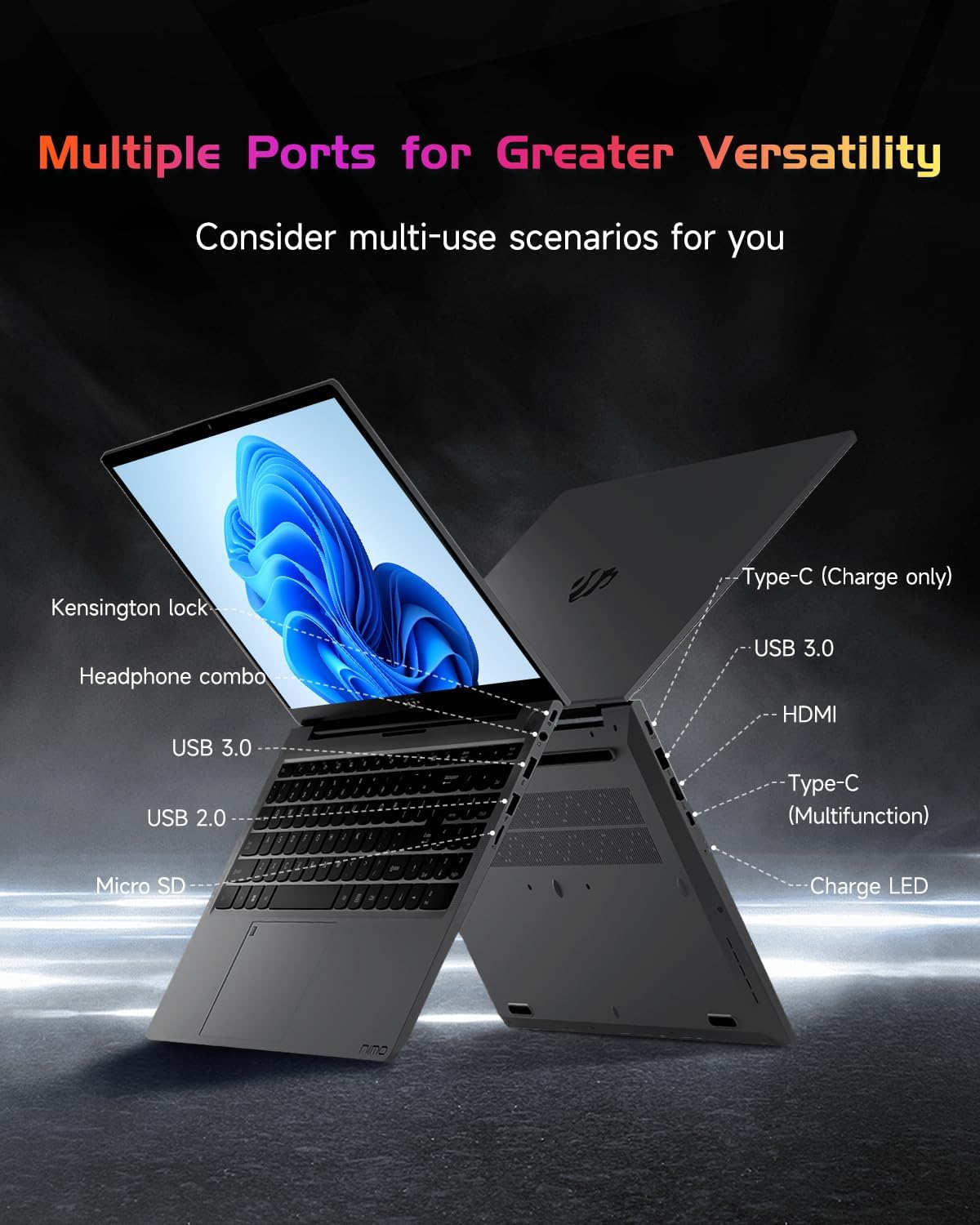
Figure 2: The 15.6" FHD IPS display provides clear visuals.
4.2 แป้นพิมพ์และเครื่องอ่านลายนิ้วมือ
The laptop is equipped with a backlit keyboard for comfortable typing in various lighting conditions. The integrated fingerprint reader on the touchpad allows for secure and quick login.
- แป้นพิมพ์พร้อมไฟแบ็คไลท์: Use the dedicated function key (Fn + Fx, where Fx is the backlight key) to toggle the backlight on/off and adjust brightness levels.
- เครื่องอ่านลายนิ้วมือ: To set up, navigate to Windows Settings > Accounts > Sign-in options > Fingerprint recognition (Windows Hello Fingerprint). Follow the prompts to register your fingerprint.

Figure 3: Backlit keyboard and integrated fingerprint reader.
4.3 Webลูกเบี้ยว
แล็ปท็อปเครื่องนี้มีกล้องความละเอียด 2 ล้านพิกเซล webcam, suitable for video calls and online meetings. A physical privacy switch is available to disable the webcam when not in use, enhancing your privacy.

รูปที่ 4: Webcam with privacy switch for enhanced security.
4.4 พอร์ตและการเชื่อมต่อ
The NIMO N151 offers various ports for connecting peripherals and external devices:
- พอร์ต USB 3.0: เพื่อการถ่ายโอนข้อมูลความเร็วสูง
- พอร์ต USB 2.0: สำหรับเชื่อมต่ออุปกรณ์ USB มาตรฐาน
- พอร์ต HDMI: สำหรับเชื่อมต่อกับจอแสดงผลภายนอกหรือโปรเจ็กเตอร์
- พอร์ต Type-C: One for charging (65W PD) and another for multi-function use (data transfer, display output).
- เครื่องอ่านการ์ด Micro SD: สำหรับการขยายพื้นที่เก็บข้อมูลหรือการถ่ายโอน fileจากการ์ดหน่วยความจำ
- แจ็คเสียบหูฟังแบบรวม: สำหรับเชื่อมต่อหูฟังหรือชุดหูฟัง
- สล็อตล็อคเคนซิงตัน: สำหรับใช้ล็อคที่ใช้งานร่วมกันได้เพื่อรักษาความปลอดภัยของแล็ปท็อปของคุณ

Figure 5: Available ports on the NIMO N151 laptop.
Wireless connectivity includes Wi-Fi 6 for stable, high-speed internet and Bluetooth 5.2 for connecting wireless accessories.
4.5 เสียง
The laptop provides integrated audio for multimedia consumption and communication.
4.6 แบตเตอรี่และการชาร์จ
The NIMO N151 is powered by a 53.58Wh rechargeable battery, offering up to 8 hours of usage. It comes with a 65W PD (Power Delivery) Type-C fast charger. A 15-minute charge can provide up to 2 hours of use.
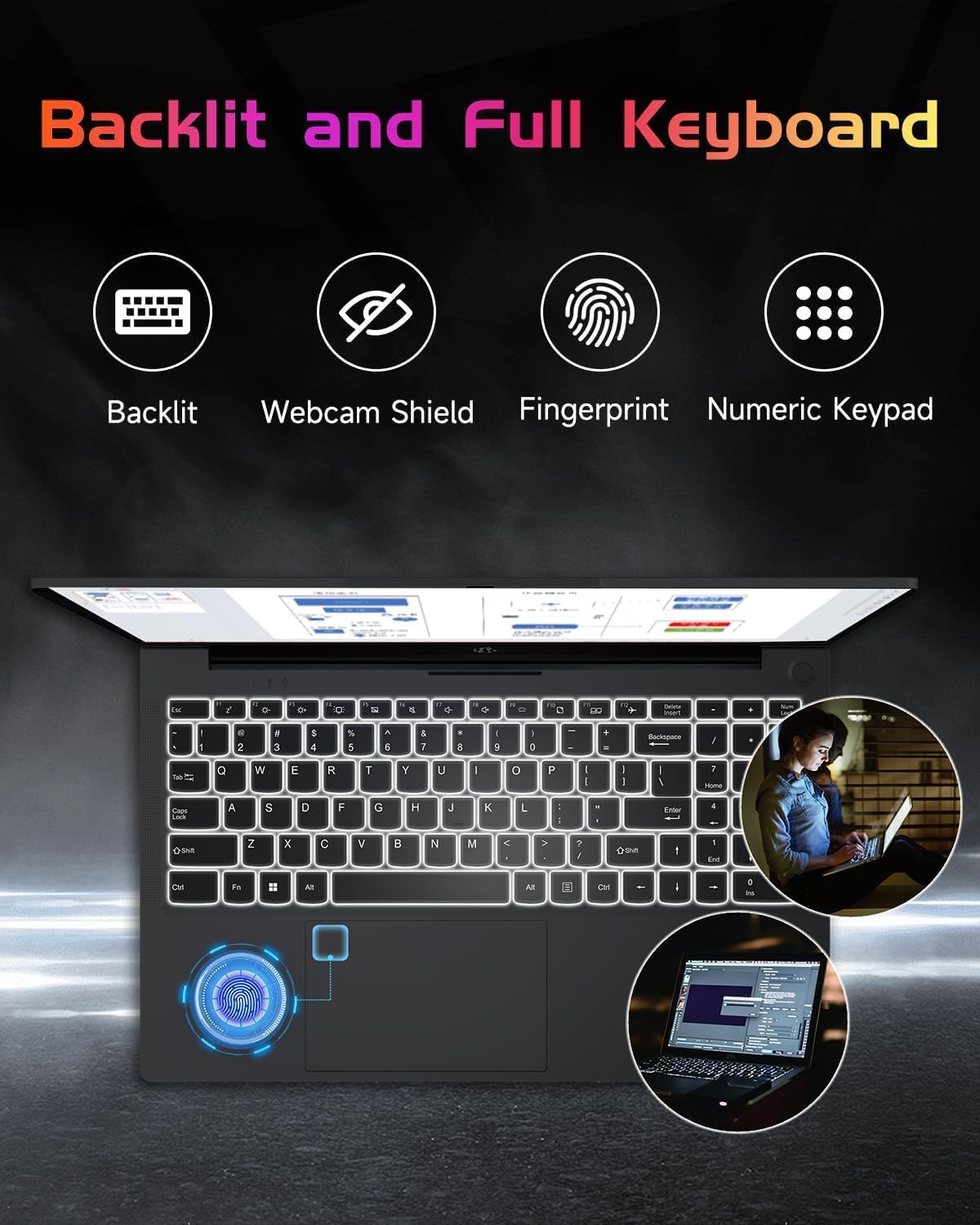
Figure 6: The included 65W Type-C PD Fast Charger.

Figure 7: Laptop usage demonstrating battery capacity.
4.7 Processor, RAM, and Storage
The laptop is equipped with a 12th Gen Intel Alder Lake-N100 processor (up to 3.4GHz boost), 4GB DDR4 RAM, and a 128GB PCIe SSD. Both the RAM and SSD are upgradable to meet future demands.

Figure 8: Intel Alder-Lake N100 processor overview.
5. การบำรุงรักษา
5.1 การดูแลทั่วไป
- Keep the laptop clean by wiping surfaces with a soft, dry cloth. Avoid liquid cleaners directly on the screen.
- ป้องกันหน้าจอจากรอยขีดข่วนโดยการปิดฝาเครื่องอย่างเบามือและหลีกเลี่ยงการวางสิ่งของใดๆ บนแป้นพิมพ์
- ตรวจสอบให้แน่ใจว่ามีการระบายอากาศที่เหมาะสมโดยไม่ปิดกั้นช่องระบายอากาศ
- หลีกเลี่ยงอุณหภูมิที่สูงเกินไปและแสงแดดโดยตรง
5.2 Upgrading RAM and SSD
The NIMO N151 laptop allows for user upgrades of both RAM and SSD. Consult a qualified technician or refer to detailed online guides for safe upgrade procedures. Improper installation may void your warranty.
6 การแก้ไขปัญหา
6.1 ปัญหาทั่วไปและแนวทางแก้ไข
| ปัญหา | วิธีแก้ปัญหาที่เป็นไปได้ |
|---|---|
| Laptop not powering on | Ensure the charger is properly connected and the power outlet is functional. Try a different outlet. |
| ประสิทธิภาพการทำงานช้า | Close unnecessary applications, check for background updates, or consider upgrading RAM/SSD. |
| ปัญหาการเชื่อมต่อ Wi-Fi | Restart your router and laptop. Check Wi-Fi settings and ensure drivers are updated. |
| แบตเตอรี่ไม่ชาร์จ | Verify charger connection. Try a different Type-C port or charger if available. |
For further assistance, refer to the support section or contact NIMO customer service.
7. ข้อมูลจำเพาะ
Key technical specifications for the NIMO N151 laptop:
| คุณสมบัติ | รายละเอียด |
|---|---|
| ขนาดหน้าจอ | 15.6 นิ้ว |
| ความละเอียดหน้าจอ | 1920 x 1080 พิกเซล (FHD) |
| โปรเซสเซอร์ | Intel Pentium Quad Core N100 (up to 3.4 GHz) |
| แรม | หน่วยความจำ DDR4 4 GB (สามารถอัปเกรดได้) |
| ฮาร์ดไดรฟ์ | 128 GB PCIe SSD (Upgradable) |
| ระบบปฏิบัติการ | วินโดวส์ 11 โฮม |
| โคโปรเซสเซอร์กราฟิก | กราฟิกแบบบูรณาการ |
| ประเภทไร้สาย | Wi-Fi 6 (802.11a/b/g/n/ac) |
| บลูทูธ | บลูทูธ 5.2 |
| พอร์ต USB | 3 x USB 3.0, 1 x USB 2.0 |
| พอร์ตอื่น ๆ | HDMI, Type-C (charging), Type-C (multifunction), Micro SD, Headphone Combo, Kensington Lock |
| อายุการใช้งานแบตเตอรี่ | Up to 8 hours (53.58Wh) |
| น้ำหนักสินค้า | 3.75 ปอนด์ |
| ขนาดสินค้า | 14.07 x 8.98 x 0.76 นิ้ว |
| คุณสมบัติพิเศษ | คีย์บอร์ดเรืองแสง, เครื่องอ่านลายนิ้วมือ, ระบบเสียง HD, ช่องเสียบการ์ดหน่วยความจำ, แป้นตัวเลข |
8. การรับประกันและการสนับสนุน
Your NIMO N151 laptop comes with a comprehensive 2-year manufacturer's warranty and a 90-day hassle-free return policy. For any product-related questions, technical support, or warranty claims, please contact our dedicated support team.
- การสนับสนุนทางอีเมล์: service@nimopc.com
- ระยะเวลารับประกัน: 2 ปี
- นโยบายการคืนสินค้า: 90 วัน

Figure 9: NIMO customer support and warranty details.
9. วิดีโอผลิตภัณฑ์
Watch these official videos for a visual guide to your NIMO N151 laptop:
9.1 NIMO 15.6 Laptop Comprehensive Introduction
วิดีโอ 1: รายละเอียดเพิ่มเติมview of the NIMO 15.6" laptop's features and design.
9.2 Efficiency Meets Convenience: Nimo Laptop
Video 2: Highlights the efficiency and convenience aspects of the NIMO laptop for daily use.


