1. บทนำ
The JBL BAR-300-MK2 is a 5.0 All-in-One Dolby Atmos Soundbar designed to deliver an immersive audio experience for your home entertainment. Featuring MultiBeam 3.0 technology for room-filling sound, PureVoice 2.0 for crystal-clear dialogue, and powerful built-in bass, this soundbar enhances movies, music, and gaming without the need for a separate subwoofer. This manual provides detailed instructions to help you set up, operate, and maintain your soundbar for optimal performance.
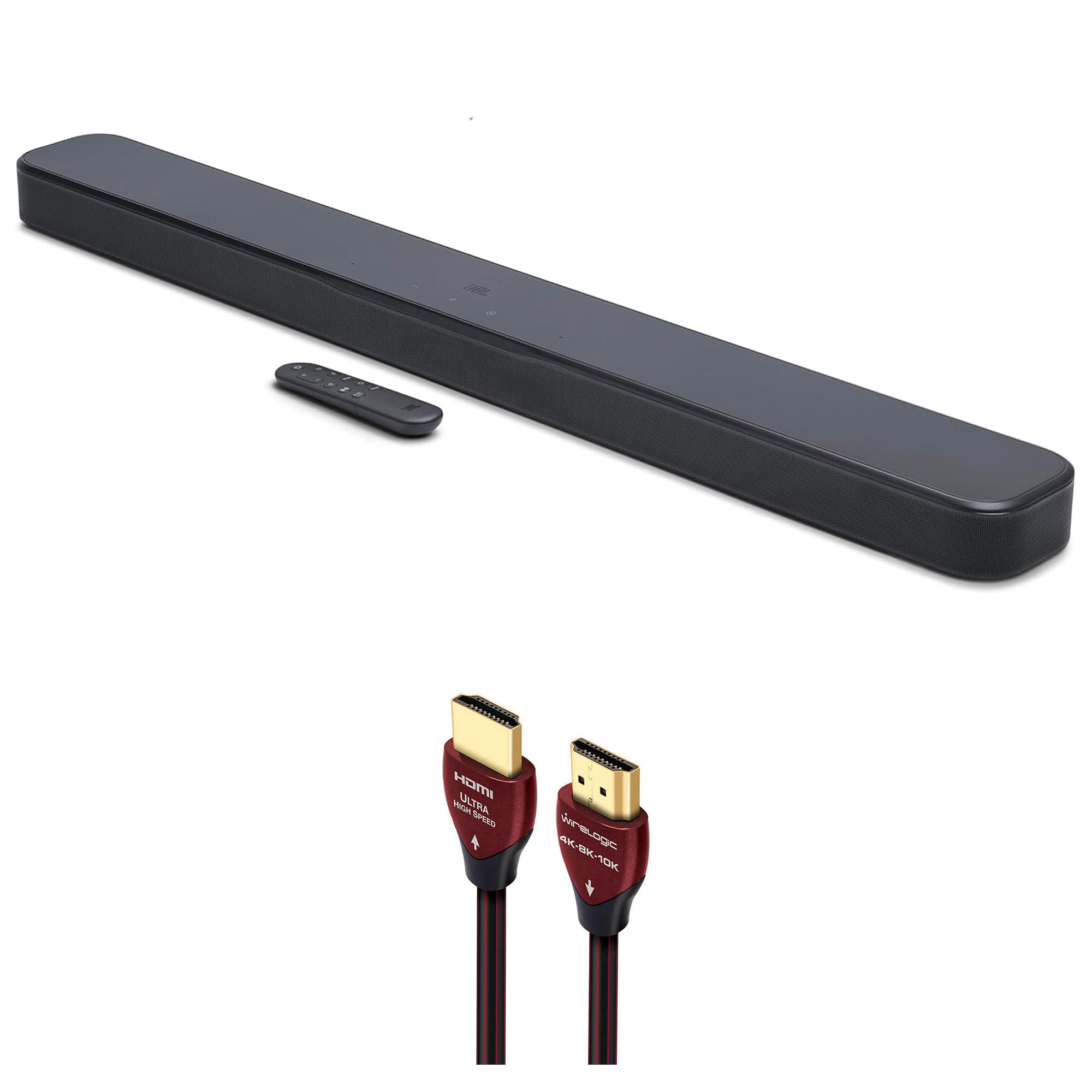
Figure 1: JBL BAR-300-MK2 5.0 All-in-One Dolby Atmos Soundbar with included remote control.
2. อะไรอยู่ในกล่อง
โปรดตรวจสอบว่ามีส่วนประกอบครบถ้วนในบรรจุภัณฑ์หรือไม่:
- JBL BAR-300-MK2 5.0 All-in-One Dolby Atmos Soundbar
- WireLogic Ruby 8ft Ultra High Speed 4K-8K-10K HDMI Cable w/UHD, HDR, VRR & eARC
- รีโมทคอนโทรลพร้อมแบตเตอรี่
- สายไฟ
- Wall-mount bracket kit
- คู่มือเริ่มต้นอย่างรวดเร็ว
- เอกสารความปลอดภัย

Figure 2: Contents of the JBL BAR-300-MK2 package, including the soundbar and WireLogic HDMI cable.
3. สินค้าหมดview
แผงควบคุมด้านบน
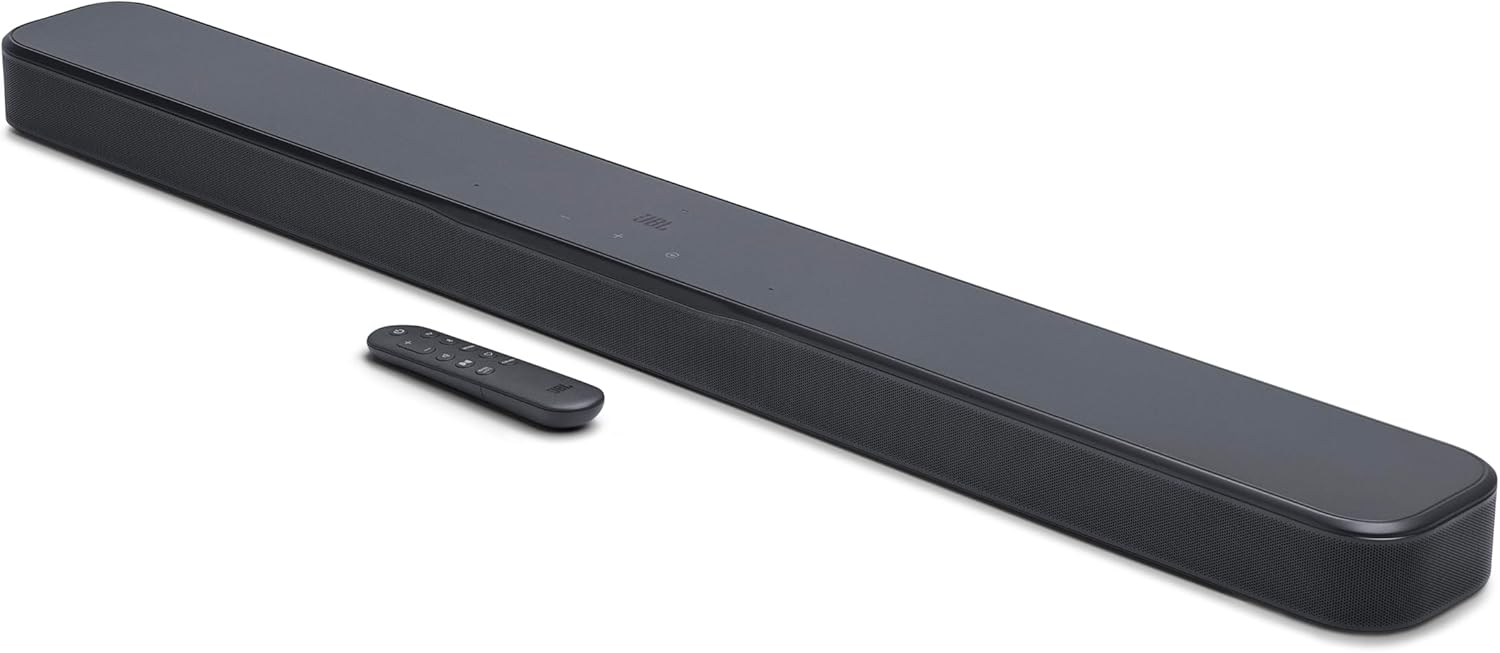
Figure 3: Top panel of the soundbar showing power, volume, and source selection buttons.
- ปุ่มเปิด/ปิด: เปิดหรือปิด Soundbar
- ปุ่มปรับระดับเสียง (+/-): ปรับระดับเสียง
- ปุ่มต้นทาง: Cycles through available audio input sources (TV, HDMI, Bluetooth).
การเชื่อมต่อแผงด้านหลัง

รูปที่ 4: การเชื่อมต่อแผงด้านหลังของซาวด์บาร์
- พลัง: เชื่อมต่อกับแหล่งจ่ายไฟ AC
- ออปติคัล: Digital audio input for connecting to a TV or other device.
- USB (SERVICE ONLY): For service and software updates.
- HDMI ใน: HDMI input for connecting external devices like a Blu-ray player or game console.
- HDMI OUT (TV ARC/TV eARC): HDMI output for connecting to your TV's HDMI ARC/eARC port.
รีโมทคอนโทรล

Figure 5: The included remote control for the soundbar.
The remote control provides full functionality for the soundbar, including power, volume, source selection, bass adjustment, and sound calibration.
4. การตั้งค่า
การจัดวาง
Place the soundbar on a stable, flat surface directly in front of your TV. Ensure there are no obstructions in front of the soundbar to allow for optimal sound dispersion. For wall mounting, use the included wall-mount bracket kit and follow the separate instructions provided with the kit.
การเชื่อมต่อ
- เชื่อมต่อพลังงาน: Plug the power cable into the POWER port on the soundbar's rear panel, then plug the other end into an AC power outlet.
- Connect to TV (HDMI eARC Recommended): Use the provided WireLogic Ruby 8ft Ultra High Speed HDMI Cable to connect the HDMI OUT (TV ARC/TV eARC) port on the soundbar to the HDMI ARC/eARC port on your TV. This connection supports the highest quality audio formats, including Dolby Atmos.
- Connect to TV (Optical - Alternative): If your TV does not have an HDMI ARC/eARC port, connect an optical cable (not included) from the OPTICAL port on the soundbar to the optical output on your TV.
- Connect External Devices (HDMI IN): For devices like Blu-ray players or game consoles, connect an HDMI cable (not included) from the device's HDMI output to the HDMI IN port on the soundbar.

Figure 6: The WireLogic Ruby HDMI cable for high-quality audio and video transmission.
การตั้งค่าไร้สาย
- การจับคู่บลูทู ธ : Press the Bluetooth button on the remote or soundbar. The soundbar will enter pairing mode. Select "JBL BAR-300-MK2" from your device's Bluetooth settings to connect.
- Wi-Fi Connection (JBL One App): Download the JBL One App from your app store. Follow the in-app instructions to connect your soundbar to your home Wi-Fi network. This enables features like AirPlay, Chromecast built-in, and multi-room audio.

Figure 7: The JBL One App provides comprehensive control over your soundbar.
5. คู่มือการใช้งาน
เปิด/ปิดเครื่อง
Press the Power button on the soundbar's top panel or the remote control to turn the soundbar on or off. The soundbar will automatically turn on when your TV is powered on if connected via HDMI eARC.
การเลือกแหล่งที่มา
Press the Source button on the soundbar or the corresponding source button (TV, HDMI, Bluetooth) on the remote control to switch between audio input sources.
การควบคุมระดับเสียง
Adjust the volume using the Volume +/- buttons on the soundbar's top panel or the remote control.
โหมดเสียงและคุณสมบัติ
- ระบบเสียง Dolby Atmos: Experience three-dimensional audio that moves around you, providing an immersive cinematic sound.
- MultiBeam 3.0: JBL's exclusive technology projects sound to every corner of your room, creating a wide soundstage โดยไม่ต้องมีลำโพงเพิ่มเติม
- PureVoice 2.0: Enhances dialogue clarity, ensuring you hear every word clearly, even during intense action scenes.
- การปรับเสียงเบส: Use the 'BASS' button on the remote to cycle through different bass levels (Low, Mid, High) to suit your preference.
การปรับเทียบเสียง
For the best audio performance tailored to your room, perform sound calibration. Press the 'CALIBR' button on the remote control and follow the on-screen or app instructions. The soundbar will analyze your room's acoustics and optimize its sound output.
6. การบำรุงรักษา
To keep your JBL BAR-300-MK2 soundbar in optimal condition:
- ทำความสะอาดพื้นผิวด้วยผ้านุ่มแห้ง
- ห้ามใช้น้ำยาทำความสะอาดชนิดน้ำหรือสเปรย์ฉีดพ่น
- Avoid exposing the soundbar to excessive moisture or direct sunlight.
7 การแก้ไขปัญหา
If you encounter any issues with your soundbar, refer to the following common solutions:
- ไม่มีไฟฟ้า: Ensure the power cable is securely connected to both the soundbar and the power outlet.
- ไม่มีเสียง: Check that the correct input source is selected. Verify that the volume is not muted or set too low on both the soundbar and your TV. Ensure all audio cables are securely connected.
- คุณภาพเสียงไม่ดี: Perform sound calibration. Check the audio settings on your TV and connected devices. Ensure the soundbar is placed optimally without obstructions.
- ปัญหาการเชื่อมต่อบลูทูธ: Ensure the soundbar is in Bluetooth pairing mode. Move your Bluetooth device closer to the soundbar. Try unpairing and re-pairing the device.
8. ข้อมูลจำเพาะ
| คุณสมบัติ | ข้อมูลจำเพาะ |
|---|---|
| ชื่อรุ่น | JBLBAR300M2BLKAM |
| ประเภทลำโพง | ซาวด์บาร์ |
| การกำหนดค่าช่องเสียงรอบทิศทาง | ช่อง 5.0 |
| คุณสมบัติพิเศษ | MultiBeam 3.0, Dolby Atmos, PureVoice 2.0, SmartDetails, Easy Sound Calibration, JBL One App, HDMI eARC with 4K Dolby Vision passthrough |
| แหล่งจ่ายไฟ | แรงดันไฟฟ้า 100-240 โวลต์ 50/60 เฮิรตซ์ |
| Soundbar Transducer | 5x (42x80)mm racetrack drivers, 4x 0.75” tweeters |
| อินพุตวิดีโอ HDMI | 1 |
| เอาท์พุตวิดีโอ HDMI | 1 (TV ARC/eARC) |
| เวอร์ชัน HDMI HDCP | 2.3 |
| HDR Pass Through | HDR10+, Dolby Vision |
| การตอบสนองความถี่ | 50Hz - 20kHz (-6dB) |
| อินพุตเสียง | Optical, Bluetooth, USB |
| เวอร์ชันบลูทูธ | v5.3 |
| เทคโนโลยีการสื่อสารไร้สาย | บลูทู ธ Wi-Fi |
| ขนาดผลิตภัณฑ์ (กว้าง x สูง x ลึก) | 37" x 2" x 4.1" |
| น้ำหนักสินค้า | 6.5 ปอนด์ |
| วิธีการควบคุม | ระยะไกล |
9. วิดีโอผลิตภัณฑ์อย่างเป็นทางการ
วิดีโอ 1: สรุปสั้นๆview of the JBL BAR-300-MK2 soundbar, highlighting its features and connectivity options.
10. การรับประกันและการสนับสนุน
Your JBL BAR-300-MK2 soundbar comes with a limited warranty. For detailed warranty information, product support, or to download the full user manual, please visit the official JBL webเยี่ยมชมเว็บไซต์หรือติดต่อฝ่ายบริการลูกค้า เก็บหลักฐานการซื้อไว้เพื่อใช้ในการเคลมประกัน


