1. บทนำ
This manual provides detailed instructions for the setup, operation, and maintenance of your FEELWORLD FW759 PRO 7 Inch HD Touchscreen Camera DSLR Field Monitor. Please read this manual thoroughly before using the product to ensure proper functionality and to prevent damage.
The FEELWORLD FW759 PRO is a compact and versatile 7-inch field monitor designed for videographers and content creators. It features a 1280x800 HD touchscreen display, 400nit brightness, 4K HDMI input/output, and a suite of advanced monitoring functions to enhance your shooting experience.
2. เนื้อหาบรรจุภัณฑ์
ตรวจสอบว่าสินค้าทั้งหมดที่ระบุไว้ด้านล่างนี้รวมอยู่ในบรรจุภัณฑ์ของคุณแล้ว หากมีสินค้าใดสูญหายหรือเสียหาย โปรดติดต่อผู้ค้าปลีกของคุณ
- 1x FEELWORLD FW759 PRO Camera Monitor
- 1x F550 Battery
- 1x ม่านบังแดด
- 1x กระเป๋า
- สาย HDMI 1x
- สาย Micro HDMI 1 เส้น
- 1x Mini Hot Shoe Mount
- 1x อะแดปเตอร์ USB-A เป็น USB-C
- 1x Cable Management Tie
- 1x Quick Start Guide (Manual)


3. คุณสมบัติของผลิตภัณฑ์
- 7-inch HD Touchscreen Display: 1280x800 resolution with 400nit brightness and 800:1 contrast ratio for clear monitoring.
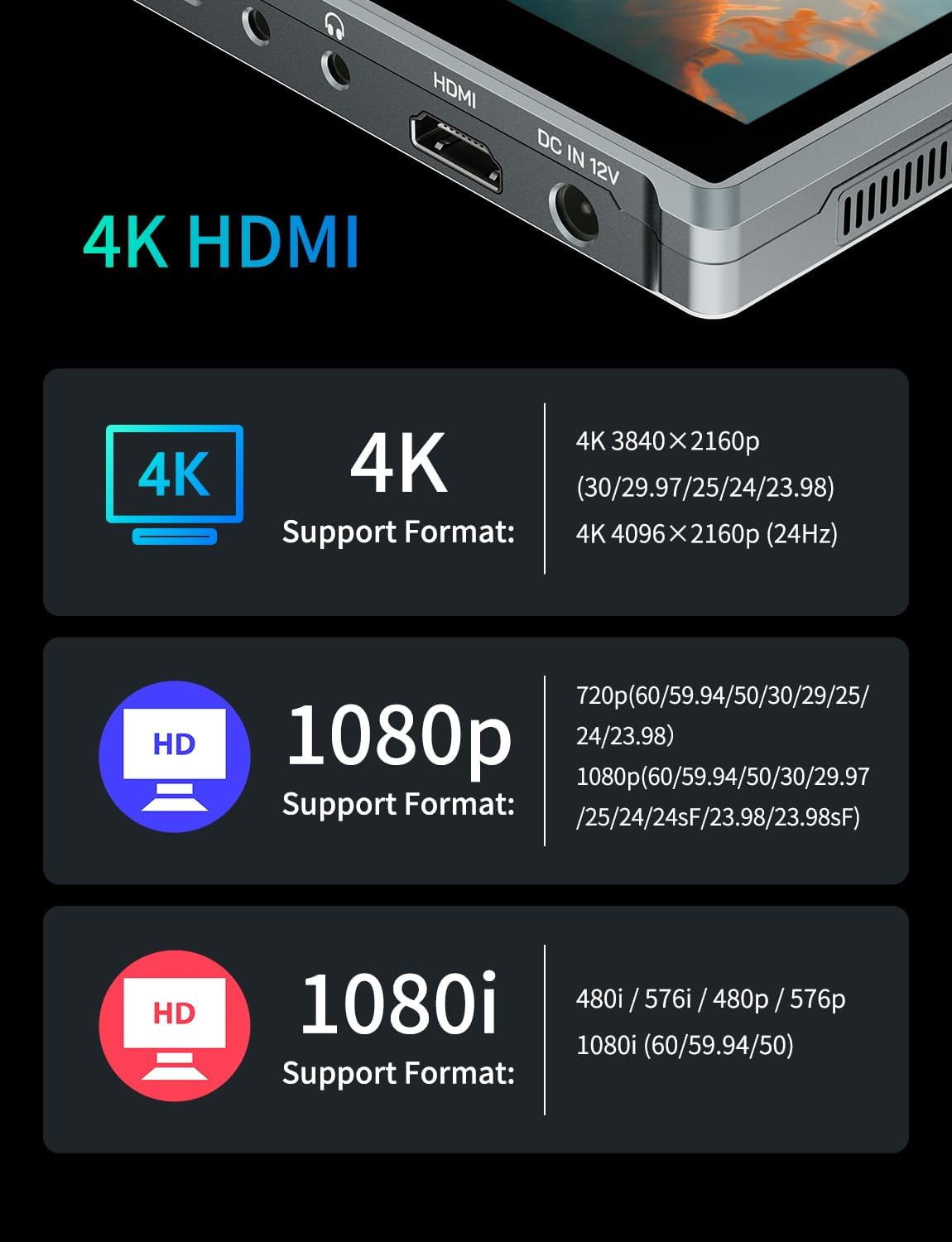
- อินพุต/เอาต์พุต HDMI 4K: Supports 4K UHD 3840x2160p (30/29.97/25/24/23.98Hz) and 4096x2160p (24Hz).
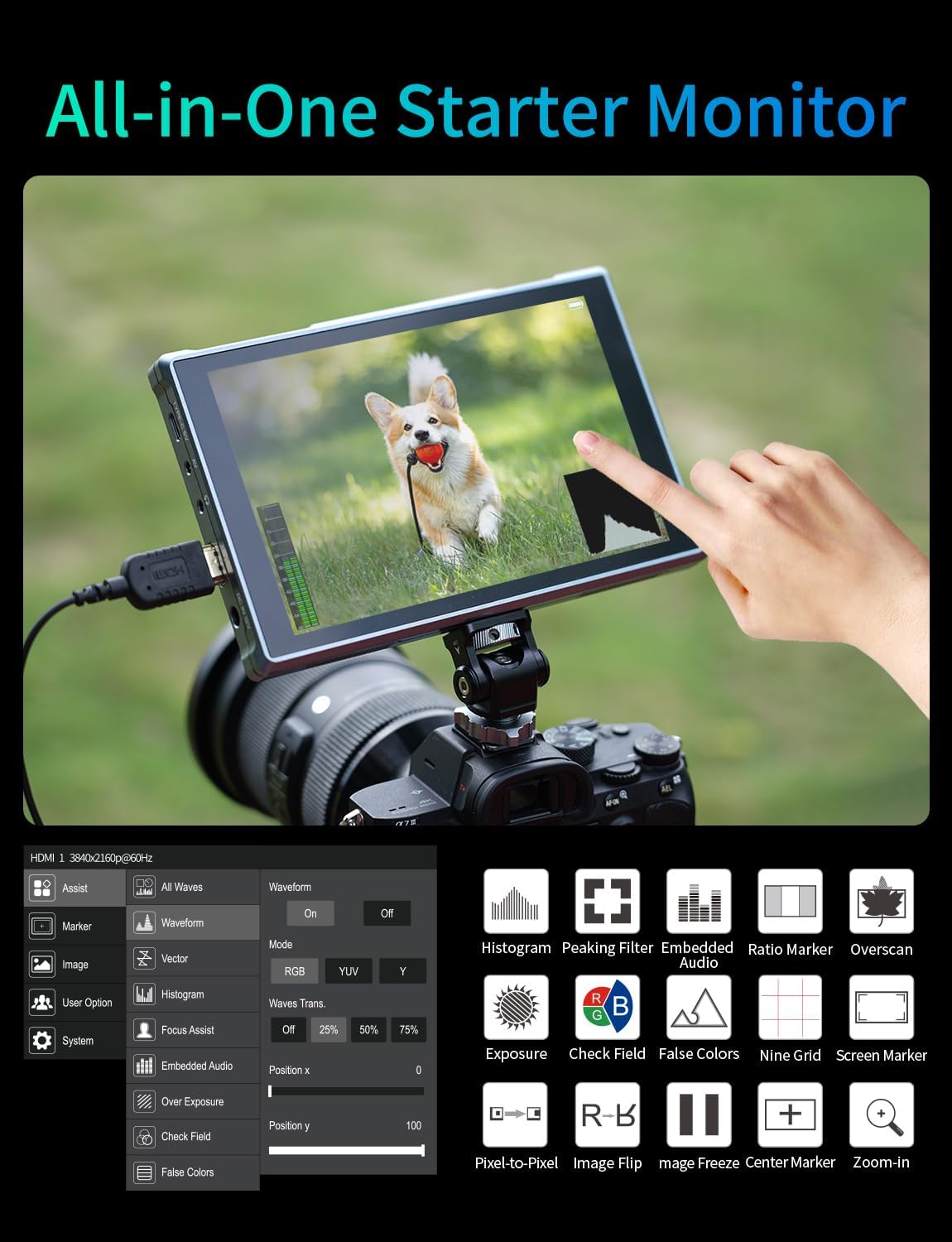
- Advanced Monitoring Functions: Includes peaking focus assist, false color, histogram, waveform, image freeze, image flip, global scaling, left/right scaling, and zoom.
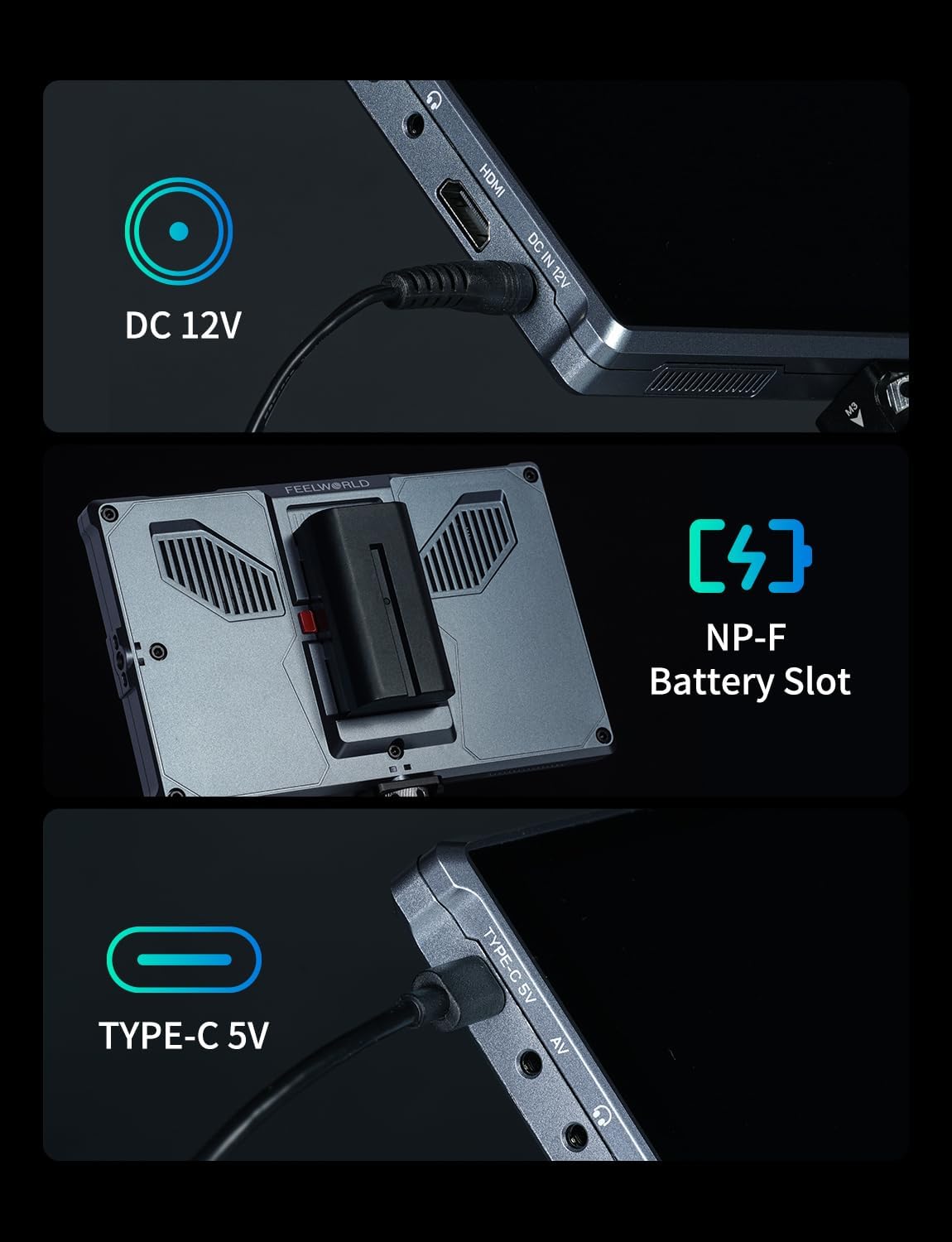
- ตัวเลือกพลังงานที่หลากหลาย: Supports DC 12V, Type-C 5V, and NP-F series batteries.
- การออกแบบบางและน้ำหนักเบา: Weighs approximately 300g and is 22mm thin for portability.
- Customizable Function Buttons: Three programmable function buttons (F1, F2, F3) for quick access to frequently used features.
- กว้างพิเศษ 178° View มุม: Ensures consistent image quality from various viewตำแหน่งการจัดงาน


4. การตั้งค่า
4.1 Attaching the Monitor to Your Camera
- Attach the Mini Hot Shoe Mount to your camera's hot shoe or a compatible rig.
- Secure the FW759 PRO monitor to the Mini Hot Shoe Mount using the 1/4-inch screw thread at the bottom or side of the monitor. Ensure it is tightened securely.
4.2 การเชื่อมต่อกับกล้อง
- Connect one end of the provided HDMI Cable or Micro HDMI Cable to the HDMI output port on your camera.
- Connect the other end of the cable to the HDMI input port on the FW759 PRO monitor.
4.3 การติดตั้งที่บังแดด
- ประกอบโครงบังแดด
- Slide the sunshade frame onto the monitor, ensuring it clips securely into place.
- Attach the fabric sunshade cover to the frame using the hook-and-loop fasteners.
5. ตัวเลือกพลังงาน
The FW759 PRO monitor offers flexible power solutions to suit various shooting environments.
- ช่องเสียบแบตเตอรี่ NP-F: Insert a compatible NP-F series battery (e.g., F550, F750, F970) into the battery slot on the back of the monitor. The included F550 battery provides approximately 1.81 hours of runtime.
- อินพุต DC 12V: Connect an external DC 12V power adapter (not included) to the "DC IN 12V" port.
- Type-C 5V Input: For convenient power, connect a Type-C 5V power source (e.g., power bank, USB charger) to the "TYPE-C 5V" port.


6. คู่มือการใช้งาน
6.1 การเปิด/ปิดเครื่อง
กดปุ่มค้างไว้ พลัง button located on the top right side of the monitor to turn it on or off.
6.2 การนำทางแบบหน้าจอสัมผัส
The FW759 PRO features an intuitive touchscreen interface. Tap on screen elements to select options, swipe to navigate menus, and use pinch-to-zoom gestures for image inspection.
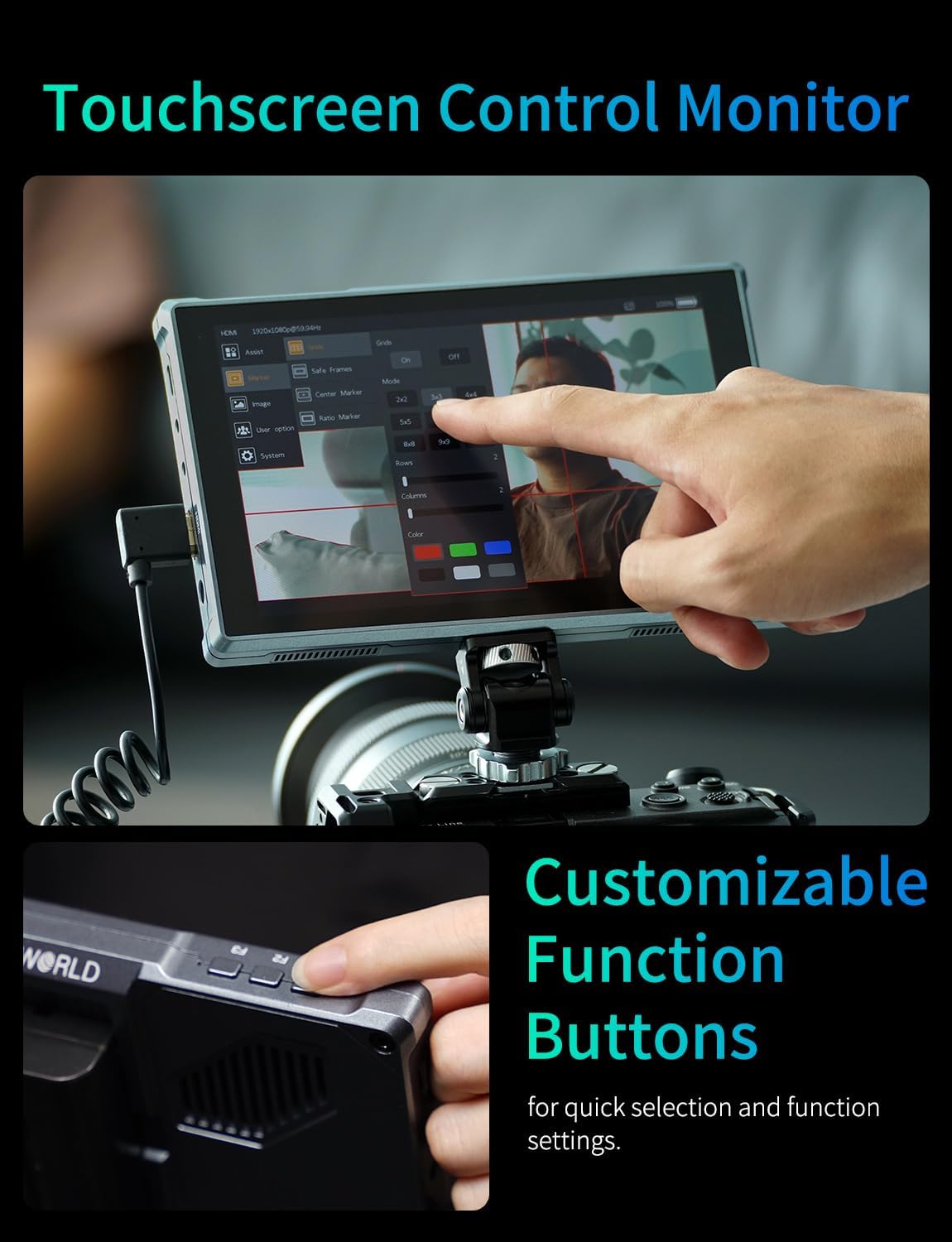

6.3 Using Function Buttons (F1, F2, F3)
The three customizable function buttons (F1, F2, F3) on the top of the monitor can be assigned to frequently used features such as peaking, false color, or zoom. To customize these buttons, navigate to the "System" menu and select "Function Key Settings".

7. Advanced Monitoring Functions
The FW759 PRO includes several professional assist functions to help you achieve optimal image quality.
- ระบบช่วยเพิ่มสมาธิสูงสุด: Highlights sharp edges in the image, making it easier to achieve precise focus.
- สีเท็จ: Displays exposure levels using a spectrum of colors, helping to identify overexposed or underexposed areas.
- ฮิสโตแกรม: A graphical representation of the tonal distribution in your image, showing the number of pixels at each brightness level.
- รูปแบบของคลื่น: ให้รายละเอียด view of the luminance and chrominance levels across the image, useful for exposure and color grading.
- ตรึงภาพ: Pauses the live video feed to analyze a specific frame.
- พลิกภาพ: Flips the image horizontally or vertically, useful when mounting the monitor in different orientations.
- ซูม: Magnifies a portion of the image for critical focus and detail inspection.
8. การบำรุงรักษา
- การทำความสะอาด: Use a soft, dry cloth to clean the monitor's exterior. For the screen, use a microfiber cloth specifically designed for electronics displays. Do not use liquid cleaners or abrasive materials.
- พื้นที่จัดเก็บ: When not in use, store the monitor in the provided bag to protect it from dust and scratches. Avoid extreme temperatures and humidity.
- การดูแลแบตเตอรี่ If using NP-F batteries, ensure they are charged regularly and stored in a cool, dry place. Remove batteries if the monitor will not be used for an extended period.
9 การแก้ไขปัญหา
| ปัญหา | สาเหตุที่เป็นไปได้ | สารละลาย |
|---|---|---|
| จอภาพไม่เปิดขึ้นมา | Low or depleted battery; power cable not connected; faulty power source. | Charge or replace the battery; ensure power cable is securely connected; try a different power source. |
| No video signal. | HDMI cable not connected properly; incorrect input selected; camera output issue. | Check HDMI cable connections; ensure the correct input source is selected on the monitor; verify camera's HDMI output settings. |
| ภาพบิดเบี้ยวหรือกระพริบ | Faulty HDMI cable; resolution incompatibility; interference. | Try a different HDMI cable; ensure camera output resolution is supported by the monitor; move away from sources of electromagnetic interference. |
| หน้าจอสัมผัสไม่ตอบสนอง | ความผิดพลาดของซอฟต์แวร์ชั่วคราว; รบกวนการทำงานของฟิล์มกันรอยหน้าจอ | Restart the monitor; ensure screen protector is properly applied or remove it to test. |
10. ข้อมูลจำเพาะ
| คุณสมบัติ | รายละเอียด |
|---|---|
| ขนาดจอแสดงผล | 7 นิ้ว |
| ปณิธาน | ขนาด 1280x800 |
| ความสว่าง | 400 นิต |
| อัตราส่วนคอนทราสต์ | 800:1 น. |
| Viewอิงแองเกิล | 178° (IPS) |
| อินพุต/เอาต์พุต HDMI | 4K UHD 3840x2160p (30/29.97/25/24/23.98Hz), 4096x2160p (24Hz) |
| กำลังไฟเข้า | DC 12V, Type-C 5V, NP-F Battery Slot |
| ขนาดสินค้า | 7.17 x 0.87 x 4.53 นิ้ว |
| น้ำหนักสินค้า | 300กรัม (0.66 ปอนด์) |
| วัสดุของเปลือกหอย | พลาสติก (พีซี+เอบีเอส) |

11. การรับประกันและการสนับสนุน
FEELWORLD products are designed and manufactured to the highest quality standards. For warranty information and technical support, please refer to the warranty card included in your package or visit the official FEELWORLD website. If you encounter any issues not covered in this manual, please contact FEELWORLD customer service for assistance.
FEELWORLD Official Store-US: เยี่ยมชมร้านค้า


