1. บทนำ
This manual provides essential information for the safe and efficient operation of your Zebronics PixaPlay 75 Smart LED Projector. Please read this manual thoroughly before using the product and retain it for future reference.
The Zebronics PixaPlay 75 is a versatile smart LED projector designed for home cinema use, offering 4K support, 4600 lumens brightness, and a large projection size of up to 200 inches. It features Android 13, auto focus, auto keystone adaptation, and various connectivity options for a seamless entertainment experience.
2. อะไรอยู่ในกล่อง
เมื่อแกะกล่องแล้วโปรดตรวจสอบให้แน่ใจว่ามีสิ่งของต่อไปนี้ครบถ้วน:
- Projector - 1 Unit
- รีโมทคอนโทรล
- สายไฟ
- สาย HDMI
- Cotton Swab Pack - 1 Unit (for cleaning)
- คู่มือการใช้คิวอาร์โค้ด - 1 ชุด
3. สินค้าหมดview
The PixaPlay 75 projector combines advanced features for an immersive viewการสร้างประสบการณ์

รูปที่ 3.1 : ด้านหน้า view of the Zebronics PixaPlay 75 projector, showing the lens and main body.

รูปที่ 3.2: ย้อนกลับ view of the Zebronics PixaPlay 75 projector, highlighting ventilation and rear design.

Figure 3.3: Remote control and connectivity ports including BT v5.0, HDMI, AUX OUT, and USB.

Figure 3.4: Integrated carry loop for easy portability of the projector.
คุณสมบัติหลัก:
- ระบบปฏิบัติการ Android 13: Access to various OTT applications like Netflix, Prime Video, and Hotstar.
- 4K Support & 4600 Lumens: Delivers clear, detailed content with impressive brightness.
- 200" Screen Size: Projects a large display up to 508 cm for an immersive home theater experience.
- 90° Tilt & Telescopic Height Adjustment: Offers flexible positioning and projection angles.
- Auto Focus & Keystone: Ensures optimal image alignment without manual adjustments.
- Miracast & iOS Screen Casting: Seamlessly mirror content from your mobile devices.
- Dual Band WiFi & Bluetooth v5.0: Stable wireless connectivity for streaming and audio.
- Quad-Core Processor: Smooth operation and quick processing of media.
- 50,000-hour LED Lamp ชีวิต: ประสิทธิภาพที่ยาวนาน
- ลำโพงในตัว: ระบบเสียงแบบครบวงจร
- ติดผนัง: Option for fixed installation.
4. การตั้งค่า
4.1 การจัดวาง
Position the projector on a stable, flat surface or mount it on a wall. Ensure there are no obstructions in front of the lens.
- ระยะฉายภาพ: The projector supports a minimum throw distance of 1.5 meters and a maximum of 5 meters.
- ขนาดหน้าจอ: Achieve screen sizes from 127 cm (50 inches) up to 508 cm (200 inches) depending on the projection distance.

Figure 4.1: Illustration of flexible screen sizes (50", 85", 200") at various projection distances (1.5m, 2.5m, 5m).

Figure 4.2: Demonstrates the telescopic height adjustment and 90° tilt mechanism for flexible positioning.

Figure 4.3: The projector can be wall-mounted for a permanent setup.
4.2 การเชื่อมต่อสายไฟ
Connect the provided power cord to the projector's power input and then to a suitable electrical outlet (100 Volts).
4.3 การปรับแต่งภาพเบื้องต้น
The PixaPlay 75 features automatic image correction:
- โฟกัสอัตโนมัติ: โปรเจ็กเตอร์จะปรับความคมชัดของภาพโดยอัตโนมัติ
- Auto Keystone Adaptation: The projector will automatically correct trapezoidal distortion to ensure a rectangular image.
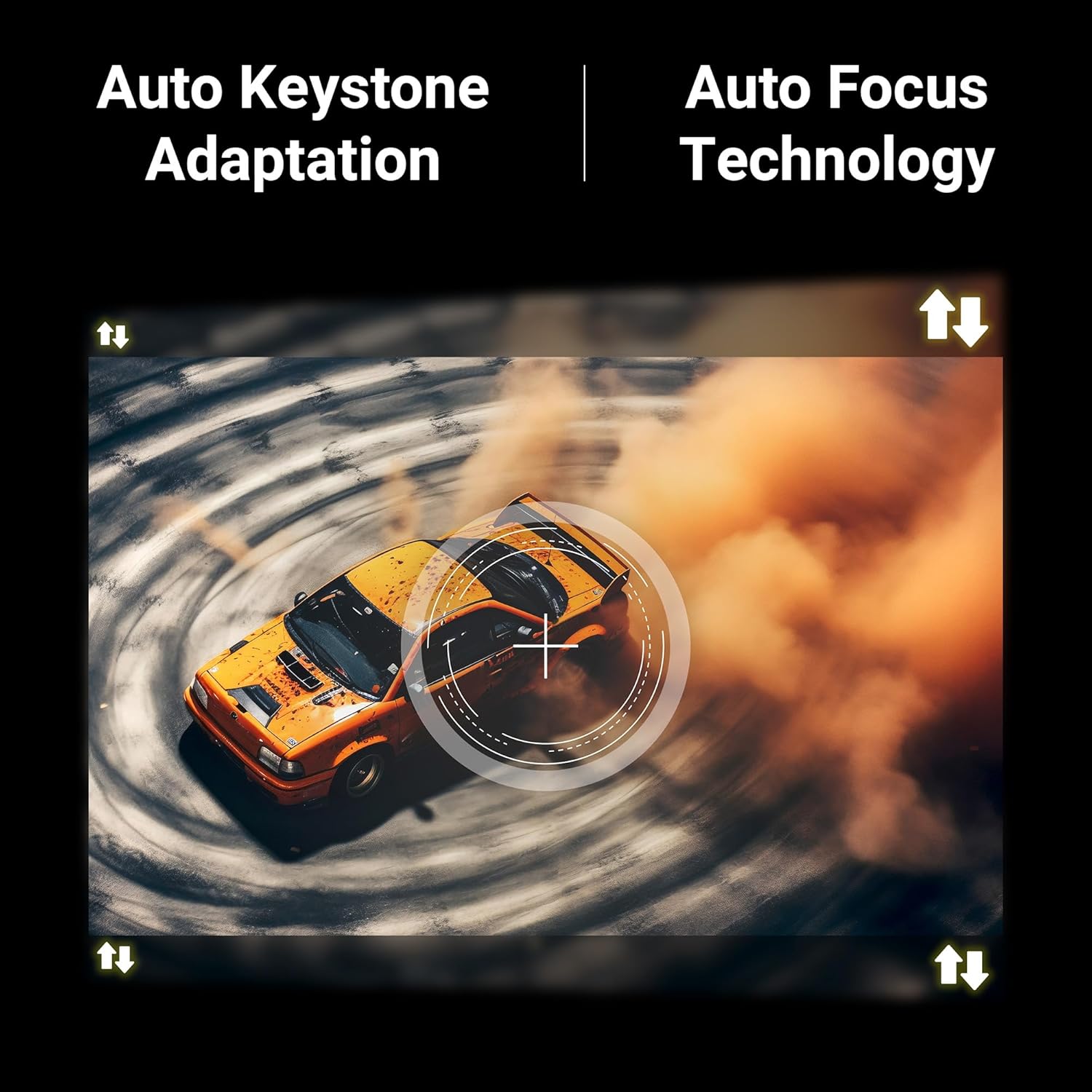
Figure 4.4: Visual representation of Auto Keystone Adaptation and Auto Focus Technology.
5. คู่มือการใช้งาน
5.1 การควบคุมขั้นพื้นฐาน
ใช้รีโมทคอนโทรลที่ให้มาเพื่อควบคุมการทำงานของโปรเจคเตอร์ รีโมทนี้ช่วยให้คุณสามารถเปิด/ปิดเครื่อง ปรับระดับเสียง เลือกแหล่งสัญญาณ และเข้าถึงฟีเจอร์อัจฉริยะต่างๆ ได้
5.2 การเชื่อมต่อ
โปรเจ็กเตอร์นี้มีหลายวิธีในการเชื่อมต่ออุปกรณ์ของคุณ:
- ช่องต่อ HDMI: Connect Blu-ray players, gaming consoles, laptops, or other HDMI-enabled devices using the HDMI cable.
- ยูเอสบี: เสียบอุปกรณ์ USB เพื่อเล่นสื่อ fileโดยตรงเลย
- AUX ออก: เชื่อมต่อระบบเสียงภายนอกหรือหูฟัง
- บลูทูธ v5.0: เชื่อมต่อกับลำโพงบลูทูธหรือหูฟังแบบไร้สายเพื่อการใช้งานเสียงแบบไร้สาย
- WiFi สองย่านความถี่ (2.4GHz และ 5GHz): เชื่อมต่อกับเครือข่ายภายในบ้านของคุณเพื่อเข้าถึงอินเทอร์เน็ตและรับชมสตรีมมิ่ง
5.3 Smart Features (Android 13)
With Android 13 built-in, you can directly access and stream content from pre-installed OTT applications such as Netflix, Prime Video, and Hotstar. Ensure the projector is connected to a stable Wi-Fi network for optimal performance.
5.4 Screen Casting (Miracast & iOS)
Mirror the screen of your compatible Android or iOS smartphone/tablet directly to the projector:
- ตรวจสอบให้แน่ใจว่าทั้งอุปกรณ์ของคุณและโปรเจ็กเตอร์เชื่อมต่ออยู่กับเครือข่าย Wi-Fi เดียวกัน
- On the projector, select the Miracast/Screen Casting option.
- On your mobile device, activate the screen mirroring feature (e.g., Smart View, Cast, Screen Mirroring for Android; Screen Mirroring for iOS).
- Select the PixaPlay 75 from the list of available devices.
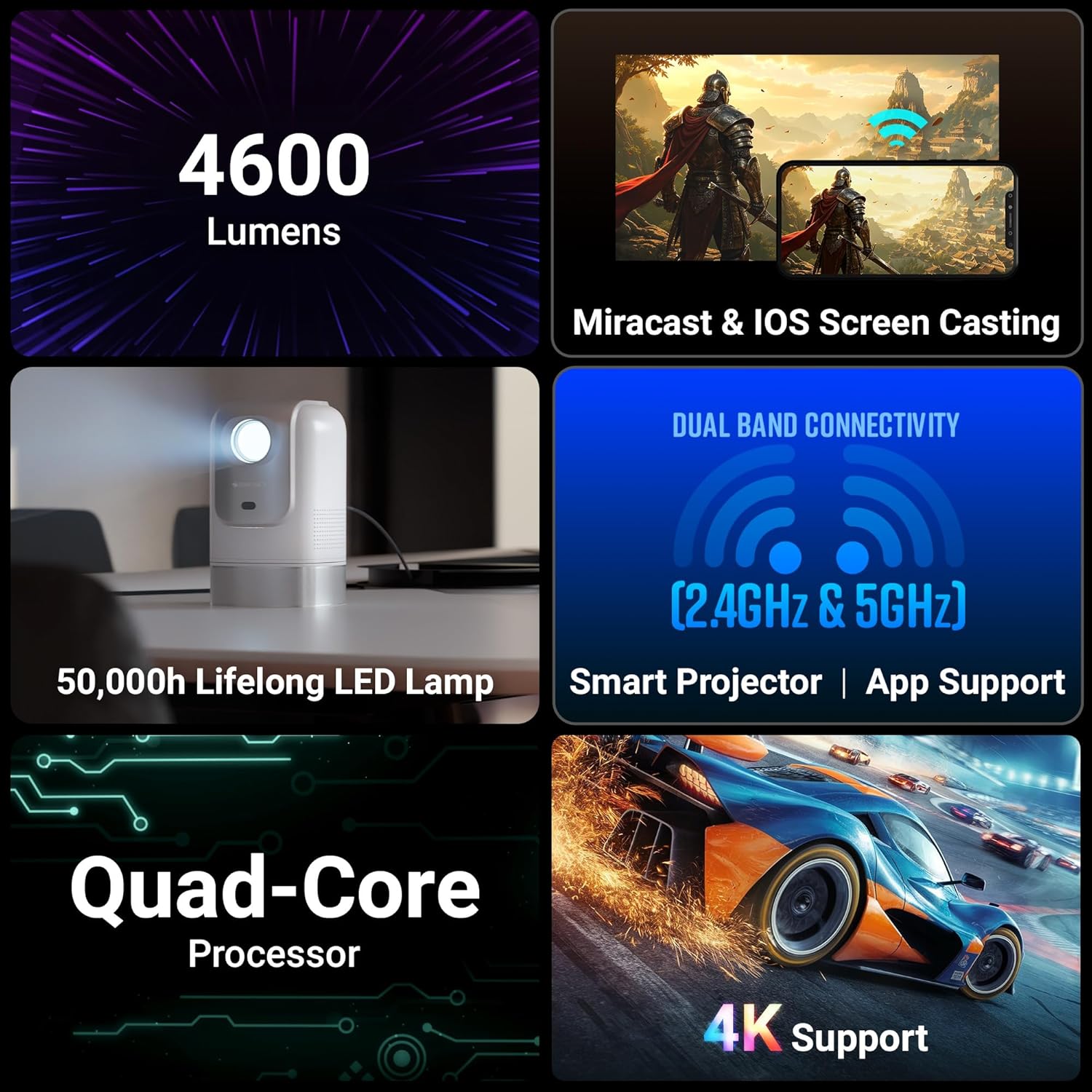
Figure 5.1: Illustrates Miracast and iOS Screen Casting functionality, showing a phone screen mirrored to the projector.
6. การบำรุงรักษา
6.1 การทำความสะอาด
การทำความสะอาดอย่างสม่ำเสมอช่วยรักษาประสิทธิภาพและคุณภาพของภาพให้อยู่ในระดับที่ดีที่สุด
- เลนส์: Use the provided cotton swab pack or a soft, lint-free cloth specifically designed for optical lenses. Gently wipe the lens to remove dust or smudges. Do not use abrasive cleaners.
- ภายนอก: เช็ดภายนอกเครื่องโปรเจคเตอร์ด้วยผ้านุ่มและแห้ง หลีกเลี่ยงการใช้น้ำยาทำความสะอาดโดยตรงกับอุปกรณ์
6.2 ลิตรamp ชีวิต
ไฟ LED ลamp in your PixaPlay 75 projector has an estimated operating life of 50,000 hours. This ensures long-term usage without frequent lamp การทดแทน
7 การแก้ไขปัญหา
หากคุณพบปัญหาเกี่ยวกับโปรเจ็กเตอร์ของคุณ โปรดดูปัญหาทั่วไปและวิธีแก้ไขต่อไปนี้:
| ปัญหา | สาเหตุที่เป็นไปได้ | สารละลาย |
|---|---|---|
| ไม่มีภาพหรือข้อความ "ไม่มีสัญญาณ" | เลือกแหล่งสัญญาณเข้าไม่ถูกต้อง; การเชื่อมต่อสายเคเบิลหลวม; อุปกรณ์ไม่ได้เปิดใช้งาน |
|
| ภาพเบลอหรือไม่ชัด | Auto focus not activated or obstructed; projector moved. |
|
| ภาพบิดเบี้ยว (รูปทรงสี่เหลี่ยมคางหมู) | Projector not perpendicular to the screen; auto keystone not activated. |
|
| ไม่มีเสียงหรือเสียงเบา | Volume too low; incorrect audio output selected; external audio device issues. |
|
| การสะท้อนหน้าจอไม่ทำงาน | Devices not on same Wi-Fi; feature not activated on device/projector. |
|
8. ข้อมูลจำเพาะ
Below are the detailed technical specifications for the Zebronics PixaPlay 75 Smart LED Projector:
| คุณสมบัติ | รายละเอียด |
|---|---|
| ยี่ห้อ | ม้าลาย |
| ชื่อรุ่น | ZEB-PIXA PLAY |
| การใช้ที่แนะนำ | โฮมซีเนม่า |
| คุณสมบัติพิเศษ | Auto Focus, Auto Keystone Adaptation, Built-In Streaming Features |
| เทคโนโลยีการเชื่อมต่อ | AUX OUT, Bluetooth, HDMI, USB |
| ความละเอียดการแสดงผลดั้งเดิม | 1280 x 720 |
| ความละเอียดอินพุตสูงสุด | รองรับ 4K |
| ประเภทจอภาพ | นำ |
| ฟอร์มแฟกเตอร์ | พกพาได้ |
| ประเภทการติดตั้ง | ติดผนัง |
| ลูเมน | 4600 ลูเมน |
| สี | สีขาว |
| อุปกรณ์ที่รองรับ | Laptops, Smartphones, Tablets, Gaming Consoles, Blu-ray Players, Media Streaming Devices |
| อัตราส่วนคอนทราสต์ | 3000:1 น. |
| ระยะการโยนสูงสุด | 5 เมตร |
| อายุการใช้งานของแหล่งกำเนิดแสง | 50000 ชั่วโมง |
| ขนาดภาพสูงสุด | 508 เซนติเมตร (200 นิ้ว) |
| เล่มที่tage | 100 โวลต์ |
| ระยะการโยนขั้นต่ำ | 1.5 เมตร |
| ขนาดภาพขั้นต่ำ | 127 เซนติเมตร (50 นิ้ว) |
| ขนาดสินค้า กว้าง x ยาว x สูง | กว้าง 11.7 ยาว 12 สูง 19.8 เซนติเมตร |
| น้ำหนักสินค้า | 1220 กรัม |
| ประเทศต้นกำเนิด | จีน |
9. การรับประกันและการสนับสนุน
Your Zebronics PixaPlay 75 Smart LED Projector comes with a standard brand warranty.
- ระยะเวลารับประกัน: 1 Year Carry Into Service Center.
- สำหรับการบริการ: Please contact Zebronics customer support or visit an authorized service center for any warranty claims or technical assistance.
- ข้อมูลเพิ่มเติม: For detailed warranty terms, service center locations, and additional support, please refer to the QR Code Guide included in the box or visit the official Zebronics webเว็บไซต์.


