1. บทนำ
The Hotone EC-2 Pulze Control is a compact MIDI command center designed for musicians. It offers both wireless and wired connectivity options, programmable footswitches, and integration with a dedicated mobile application. This controller facilitates switching channels on compatible amplifiers, toggling effects on processors, or triggering samples in Digital Audio Workstation (DAW) software.
2. คุณสมบัติหลัก
- Wireless MIDI Connectivity: Utilizes Bluetooth MIDI for cable-free control of compatible devices, offering low-latency performance up to 24 feet.
- สวิตช์เท้าแบบตั้งโปรแกรมได้: Features two durable footswitches, each capable of sending up to 16 MIDI messages (32 in A/B groups). Supports Program Change (PC), Control Change (CC), and Note On/Off commands.
- Dedicated Mobile App: The Pulze Control app (iOS/Android) allows for configuration. It includes a "Simple Mode" for quick pairing with Hotone gear and a "Pro Mode" for detailed customization of trigger actions and MIDI mapping.
- Versatile Dual Connectivity: Equipped with a 1/4" TRS jack for MIDI output or external expression pedal/momentary footswitch input. A USB-C port is included for charging and wired MIDI connection to computers.
- การออกแบบที่ทนทานและพกพาได้: Constructed with a lightweight metal chassis (215g) for portability and durability.
- อายุการใช้งานแบตเตอรี่ยาวนาน: Features an internal rechargeable lithium-ion battery providing up to 12 hours of continuous operation.
3. อุปกรณ์โอเวอร์view
Familiarize yourself with the physical components of the EC-2 Pulze Control.
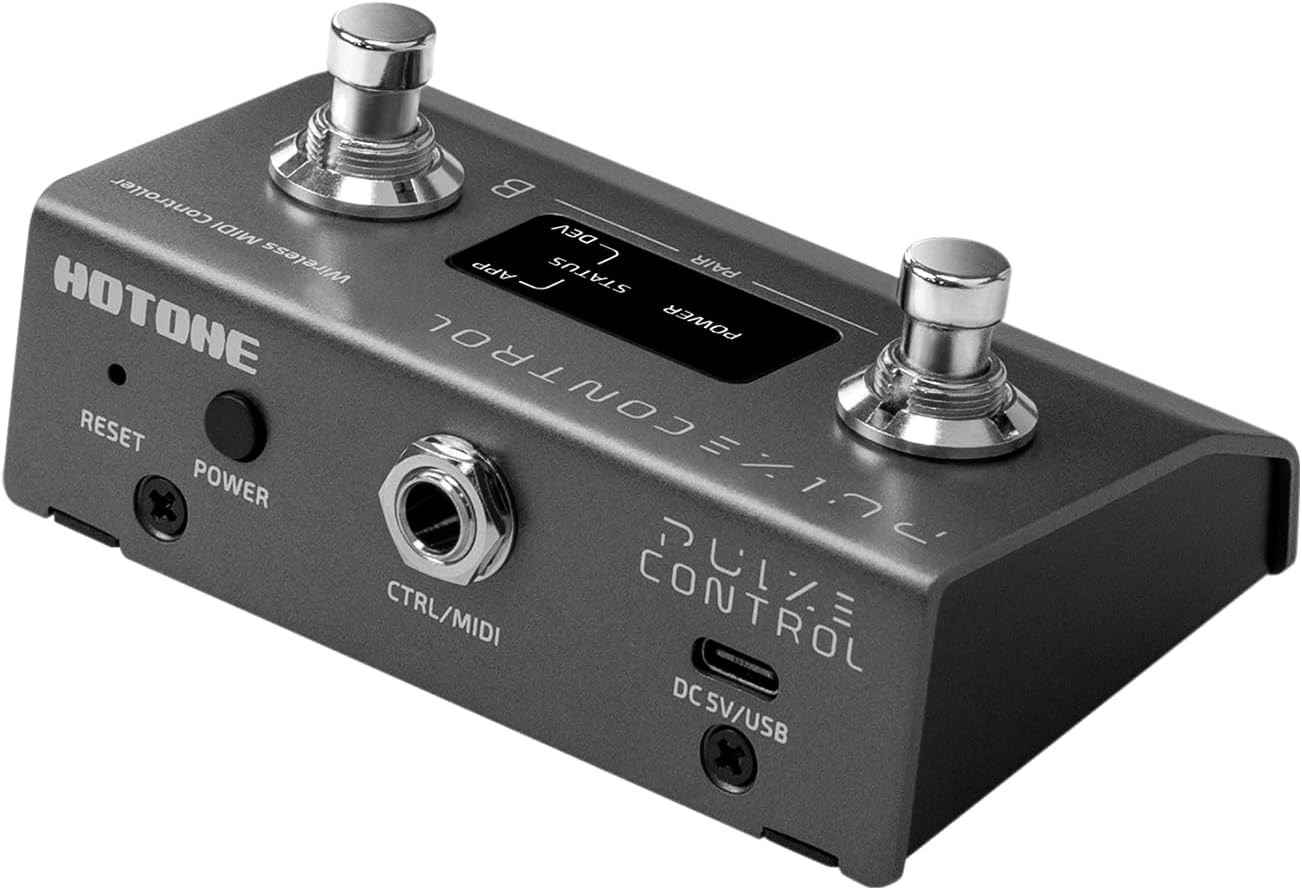
ภาพที่ 3.1: จากบนลงล่าง view of the Hotone EC-2 Pulze Control. This image shows the two footswitches labeled A and B, the central display with POWER, STATUS, APP, and DEV indicators, and the 'HOTONE' branding.

ภาพที่ 3.2: ด้านหน้า view of the Hotone EC-2 Pulze Control. This image highlights the two footswitches and the overall compact design from a straight-on perspective.

ภาพที่ 3.3: หลัง view of the Hotone EC-2 Pulze Control. This image displays the RESET button, POWER button, CTRL/MIDI 1/4" jack, and DC 5V/USB-C port.

ภาพที่ 3.4: Hotone EC-2 Pulze Control shown alongside a smartphone displaying the Pulze Control mobile application interface, demonstrating app integration.
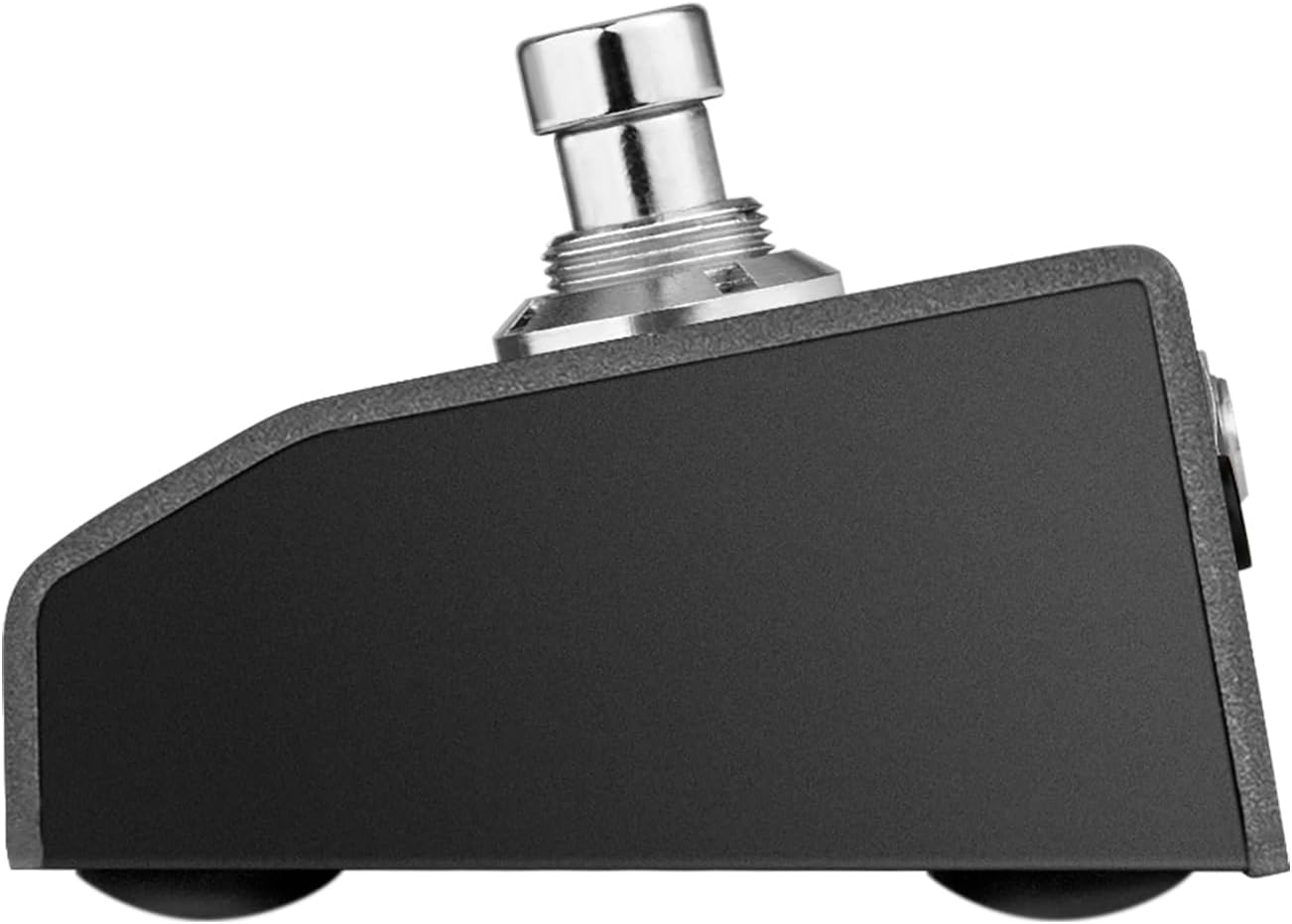
ภาพที่ 3.5: ด้านข้าง view of the Hotone EC-2 Pulze Control, illustrating its low-profile design and the angle of the footswitches.
4. การตั้งค่า
4.1 การเปิด/ปิดเครื่องและการชาร์จ
- เปิดเครื่อง: Press and hold the POWER button located on the rear panel until the display illuminates.
- หมดแรง: กดปุ่ม POWER ค้างไว้จนกว่าจอแสดงผลจะดับลง
- การชาร์จ: Connect a standard USB-C cable to the DC 5V/USB port on the rear panel and plug the other end into a 5V USB power adapter (not included) or a computer. The internal lithium-ion battery provides up to 12 hours of continuous use on a full charge.
4.2 การจับคู่บลูทูธ
- Ensure the EC-2 is powered on.
- Download and install the "Pulze Control" mobile app from your device's app store (iOS/Android).
- Open the Pulze Control app on your mobile device.
- Follow the in-app instructions to search for and connect to the EC-2 Pulze Control via Bluetooth. The 'PAIR' indicator on the EC-2's display will confirm connection status.
4.3 การเชื่อมต่อแบบมีสาย
- USB-C MIDI: Connect the EC-2 to a computer (PC/Mac) using a USB-C cable. This connection provides both power and wired MIDI communication.
- TRS MIDI Output: Use a 1/4" TRS to MIDI cable (not included) to connect the CTRL/MIDI jack to legacy MIDI hardware.
- Expression Pedal/External Footswitch: Connect a standard expression pedal or momentary footswitch to the CTRL/MIDI jack for additional real-time control.
5. คู่มือการใช้งาน
5.1 Basic Footswitch Operation
The EC-2 features two footswitches, A and B. Each footswitch can be programmed to send various MIDI messages based on different actions:
- แตะครั้งเดียว: กดแล้วปล่อยอย่างรวดเร็ว
- แตะสองครั้ง: กดสองครั้งติดต่อกันอย่างรวดเร็ว
- กดแบบยาว: Press and hold for a specified duration.
Programming of these actions is done via the Pulze Control mobile app.
5.2 Using the Pulze Control Mobile App
The mobile app is central to customizing the EC-2's functionality.
- โหมดง่าย: Provides plug-and-play compatibility with Hotone devices like Pulze amplifiers และ Ampเอโร II เอสtage processors. This mode simplifies setup for common functions.
- โหมดโปร: Offers advanced customization. In Pro Mode, you can assign complex MIDI strings, including Program Change (PC), Control Change (CC), and Note On/Off commands, to each footswitch action (tap, double-tap, long-press).
Refer to the in-app help or Hotone's official website for detailed guides on specific MIDI programming within the app.
5.3 Expression Pedal / External Footswitch Control
When an expression pedal or momentary footswitch is connected to the CTRL/MIDI jack, its function can be assigned via the Pulze Control app. This allows for real-time control over parameters such as wah, volume, or other assignable MIDI parameters.
6. การบำรุงรักษา
- การทำความสะอาด: ใช้ผ้าแห้งเนื้อนุ่มเช็ดทำความสะอาดภายนอกตัวเครื่อง หลีกเลี่ยงการใช้สารทำความสะอาดที่มีฤทธิ์กัดกร่อน สารละลาย หรือแว็กซ์
- พื้นที่จัดเก็บ: Store the EC-2 in a dry environment away from extreme temperatures and direct sunlight.
- การดูแลแบตเตอรี่ For optimal battery life, avoid fully discharging the unit frequently. If storing for extended periods, charge the battery to approximately 50% every few months.
7 การแก้ไขปัญหา
- อุปกรณ์ไม่ได้เปิดเครื่อง: Ensure the battery is charged. Connect the EC-2 to a USB power source and attempt to power on.
- ปัญหาการเชื่อมต่อบลูทูธ: Make sure Bluetooth is enabled on your mobile device. Restart both the EC-2 and your mobile device. Ensure no other devices are actively connected to the EC-2 via Bluetooth. Try resetting the EC-2 using the RESET button on the rear panel (use a thin object like a paperclip).
- MIDI Messages Not Being Sent/Received: Verify that the EC-2 is correctly paired (Bluetooth) or connected (USB/TRS MIDI). Check the MIDI settings within the Pulze Control app to ensure messages are correctly assigned and the target device is configured to receive them.
- สวิตช์เท้าไม่ตอบสนอง: Confirm the unit is powered on. If issues persist after checking app settings, perform a factory reset if available (refer to app or Hotone support for instructions).
8. ข้อมูลจำเพาะ
| คุณสมบัติ | ข้อมูลจำเพาะ |
|---|---|
| ชื่อรุ่น | อีซี-2 |
| เทคโนโลยีการเชื่อมต่อ | บลูทูธ, ยูเอสบี |
| ฮาร์ดแวร์อินเตอร์เฟซ | บลูทูธ |
| ประเภทขั้วต่อ | TRS, USB |
| จำนวนสวิตช์เท้า | 2 |
| ประเภทแบตเตอรี่ | ลิเธียมโพลิเมอร์ (รวมอยู่ด้วย) |
| อายุการใช้งานแบตเตอรี่ | นานถึง 12 ชั่วโมง |
| น้ำหนักสินค้า | 8.8 ออนซ์ (ประมาณ 249 กรัม) |
| ขนาดสินค้า | 2.5 x 4.02 x 1.85 นิ้ว (ประมาณ 63.5 x 102 x 47 มม.) |
| อุปกรณ์ที่รองรับ | Hotone Pulze Bluetooth Amplifier, Other Bluetooth/MIDI-controllable gear |
| ซอฟต์แวร์ที่รองรับ | Ableton Live (และ DAW อื่นๆ ที่รองรับ MIDI) |
| แพลตฟอร์มฮาร์ดแวร์ | ไอโอเอส, แอนดรอยด์ |
9. การรับประกันและการสนับสนุน
For warranty information and technical support, please refer to the official Hotone website or contact Hotone customer service directly. Keep your purchase receipt as proof of purchase for warranty claims.
โฮโทน ออร์ลอจี Webเว็บไซต์: www.hotoneaudio.com


