1. บทนำ
The Google Pixel 9a with Gemini is an advanced Android smartphone designed by Google. It integrates the Gemini AI assistant to enhance productivity and creativity. This device features a high-quality camera for exceptional photos, an all-day battery, and a durable design, supported by 7 years of software updates.
2. การเริ่มต้น
2.1. อะไรอยู่ในกล่อง
- โทรศัพท์มือถือ Google Pixel 9a
- สาย USB-C ยาว 1 เมตร (USB 2.0)
- ตัวดันถาดซิม
2.2. อุปกรณ์โอเวอร์view
Familiarize yourself with the physical components of your Pixel 9a smartphone.
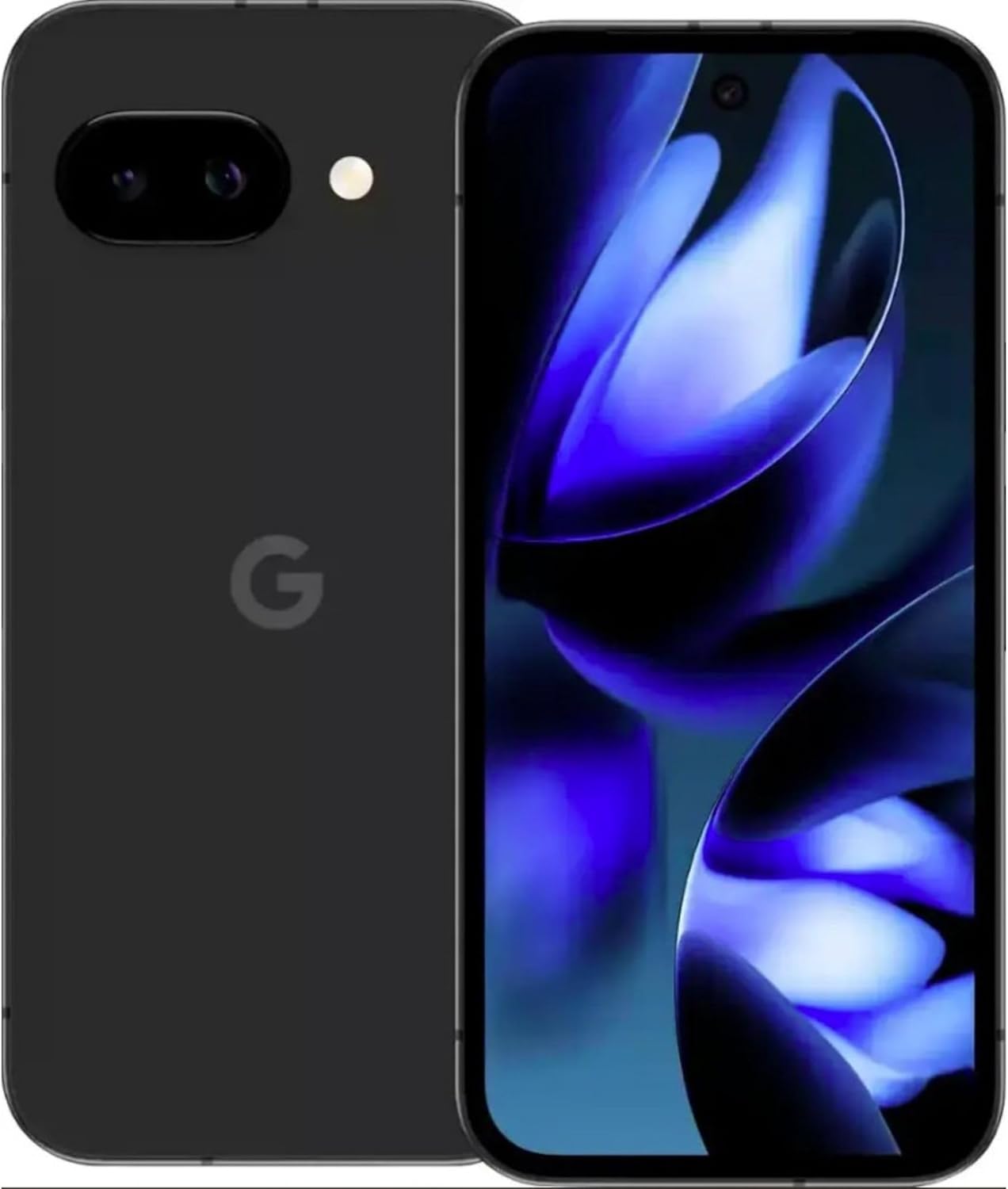
ภาพ: ด้านหน้าและด้านหลัง view of the Google Pixel 9a smartphone, showcasinก. จอแสดงผลและโมดูลกล้องด้านหลัง

ภาพ: ด้านข้าง view of the Google Pixel 9a, highlighting the power and volume buttons, and the SIM card tray.

Image: Clear back view of the Google Pixel 9a, showing the camera bar and Google logo.
2.3. การตั้งค่าเริ่มต้น
- ใส่ซิมการ์ด: Use the provided SIM tray ejector tool to open the SIM tray. Insert your nano-SIM card into the tray and reinsert it into the phone.
- เปิดเครื่อง: Press and hold the power button located on the side of the device until the Google logo appears.
- ปฏิบัติตามคำแนะนำบนหน้าจอ: The phone will guide you through the initial setup process, including connecting to Wi-Fi, signing in with your Google account, and setting up security features.
- ถ่ายโอนข้อมูล: If you are upgrading from another device, follow the prompts to transfer your data, apps, and settings.
3. การใช้งาน Pixel 9a ของคุณ
3.1. การนำทางและอินเทอร์เฟซ
The Pixel 9a runs on Android 15. Navigate using gestures or the traditional three-button navigation bar, configurable in Settings > System > Gestures.
3.2. คุณสมบัติของกล้อง
The Pixel 9a features an advanced camera system. Access the camera app from the home screen or by double-pressing the power button.
- โหมดถ่ายภาพ: Switch between various modes like Portrait, Night Sight, Panorama, and more.
- การแก้ไขภาพด้วย AI: Utilize built-in AI features for enhanced photo editing, including Magic Eraser and Photo Unblur, directly within the Google Photos app.
3.3. ผู้ช่วย AI Gemini
Gemini is integrated into your Pixel 9a to assist with various tasks.
- การเปิดใช้งาน: Activate Gemini by saying "Hey Google" or by long-pressing the power button (if configured).
- ความสามารถ: Use Gemini for quick information retrieval, setting reminders, controlling smart home devices, drafting messages, and more.
3.4. การจัดการแบตเตอรี่
The Pixel 9a is equipped with an all-day battery. To optimize battery life:
- แบตเตอรี่แบบปรับได้: Enable Adaptive Battery in Settings > Battery > Adaptive Battery.
- ตัวประหยัดแบตเตอรี่: Use Battery Saver mode for extended usage when needed.
- การชาร์จแบบไร้สาย: The device supports wireless charging. Place it on a compatible Qi-certified wireless charger.
- ชาร์จเร็ว: Utilize a compatible fast charger for quicker power replenishment.
3.5. คุณสมบัติด้านความปลอดภัย
Your Pixel 9a includes robust security measures.
- ปลดล็อคลายนิ้วมือ: Set up your fingerprint for secure and quick unlocking.
- ปลดล็อคด้วยใบหน้า: Configure face unlock for convenient access.
- อัปเดตเป็นประจำ: Google provides 7 years of security updates to protect your device from emerging threats.
3.6. การเชื่อมต่อ
The Pixel 9a supports various connectivity options:
- 5จี: Connect to 5G networks for faster data speeds (carrier dependent).
- Wi-Fi 6e: Enjoy enhanced Wi-Fi performance with Wi-Fi 6e compatibility.
- Bluetooth 5: Connect to Bluetooth accessories like headphones and smartwatches.
- NFC: ใช้ NFC สำหรับการชำระเงินแบบไร้สัมผัสและจับคู่กับอุปกรณ์ที่รองรับได้อย่างรวดเร็ว
- สองซิม: อุปกรณ์รองรับฟังก์ชั่น Dual SIM
4. การดูแลรักษา
- การทำความสะอาด: ใช้ผ้าเนื้อนุ่มที่ไม่เป็นขุยเช็ดทำความสะอาดอุปกรณ์ของคุณ หลีกเลี่ยงวัสดุที่มีฤทธิ์กัดกร่อนหรือสารเคมีรุนแรง
- ความต้านทานน้ำและฝุ่น: The Pixel 9a is water and dust resistant. However, this is not a permanent condition and resistance might decrease as a result of normal wear. Do not intentionally submerge the device.
- การอัปเดตซอฟต์แวร์: ติดตั้งการอัปเดตระบบเป็นประจำเพื่อให้มั่นใจได้ถึงประสิทธิภาพและความปลอดภัยสูงสุด
- การจัดการพื้นที่เก็บข้อมูล: ล้างสิ่งที่ไม่จำเป็นออกเป็นระยะๆ fileและแอปต่างๆ เพื่อรักษาความเร็วของอุปกรณ์และเพิ่มพื้นที่เก็บข้อมูล
5 การแก้ไขปัญหา
If you encounter issues with your Pixel 9a, consider the following common solutions:
- อุปกรณ์ไม่ตอบสนอง: กดปุ่มเปิด/ปิดค้างไว้ประมาณ 30 วินาทีเพื่อบังคับให้รีสตาร์ท
- แอปขัดข้อง: Clear the app's cache and data in Settings > Apps > [App Name] > Storage > Clear Cache/Clear Data. If the issue persists, uninstall and reinstall the app.
- ท่อระบายน้ำแบตเตอรี่: Check battery usage in Settings > Battery to identify apps consuming excessive power. Adjust settings or restrict background activity for those apps.
- ปัญหาการเชื่อมต่อ: Toggle Wi-Fi or Bluetooth off and on. For cellular issues, ensure your SIM card is properly inserted and contact your carrier if necessary.
- ข้อบกพร่องของซอฟต์แวร์: Ensure your device is running the latest software version. A factory reset (Settings > System > Reset options > Erase all data) can resolve persistent software problems, but remember to back up your data first.
6. ข้อมูลจำเพาะทางเทคนิค
| คุณสมบัติ | ข้อมูลจำเพาะ |
|---|---|
| ชื่อรุ่น | กูเกิล พิกเซล 9a |
| หมายเลขรุ่นสินค้า | GXQ96 |
| ระบบปฏิบัติการ | แอนดรอยด์ 15 |
| รุ่นซีพียู | กูเกิล เทนเซอร์ G4 |
| ความเร็วซีพียู | 3.1 กิกะเฮิรตซ์ |
| ขนาดหน่วยความจำ RAM ที่ติดตั้ง | 8GB |
| ความจุของหน่วยความจำ | 128GB |
| ขนาดหน้าจอ | 6.3 นิ้ว |
| ปณิธาน | 1080 x 2400 |
| ระดับพลังงานแบตเตอรี่ | 4300 มิลลิแอมป์ |
| เวลาสนทนาทางโทรศัพท์ | 16 ชั่วโมง |
| เทคโนโลยีการเชื่อมต่อ | 5G + Wifi 6e + Bluetooth 5, Bluetooth, NFC, USB, Wi-Fi |
| คุณสมบัติพิเศษ | Dual SIM, Fast Charging Support, Gemini AI Assistant, Water & Dust Resistant, Wireless Charging |
| ขนาดสินค้า | 2.88 x 6.09 x 0.35 นิ้ว |
| น้ำหนักสินค้า | 6.6 ออนซ์ (186 กรัม) |
| สี | Black (Obsidian) |
| ผู้ผลิต | |
| ผู้ให้บริการไร้สาย | ปลดล็อคแล้ว |
7. Regulatory and Safety Information
For detailed regulatory compliance, safety, and warranty information, please refer to the official Google Pixel support website or the documentation included with your device. Adhere to all local regulations regarding electronic device usage and disposal.
8. การรับประกันและการสนับสนุน
Your Google Pixel 9a is covered by Google's standard warranty. For warranty claims, technical support, or service inquiries, please visit the official Google Pixel Support website or contact Google customer service directly. Keep your proof of purchase for warranty validation.


