1. บทนำ
The E-YOOSO X39 Wired MMO Gaming Mouse is designed for precision and customization, catering to the demands of competitive gaming and efficient daily use. This manual provides detailed instructions for setup, operation, and maintenance to ensure optimal performance.
Key features include a high-precision 16400 DPI optical sensor, 18 programmable buttons, 5 customizable RGB backlit modes, and an ergonomic design with adjustable weights for personalized comfort.
2. การตั้งค่า
2.1 การเชื่อมต่อเมาส์
The E-YOOSO X39 mouse is plug-and-play compatible with most operating systems. Simply connect the USB cable to an available USB port on your computer. No additional driver installation is required for basic functionality.
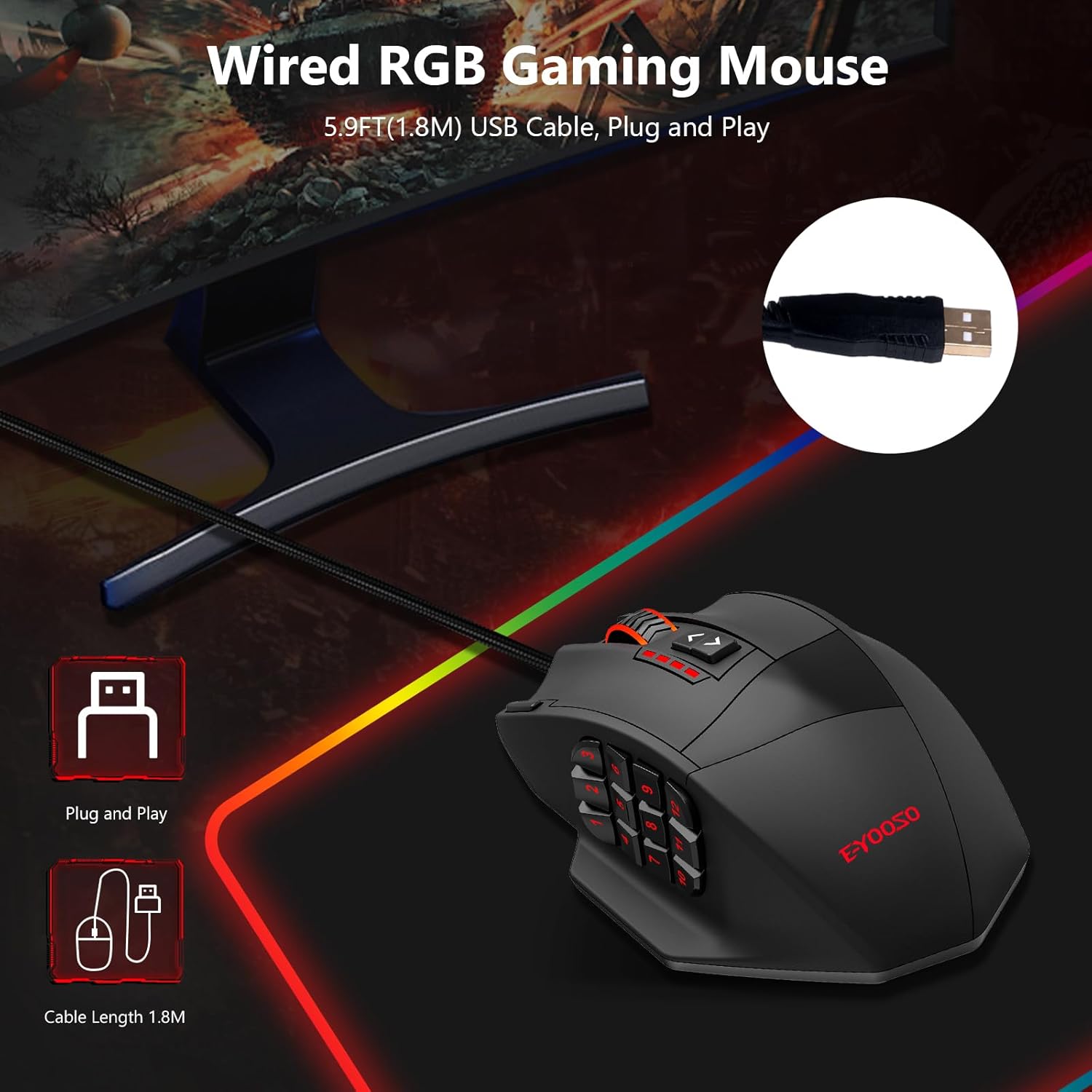
Image: The E-YOOSO X39 Wired Gaming Mouse connected to a laptop via its 1.8m USB cable, illustrating its plug-and-play functionality.
2.2 Software Installation (Optional for Customization)
For advanced customization of buttons, DPI settings, polling rate, and RGB lighting, download the dedicated software. The software is available at: bit.ly/3KFD2OV. ทำตามคำแนะนำบนหน้าจอเพื่อติดตั้งซอฟต์แวร์

Image: A screenshot of the E-YOOSO X39 Gaming Mouse's programmable software interface, showing options for button customization, DPI, lighting, and macros.
3. คู่มือการใช้งาน
3.1 การปรับ DPI
The mouse features five predefined DPI levels that can be switched on-the-fly using the dedicated DPI buttons located on the top of the mouse. The default settings are 1000, 2000, 4000, 8200, and 16400 DPI. These can be further adjusted from 200 to 16400 DPI using the software.

ภาพ: เหนือศีรษะ view of the E-YOOSO X39 mouse, illustrating the five distinct DPI levels (1000, 2000, 4000, 8200, 16400) that can be adjusted via the top buttons.
3.2 RGB Backlit Modes
The mouse offers 5 dynamic RGB lighting modes: Flash, Breathing, Full Brightness, Rainbow Wave, and OFF. These modes can be cycled through using the dedicated lighting button or customized via the software, providing access to 16.8 million colors.

ภาพ: หลายภาพ views of the E-YOOSO X39 mouse showcasing its 5 programmable RGB backlit modes, including Flash, Breathing, Full Brightness, Rainbow Wave, and Off settings.
3.3 ปุ่มตั้งโปรแกรมได้
The X39 features 18 programmable keys, including 12 side shortcut keys. Utilize the professional software to assign macros, adjust polling rates, and customize RGB backlighting. Five built-in storage profiles allow for quick switching between different configurations for gaming or office tasks.

Image: A detailed diagram highlighting the 18 programmable macro buttons on the E-YOOSO X39 mouse, including the left/right buttons, scroll wheel, DPI controls, rapid fire key, mode switch button, and 12 side buttons.
3.4 Weight Tuning System
Customize the mouse's weight and balance to your preference. The mouse includes 8 detachable 2.4g weights located internally. To adjust, turn the lock on the bottom of the mouse to the "open" direction, remove the weight adjustment box, and add or remove weights as desired. Then, reinsert the box and turn the lock to "close".

Image: A sequence of images demonstrating how to open the weight compartment, remove the weight adjustment box, and add/remove the 8x 2.4g weights from the E-YOOSO X39 mouse.
3.5 Rapid Fire Button
The dedicated Rapid Fire button allows for quick, repeated actions with a single click, providing an advantage in fast-paced scenarios. By default, one click of this button registers as three clicks.

Image: The E-YOOSO X39 mouse with a visual representation of the Rapid Fire button, indicating that one click translates to three actions.
4. การออกแบบตามหลักสรีรศาสตร์
The mouse is designed to fit the natural shape of the hand, featuring comfortable side support, finger rests, and a thumb rest. This ergonomic design provides excellent hand support and reduces fatigue during extended use.

Image: A hand gripping the E-YOOSO X39 mouse, highlighting its ergonomic design with multi-finger rests, side support, and thumb rest, along with its dimensions.
5. ข้อมูลจำเพาะ
| คุณสมบัติ | รายละเอียด |
|---|---|
| ยี่ห้อ | อี-ยูโซ่ |
| หมายเลขรุ่น | เอ็กซ์39 |
| เทคโนโลยีการเชื่อมต่อ | ยูเอสบี |
| เทคโนโลยีตรวจจับการเคลื่อนไหว | ออฟติคอล |
| ช่วง DPI | 200 - 16400 DPI (5 presets: 1000/2000/4000/8200/16400) |
| จำนวนปุ่ม | 18 ปุ่ม (รวมปุ่มด้านข้าง 12 ปุ่ม) |
| ไฟแบ็คไลท์ RGB | 5 Modes, 16.8 Million Colors |
| การปรับน้ำหนัก | 8 x 2.4g detachable weights |
| ความยาวสายเคเบิล | 1.8m (5.9ft) braided cable with velcro strap |
| ความเข้ากันได้ | Windows 7/8/10/11/XP, Mac OS, Android |
| น้ำหนักสินค้า | 3.52 ออนซ์ |
| ขนาดแพ็คเกจ | 5.91 x 5.91 x 1.57 นิ้ว |
6. การรับประกันและการสนับสนุน
For detailed warranty information and technical support, please refer to the documentation included with your product or contact E-YOOSO customer service directly through their official webเว็บไซต์.


