1. บทนำ
The CarpodGo T3 Pro is a portable 8.9-inch wireless CarPlay and Android Auto display designed to enhance your in-car entertainment and navigation experience. Featuring a fully laminated 1920x720 IPS touch screen, it offers seamless integration with your smartphone, supporting both wireless CarPlay and Android Auto functionalities. Its innovative design includes a magnetic base for flexible mounting and a Display-Only Bluetooth Mode for optimized audio routing through your vehicle's existing sound system.

Figure 1.1: CarpodGo T3 Pro Portable Display with CarPlay Interface.
2. ข้อมูลด้านความปลอดภัย
- ตรวจสอบให้แน่ใจเสมอว่าอุปกรณ์ติดตั้งอย่างแน่นหนาและไม่กีดขวางทางเดินของคุณ view หรือรบกวนการควบคุมรถ
- ห้ามถอดประกอบหรือดัดแปลงอุปกรณ์ การกระทำดังกล่าวอาจทำให้การรับประกันเป็นโมฆะและก่อให้เกิดความเสี่ยงด้านความปลอดภัย
- หลีกเลี่ยงการให้เครื่องสัมผัสกับอุณหภูมิที่สูงหรือต่ำเกินไป แสงแดดโดยตรงเป็นเวลานาน หรือความชื้นที่มากเกินไป
- โปรดใช้เฉพาะอะแดปเตอร์แปลงไฟและสายเคเบิลที่ให้มาเท่านั้น เพื่อป้องกันความเสียหายหรืออันตรายจากไฟไหม้
- ใช้งานอุปกรณ์อย่างมีความรับผิดชอบ การขับขี่โดยเสียสมาธิอาจนำไปสู่อุบัติเหตุได้
3. อะไรอยู่ในกล่อง
แกะกล่องอย่างระมัดระวังและตรวจสอบให้แน่ใจว่าสินค้าทั้งหมดอยู่ในสภาพดี หากสินค้าใดสูญหายหรือเสียหาย โปรดติดต่อฝ่ายบริการลูกค้า

Figure 3.1: Package Contents of CarpodGo T3 Pro.
- CarpodGo T3 Pro Portable Display Unit
- ฐานแม่เหล็ก
- แท่นยึดคอนโซลแบบตายตัว
- 9V Power Cord (Car Charger)
- อะแดปเตอร์ OTG
- คู่มือการใช้งาน
- Central Control Seamless Mounts (complementary)
- Suction Cup Mount (for glass)
- อุปกรณ์เสริม (อาจจำหน่ายแยกต่างหาก): Backup Camera, Bluetooth Aux Receiver
4. การตั้งค่า
4.1 การติดตั้งอุปกรณ์
The CarpodGo T3 Pro features a strong magnetic base for secure attachment. It is compatible with a 17mm ball head mount and includes complementary central control seamless mounts and a suction cup mount for glass surfaces.
- เลือกตำแหน่งการติดตั้ง: Select a location on your dashboard or windshield that does not obstruct your view of the road, airbags, or vehicle controls.
- ติดตั้งขาตั้ง:
- For Dashboard (Seamless Mounts): Clean the dashboard surface thoroughly. Attach the central control seamless mount to the desired location.
- For Windshield (Suction Cup Mount): Clean the windshield surface. Press the suction cup firmly against the glass and engage the lever to secure it.
- For Fixed Console Mount: Secure the fixed console mount to a suitable flat surface using adhesive or screws (if applicable and safe).
- ติดฐานแม่เหล็ก: Connect the magnetic base to the chosen mount (e.g., 17mm ball head).
- Secure the T3 Pro Display: Align the back of the T3 Pro display with the magnetic base. The strong magnets will firmly hold the display in place. Ensure it is stable and does not wobble.

Figure 4.1: Magnetic Base and Mount.
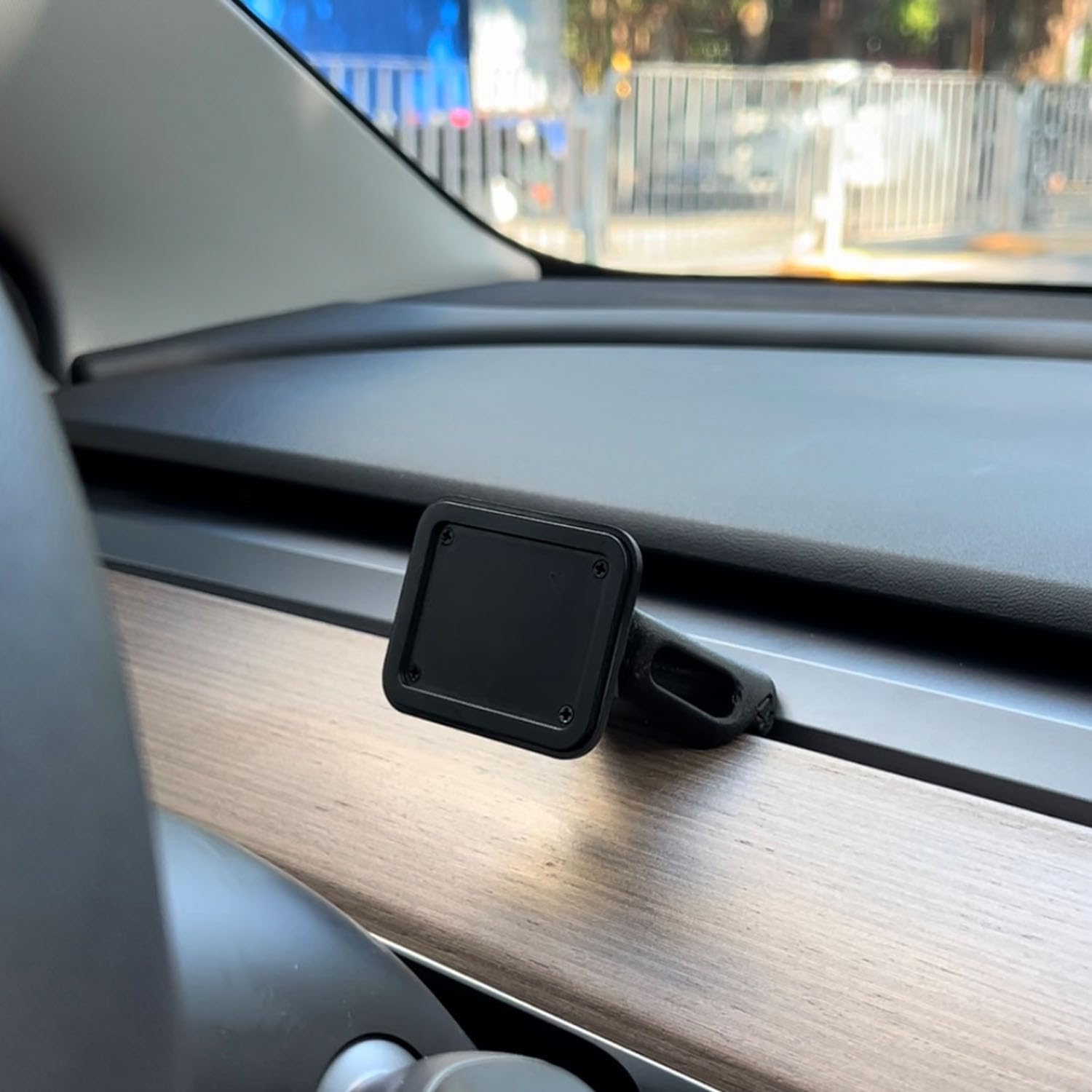
Figure 4.2: Magnetic Base Installed on Dashboard.
4.2 การเชื่อมต่อสายไฟ
Connect the provided 9V power cord to the "Power" port on the side of the T3 Pro unit and plug the other end into your vehicle's 12V accessory outlet (cigarette lighter socket).
4.3 การบูตเครื่องครั้งแรก
Once powered, the device will automatically boot up. The multi-core Linux system is designed for fast startup, typically displaying the CarPlay interface within 12 seconds.

Figure 4.3: Fast Boot-Up and Connectivity.
5. คู่มือการใช้งาน
5.1 การเชื่อมต่อ CarPlay / Android Auto แบบไร้สาย
The T3 Pro supports wireless CarPlay and Android Auto for seamless smartphone integration.
- On the T3 Pro, navigate to the CarPlay or Android Auto icon on the main screen.
- บนสมาร์ทโฟนของคุณ เปิดใช้งาน Bluetooth และ Wi-Fi
- ค้นหา the T3 Pro's Bluetooth name (usually "CarpodGo T3 Pro" or similar) on your phone and pair with it.
- Once paired via Bluetooth, your phone will automatically establish a Wi-Fi connection for CarPlay/Android Auto.
- The T3 Pro supports 60fps wireless CarPlay for smoother scrolling and responsiveness. This can typically be adjusted in the device settings if needed.
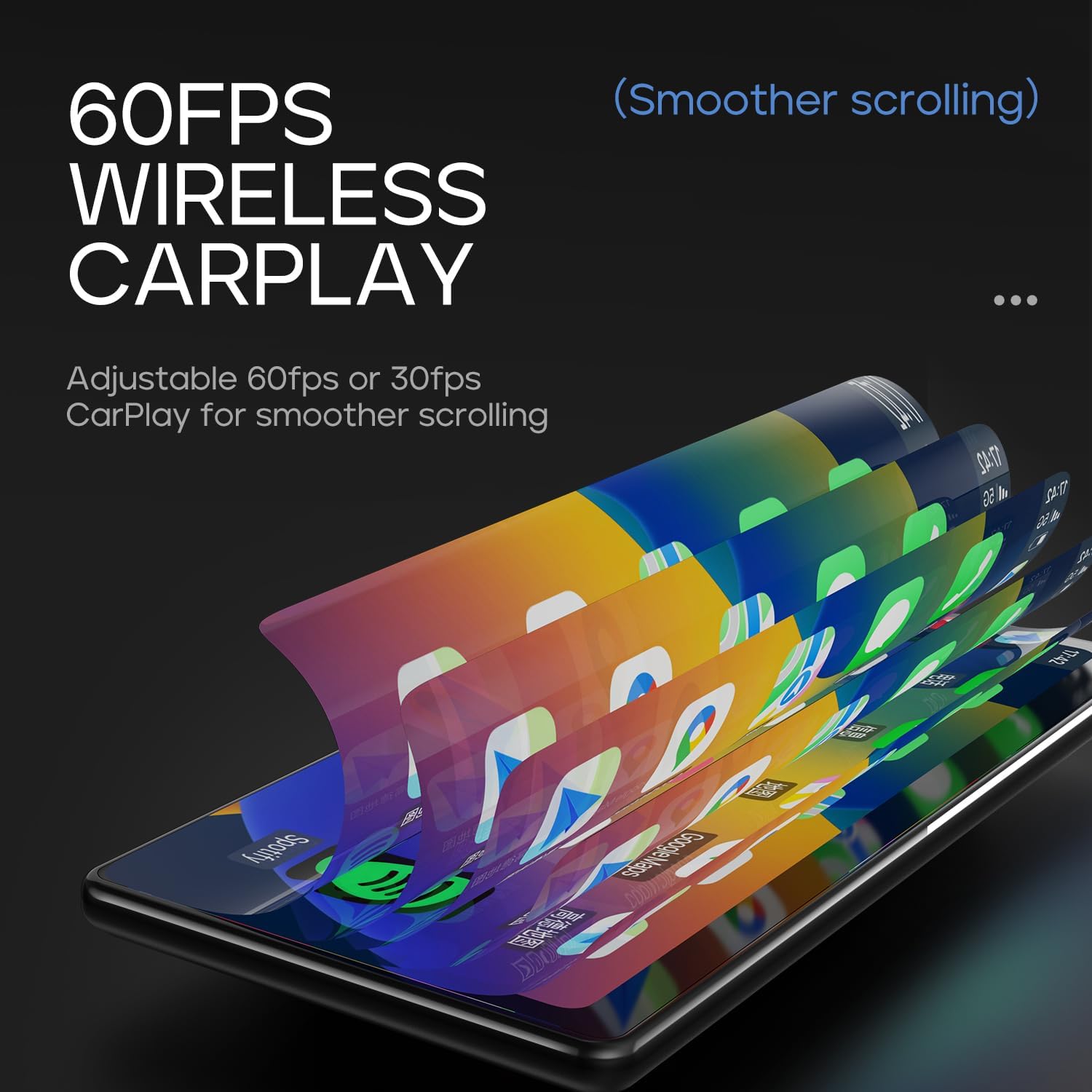
Figure 5.1: 60fps Wireless CarPlay for Smooth Operation.
5.2 โหมดบลูทูธแสดงผลอย่างเดียว
This mode allows you to route audio (maps, music, calls) through your car's existing Bluetooth system, utilizing your car's speakers and microphone, while the T3 Pro handles the display.
- On the T3 Pro, activate "Display-Only Bluetooth Mode" in the settings. Refer to the on-screen interface for the exact location of this setting.
- Connect your smartphone directly to your car's Bluetooth system.
- The T3 Pro will continue to display CarPlay/Android Auto, but all audio will be managed by your car's Bluetooth connection. This mode also supports steering wheel controls for audio and calls, provided your car's Bluetooth system is compatible.

Figure 5.2: Display-Only Bluetooth Mode Configuration.
5.3 การนำทางส่วนติดต่อผู้ใช้ (UI)
The T3 Pro features a new Carpod interface UI with a line neomorphism style, designed for intuitive use. Navigate through menus and applications using the touch screen. Swipe gestures and taps are used for interaction.

Figure 5.3: CarpodGo T3 Pro User Interface Exampเลส.
6. การบำรุงรักษา
- การทำความสะอาด: Use a soft, lint-free cloth to clean the screen and body of the device. Do not use abrasive cleaners, alcohol, or solvents.
- พื้นที่จัดเก็บ: If storing the device for an extended period, disconnect it from power and store it in a cool, dry place away from direct sunlight.
- การอัปเดตซอฟต์แวร์: ตรวจสอบผู้ผลิตเป็นระยะ website or the device settings for available firmware updates to ensure optimal performance and new features.
7 การแก้ไขปัญหา
| ปัญหา | สาเหตุที่เป็นไปได้ | สารละลาย |
|---|---|---|
| อุปกรณ์ไม่เปิดเครื่อง | No power connection or faulty power cord. | Ensure the 9V power cord is securely plugged into the device and the car's 12V outlet. Check if the car's outlet is functioning. |
| CarPlay/Android Auto แบบไร้สายไม่สามารถเชื่อมต่อได้ | Bluetooth/Wi-Fi issues, phone settings. |
|
| ไม่มีเสียงหรือคุณภาพเสียงไม่ดี | Audio routing issue, volume settings. |
|
| หน้าจอไม่ตอบสนองหรือค้าง | ซอฟต์แวร์มีปัญหาชั่วคราว | Perform a soft reset by disconnecting and reconnecting the power. If the issue persists, contact customer support. |
8. ข้อมูลจำเพาะ
| คุณสมบัติ | รายละเอียด |
|---|---|
| หมายเลขรุ่น | ที3 โปร |
| ขนาดจอแสดงผล | 8.9 นิ้ว |
| ความละเอียดหน้าจอ | 1920 x 720 IPS |
| เทคโนโลยีการแสดงผล | Fully Laminated Screen, 16.7 million colors, 700nit highlight |
| การเชื่อมต่อแบบไร้สาย | Wireless CarPlay, Wireless Android Auto, Wi-Fi, Bluetooth |
| โหมดบลูทู ธ | โหมดบลูทูธสำหรับการแสดงผลเท่านั้น |
| อัตราเฟรม | Supports 60fps Wireless CarPlay |
| การติดตั้ง | Magnetic design, compatible with 17mm ball head mount, central control seamless mounts, suction cup mount |
| ประเภทตัวควบคุม | Push Button, Steering Wheel Controls (via Display-Only BT Mode) |
| โหมดเอาต์พุตเสียง | สเตอริโอ |
| ประเภทขั้วต่อ | 3.5mm Jack, HDMI, USB |
9. การรับประกันและการสนับสนุน
CarpodGo products are designed for reliability and performance. For warranty information, technical support, or service inquiries, please refer to the warranty card included in your package or visit the official CarpodGo webไซต์ โปรดเก็บใบเสร็จรับเงินไว้เป็นหลักฐานการซื้อสำหรับการเรียกร้องการรับประกัน
ข้อมูลติดต่อ: Please refer to the contact details provided in your product packaging or on the official CarpodGo webเว็บไซต์สำหรับข้อมูลสนับสนุนล่าสุด


