1. บทนำ
Thank you for choosing the Tacens AEROSLIM500 MicroATX PC Case. This slim mini-tower is designed for efficient and compact PC builds, supporting MicroATX and Mini-ITX motherboards. It features optimized airflow, an integrated 500W TFX power supply, and modern connectivity. This manual provides essential information for safe installation, operation, and maintenance of your new PC case.
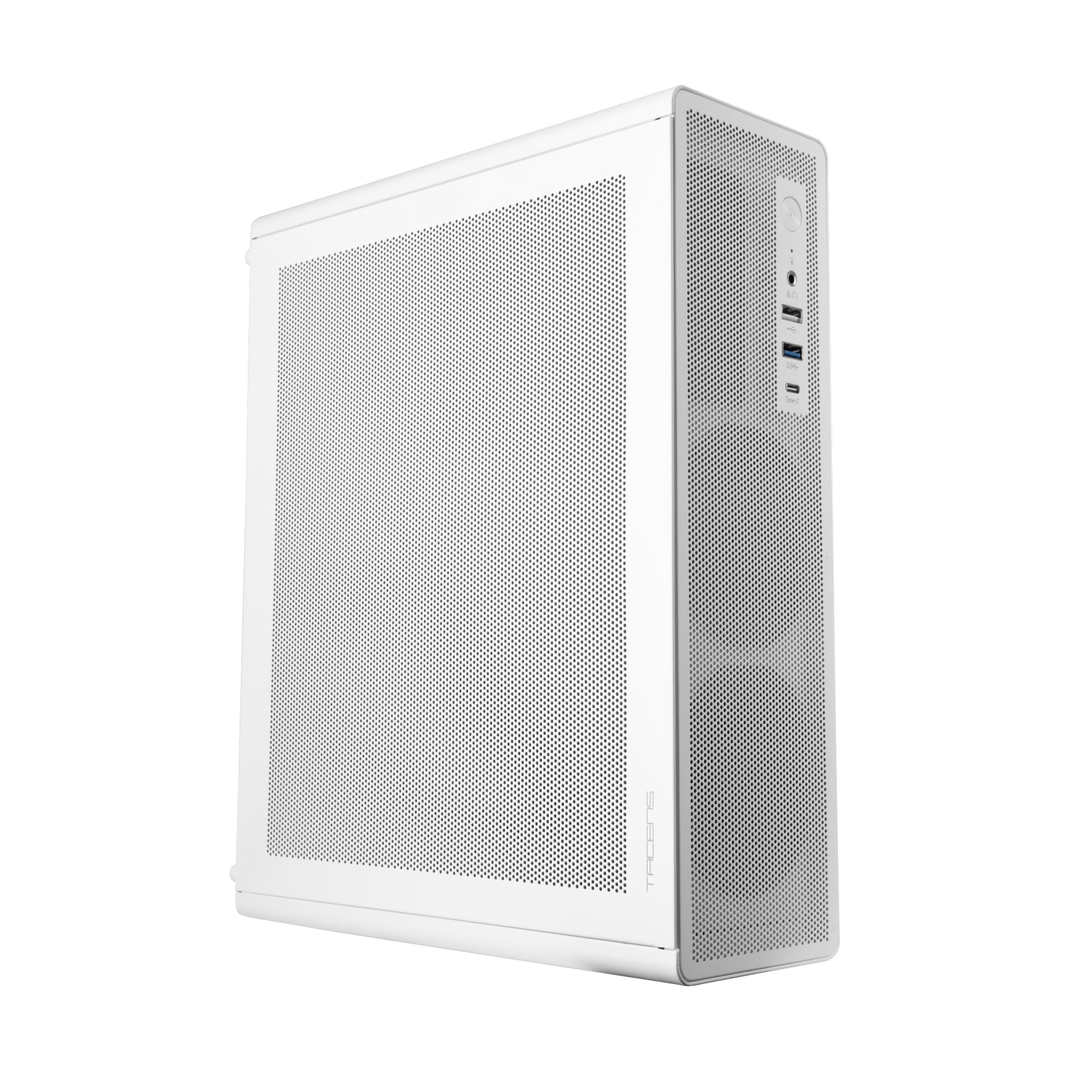
Figure 1: Tacens AEROSLIM500 MicroATX PC Case (Overall View)
2. ข้อมูลด้านความปลอดภัย
โปรดอ่านและปฏิบัติตามคำแนะนำด้านความปลอดภัยเหล่านี้เพื่อป้องกันความเสียหายต่อผลิตภัณฑ์หรือการบาดเจ็บต่อตัวคุณเอง
- การตัดการเชื่อมต่อไฟฟ้า: Always disconnect the power cable from the wall outlet before opening the case or performing any installation/maintenance.
- ไฟฟ้าสถิต: Discharge static electricity from your body before handling internal components. Use an anti-static wrist strap if available.
- ขอบที่คมชัด: Be cautious of sharp edges inside the case during installation.
- การระบายอากาศ : Ensure proper ventilation around the case. Do not block air vents.
- ของเหลวและความชื้น: Keep the case away from liquids and excessive moisture.
- การติดตั้งโดยมืออาชีพ: If you are unsure about any installation steps, seek assistance from a qualified technician.
3. เนื้อหาบรรจุภัณฑ์
ตรวจสอบว่าสินค้าทั้งหมดอยู่ในกล่องครบถ้วนหรือไม่ หากมีสินค้าใดขาดหายหรือเสียหาย โปรดติดต่อผู้ค้าปลีก
- Tacens AEROSLIM500 MicroATX PC Case with integrated 500W TFX Power Supply
- Pre-installed 90mm FDB Front Fan
- ชุดอุปกรณ์เสริม (สกรู, ตัวยึด, เคเบิลไทร์)
- คู่มือการใช้งาน (เอกสารนี้)
4. คุณสมบัติของผลิตภัณฑ์
The Tacens AEROSLIM500 PC case offers a range of features for a compact and efficient build:
- Integrated TFX 500W Power Supply: Ensures stable and efficient power delivery for your components.
- ระบบระบายความร้อนขั้นสูง: Front and side ultra-fine mesh panels provide constant airflow and act as a dust barrier.
- Pre-installed Front Fan: Includes a 90mm FDB (Fluid Dynamic Bearing) fan for optimal cooling. Supports up to two 90mm front fans.
- Optimized Internal Space: Compatible with MicroATX (up to 210mm wide) and Mini-ITX motherboards.
- รองรับ GPU: Accommodates low-profile GPUs up to 220mm long and 63mm wide.
- ตัวเลือกการจัดเก็บ: Features 5 x 2.5" SSD drive bays.
- ช่องเสียบขยาย: Provides 3 expansion slots for MicroATX or 1-2 for Mini-ITX configurations.
- การเชื่อมต่อแบบสมบูรณ์: Front panel includes USB-C, USB 3.0, USB 2.0 ports, and HD audio/microphone jacks.
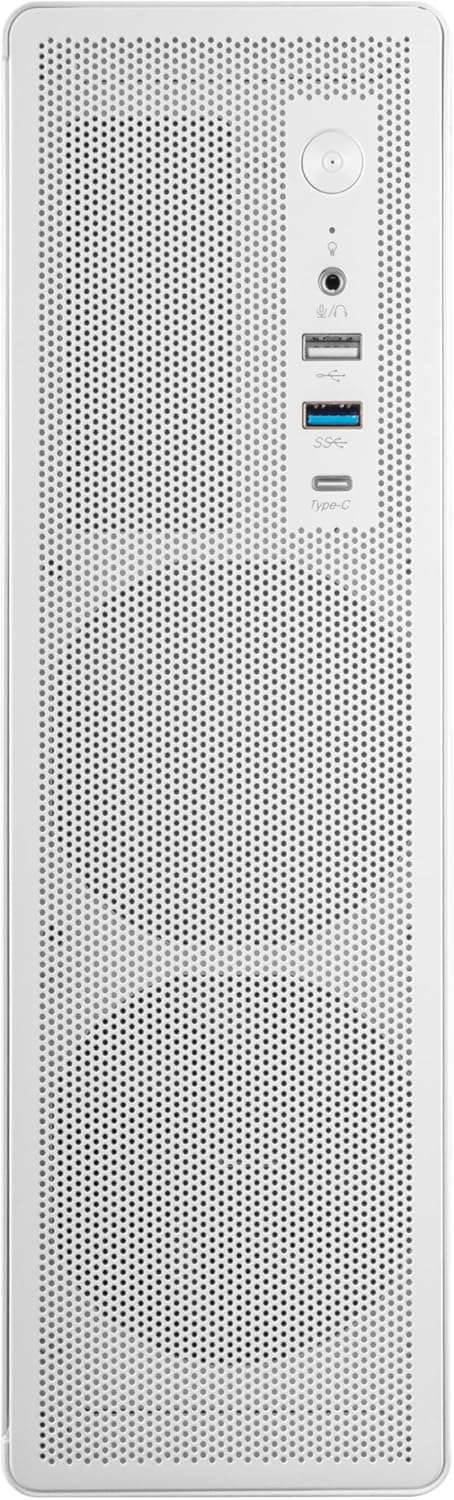
รูปที่ 2: การเชื่อมต่อแผงด้านหน้า

รูปที่ 3: รายละเอียด View of Front I/O Ports
5. การตั้งค่าและการติดตั้ง
Follow these steps to install your components into the Tacens AEROSLIM500 PC case. Ensure the system is powered off and unplugged before beginning.
5.1. การเปิดคดี
- วางกล่องบนพื้นผิวเรียบและมั่นคง
- Locate the thumbscrews or standard screws on the rear panel securing the side panel(s).
- Remove the screws and carefully slide the side panel(s) backward, then lift them off.

Figure 4: Case Interior View with Pre-installed Fan
5.2. การติดตั้งเมนบอร์ด
- Install the CPU, CPU cooler (ensure it fits within the 73mm height limit), and RAM onto your MicroATX or Mini-ITX motherboard before placing it in the case.
- Align the motherboard with the pre-installed standoffs inside the case.
- ยึดเมนบอร์ดให้แน่นโดยใช้สกรูที่เหมาะสมจากชุดอุปกรณ์เสริม

Figure 5: Motherboard Mounting Area
5.3. Storage Device Installation (2.5" SSD/HDD)
- Locate the 2.5" drive bays/mounting points. The case supports up to 5 x 2.5" drives.
- Secure your 2.5" SSDs or HDDs using the provided screws.
- Connect SATA data and power cables to the drives.

Figure 6: Power Supply and Drive Bay Area
5.4 การติดตั้งการ์ดขยาย (GPU)
- ถอดฝาครอบช่องขยายที่จำเป็นออกจากด้านหลังของเคส
- Carefully insert your low-profile GPU (max 220mm length, 63mm width) into the PCIe slot on the motherboard.
- ยึดการ์ดส่วนขยายด้วยสกรู
5.5 การเชื่อมต่อสายเคเบิลแผงด้านหน้า
Connect the front panel cables (USB-C, USB 3.0, USB 2.0, HD Audio, Power Switch, Reset Switch, Power LED, HDD LED) to their corresponding headers on your motherboard. Refer to your motherboard manual for exact header locations.
5.6. การจัดการสายเคเบิล
Route cables neatly to improve airflow and aesthetics. Use the provided cable ties to secure bundles of cables.
5.7. การปิดคดี
- เมื่อติดตั้งส่วนประกอบทั้งหมดและจัดระเบียบสายเคเบิลเรียบร้อยแล้ว ให้ประกอบแผงด้านข้างกลับเข้าที่เดิม
- Secure the side panel(s) with the thumbscrews or standard screws.
6. คู่มือการใช้งาน
After successful assembly, connect your peripherals (monitor, keyboard, mouse) and the power cable to the integrated TFX 500W power supply.
- เปิดเครื่อง: Press the power button located on the front panel to turn on your computer.
- พอร์ต USB: Use the front USB-C, USB 3.0, and USB 2.0 ports for connecting external devices.
- แจ็คเสียง: Connect headphones or a microphone to the front audio jacks.
- หมดแรง: Shut down your computer through the operating system. For a hard shutdown, press and hold the power button for several seconds.
7. การบำรุงรักษา
การบำรุงรักษาตามปกติจะช่วยให้มั่นใจได้ถึงประสิทธิภาพสูงสุดและอายุการใช้งานที่ยาวนานของส่วนประกอบพีซีของคุณ
- การทำความสะอาดฝุ่น: The mesh panels act as dust filters. Periodically clean the front and side mesh panels using compressed air or a soft brush to remove accumulated dust.
- การทำความสะอาดภายใน: Every 6-12 months, open the case (after disconnecting power) and use compressed air to clean dust from internal components, especially CPU coolers and GPU fans.
- ตรวจสอบการจัดการสายเคเบิล: Ensure cables remain neatly routed and do not obstruct airflow.
8 การแก้ไขปัญหา
หากพบปัญหา โปรดดูขั้นตอนการแก้ไขปัญหาทั่วไปต่อไปนี้
- ไม่มีไฟฟ้า:
- Ensure the power cable is securely connected to both the wall outlet and the PC's power supply.
- Verify that the power supply switch (if present) is in the 'ON' position.
- Check all internal power connections (24-pin ATX, 8-pin CPU, GPU power) to the motherboard and components.
- ตรวจสอบให้แน่ใจว่าสายเคเบิลปุ่มเปิดปิดด้านหน้าเชื่อมต่อกับหัวต่อบนเมนบอร์ดอย่างถูกต้อง
- ไม่มีจอแสดงผล:
- Confirm your monitor is powered on and connected to the correct video output on your GPU or motherboard.
- Reseat your GPU and RAM modules.
- เสียงดังเกินไป:
- Check if any cables are obstructing fan blades.
- Clean dust from fans (CPU, GPU, case fans, PSU fan).
- Ensure all screws are tightened to prevent vibrations.
- พอร์ตด้านหน้าใช้งานไม่ได้:
- Verify that the USB and audio cables from the front panel are correctly connected to the motherboard headers.
9. ข้อมูลจำเพาะ
| ยี่ห้อ | Tacens |
| ชื่อรุ่น | แอโรสลิม500 |
| ความเข้ากันได้ของเมนบอร์ด | ไมโคร ATX, มินิ ITX |
| ประเภทเคส | Compact Desktop / Mini-Tower |
| สี | สีขาว |
| วัสดุ | โลหะ |
| แหล่งจ่ายไฟ | Integrated TFX 500W |
| วิธีการทำความเย็น | Air (Pre-installed 90mm FDB front fan) |
| ขีดจำกัดความสูงของตัวระบายความร้อนซีพียู | สูงถึง 73มม. |
| ขีดจำกัดความยาวของ GPU | Up to 220mm (low-profile เท่านั้น) |
| GPU Width Limit | สูงถึง 63มม. |
| ช่องไดรฟ์ | 5 x 2.5" SSD/HDD |
| ช่องเสียบขยาย | 3 (MicroATX), 1-2 (Mini-ITX) |
| พอร์ต I / O ด้านหน้า | 1x USB-C, 1x USB 3.0, 2x USB 2.0, HD Audio (Headphone/Microphone) |
| น้ำหนักสินค้า | 2.25 กิโลกรัม |
10. การรับประกันและการสนับสนุน
Tacens products are manufactured to the highest quality standards. For information regarding warranty coverage, terms, and conditions, please refer to the warranty card included with your product or visit the official Tacens webเว็บไซต์.
For technical support, troubleshooting assistance beyond this manual, or to inquire about replacement parts, please contact Tacens customer service through their official webไซต์หรือข้อมูลการติดต่อที่ระบุไว้ในเอกสารผลิตภัณฑ์ของคุณ
Official Tacens Webเว็บไซต์: www.tacens.com (หมายเหตุ: นี่เป็นเพียงตัวอย่างชั่วคราว URL. Please refer to your product packaging for the correct official webเว็บไซต์.)


