1. บทนำ
This manual provides essential information for the safe and efficient operation of your FOXX C10 10.1-inch Android Tablet. Please read this guide thoroughly before using your device to ensure proper functionality and to understand its features. Keep this manual for future reference.
2. อะไรอยู่ในกล่อง
ตรวจสอบว่ามีรายการทั้งหมดอยู่ในแพ็คเกจ:
- FOXX C10 Tablet
- สายเคเบิล Type-C
- ที่ชาร์จ (10 วัตต์)
- คู่มือการใช้งาน
- Protective Cover (pre-applied)
- Screen Protector Film (pre-applied)
3. สินค้าหมดview
The FOXX C10 tablet features a 10.1-inch HD display, dual 8MP cameras, and a robust 6000mAh battery, all powered by an Android 13 operating system.

ภาพ: ด้านหน้าและด้านหลัง view of the FOXX C10 tablet, showcasing its sleek design and dual camera module on the rear.

Image: An infographic highlighting key features including the 10.1-inch display, Android 13, 6000mAh battery, 8MP cameras, MediaTek quad-core chipset, 4GB RAM + 64GB storage, 4G LTE bands, Wi-Fi, Bluetooth 5.0, Nano SIM, Type-C, and 3.5mm AUX port.
3.1 การแสดงผล
The tablet is equipped with a 10.1-inch HD TFT V-notch display, offering a resolution of 800x1280 pixels for clear visuals.

Image: Close-up of the tablet's 10.1-inch HD TFT V-notch display, showing vibrant colors and detail.
กล้อง 3.2 ตัว
The FOXX C10 features dual 8-megapixel cameras, both on the front and rear, enabling high-quality photos and video calls.
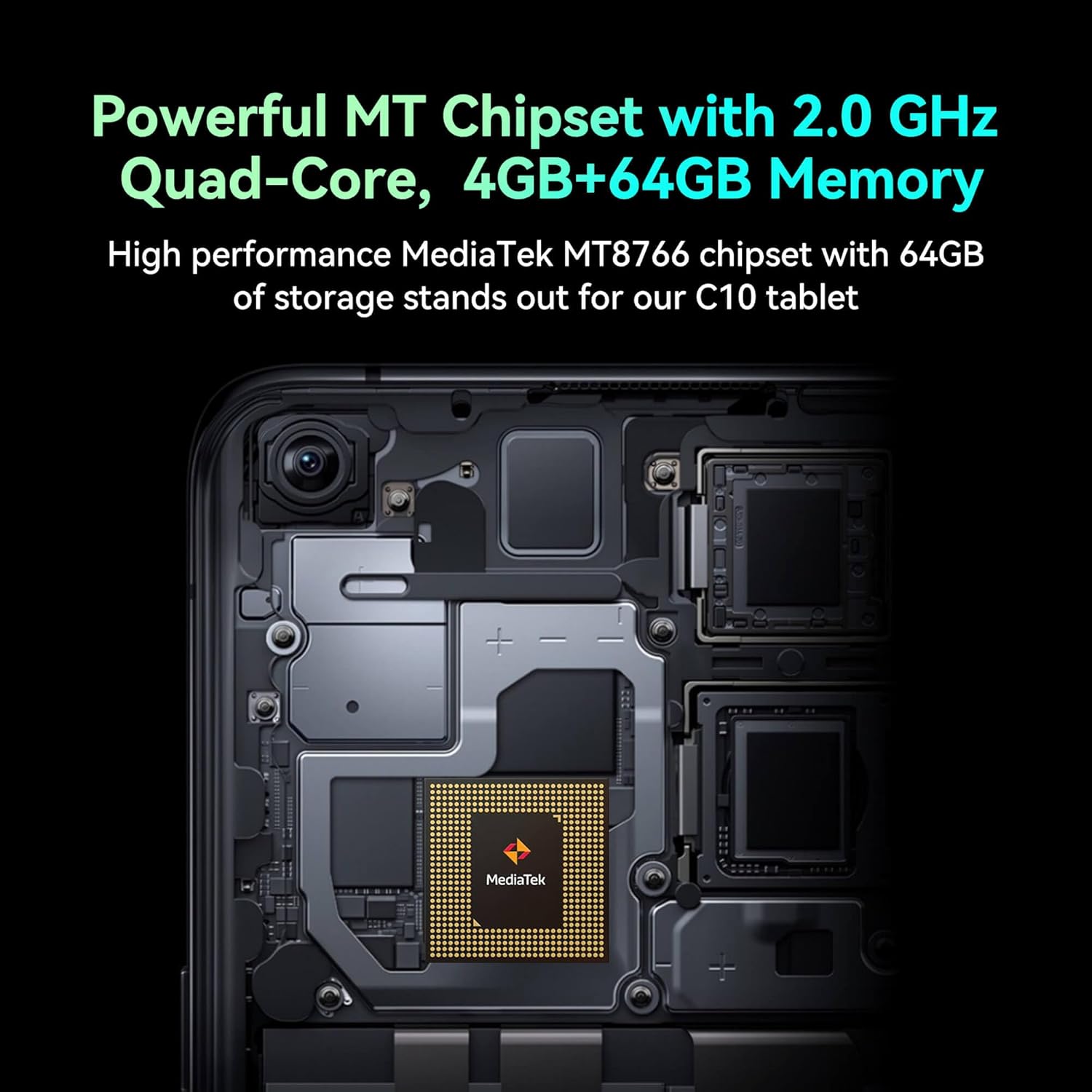
Image: Detail of the tablet's rear camera module, highlighting the 8-megapixel main camera with autofocus capabilities.
3.3 โปรเซสเซอร์และหน่วยความจำ
It runs on a 2.0 GHz quad-core MediaTek MT8766 chipset, paired with 4GB of RAM and 64GB of internal storage for smooth performance and ampพื้นที่ว่าง

ภาพ: ภายใน view of the tablet's motherboard, showcasing the MediaTek MT8766 quad-core chipset.
3.4 แบตเตอรี่
A 6000mAh battery provides extended usage time, ensuring the device stays powered throughout the day.
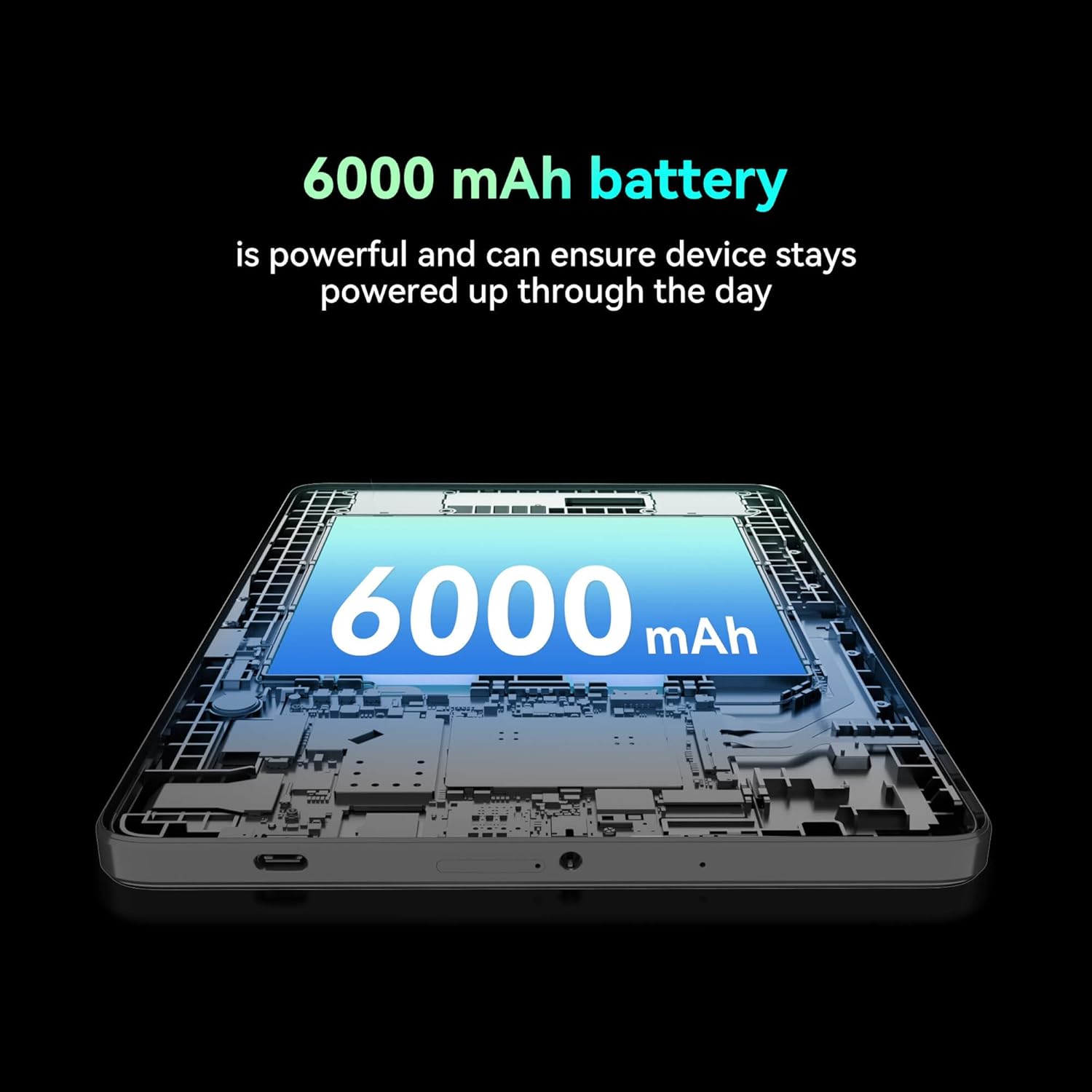
ภาพ: ภาพตัดขวาง view of the tablet highlighting the large 6000 mAh battery component.
4. การตั้งค่า
4.1 การชาร์จเริ่มต้น
Before first use, fully charge your tablet using the provided Type-C cable and 10W charger. The battery indicator on the screen will show charging status.
4.2 การเปิด/ปิดเครื่อง
- การเปิดเครื่อง: กดปุ่มเปิด/ปิดค้างไว้จนกว่าหน้าจอจะสว่างขึ้น
- วิธีปิดเครื่อง: กดปุ่มเปิด/ปิดค้างไว้ จากนั้นเลือก "ปิดเครื่อง" จากตัวเลือกบนหน้าจอ
- ในการรีสตาร์ท: กดปุ่มเปิด/ปิดค้างไว้ จากนั้นเลือก 'รีสตาร์ท' จากตัวเลือกบนหน้าจอ
4.3 การติดตั้งซิมการ์ด
The FOXX C10 supports Nano SIM cards for cellular connectivity. Locate the SIM card tray on the side of the tablet. Use the provided SIM ejector tool to open the tray. Insert the Nano SIM card into the designated slot with the gold contacts facing down. Close the tray securely.
4.4 การติดตั้งการ์ด MicroSD (ทางเลือก)
If your tablet supports expandable storage, locate the MicroSD card slot, often combined with the SIM tray. Insert a MicroSD card (up to 128GB, sold separately) into the slot with the gold contacts facing down. Close the tray securely.
5. คู่มือการใช้งาน
5.1 การนำทางพื้นฐาน
แท็บเล็ตของคุณใช้ระบบปฏิบัติการ Android 13 ใช้ท่าทางสัมผัสในการนำทาง:
- แตะ: เลือกรายการหรือเปิดแอป
- ปัด: เลื่อนดูหน้าจอหรือรายการ
- หยิก: ซูมเข้าหรือออกจากรูปภาพและ web หน้า
- กดแบบยาว: เข้าถึงเมนูบริบทหรือย้ายไอคอน
5.2 การเชื่อมต่อกับ Wi-Fi
- ไปที่ การตั้งค่า > เครือข่ายและอินเตอร์เน็ต > ไวไฟ.
- สลับ Wi-Fi On.
- เลือกเครือข่าย Wi-Fi ที่คุณต้องการจากรายการ
- ป้อนรหัสผ่านหากได้รับแจ้ง จากนั้นแตะ เชื่อมต่อ.
5.3 Making Calls (4G LTE)
With a properly installed and activated Nano SIM card, your tablet can make and receive calls.
- เปิด โทรศัพท์ แอป.
- Dial the desired number or select a contact.
- แตะที่ เรียก ปุ่ม.
5.4 การใช้กล้อง
The tablet features dual 8MP cameras for photography and video recording.
- เปิด กล้อง แอป.
- แตะที่ ชัตเตอร์ ปุ่มถ่ายภาพ
- แตะที่ วีดีโอ ไอคอนสำหรับสลับไปยังโหมดบันทึกวิดีโอ
- ใช้ไอคอนสลับกล้องเพื่อสลับระหว่างกล้องหน้าและกล้องหลัง
5.5 การจับคู่บลูทูธ
- ไปที่ การตั้งค่า > อุปกรณ์ที่เชื่อมต่อ > บลูทูธ.
- สลับบลูทูธ On.
- Ensure the device you want to pair with is in pairing mode.
- เลือกอุปกรณ์จากรายการและทำตามคำแนะนำบนหน้าจอเพื่อทำการจับคู่ให้เสร็จสมบูรณ์
6. การบำรุงรักษา
6.1 การดูแลแบตเตอรี่
- หลีกเลี่ยงอุณหภูมิที่สูงเกินไปซึ่งอาจทำให้แบตเตอรี่มีอายุการใช้งานลดลง
- อย่าทิ้งแท็บเล็ตไว้ชาร์จเป็นเวลานานหลังจากชาร์จเต็มแล้ว
- ใช้เฉพาะเครื่องชาร์จและสายเคเบิลที่ให้มาเท่านั้น
6.2 การทำความสะอาด
ใช้ผ้าเนื้อนุ่มที่ไม่เป็นขุยเช็ดทำความสะอาดหน้าจอและตัวเครื่องแท็บเล็ต หลีกเลี่ยงการใช้สารเคมีรุนแรงหรือวัสดุที่มีฤทธิ์กัดกร่อน สำหรับคราบสกปรกที่ล้างออกยาก ให้ใช้ผ้าชุบน้ำหมาดๆ เช็ดเบาๆampเทน้ำหรือน้ำยาทำความสะอาดหน้าจอที่ออกแบบมาสำหรับอุปกรณ์อิเล็กทรอนิกส์ลงบนผ้า
6.3 การอัปเดตซอฟต์แวร์
ตรวจสอบและติดตั้งการอัปเดตซอฟต์แวร์เป็นประจำเพื่อให้แน่ใจว่าแท็บเล็ตของคุณมีฟีเจอร์ แพตช์ความปลอดภัย และการปรับปรุงประสิทธิภาพล่าสุด ไปที่ การตั้งค่า > ระบบ > การอัพเดทระบบ.
7 การแก้ไขปัญหา
| ปัญหา | สารละลาย |
|---|---|
| แท็บเล็ตเปิดไม่ติด | ตรวจสอบให้แน่ใจว่าแบตเตอรี่ชาร์จเต็มแล้ว เสียบที่ชาร์จและรอสักครู่ก่อนลองเปิดเครื่องอีกครั้ง |
| ไม่สามารถเชื่อมต่อ Wi-Fi ได้ | Check if Wi-Fi is enabled in settings. Restart your router and the tablet. Verify the Wi-Fi password. |
| แอปทำงานช้าหรือขัดข้อง | Close unused apps. Clear app cache (Settings > Apps > [App Name] > Storage > Clear cache). Restart the tablet. Ensure sufficient storage space. |
| ไม่มีบริการเซลลูล่าร์ | Ensure the Nano SIM card is correctly inserted and activated. Check your network settings and contact your service provider if necessary. |
| หน้าจอไม่ตอบสนอง | รีสตาร์ทแท็บเล็ต หากปัญหายังคงอยู่ ให้ทำการรีเซ็ตเป็นค่าเริ่มต้นจากโรงงาน (ข้อมูลจะสูญหาย) |
8. ข้อมูลจำเพาะ
| คุณสมบัติ | รายละเอียด |
|---|---|
| ชื่อรุ่น | FOXX C10 |
| ระบบปฏิบัติการ | แอนดรอยด์ 13 |
| ขนาดหน้าจอ | 10.1 นิ้ว |
| ความละเอียดหน้าจอสูงสุด | 800x1280 พิกเซล |
| โปรเซสเซอร์ | 2 GHz Quad-Core MediaTek |
| แรม | 4GB |
| การจัดเก็บข้อมูลภายใน | 64GB |
| ขนาดหน่วยความจำแฟลช | 8 GB (likely referring to system partition or eMMC base) |
| กล้องถ่ายรูป | Dual 8MP (Front & Rear) |
| ความจุของแบตเตอรี่ | 6000 มิลลิแอมป์ |
| การเชื่อมต่อ | 4G LTE, Wi-Fi (802.11 b/g/n/ac), Bluetooth 5.0, USB-C, 3.5mm AUX |
| น้ำหนักสินค้า | 1.26 ปอนด์ |
| ขนาดสินค้า | 9.64 x 6.39 x 0.42 นิ้ว |
| สี | สีดำ |
9. การรับประกันและการสนับสนุน
สำหรับข้อมูลการรับประกันและการสนับสนุนทางเทคนิค โปรดดูเอกสารที่แนบมากับสินค้าที่ซื้อ หรือติดต่อผู้ค้าปลีก โปรดเก็บหลักฐานการซื้อไว้เพื่อใช้ในการเรียกร้องการรับประกัน


