1. บทนำ
This manual provides essential information for the safe and efficient use of your DOOGEE Fire 7 5G Rugged Smartphone. Please read it carefully before operating your device to ensure optimal performance and longevity. The DOOGEE Fire 7 is designed for durability and high performance, featuring a robust build, powerful battery, and advanced camera system.
2. อุปกรณ์โอเวอร์view
Familiarize yourself with the physical components of your DOOGEE Fire 7 smartphone.

ภาพที่ 2.1: The DOOGEE Fire 7 5G Rugged Smartphone, showcasing its robust design and camera module on the rear, and the display on the front.
2.1 คุณสมบัติหลัก
- การออกแบบที่แข็งแกร่ง: IP68/IP69K and MIL-STD-810H certified for water, dust, and shock resistance.
- แบตเตอรี่ใช้งานได้ยาวนาน: 13000mAh capacity with 18W fast charging and 5W OTG reverse charging.
- ประสิทธิภาพอันทรงพลัง: Dimensity 6300 5G chipset, 16GB RAM (4GB basic + 12GB virtual), 256GB ROM (expandable up to 2TB).
- ระบบกล้องขั้นสูง: 64MP AI Main Camera, 2MP Macro Camera, and 16MP Front Camera.
- จอแสดงผลที่มีชีวิตชีวา: 6.6-inch HD+ 90Hz IPS Display.
- Latest OS: Android 15 with enhanced privacy and customization.
3. การตั้งค่า
3.1 การติดตั้งซิมการ์ดและการ์ด TF
- ค้นหาถาดใส่การ์ด SIM ที่ด้านข้างของอุปกรณ์
- ใช้เครื่องมือถอดซิมที่ให้มาเพื่อเปิดถาด
- Carefully place your 5G Nano-SIM cards and/or TF (microSD) card into the designated slots. The device supports dual SIM and one TF card simultaneously.
- ค่อยๆ ดันถาดกลับเข้าไปในเครื่องจนแนบสนิท
3.2 การเปิดเครื่องครั้งแรกและการตั้งค่าพื้นฐาน
- กดปุ่มเปิด/ปิดค้างไว้จนกว่าโลโก้ DOOGEE จะปรากฏขึ้น
- ทำตามคำแนะนำบนหน้าจอเพื่อเลือกภาษา เชื่อมต่อกับเครือข่าย Wi-Fi และตั้งค่าบัญชี Google ของคุณ
- Configure security settings, including fingerprint and face unlock, for convenient access.
4. คู่มือการใช้งาน
4.1 การนำทางและอินเทอร์เฟซผู้ใช้
The DOOGEE Fire 7 runs on Android 15, offering an intuitive and customizable user experience. Navigate using gestures or traditional on-screen buttons, as configured during setup.

ภาพที่ 4.1: The DOOGEE Fire 7 5G Rugged Smartphone displaying the Android 15 operating system interface with various applications.
4.2 ระบบรักษาความปลอดภัยไบโอเมตริก
- ปลดล็อคลายนิ้วมือ: Register your fingerprints in the Security settings for quick and secure access. The fingerprint sensor is typically located on the side power button.
- ปลดล็อคด้วยใบหน้า: Set up face recognition for an alternative hands-free unlocking method.
4.3 NFC for Contactless Payments
The device supports NFC (Near Field Communication) for convenient contactless payments via Google Pay. Ensure NFC is enabled in settings and your payment cards are configured in Google Pay.
4.4 ระบบนำทาง
Utilize the integrated quad-satellite navigation system (GPS, BeiDou, GLONASS, Galileo) for precise location tracking and navigation, ideal for outdoor activities.
5. คุณสมบัติของกล้อง
The DOOGEE Fire 7 is equipped with a versatile camera system to capture your moments.
ภาพที่ 5.1: A close-up of the rear camera module, featuring the 64MP AI main camera and the 2MP macro camera, designed for detailed photography.
- กล้องหลัก AI 64MP: Captures clear and stable photos with AI optimization for color and clarity.
- กล้องมาโคร 2MP: Dedicated for intricate close-up details.
- กล้องหน้า 16MP: Automatically optimizes selfies for high-quality self-portraits.

ภาพที่ 5.2: An image displaying various camera modes available on the DOOGEE Fire 7, including Night Mode, Portrait Mode, Pro Mode, Time-lapse, Beauty Mode, and Panoramic Mode.
6. คุณสมบัติการแสดงผล
The device features a high-quality display for an optimal viewการสร้างประสบการณ์

ภาพที่ 6.1: The smartphone's 6.6-inch HD+ IPS display in action, showcasing its 90Hz refresh rate and vibrant color reproduction for an immersive visual experience.
- ขนาด: 6.6-inch HD+ Fullview IPS Display.
- อัตราการรีเฟรช: 90Hz เพื่อภาพที่ลื่นไหล
- ปณิธาน: 720x1612 pixels.
- ความสว่าง: 400 nits with eye protection technology.
- สี: 16.7 million colors with 1500:1 contrast ratio.
7. ประสิทธิภาพและการจัดเก็บ
The DOOGEE Fire 7 is engineered for robust performance and ampที่เก็บของ

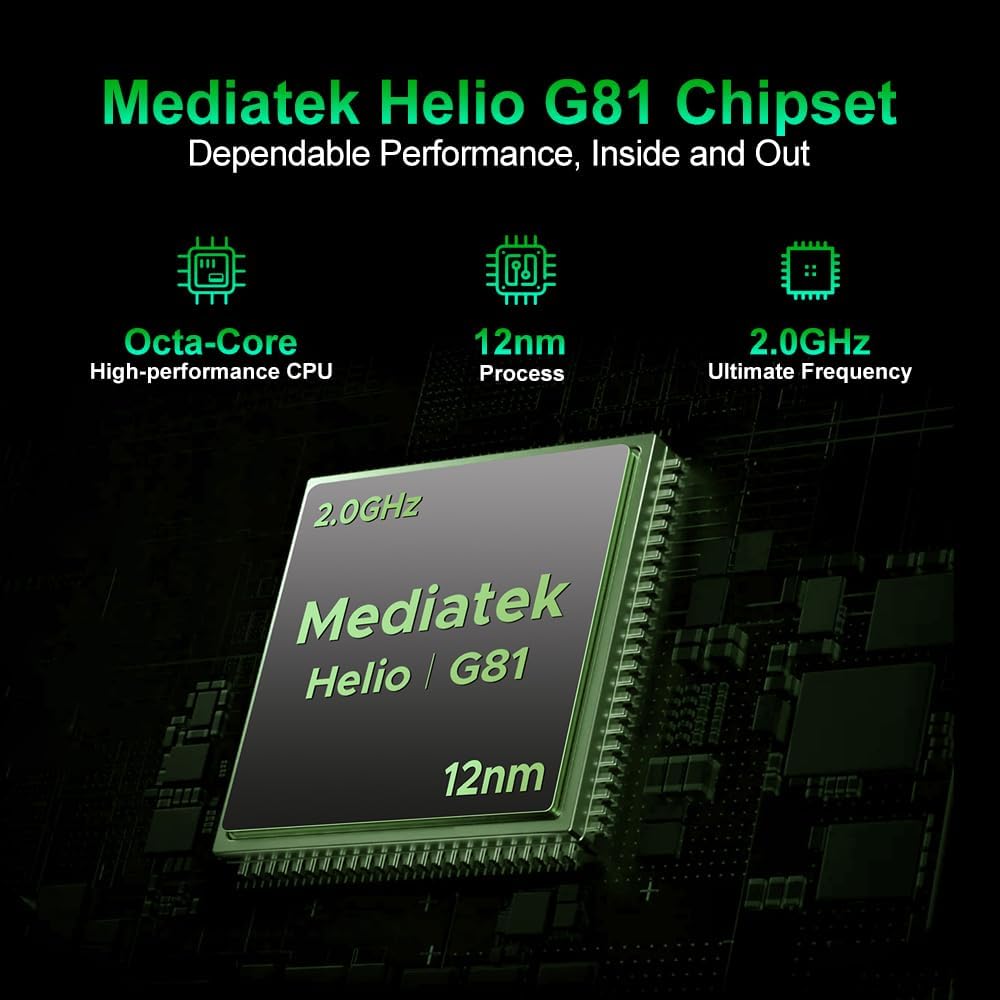
ภาพที่ 7.1: An illustration highlighting the MediaTek Dimensity 6300 5G processor, emphasizing its octa-core architecture and 6nm process for efficient performance.
- โปรเซสเซอร์: Dimensity 6300 5G chipset (octa-core, up to 2.4GHz, 6nm architecture).
- แรม : 16GB (4GB physical + 12GB virtual) for seamless multitasking.
- พื้นที่เก็บข้อมูลภายใน: รอม 256GB.
- พื้นที่เก็บข้อมูลที่ขยายได้: Supports up to 2TB via TF card.

ภาพที่ 7.2: Visual representation of the smartphone's 16GB RAM (4GB basic + 12GB virtual) and 256GB ROM, expandable up to 2TB, indicating ampพื้นที่จัดเก็บข้อมูลและการทำงานหลายอย่างพร้อมกันได้อย่างราบรื่น
8. การจัดการแบตเตอรี่
The DOOGEE Fire 7 is equipped with a large capacity battery for extended use.
- ความจุแบตเตอรี่: 13000mAh.
- การชาร์จ: รองรับการชาร์จเร็ว 18W.
- การชาร์จแบบย้อนกลับ: 5W OTG reverse charging allows the phone to act as a power bank for other devices.

ภาพที่ 8.1: An infographic detailing the extended battery life provided by the 13000mAh battery, including hours for music playback (188.5 hrs), video watching (40.9 hrs), calling (33 hrs), web browsing (21 hrs), and continuous video recording (11.2 hrs).
9. ความทนทานและการปกป้อง
The DOOGEE Fire 7 is built to withstand challenging environments.

ภาพที่ 9.1: Images illustrating the smartphone's rugged capabilities, showing it submerged in water and covered in dirt, emphasizing its waterproof, dustproof, and shock-resistant design.
- IP68/IP69K Rating: Certified for water and dust resistance, allowing submersion and protection against high-pressure water jets.
- MIL-STD-810H Military Standard: Meets military-grade standards for durability against drops, shocks, and extreme temperatures.
- Drop Tested: Designed to withstand multi-angle drops.
10. ข้อมูลจำเพาะ
Detailed technical specifications for the DOOGEE Fire 7 5G Rugged Smartphone.
| คุณสมบัติ | ข้อมูลจำเพาะ |
|---|---|
| ขนาดสินค้า | 6.95 x 3.25 x 0.74 นิ้ว |
| น้ำหนักสินค้า | 13.7 ออนซ์ (389 กรัม) |
| หมายเลขรุ่นสินค้า | DOOGEE ไฟร์ 7 |
| ระบบปฏิบัติการ | แอนดรอยด์ 15 |
| เทคโนโลยีการเชื่อมต่อ | บลูทูธ, NFC, USB, Wi-Fi |
| คุณสมบัติพิเศษ | ซิมคู่ |
| อินพุตอินเทอร์เฟซมนุษย์ | หน้าจอสัมผัส |
| ฟอร์มแฟกเตอร์ | บาร์ |
| สี | สีดำ |
| ระดับพลังงานแบตเตอรี่ | 13000mAh (10300 Amp Hours listed in specs, but 13000mAh in feature bullets, using feature bullet value for consistency with product description) |
| เวลาสนทนาทางโทรศัพท์ | 48.7 ชั่วโมง |
| มีอะไรอยู่ในกล่อง | สาย USB |
| ความจุของหน่วยความจำ | 256GB |
| ขนาดการแสดงผลหน้าจอยืน | 6.6 นิ้ว |
| ขนาดหน่วยความจำ RAM ที่ติดตั้ง | 16GB |
| เทคโนโลยีเซลลูล่าร์ | 5G |
11. การบำรุงรักษา
To ensure the longevity and optimal performance of your DOOGEE Fire 7, follow these maintenance guidelines:
- การทำความสะอาด: เช็ดเครื่องเบาๆงamp ผ้า หลีกเลี่ยงสารเคมีรุนแรงหรือวัสดุที่มีฤทธิ์กัดกร่อน
- การชาร์จ: Use only the provided USB cable and a compatible 18W charger. Avoid overcharging.
- การอัปเดตซอฟต์แวร์: ตรวจสอบและติดตั้งการอัปเดตระบบเป็นประจำเพื่อให้แน่ใจว่าอุปกรณ์ของคุณมีแพตช์ความปลอดภัยและคุณลักษณะล่าสุด
- การจัดการพื้นที่เก็บข้อมูล: ล้างสิ่งที่ไม่จำเป็นออกเป็นระยะๆ fileและแอปต่างๆ เพื่อรักษาประสิทธิภาพการทำงานให้เหมาะสมที่สุด
12 การแก้ไขปัญหา
If you encounter issues with your DOOGEE Fire 7, try the following solutions:
- อุปกรณ์ไม่ตอบสนอง: กดปุ่มเปิด/ปิดค้างไว้ประมาณ 10-15 วินาทีเพื่อบังคับให้รีสตาร์ท
- แบตเตอรี่หมดเร็ว: ตรวจสอบการใช้งานแอปพื้นหลัง ลดความสว่างหน้าจอ และปิดใช้งานฟีเจอร์ที่ไม่จำเป็น เช่น GPS หรือ Wi-Fi เมื่อไม่ได้ใช้งาน
- ปัญหาการเชื่อมต่อเครือข่าย: Ensure your SIM card is properly inserted. Try toggling Airplane Mode on and off. If issues persist, contact your carrier.
- แอปขัดข้อง: ล้างแคชและข้อมูลของแอปใน การตั้งค่า > แอป หากปัญหายังคงอยู่ ให้ถอนการติดตั้งและติดตั้งแอปใหม่อีกครั้ง
- ข้อบกพร่องของซอฟต์แวร์: Perform a factory reset (Settings > System > Reset options > Erase all data) as a last resort. Note: This will erase all data on your phone, so back up important information first.
13. วิดีโอผลิตภัณฑ์อย่างเป็นทางการ
Watch the official product video for a visual demonstration of the DOOGEE Fire 7 5G Rugged Smartphone's features.
13.1 วิดีโอ: วิดีโอนี้ให้ภาพที่ชัดเจนview of the DOOGEE Fire 7 5G Rugged Smartphone, highlighting its key design elements, camera system, and robust build quality.
14. การรับประกันและการสนับสนุน
Your DOOGEE Fire 7 5G Rugged Smartphone comes with a 24-month comprehensive warranty from the date of purchase. This warranty covers manufacturing defects and hardware issues under normal use.
For technical inquiries, warranty claims, or hardware issues, please contact our dedicated support team. You can find more information and support resources on the official DOOGEE store page: DOOGEE Official Store.


