1. บทนำ
This manual provides essential information for the setup, operation, and maintenance of your Tonies Toniebox 2 My First Farm Bundle. The Toniebox 2 is an interactive audio player designed for children aged 1 and up, offering screen-free entertainment through collectible Tonie characters.
The My First Farm Bundle includes a Cloud Pink Toniebox 2 and three soft, squeezable Tonie characters: a Cow, a Horse, and a Pig, each pre-loaded with unique audio content.
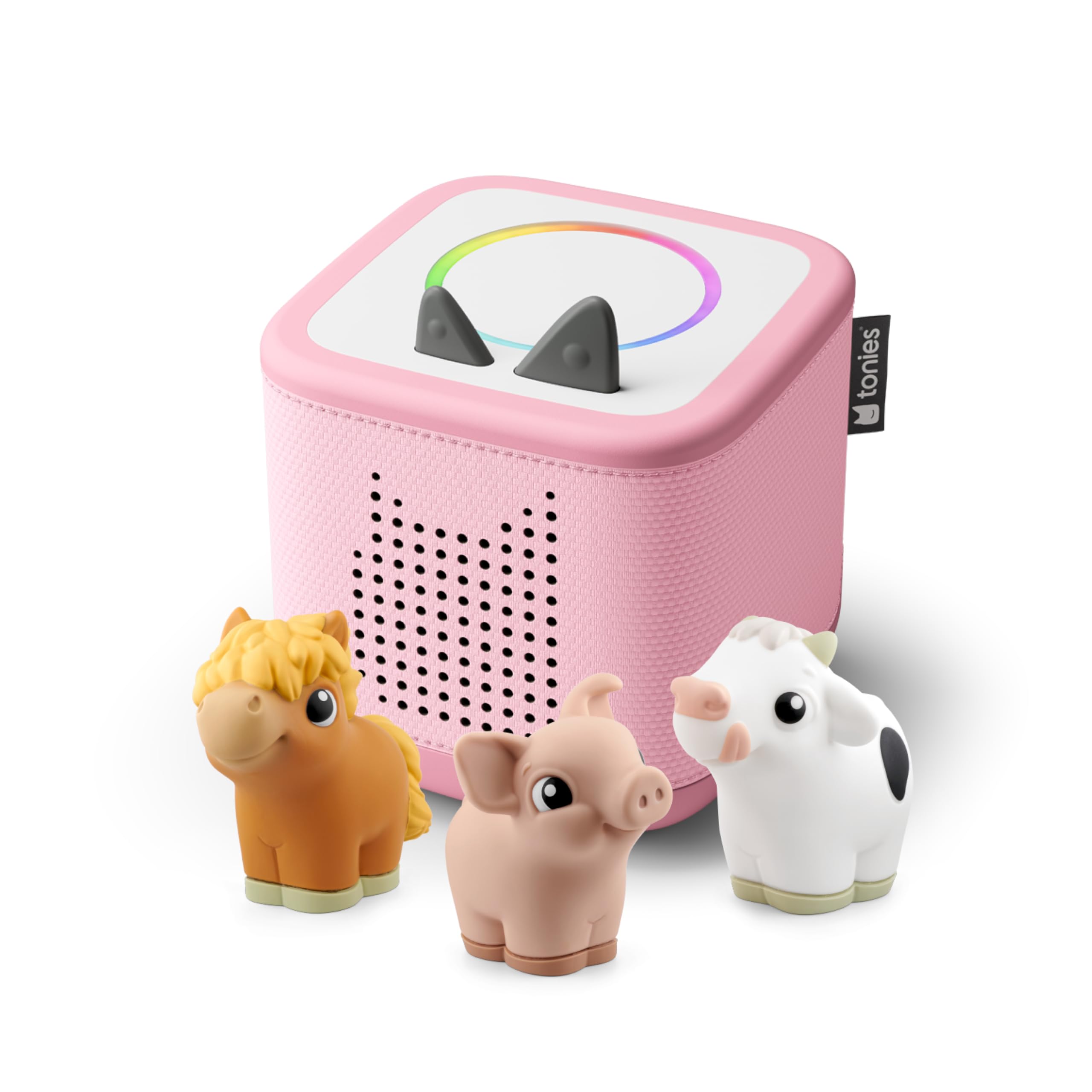
Figure 1: The Toniebox 2 in Cloud Pink with the My First Farm Bundle, featuring the Cow, Horse, and Pig Tonies.
2. เนื้อหาบรรจุภัณฑ์
Verify that all items listed below are included in your Toniebox 2 My First Farm Bundle:
- 1 x Cloud Pink Toniebox 2
- 1 x 8.6” (22cm) USB-C Charging Cable
- 1 x Cow Tonie Character
- 1 x Horse Tonie Character
- 1 x Pig Tonie Character
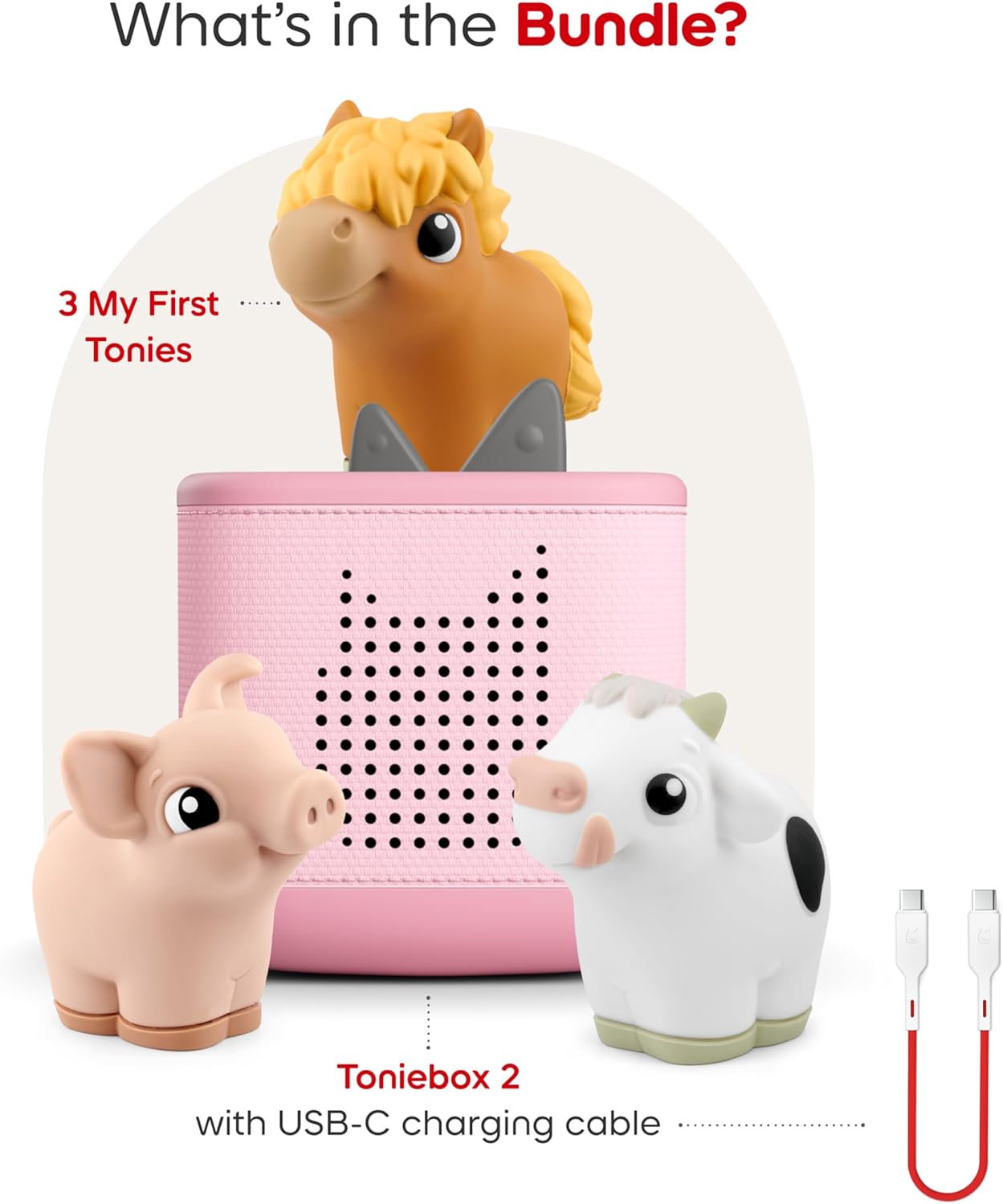
Figure 2: An illustration showing the contents of the My First Farm Bundle: a Cloud Pink Toniebox 2, a USB-C charging cable, and the three My First Tonies: Cow, Horse, and Pig.
3. คุณสมบัติ
The Toniebox 2 offers several features designed for engaging and safe listening experiences:
- การเล่นอิสระ: Kid-friendly controls allow children to explore stories, songs, and games on their own.
- ความทนทาน: Designed for ages 1-9+, the Toniebox 2 is built to withstand active play.
- ห้องสมุดเนื้อหาที่ครอบคลุม: Compatible with hundreds of Tonies and Tonieplay games, with new content released regularly.
- Smart Bedtime & Wake-Up: Features a Sleep Timer with Light and a Sunrise Alarm to support healthy sleep routines.
- การเล่นแบบโต้ตอบ: Supports Tonieplay interactive games, adventures, challenges, and quizzes (Tonieplay controller sold separately).
- ความบันเทิงแบบไร้หน้าจอ: Provides a safe, ad-free experience without screens, microphones, or cameras.
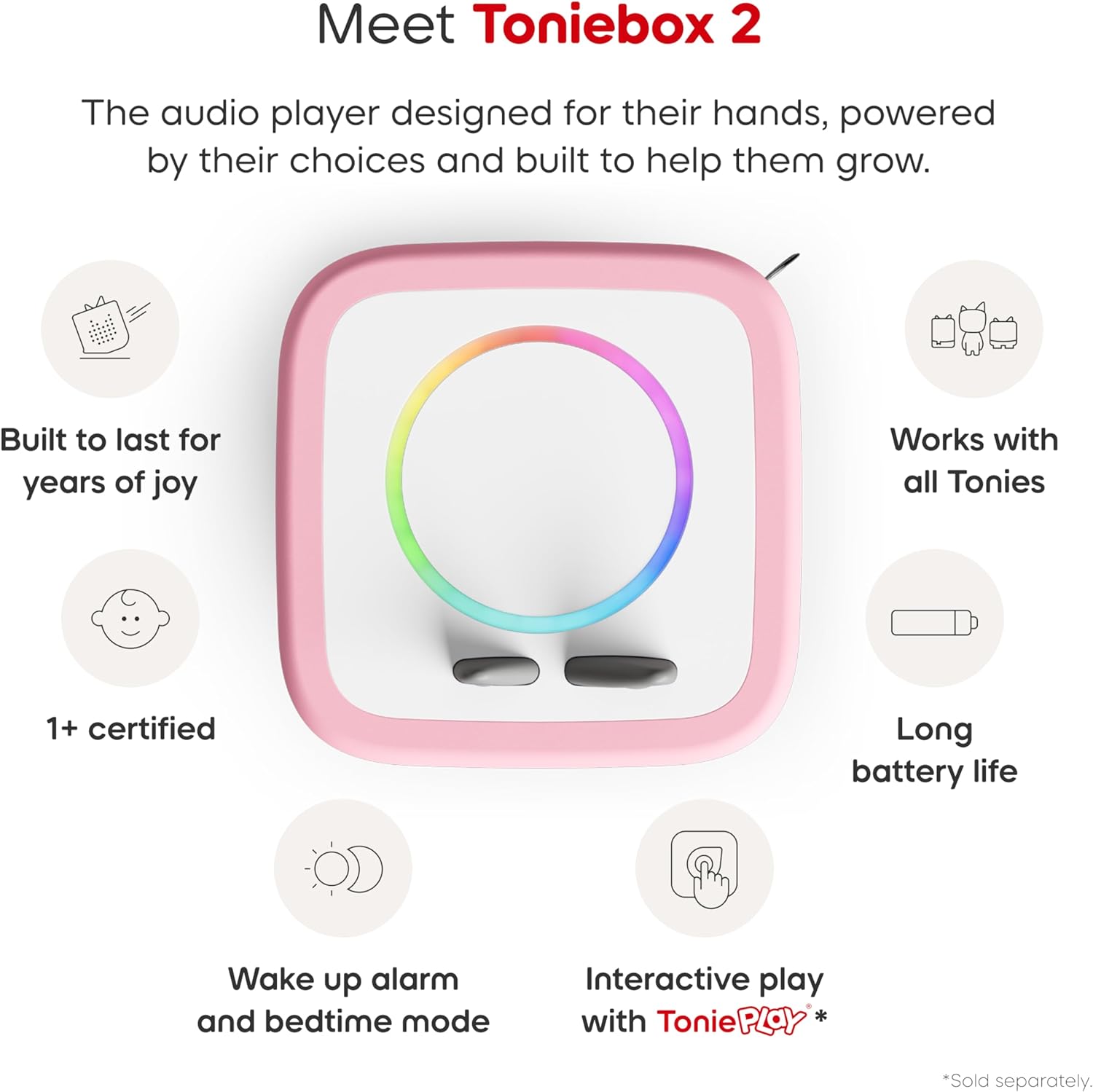
Figure 3: An infographic highlighting key features of the Toniebox 2: built to last, works with all Tonies, 1+ certified, long battery life, wake-up alarm and bedtime mode, and interactive play with Tonieplay.
4. การตั้งค่า
4.1 การตั้งค่าเริ่มต้น
The Toniebox 2 requires an initial setup via Wi-Fi using the Tonies app. Follow the in-app instructions to connect your device to your home network and register your Toniebox.
4.2 การชาร์จ
Use the included 8.6” (22cm) USB-C charging cable to power your Toniebox. Connect the USB-C end to the Toniebox and the USB-A end to a compatible power adapter (sold separately) or USB port. The Toniebox contains a rechargeable Lithium Ion battery.

Figure 4: The included 22cm USB-C charging cable, designed for child safety.
5. คู่มือการใช้งาน
5.1 การเล่นเนื้อหา
To start playback, simply place any Tonie audio character on top of the Toniebox. The content associated with that Tonie will begin automatically.
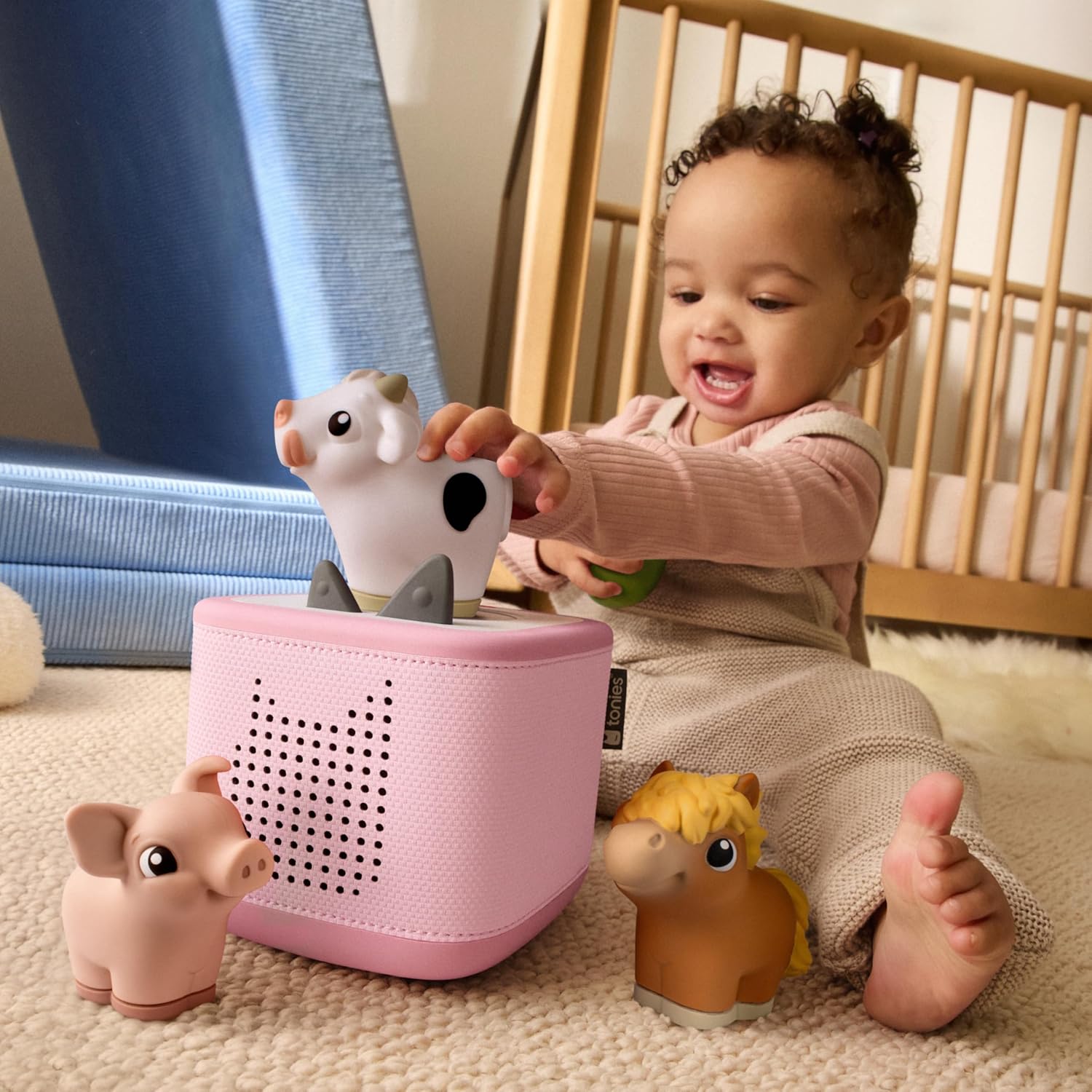
Figure 5: A child independently placing a Tonie character on the Toniebox 2 to initiate audio playback.
5.2 การควบคุมระดับเสียง
Adjust the volume by pressing the ears on top of the Toniebox. Pressing the larger ear increases the volume, while pressing the smaller ear decreases it.
5.3 Skipping Tracks
To skip to the next track, gently tap the side of the Toniebox. Tapping the other side will return to the previous track.
5.4 Fast Forward / Rewind
Tilt the Toniebox to fast forward or rewind within a track. Tilting it forward will fast forward, and tilting it backward will rewind.
5.5 การปิดเครื่องอัตโนมัติ
The Toniebox is designed to automatically turn off after a period of inactivity to conserve battery life.
6. Tonies Characters
The My First Farm Bundle includes three soft and squeezable Tonie characters, each with unique audio content:
6.1 Cow Tonie
The Cow Tonie features a delightful selection of farm-themed audio content.
- Track 1: Cow Sound & Song
- Track 2: Can You Hear the Cow?
- Track 3: The Cow and the Clover
- Track 4: Cows in the Meadow (Soundscape & Music)
Run time: Approximately 11 minutes.

Figure 6: The Cow Tonie character and its associated tracklist.
6.2 Horse Tonie
The Horse Tonie provides engaging audio content centered around horses and farm life.
- Track 1: Horse Sound & Song
- Track 2: Can You Hear the Horse?
- Track 3: Mama Horse and her Foal
- Track 4: Trotting to the Apple Tree (Soundscape & Music)
Run time: Approximately 11 minutes.

Figure 7: The Horse Tonie character and its associated tracklist.
6.3 Pig Tonie
The Pig Tonie offers fun and educational audio content related to pigs.
- Track 1: Pig Sound & Song
- Track 2: Can You Hear the Pig?
- Track 3: Ten Little Piglets
- Track 4: Playing in the Mud (Soundscape & Music)
Run time: Approximately 11 minutes.

Figure 8: The Pig Tonie character and its associated tracklist.
7. ข้อมูลจำเพาะ
| คุณลักษณะ | ค่า |
|---|---|
| ชื่อรุ่น | Toniebox 2 |
| ยี่ห้อ | โทนี่ |
| สี | Cloud Pink |
| ขนาดสินค้า | ลึก 5 นิ้ว x กว้าง 5 นิ้ว x สูง 5 นิ้ว |
| น้ำหนักสินค้า | 2.6 ปอนด์ |
| ประเภทลำโพง | ชั้นวางหนังสือ |
| คุณสมบัติพิเศษ | Shockproof, USB Port, Network Ready |
| การใช้ที่แนะนำ | ในร่ม/กลางแจ้ง |
| อุปกรณ์ที่รองรับ | Tonieplay controller, Tonies |
| วิธีการควบคุม | สัมผัส |
| เทคโนโลยีการสื่อสารไร้สาย | ไวไฟ |
| แหล่งพลังงาน | ใช้พลังงานจากแบตเตอรี่ |
| แบตเตอรี่ | ต้องใช้แบตเตอรี่ลิเธียมไอออน 1 ก้อน (รวมอยู่ด้วย) |
| วัสดุ | ฝ้าย |
| ยูพีซี | 840147454720 |
8. การบำรุงรักษา
To ensure the longevity and optimal performance of your Toniebox 2, follow these maintenance guidelines:
- การทำความสะอาด: Wipe the Toniebox and Tonie characters with a soft, dry cloth. Avoid using harsh chemicals or abrasive cleaners.
- พื้นที่จัดเก็บ: Store the Toniebox and characters in a cool, dry place away from direct sunlight and extreme temperatures.
- การจัดการ: While durable and shockproof, avoid intentionally dropping or throwing the device to prevent potential damage.
- การชาร์จ: Always use the provided USB-C charging cable. Ensure the charging port is clean and free of debris before connecting.
9 การแก้ไขปัญหา
If you encounter issues with your Toniebox 2, consider the following:
- No Sound/Playback:
- Ensure the Toniebox is powered on (press an ear).
- Check that the Tonie character is correctly placed on the Toniebox.
- Adjust the volume using the ears.
- Verify the Toniebox has sufficient battery charge.
- Tonie Not Playing New Content:
- Confirm the Toniebox is connected to Wi-Fi for initial content download.
- Ensure the Tonie is registered to your account via the Tonies app.
- ปัญหาการเชื่อมต่อ:
- รีสตาร์ทเราเตอร์ Wi-Fi ของคุณ
- Move the Toniebox closer to your Wi-Fi router.
- Check the Tonies app for network troubleshooting tips.
10. การรับประกันและการสนับสนุน
10.1 ข้อมูลการรับประกัน
The Toniebox 2 comes with a Limited Warranty. Please refer to the official Tonies website or the Tonies app for detailed warranty terms and conditions.
10.2 การสนับสนุนลูกค้า
For further assistance, technical support, or inquiries regarding your Toniebox 2, please contact Tonies customer service through their official website or the Tonies app.
Manufacturer: Tonies


