การแนะนำ
This manual provides detailed instructions for the New Bee M53 Bluetooth Headset. Please read this manual carefully before using the product to ensure proper operation and to maximize its performance and lifespan. Keep this manual for future reference.
เนื้อหาแพ็คเกจ
ตรวจสอบว่ามีรายการทั้งหมดอยู่ในแพ็คเกจ:
- Bluetooth Earpiece (1 unit)
- 500mAh Charging Case (1 unit)
- Ear Tips (3 sizes: S/M/L)
- Type-C Cable (1 unit, AC adapter not included)
- คู่มือผู้ใช้ (1 หน่วย)
สินค้าเกินview
The New Bee M53 Bluetooth Headset features an ergonomic design for comfortable wear and intuitive controls. Below is a general view of the headset and its charging case.
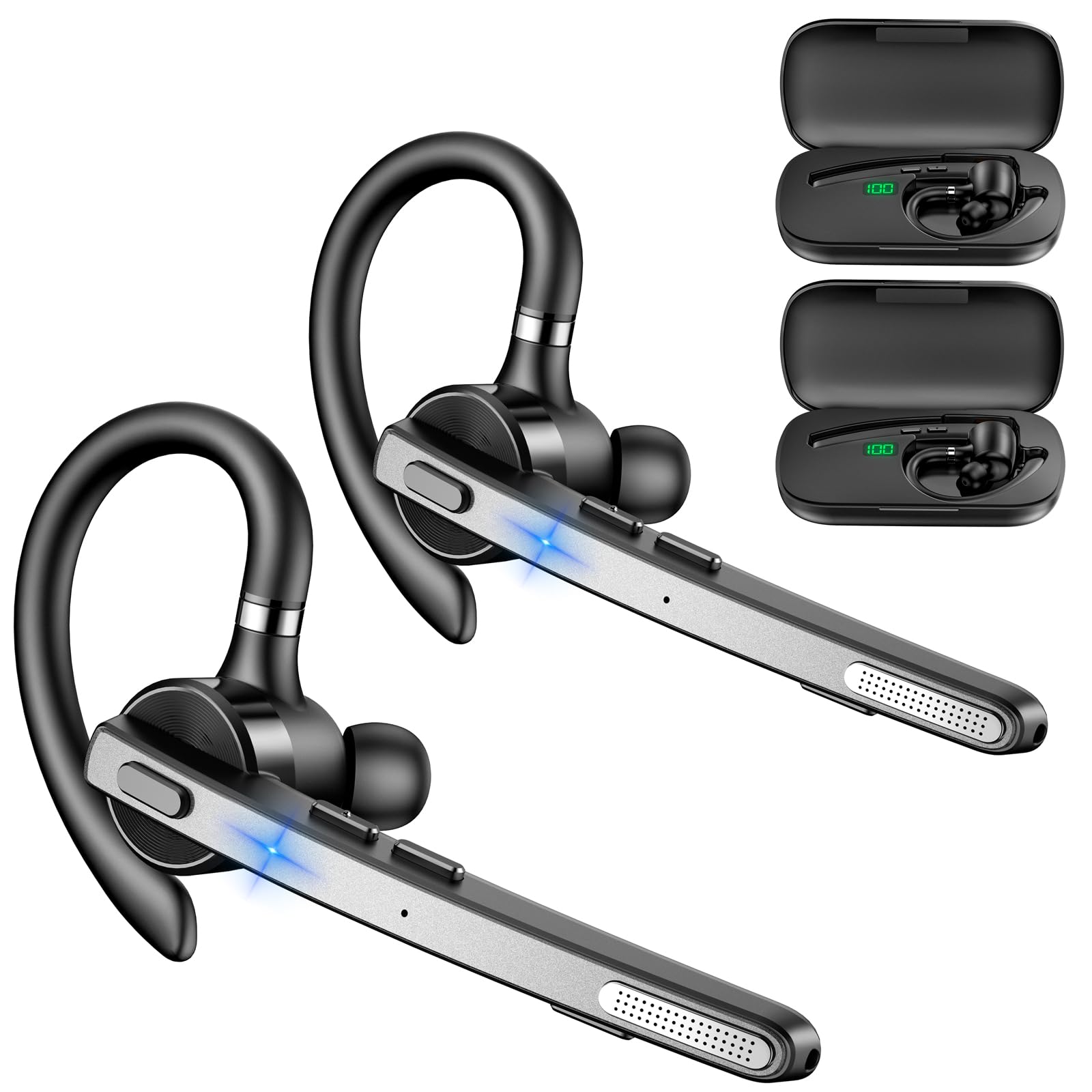
Image: New Bee M53 Bluetooth Headset with its charging case and included ear tips.

Image: Diagram illustrating the various buttons and their functions on the New Bee M53 Bluetooth Headset, including power, volume, call control, mute, and Type-C charging port.
การตั้งค่า
1. การชาร์จหูฟังและเคส
Before first use, fully charge the headset and its charging case. The charging case has a digital display to indicate the remaining power.
- Connect the provided Type-C cable to the charging port on the case and to a USB power source (e.g., computer, wall adapter).
- วางหูฟังลงในกล่องชาร์จ
- การชาร์จเต็มจะใช้เวลาประมาณ 2 ชั่วโมง
- The 500mAh charging case provides approximately 72 hours of total playtime for the headset.
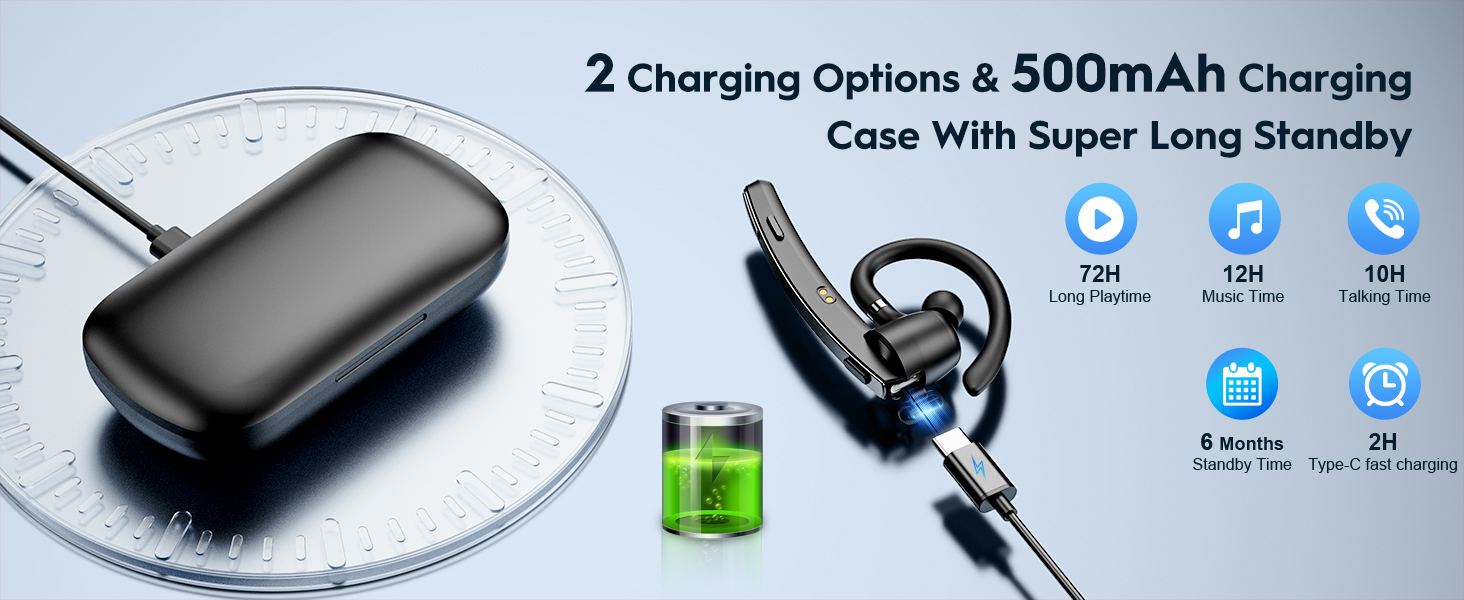
Image: The New Bee M53 charging case displaying battery level, with the headset inside, illustrating its long battery life capabilities.
2. การสวมชุดหูฟัง
The headset is designed for comfortable and secure fit. It can be worn on either the left or right ear.
- The flexible ear hook can be rotated 180° to fit either ear.
- The earphone arm can be rotated 270° to adjust the microphone position.
- Choose from the three included ear tip sizes (S, M, L) for the best fit and comfort.
- The headset weighs only 13.6 grams, ensuring comfort during extended wear.

Image: Illustration of the headset's adjustable ear hook for left/right ear use and the three available ear tip sizes (S, M, L).
3. การจับคู่บลูทู ธ
The headset uses Bluetooth 5.1 technology for quick and stable connections.
- ตรวจสอบให้แน่ใจว่าชุดหูฟังได้รับการชาร์จและปิดเครื่องแล้ว
- Press and hold the Power button for 3-5 seconds until the indicator light flashes blue and red, indicating pairing mode.
- บนอุปกรณ์ของคุณ (สมาร์ทโฟน แล็ปท็อป ฯลฯ) เปิดใช้งาน Bluetooth และค้นหาอุปกรณ์ที่มีอยู่
- Select "M53" from the list of devices.
- เมื่อเชื่อมต่อเสร็จแล้ว ไฟแสดงสถานะจะกะพริบเป็นสีน้ำเงินช้าๆ
The headset supports connecting to two devices simultaneously within a 15-meter (49 feet) range.

Image: The headset shown connecting to a mobile phone, demonstrating Bluetooth 5.1 quick connection and dual device capability.
คำแนะนำการใช้งาน
ฟังก์ชั่นพื้นฐาน
- เปิด/ปิดเครื่อง: Press and hold the Power button for 3 seconds to power on, 5 seconds to power off.
- เล่น/หยุดชั่วคราว: กดปุ่มเล่น/หยุดชั่วคราวหนึ่งครั้ง
- การควบคุมระดับเสียง: ใช้ปุ่มปรับระดับเสียง +/- เพื่อปรับระดับเสียง
- เพลงถัดไป/ก่อนหน้า: Press and hold Volume + for next song, Volume - for previous song (3 seconds).
การจัดการการโทร
- รับสาย/วางสาย: Press the Answer/Hang Up button once.
- ปฏิเสธสาย: Press and hold the Answer/Hang Up button for 2 seconds.
- โทรซ้ำหมายเลขล่าสุด: Double-press the Answer/Hang Up button.
- ปิดเสียงไมค์: Press the Mic Mute button once during a call to mute/unmute the microphone.
The headset features dual-mic noise reduction and CVC8.0 technology for clear calls by reducing ambient noise and echo.

Image: Illustration of the headset's one-button call answering and mute features for hands-free communication.

Image: Visual representation of the dual-mic noise cancelling technology, showing how external background noise is reduced for clear calls.
การซ่อมบำรุง
To ensure the longevity and optimal performance of your New Bee M53 Bluetooth Headset, follow these maintenance guidelines:
- การทำความสะอาด: Use a soft, dry, lint-free cloth to clean the headset and charging case. Do not use abrasive cleaners, solvents, or aerosol sprays.
- พื้นที่จัดเก็บ: Store the headset in its charging case when not in use to protect it from dust and damage. Avoid extreme temperatures.
- การสัมผัสน้ำ: The headset is not waterproof. Avoid exposure to water, moisture, or excessive humidity.
- การชาร์จ: Always use the provided Type-C cable for charging. Do not attempt to disassemble or modify the device.
การแก้ไขปัญหา
หากคุณพบปัญหาเกี่ยวกับชุดหูฟัง โปรดดูวิธีแก้ไขทั่วไปต่อไปนี้:
| ปัญหา | สารละลาย |
|---|---|
| หูฟังไม่สามารถเปิดเครื่องได้ | ตรวจสอบให้แน่ใจว่าหูฟังชาร์จเต็มแล้ว วางหูฟังลงในกล่องชาร์จและเชื่อมต่อกล่องชาร์จเข้ากับแหล่งจ่ายไฟ |
| ไม่สามารถจับคู่กับอุปกรณ์ได้ |
|
| ไม่มีเสียงหรือเสียงเบา |
|
| คุณภาพการโทรไม่ดี |
|
ข้อมูลจำเพาะ
| คุณสมบัติ | รายละเอียด |
|---|---|
| ชื่อรุ่น | M53 |
| เวอร์ชันบลูทูธ | 5.1 |
| ช่วงบลูทูธ | สูงถึง 15 เมตร (49 ฟุต) |
| Battery Life (Talktime/Music) | ประมาณ 12 ชั่วโมงต่อการชาร์จหนึ่งครั้ง |
| เวลาเล่นทั้งหมดพร้อมเคสชาร์จ | นานถึง 72 ชั่วโมง |
| ความจุของเคสชาร์จ | 500mAh |
| เวลาในการชาร์จ | ประมาณ 2 ชั่วโมง (Type-C) |
| น้ำหนัก | 13.6 grams (earpiece) |
| การควบคุมเสียงรบกวน | Dual-Mic Noise Reduction, CVC8.0 |
| ความเข้ากันได้ | iOS, Android, Windows (Cellphones, Laptops, Desktops) |
| ประเภทการควบคุม | ปุ่มควบคุม |

Image: The headset demonstrating its wide compatibility with devices such as tablets, cellphones, laptops, PCs, and Kindles.
การรับประกันและการสนับสนุน
New Bee provides a 3-year customer support service for this product. If you encounter any issues or have questions, please contact our customer support team. Refer to the contact information provided with your purchase or visit the official New Bee webเว็บไซต์เพื่อขอความช่วยเหลือ
สำหรับการเคลมประกัน โปรดเก็บหลักฐานการซื้อไว้ด้วย


