1. บทนำ
This manual provides essential information for the safe and effective operation of your ZENTALITY Mini Projector A10 PLUS. Please read this manual thoroughly before using the product and retain it for future reference.
สินค้าเกินview
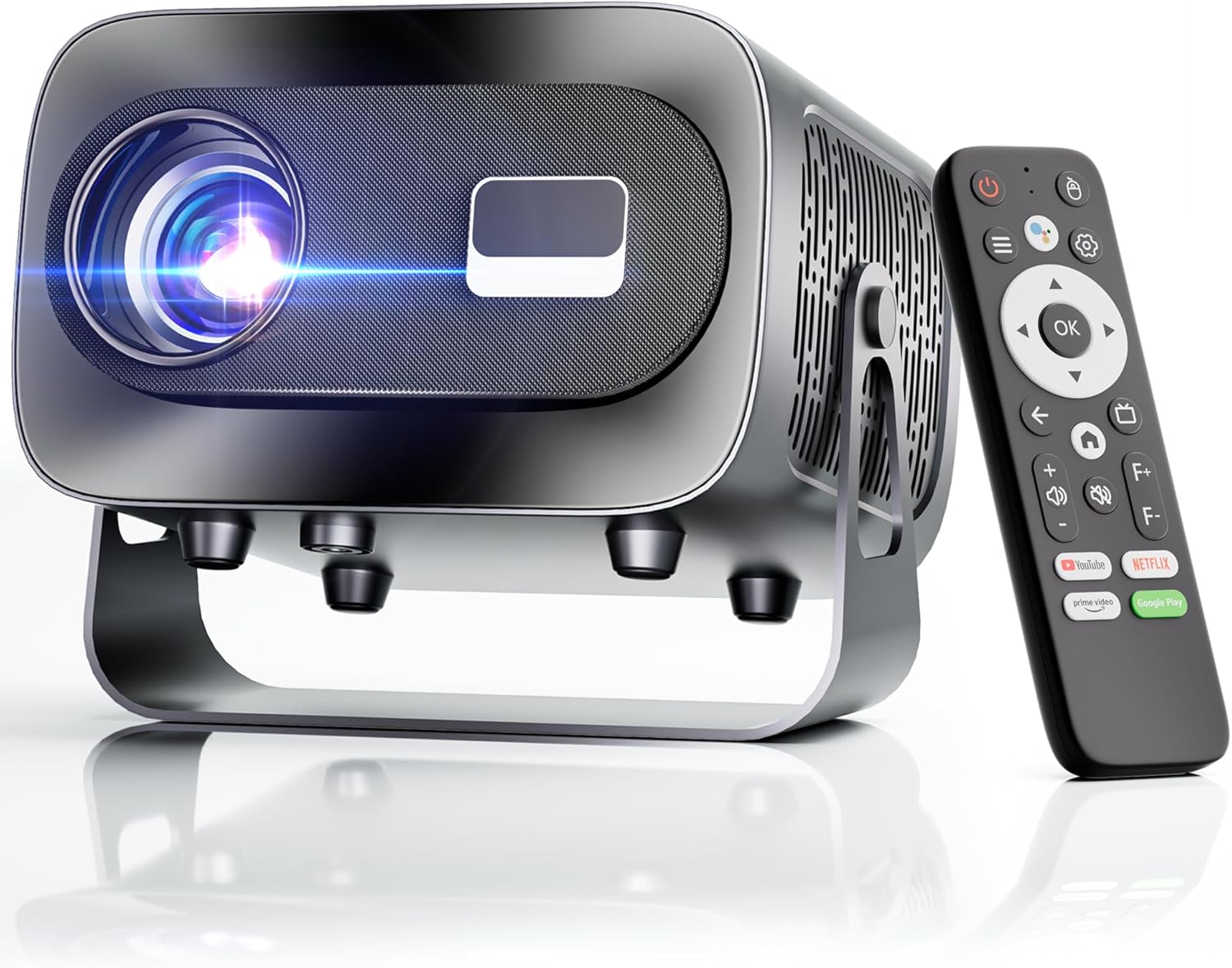
The ZENTALITY Mini Projector A10 PLUS is a smart projector featuring Android 13, designed for versatile home and outdoor entertainment. It supports 4K and 1080P HD content, offers electric focus, auto vertical keystone correction, and includes dual-band WiFi 6 and Bluetooth 5.1 connectivity. Its compact design and multiple input options make it suitable for various applications.
มีอะไรอยู่ในกล่อง
- ZENTALITY Mini Projector A10 PLUS
- สาย HDMI
- อะแดปเตอร์แปลงไฟ
- รีโมทคอนโทรล
- คู่มือการใช้งาน (เอกสารนี้)
2. ข้อมูลด้านความปลอดภัย
Please observe the following safety precautions to prevent damage to the projector and ensure user safety:
- อย่าปิดกั้นช่องระบายอากาศ ตรวจสอบให้แน่ใจว่ามีการระบายอากาศรอบ ๆ โปรเจ็กเตอร์อย่างเพียงพอเพื่อป้องกันความร้อนสูงเกินไป
- Avoid direct exposure to the projector lens light. The bright light can cause eye strain or damage.
- Use only the provided power adapter. Using an incompatible adapter may cause fire, electric shock, or damage.
- ควรวางโปรเจคเตอร์ให้ห่างจากน้ำหรือของเหลวอื่นๆ ห้ามใช้งานในที่ชื้นแฉะamp สภาพแวดล้อม
- อย่าพยายามถอดประกอบหรือซ่อมแซมโปรเจ็กเตอร์ด้วยตนเอง โปรดติดต่อช่างผู้ชำนาญเพื่อขอรับบริการ
- วางโปรเจ็กเตอร์บนพื้นผิวที่มั่นคงและระดับเพื่อป้องกันไม่ให้ตก
- เก็บให้พ้นจากมือเด็ก
3. ส่วนประกอบและพอร์ตของผลิตภัณฑ์
Familiarize yourself with the projector's physical features and connectivity options.

พอร์ตที่มี:
- ยูเอสบี (x2): For connecting USB drives, external storage, or other USB-compatible devices.
- ช่องต่อ HDMI: For connecting devices such as laptops, gaming consoles, or TV sticks.
- ช่องต่อสัญญาณเสียงออก (แจ็ค 3.5 มม.): สำหรับเชื่อมต่อลำโพงภายนอกหรือหูฟัง
- กำลังไฟเข้า: สำหรับการเชื่อมต่ออะแดปเตอร์ไฟฟ้า
4. การตั้งค่าเริ่มต้น
4.1 การเชื่อมต่อสายไฟ
- ต่ออะแดปเตอร์แปลงไฟเข้ากับพอร์ตจ่ายไฟของโปรเจ็กเตอร์
- เสียบอะแดปเตอร์ไฟฟ้าเข้ากับเต้ารับไฟฟ้าที่ผนัง
- กดปุ่มเปิด/ปิดบนโปรเจ็กเตอร์หรือรีโมทคอนโทรลเพื่อเปิดเครื่อง
4.2 การจับคู่รีโมทคอนโทรล
Important: The remote control must be paired via Bluetooth before it can operate smoothly within 1-3 meters.
- ตรวจสอบให้แน่ใจว่าโปรเจ็กเตอร์เปิดอยู่
- Navigate to the projector's Bluetooth settings (usually found in the 'Settings' menu).
- Select 'Pair new device' or similar option.
- On the remote control, press and hold the designated pairing button (refer to the remote's specific instructions if available, often a combination of 'OK' and 'Volume Down' or a dedicated Bluetooth button).
- Once the remote appears in the projector's Bluetooth device list, select it to complete pairing.

4.3 Placement and Screen Adjustment
The projector offers automatic and electric adjustments for optimal image clarity and alignment.
- โฟกัสไฟฟ้า: The projector features electric focus for instant clarity. Use the 'F+' and 'F-' buttons on the remote control to fine-tune the image sharpness.
- การแก้ไขภาพสี่เหลี่ยมคางหมูแนวตั้งอัตโนมัติ: The projector automatically corrects vertical image distortion up to ±15°. This ensures a rectangular image even if the projector is not perfectly perpendicular to the screen.
- ฟังก์ชั่นซูม: Adjust the image size from 50% to 100% without moving the projector. This is useful for fitting the projection to your screen size.


5. คู่มือการใช้งาน
5.1 Android 13 Interface and App Access
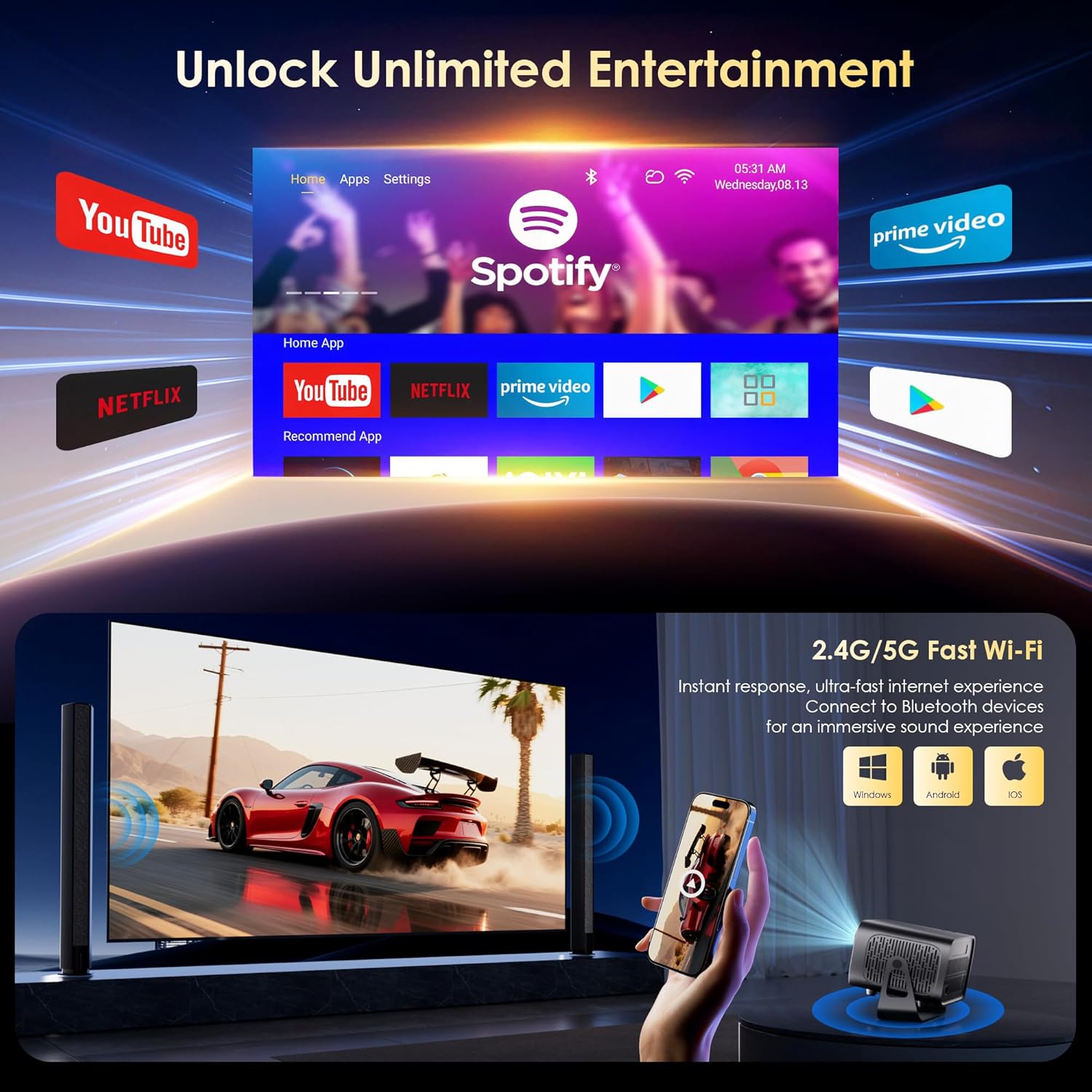
The projector runs on Android 13, providing access to a wide range of streaming applications.
- Upon startup, the home screen will display pre-installed applications like Netflix, Prime Video, and YouTube.
- Navigate using the remote control's directional pad and 'OK' button.
- Access the built-in app store (e.g., Google Play Store) to download additional applications.
- Use the voice assistant feature on the remote control for quick app launching or content search.

5.2 การเชื่อมต่อ WiFi
The projector supports dual-band 5G/2.4G WiFi 6 for stable internet access and screen mirroring.
- Go to 'Settings' on the home screen.
- เลือก 'เครือข่ายและอินเทอร์เน็ต'
- เปิดใช้งาน Wi-Fi และเลือกเครือข่ายที่คุณต้องการจากรายการ
- กรอกรหัสผ่านหากได้รับแจ้งและเชื่อมต่อ
Note: WiFi is required for the first setup or online apps. If you prefer not to connect to WiFi, you can use the projector offline by connecting external devices via the included HDMI cable or the USB port.

5.3 การเชื่อมต่อบลูทูธ
The projector features Bluetooth 5.1 for audio streaming.
- Go to 'Settings' on the home screen.
- Select 'Connected Devices' or 'Bluetooth'.
- เปิดใช้งานบลูทูธและค้นหาอุปกรณ์ที่ใช้งานได้
- Select your Bluetooth speaker, headphones, or soundbar from the list to pair.
Note: Bluetooth supports audio output only, not video transmission.
5.4 การเชื่อมต่ออุปกรณ์ภายนอก
The projector supports various external devices via its HDMI and USB ports.
- ช่องต่อ HDMI: Connect your laptop, gaming console, or TV stick using an HDMI cable. The projector will automatically detect the input or you may need to select the HDMI source from the input menu.
- ยูเอสบี: เสียบ USB เพื่อเล่นสื่อ files directly. The projector's media player will typically launch automatically or can be accessed from the home screen.
5.5 โหมดการฉายภาพ
The projector can be used in various orientations:
- Desktop Projection: Place the projector on a flat surface in front of the screen.
- การยื่นออกมาจากเพดาน: Mount the projector upside down on the ceiling. Adjust the projection settings in the menu to flip the image.
- การติดตั้งขาตั้งกล้อง: Use the 1/4'' screw hole at the bottom to mount the projector on a tripod for flexible positioning.

6. การบำรุงรักษา
6.1 การทำความสะอาด
- เลนส์: ใช้ผ้าเนื้อนุ่ม ปราศจากขน และออกแบบมาสำหรับเลนส์แว่นตาโดยเฉพาะ ห้ามใช้สารทำความสะอาดหรือผ้าที่มีฤทธิ์กัดกร่อน
- ภายนอก: เช็ดทำความสะอาดภายนอกโปรเจคเตอร์ด้วยผ้าแห้งนุ่มๆ สำหรับคราบสกปรกที่ติดแน่น ให้ใช้ผ้าชุบน้ำหมาดๆ เช็ดเบาๆamp สามารถใช้ผ้าเช็ดทำความสะอาดได้ จากนั้นเช็ดซ้ำด้วยผ้าแห้ง
- ช่องระบายอากาศ: Periodically check and gently clean the ventilation openings to ensure they are free from dust and debris. Use a soft brush or compressed air.
6.2 ระบบทำความเย็น
The projector features an advanced dual-fan cooling system designed for low noise and efficient heat dissipation. To ensure its longevity and stable performance:
- Always ensure the projector has adequate space around its ventilation openings.
- Avoid placing the projector on soft surfaces (e.g., blankets, carpets) that might block airflow.
- Operating the projector in extremely hot or humid environments may affect its performance and lifespan.
7 การแก้ไขปัญหา
หากคุณพบปัญหาเกี่ยวกับโปรเจ็กเตอร์ของคุณ โปรดดูปัญหาทั่วไปและวิธีแก้ไขต่อไปนี้:
| ปัญหา | สาเหตุที่เป็นไปได้ | สารละลาย |
|---|---|---|
| No power/Projector won't turn on | สายไฟไม่ได้เชื่อมต่อ เต้ารับไฟฟ้าชำรุด | ตรวจสอบการเชื่อมต่อสายไฟ; ลองเสียบปลั๊กเข้ากับเต้ารับอื่นดู |
| No image/Blank screen | แหล่งอินพุตไม่ถูกต้อง อุปกรณ์ไม่ได้เชื่อมต่ออย่างถูกต้อง | Select correct input source (HDMI, USB); Reconnect external device |
| Image blurry/Out of focus | ไม่ได้ปรับโฟกัส | Use the 'F+' and 'F-' buttons on the remote for electric focus adjustment |
| Image distorted/Trapezoid shape | คีย์สโตนยังไม่ได้รับการแก้ไข | The projector has auto vertical keystone correction. Ensure it's on or manually adjust if needed. |
| รีโมตคอนโทรลไม่ทำงาน | Not paired via Bluetooth; Low battery | Pair the remote control via Bluetooth (Section 4.2); Replace remote batteries |
| ไม่มีเสียง | Volume too low; Incorrect audio output; Bluetooth not connected | Increase volume; Check audio output settings; Ensure Bluetooth speaker is paired |
| ปัญหาการเชื่อมต่อ WiFi | รหัสผ่านไม่ถูกต้อง; ปัญหาเกี่ยวกับเราเตอร์; อยู่นอกช่วงสัญญาณ | Verify WiFi password; Restart router; Move projector closer to router |
8. ข้อมูลจำเพาะ
Detailed technical specifications for the ZENTALITY Mini Projector A10 PLUS:
- ยี่ห้อ: เซนทัลลิตี้
- หมายเลขรุ่น: เอ10 พลัส
- น้ำหนักสินค้า: 3.1 ปอนด์
- ขนาดสินค้า : 7.4 x 6.22 x 4.8 นิ้ว
- ระบบปฏิบัติการ: แอนดรอยด์ 13
- ความละเอียดการแสดงผล: 1920 x 1080 (ความละเอียด Full HD 1080P)
- รองรับ 4K: ใช่
- ความสว่าง: 350 ANSI Lumens
- อัตราส่วนคอนทราสต์: 10,000:1 น.
- เทคโนโลยีการเชื่อมต่อ: 3.5mm Jack, Bluetooth 5.1, HDMI, USB (x2), Wi-Fi 6 (2.4G/5G)
- คุณสมบัติพิเศษ: Built-In Media Player, Built-In Speaker, Electric Focus, Portable, Wi-Fi Ready, Auto Vertical Keystone Correction
- การใช้ที่แนะนำ: ธุรกิจ, การศึกษา, เกม, โฮมเธียเตอร์
- Lamp อายุการใช้งาน: นานถึง 100,000 ชั่วโมง

9. การรับประกันและการสนับสนุน
ZENTALITY is committed to providing quality products and customer satisfaction.
- การรับประกันคุณภาพ: 360-Day Quality Guarantee.
- การส่งคืน: 180-Day Free Returns.
- การสนับสนุนด้านเทคนิค: การสนับสนุนทางเทคนิคตลอดชีพ
- บริการลูกค้า: 24/7 Fast Customer Service.
For support inquiries, please refer to the contact information provided on the ZENTALITY official webไซต์หรือแพลตฟอร์มการซื้อของคุณ


