การแนะนำ
This manual provides detailed instructions for the setup, operation, maintenance, and troubleshooting of your Satechi OntheGo Bluetooth Keyboard with Adjustable Stand. Please read thoroughly before use to ensure optimal performance and longevity of your device.
การตั้งค่า
1. การชาร์จคีย์บอร์ด
The Satechi OntheGo Bluetooth Keyboard is equipped with a 360mAh rechargeable battery and supports USB-C charging. A USB-C to USB-C charging cable is included.
- Connect the included USB-C charging cable to the keyboard's USB-C port.
- เชื่อมต่อปลายสายอีกด้านหนึ่งเข้ากับอะแดปเตอร์แปลงไฟ USB-C ที่ใช้งานร่วมกันได้ (ไม่รวมอยู่ด้วย)
- The keyboard will fully charge in approximately 2.5 hours. A full charge provides up to 4 months of standby time.
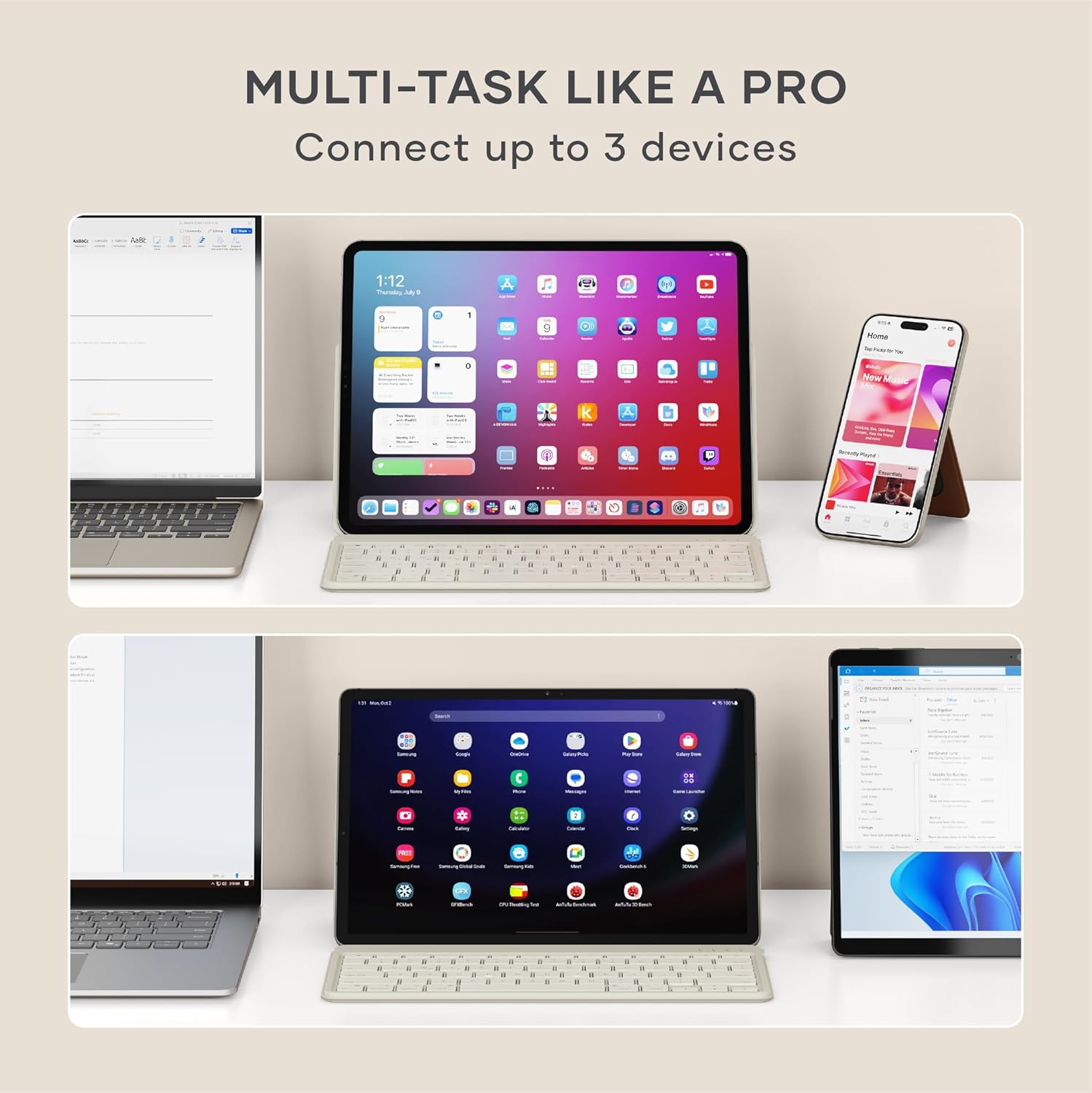
Image: Satechi OntheGo Keyboard connected to a USB-C charging cable.

Image: The Satechi OntheGo Keyboard charging via USB-C, illustrating its long battery life.
2. การจับคู่บลูทู ธ
The keyboard supports Bluetooth 5.1 and can connect to up to 3 devices simultaneously.
- Turn on the keyboard using the power switch located on the top right.
- กดปุ่มค้างไว้ Fn กุญแจพร้อมกับกุญแจอุปกรณ์บลูทูธตัวใดตัวหนึ่ง (Q, W, หรือ E) for 3-5 seconds until the corresponding LED indicator above the key starts blinking. This indicates pairing mode.
- On your device (iPad, tablet, smartphone, laptop), navigate to Bluetooth settings.
- เลือก "Satechi OntheGo Keyboard" จากรายการอุปกรณ์ที่มีให้เลือก
- Follow any on-screen prompts to complete the pairing process. The LED indicator will stop blinking and remain solid once connected.
- Repeat these steps for up to two additional devices using the other Bluetooth device keys (W or E).

Image: The Satechi OntheGo Keyboard highlighting Bluetooth 5.1 and 3-device connectivity.

Image: A user switching between an iPad and a smartphone using the keyboard's multi-device feature.
การใช้งานแป้นพิมพ์
1. การใช้งานขาตั้งปรับระดับได้
The keyboard features an integrated adjustable stand that supports tablets and smartphones up to 13 inches in both portrait and landscape modes, offering viewมุมตั้งแต่ 30° ถึง 150°
- Gently unfold the stand from the back of the keyboard.
- Place your tablet or smartphone into the stand's groove.
- Adjust the angle of the stand to your preferred viewing position. The reinforced metal hinge ensures stability.

Image: The keyboard in use with an iPad, demonstrating its ergonomic design.
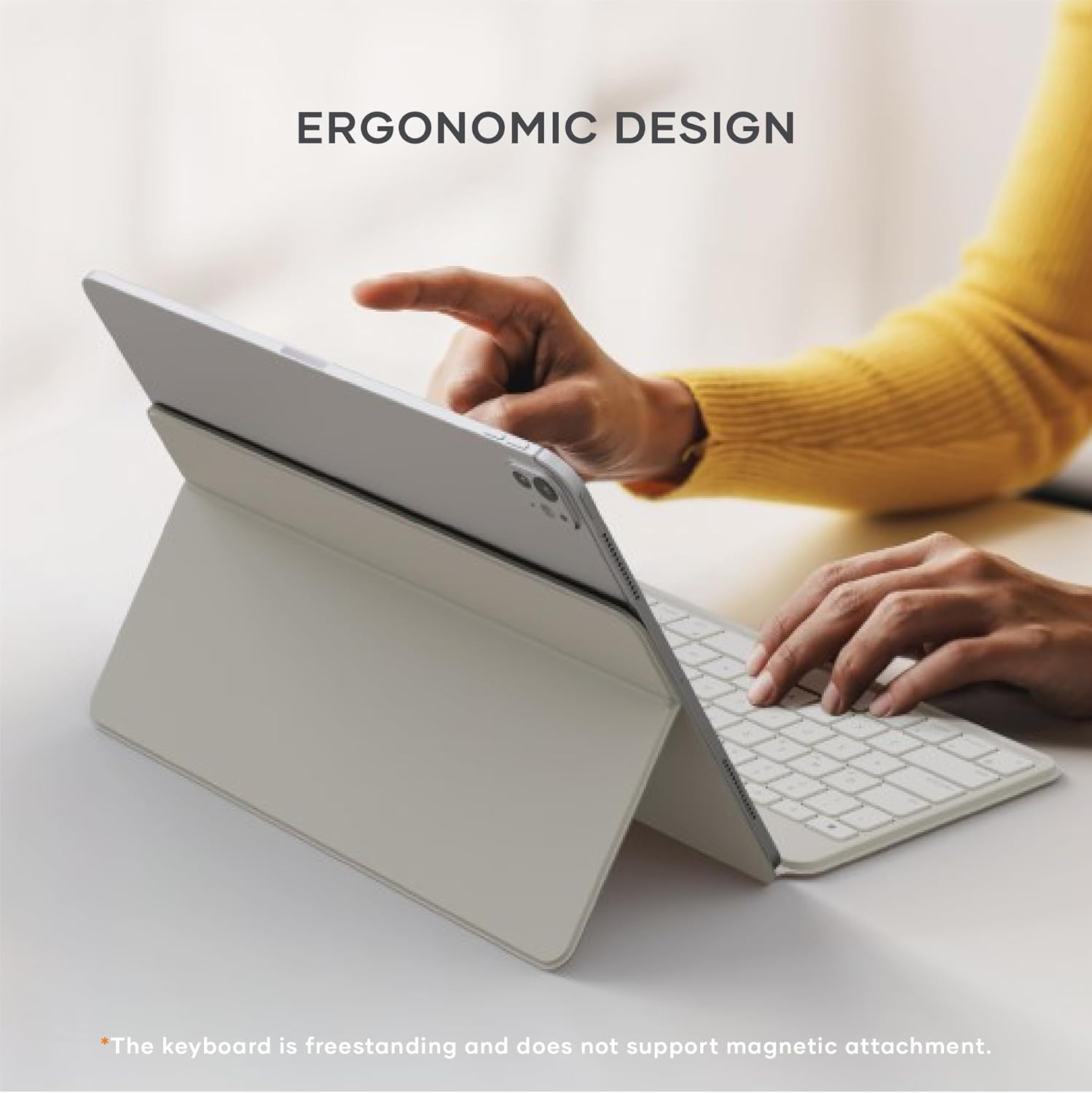
Image: Diagram illustrating the adjustable viewing angles of the keyboard's integrated stand.
2 การสลับระหว่างอุปกรณ์
To switch between your paired Bluetooth devices:
- กดปุ่ม Fn key along with the corresponding Bluetooth device key (Q, W, หรือ E) for the desired device. The keyboard will quickly switch its connection.

Image: The keyboard demonstrating multi-device connectivity with an iPad, laptop, and smartphone.
3. รูปแบบและคุณสมบัติของแป้นพิมพ์
แป้นพิมพ์มีคุณสมบัติแบบโปรไฟล์ต่ำfile scissor switches for a smooth and quiet typing experience. It includes standard function keys and is compatible with iOS, iPadOS, Android, MacOS, and ChromeOS.
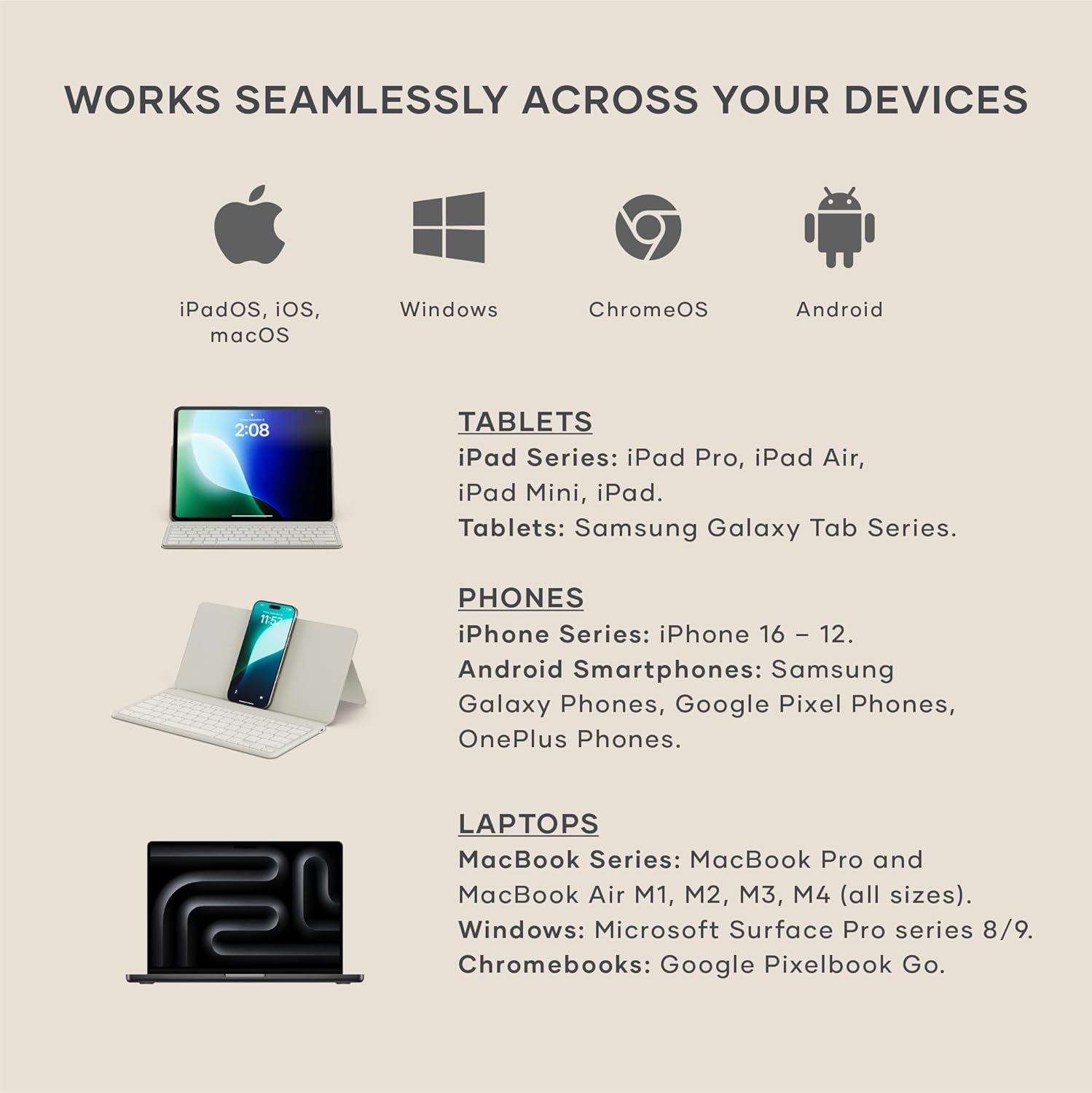
Image: Visual representation of the keyboard's broad compatibility across different operating systems and device types.
การซ่อมบำรุง
1. การทำความสะอาด
เพื่อรักษารูปลักษณ์และการทำงานของแป้นพิมพ์:
- ใช้ผ้าเนื้อนุ่มที่ไม่เป็นขุยเช็ดทำความสะอาดพื้นผิวแป้นพิมพ์
- สำหรับรอยฝังแน่น ให้ลบออกเล็กน้อยampชุบน้ำหรือน้ำยาทำความสะอาดสูตรอ่อนโยนที่ไม่มีฤทธิ์กัดกร่อนบนผ้า
- หลีกเลี่ยงความชื้นที่มากเกินไปและอย่าฉีดน้ำยาทำความสะอาดลงบนแป้นพิมพ์โดยตรง
2. การดูแลแบตเตอรี่
เพื่อยืดอายุการใช้งานและประสิทธิภาพของแบตเตอรี่ให้สูงสุด:
- ชาร์จแป้นพิมพ์ให้เต็มก่อนใช้งานครั้งแรก
- ควรหลีกเลี่ยงการปล่อยให้แบตเตอรี่หมดเกลี้ยงเป็นประจำ
- เก็บแป้นพิมพ์ไว้ในที่แห้งและเย็นเมื่อไม่ได้ใช้งานเป็นเวลานาน
การแก้ไขปัญหา
1. ปัญหาการเชื่อมต่อ
- คีย์บอร์ดไม่จับคู่: Ensure the keyboard is in pairing mode (LED blinking). Check your device's Bluetooth settings to ensure Bluetooth is enabled and the keyboard is visible. Try forgetting the device on your host device and re-pairing.
- การเชื่อมต่อไม่ต่อเนื่อง: Ensure the keyboard is within the 10-meter Bluetooth range of your device. Avoid obstructions between the keyboard and device. Check for interference from other wireless devices.
2. Key Functionality
- คีย์ไม่ตอบสนอง: Ensure the keyboard is charged. Try turning the keyboard off and on again. If connected to multiple devices, ensure you have switched to the correct device channel (Fn + Q/W/E).
- Incorrect key input: Verify that the keyboard layout on your device matches the physical layout of the Satechi keyboard.
ข้อมูลจำเพาะ
- ขนาดสินค้า : ยาว 11.31 นิ้ว x กว้าง 5.88 นิ้ว x สูง 0.5 นิ้ว (28.74 ซม. x 14.94 ซม. x 1.27 ซม.)
- น้ำหนักสินค้า: 1.21 ปอนด์ (546.4 กรัม)
- เทคโนโลยีการเชื่อมต่อ: บลูทูธ 5.1
- แบตเตอรี่: 360mAh rechargeable (included), up to 4 months standby, 2.5 hours charge time
- อุปกรณ์ที่รองรับ: MacBook Pro 14/16-inch (2025 M5/M4/M3/M2/M1), MacBook Air 13/15-inch (2025 M4/M3/M2/M1), iPad Pro 11/13-inch (2025 M5/M4/M2/M1), iPad Air 11/13-inch (2025 M3/M2/M1), iPad Mini (2024 A17/6th Gen), iPhone 17, iPhone Air, iPhone 17 Pro, iPhone 17 Pro Max, iPhone 16/15/14/13/12 Series, Mac Mini (2024 M4/M2/M1), iMac (2024 M4/M3/M1), Mac Studio (2025 M4/M3/M2/M1), Lenovo ThinkPad, Microsoft Surface, Google Pixelbook, Google Pixel Pro 8/9, Samsung S24/Z Flip 5, and other iOS, iPadOS, Android, MacOS, ChromeOS devices.
- คุณสมบัติพิเศษ: ออกแบบตามหลักสรีรศาสตร์ พับได้ โปรไฟล์ต่ำfile Key, Portable, Rechargeable, Adjustable Stand (30°-150° viewing angles)
- วัสดุ: วัสดุคุณภาพสูง (ปุ่มกด ABS, บานพับโลหะเสริมความแข็งแรง)
- ส่วนประกอบที่รวมอยู่: 1 x Satechi OntheGo Bluetooth Keyboard, 1 x USB-C to USB-C charging cable

Image: The keyboard in its compact, folded state, with dimensions and weight indicated.
วิดีโอผลิตภัณฑ์อย่างเป็นทางการ
Satechi OntheGo Keyboard Overview
วิดีโอ: เจ้าหน้าที่ผ่านview ของคีย์บอร์ดบลูทูธ Satechi OntheGo ที่แสดงอยู่asing การออกแบบและคุณสมบัติหลัก
Satechi OntheGo Keyboard Features
Video: A short video highlighting various features and usage scenarios of the Satechi OntheGo Bluetooth Keyboard.
การรับประกันและการสนับสนุน
Satechi products are backed by a 2-year limited warranty, protecting against defects in materials and workmanship under normal use.
For customer service or additional support, please refer to the contact information provided in your product packaging or visit the official Satechi webเว็บไซต์.


