การแนะนำ
Thank you for choosing the MageGee V920 Wireless Keyboard and Mouse Combo. This product offers a seamless 2.4GHz wireless connection, a full-sized retro-style keyboard with round keycaps, and an ergonomic optical mouse. This manual provides detailed instructions for setup, operation, maintenance, and troubleshooting to ensure optimal performance and longevity of your device.
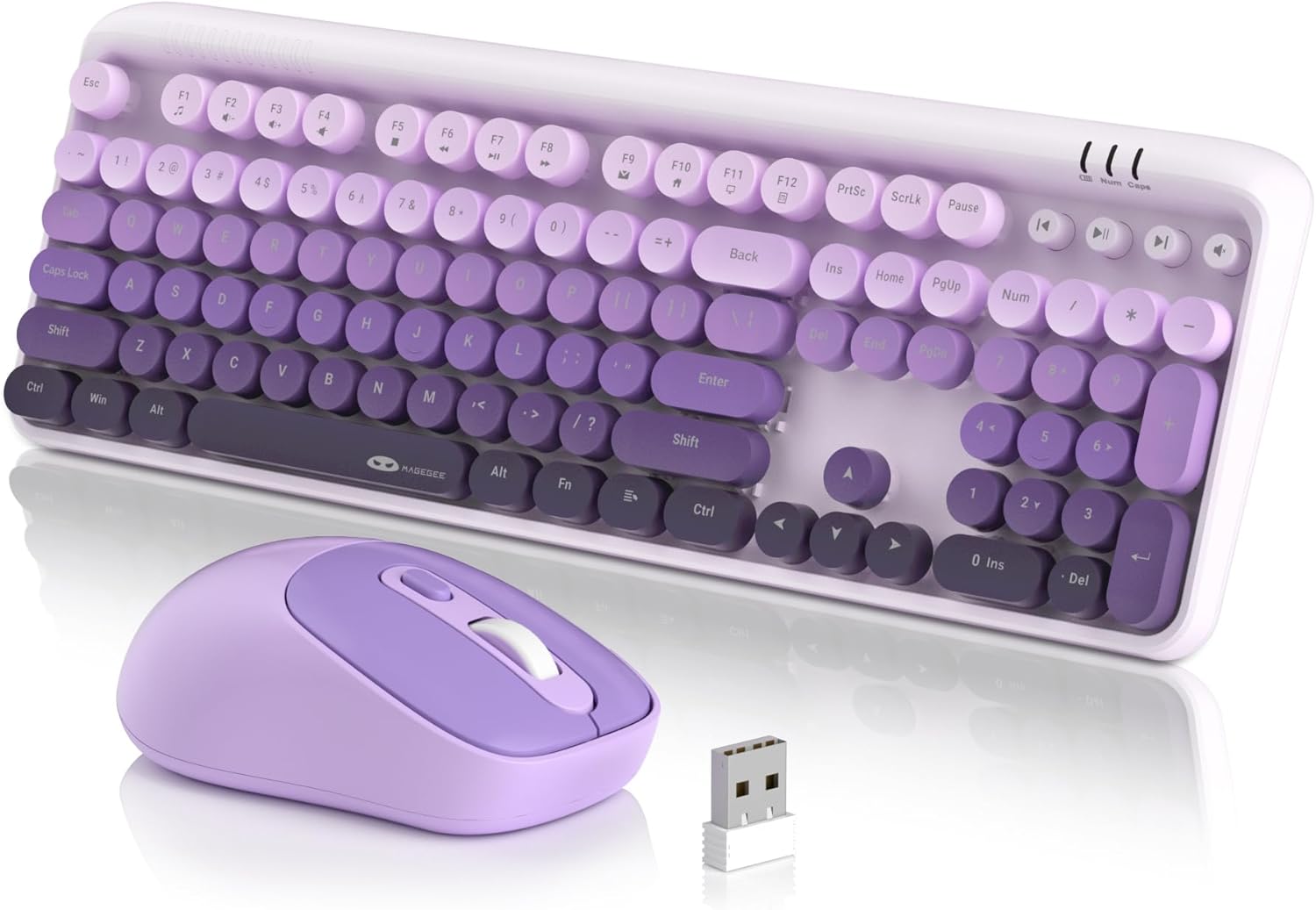
เนื้อหาแพ็คเกจ
- 1 x คีย์บอร์ดไร้สาย
- 1 x เมาส์ไร้สาย
- ตัวรับสัญญาณ USB 1 x 2.4G
- 1 x คู่มือผู้ใช้

คำแนะนำการตั้งค่า
1. การติดตั้งแบตเตอรี่
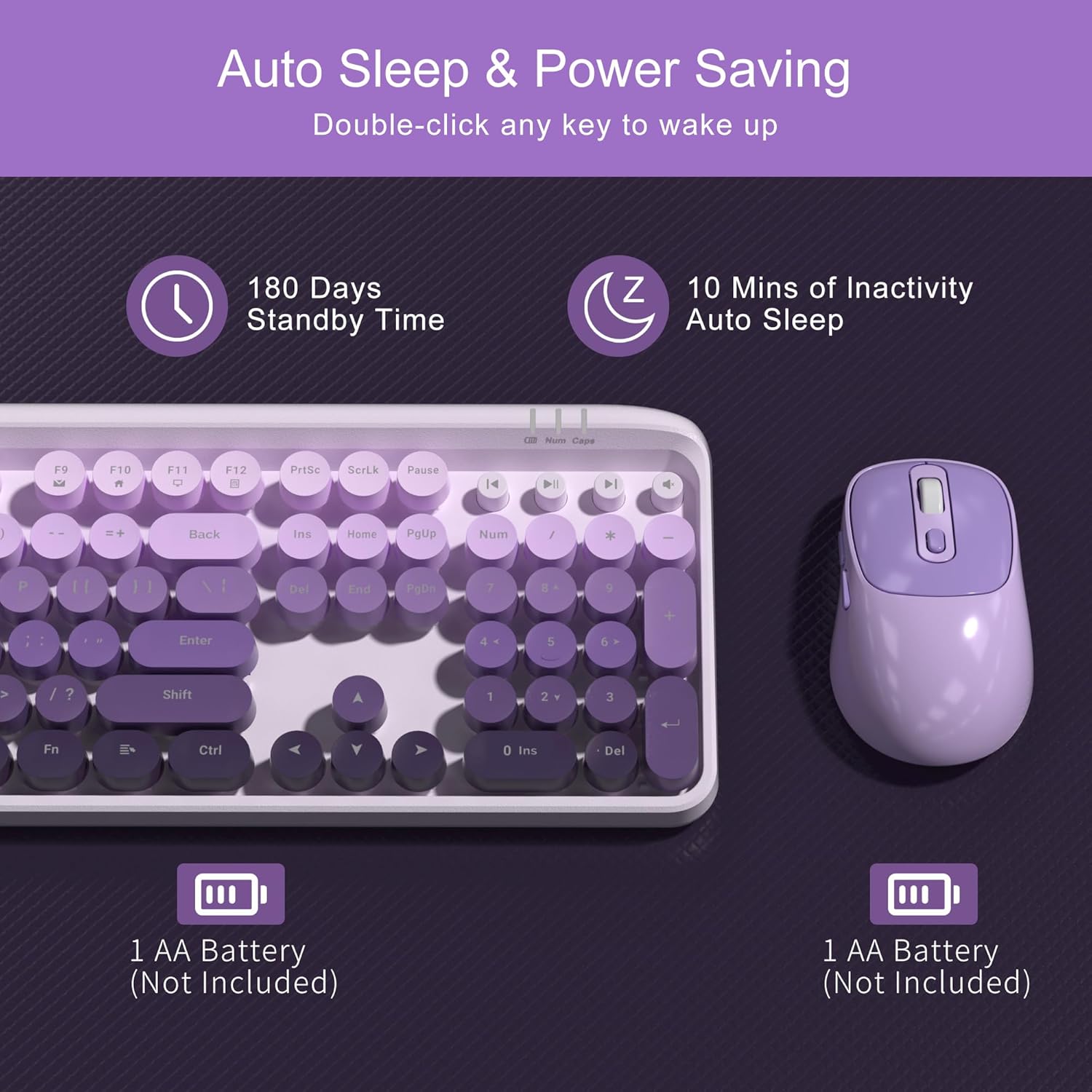
The keyboard and mouse each require one AA battery (not included). Follow these steps to install the batteries:
- Locate the battery compartment on the underside of the keyboard and the mouse.
- เปิดฝาช่องใส่แบตเตอรี่
- ใส่แบตเตอรี่ AA หนึ่งก้อนลงในแต่ละอุปกรณ์ โดยตรวจสอบให้แน่ใจว่าขั้วถูกต้อง (+/-)
- ปิดฝาช่องใส่แบตเตอรี่ให้แน่น
2. การเชื่อมต่อตัวรับสัญญาณ USB
The keyboard and mouse share a single 2.4G USB receiver for connection to your computer.
- The USB receiver is stored in a slot at the bottom of the mouse for convenience. Gently remove it.
- Plug the USB receiver into an available USB-A port on your computer (laptop or PC).
- ระบบจะตรวจจับและติดตั้งไดรเวอร์ที่จำเป็นโดยอัตโนมัติ ไม่จำเป็นต้องติดตั้งไดรเวอร์ด้วยตนเอง

3. เปิดเครื่อง
- แป้นพิมพ์: The keyboard does not have a separate power switch. It will activate once batteries are installed and the receiver is connected.
- หนู: Locate the independent power switch on the bottom of the mouse. Slide it to the 'ON' position.
Your MageGee V920 combo is now ready for use.
คำแนะนำการใช้งาน
การเชื่อมต่อไร้สาย 2.4GHz
The V920 combo utilizes a stable 2.4GHz wireless connection, offering a transmission range of up to 33 feet (10 meters). This ensures reliable performance without significant lag or dropouts.

คุณสมบัติของแป้นพิมพ์
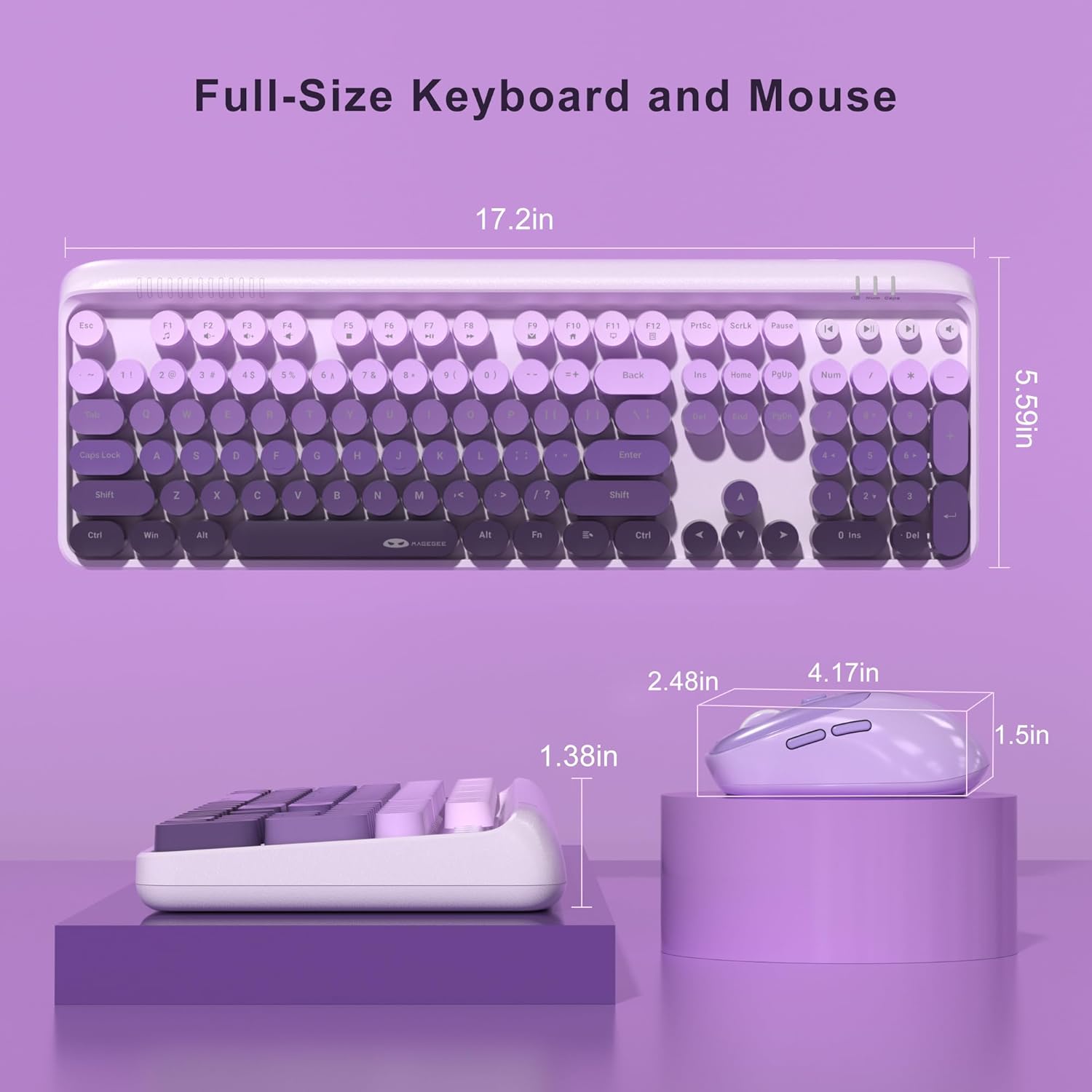
- รูปแบบเต็มขนาด: The keyboard features a 104-key layout, including a numeric keypad for efficient data entry.
- ปุ่มกดทรงกลมสไตล์ย้อนยุค: Designed for comfortable typing and a unique aesthetic.
- ขาปรับเอียงได้: Two-step keyboard feet allow you to set the keyboard at 3 different tilt angles to reduce wrist pressure and enhance ergonomic comfort.

ปุ่มลัดมัลติมีเดีย
The keyboard includes 12 standard multimedia shortcut keys and 4 dedicated one-touch hotkeys for quick access to various functions. Note: Some functions may not be available on Mac systems.
- FN + F1-F12 Combinations: Use the 'FN' key in combination with F1 through F12 for functions such as media playback control, volume adjustment, and opening applications.
- ปุ่มลัดเฉพาะ: Four independent keys provide instant control for Previous Track, Play/Pause, Next Track, and Mute.


คุณสมบัติของเมาส์
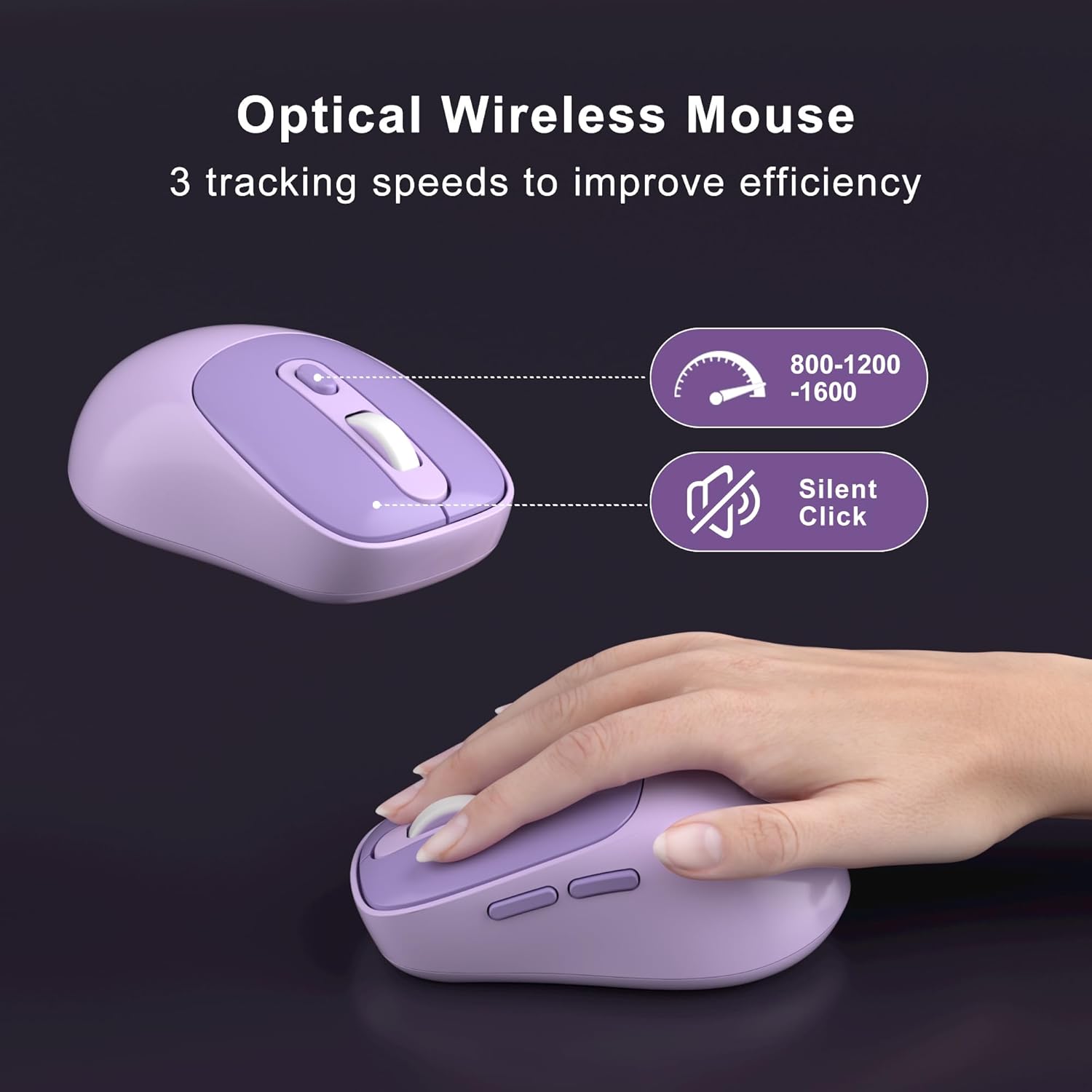
- 6 ปุ่ม: The ergonomic mouse features 6 buttons for enhanced functionality.
- 3 Tracking Speed Levels (DPI): Adjust the mouse sensitivity to 800, 1200, or 1600 DPI to match your work demands and personal preference. Press the DPI button located behind the scroll wheel to cycle through the settings.
- คลิกเงียบ: Designed for quiet operation, ensuring you do not disturb others in shared environments.

Smart Auto-Sleep Mode
To conserve battery life, both the keyboard and mouse automatically enter an energy-saving sleep mode after 10 minutes of inactivity. To wake them up, simply double-click any key on the keyboard or any button on the mouse. The mouse also has an independent power switch for manual shutdown when not in use for extended periods.
การซ่อมบำรุง
ทำความสะอาดคีย์บอร์ด
The V920 keyboard features removable round keycaps, making cleaning simple:
- Gently pull up on the keycaps to remove them.
- Use a soft brush or compressed air to remove dust and debris from under the keycaps and from the keyboard base.
- Wipe the keycaps with a damp cloth and mild cleaning solution if necessary. Ensure they are completely dry before reattaching.
- Align the keycaps with their respective switches and press down firmly until they click into place.

การเปลี่ยนแบตเตอรี่
When the keyboard or mouse becomes unresponsive or exhibits intermittent connection issues, it may be time to replace the batteries. Follow the battery installation steps outlined in the Setup Instructions section.
การแก้ไขปัญหา
- No Connection / Unresponsive Device:
- ตรวจสอบให้แน่ใจว่าตัวรับสัญญาณ USB เสียบเข้ากับพอร์ต USB ที่ใช้งานได้บนคอมพิวเตอร์ของคุณอย่างแน่นหนา
- Check if the batteries in both the keyboard and mouse are correctly installed and have sufficient charge. Replace them if necessary.
- ตรวจสอบให้แน่ใจว่าสวิตช์ไฟของเมาส์อยู่ในตำแหน่ง "เปิด"
- ลองขยับคีย์บอร์ดและเมาส์ให้ใกล้กับตัวรับสัญญาณ USB มากขึ้น เพื่อตรวจสอบว่าระยะการส่งสัญญาณเป็นปัญหาหรือไม่
- ลองเสียบตัวรับสัญญาณ USB เข้ากับพอร์ต USB อื่นบนคอมพิวเตอร์ของคุณ
- รีสตาร์ทเครื่องคอมพิวเตอร์ของคุณ
- การเชื่อมต่อล่าช้าหรือขาดๆ หายๆ:
- ลดการรบกวนโดยการย้ายอุปกรณ์ไร้สายอื่นๆ (เช่น เราเตอร์ Wi-Fi โทรศัพท์ไร้สาย) ออกจากตัวรับ
- Ensure there are no large metal objects between the keyboard/mouse and the receiver.
- ตรวจสอบระดับแบตเตอรี่และเปลี่ยนใหม่หากเหลือน้อย
- เคอร์เซอร์เมาส์กระโดดหรือไม่แม่นยำ:
- ทำความสะอาดเซ็นเซอร์ออปติคอลที่ด้านล่างของเมาส์
- ตรวจสอบให้แน่ใจว่าคุณใช้เมาส์บนพื้นผิวที่เหมาะสม หลีกเลี่ยงพื้นผิวที่สะท้อนแสงหรือโปร่งใส
- ปรับการตั้งค่า DPI โดยใช้ปุ่ม DPI บนเมาส์
- ปุ่มมัลติมีเดียใช้งานไม่ได้บน Mac:
- Some multimedia functions may not be fully supported on macOS due to system-specific configurations. This is expected behavior.
ข้อมูลจำเพาะ
| คุณสมบัติ | รายละเอียด |
|---|---|
| หมายเลขรุ่น | วี920 |
| เทคโนโลยีการเชื่อมต่อ | 2.4G ไร้สาย |
| ช่วงสาย | สูงถึง 33 ฟุต (10 เมตร) |
| เค้าโครงแป้นพิมพ์ | Full-Sized (104 keys) |
| สไตล์ปุ่มกด | Retro Round, Removable |
| การตั้งค่า DPI ของเมาส์ | 800 / 1200 / 1600 |
| ปุ่มเมาส์ | 6 ปุ่ม |
| แหล่งพลังงาน | แบตเตอรี่ AA 1 ก้อน (คีย์บอร์ด), แบตเตอรี่ AA 1 ก้อน (เมาส์) |
| โหมดสลีปอัตโนมัติ | หลังจากที่ไม่ได้ใช้งานเป็นเวลา 10 นาที |
| ขนาดสินค้า (คีย์บอร์ด) | 17.2 x 5.59 x 1.38 นิ้ว |
| น้ำหนักสินค้า | 1.5 ปอนด์ |
| อุปกรณ์ที่รองรับ | แล็ปท็อป, คอมพิวเตอร์ส่วนบุคคล |
การรับประกันและการสนับสนุน
MageGee products are designed for reliability and performance. This product comes with a standard manufacturer's warranty against defects in materials and workmanship. Please refer to the warranty card included in your package for specific terms and conditions.
For technical support, warranty claims, or any questions regarding your MageGee V920 Wireless Keyboard and Mouse Combo, please contact MageGee customer service through the retailer's platform or visit the official MageGee webเว็บไซต์สำหรับข้อมูลการติดต่อ
ข้อมูลด้านความปลอดภัย
- Do not expose the device to liquids or excessive humidity.
- หลีกเลี่ยงอุณหภูมิที่สูงหรือต่ำเกินไป
- ห้ามถอดประกอบหรือซ่อมแซมอุปกรณ์ด้วยตนเอง การกระทำดังกล่าวอาจทำให้การรับประกันเป็นโมฆะ
- ทิ้งแบตเตอรี่ตามระเบียบข้อบังคับในท้องถิ่น
- เก็บให้พ้นจากมือเด็ก


