การแนะนำ
ขอบคุณสำหรับการซื้อasing the CHEREEKI Digital LED Alarm Clock. This manual provides detailed instructions for setting up and operating your new alarm clock. Please read it thoroughly before use and keep it for future reference.
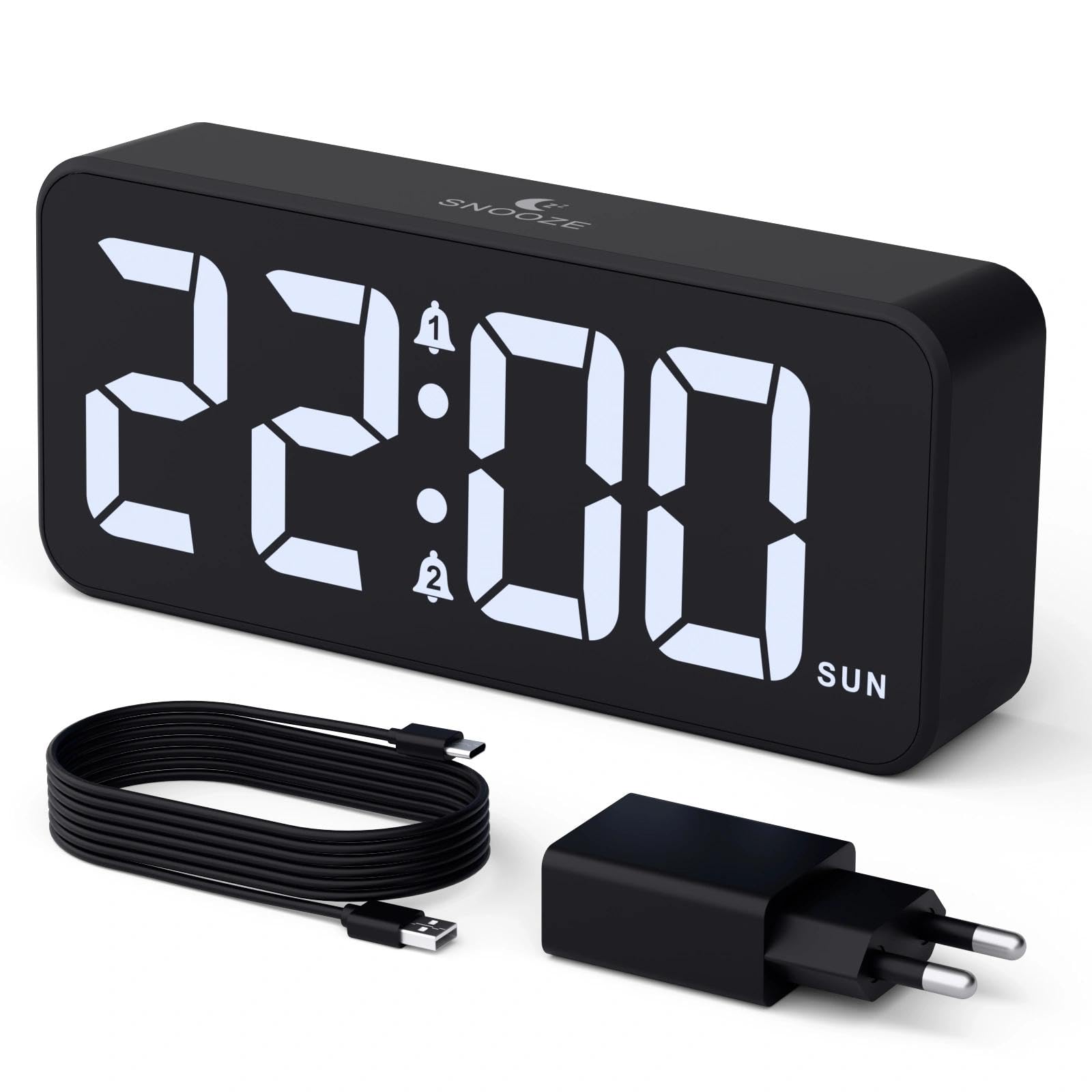
Image: The CHEREEKI Digital LED Alarm Clock, showcasing its large LED display and key features.
ข้อมูลด้านความปลอดภัย
- Ensure the power adapter and cable are compatible with the device's voltage requirements (5V/1A or 5V/2A).
- อย่าให้เครื่องโดนน้ำหรือความชื้นมากเกินไป
- หลีกเลี่ยงการวางอุปกรณ์ใกล้แหล่งความร้อนหรือแสงแดดโดยตรง
- อย่าพยายามถอดประกอบหรือซ่อมแซมอุปกรณ์ด้วยตนเอง หากมีปัญหาเกิดขึ้น โปรดติดต่อฝ่ายสนับสนุนลูกค้า
- เก็บให้พ้นจากมือเด็ก
เนื้อหาแพ็คเกจ
- CHEREEKI Digital LED Alarm Clock
- Power Adapter (5V/1A or 5V/2A)
- สายชาร์จ USB (1.5 เมตร)
- คู่มือการใช้งาน
- CR2032 Backup Battery (pre-installed or included)

Image: Illustration of the items included in the product package.
เค้าโครงและการควบคุมผลิตภัณฑ์

Image: Rear panel of the alarm clock with labels for all buttons and ports.
- ปุ่มตั้งเวลา: กดเพื่อเข้าสู่โหมดตั้งเวลา
- ปุ่มปลุก 1: Press to set Alarm 1.
- ปุ่มปลุก 2: Press to set Alarm 2.
- ปุ่มขึ้น/ลง: Adjust values during setting.
- ปุ่มปรับความสว่าง: Rotate to adjust display brightness (0-100%).
- ปุ่มปรับระดับเสียง: Rotate to adjust alarm volume (10 levels).
- พอร์ตเอาต์พุต USB: สำหรับชาร์จอุปกรณ์ภายนอก
- พอร์ตอินพุต Type-C: For power supply to the alarm clock.
- DST Button: For Daylight Saving Time adjustment.
- ช่องใส่แบตเตอรี่: เป็นที่ติดตั้งแบตเตอรี่สำรอง CR2032
การตั้งค่า
1. การเชื่อมต่อไฟฟ้า
The alarm clock operates solely on AC power. Connect the provided USB cable to the Type-C input port on the back of the clock and plug the adapter into a standard wall outlet (5V/1A or 5V/2A). The display will light up.

Image: The alarm clock connected to a power source via its adapter.
2. แบตเตอรี่สำรอง
A CR2032 backup battery is included to retain time and alarm settings during power outages. This battery does not power the display or alarm functions; it only preserves memory. Ensure the battery is correctly installed in the compartment on the back of the clock.

Image: Close-up of the backup battery compartment, indicating its purpose to retain settings during power loss.
คำแนะนำการใช้งาน
การตั้งเวลา
- Press the "TIME SET" button. The hour digits will flash.
- Use the "UP" or "DOWN" buttons to adjust the hour.
- Press "TIME SET" again to confirm the hour and move to minute setting. The minute digits will flash.
- Use the "UP" or "DOWN" buttons to adjust the minutes.
- Press "TIME SET" once more to confirm the minutes and exit time setting mode.
การตั้งค่าสัญญาณเตือน (สัญญาณเตือน 1 และ สัญญาณเตือน 2)
This clock supports two independent alarms with three scheduling options.
- Press the "ALARM 1" or "ALARM 2" button. The alarm hour digits will flash.
- Use the "UP" or "DOWN" buttons to adjust the alarm hour.
- Press the respective alarm button again to confirm the hour and move to minute setting. The minute digits will flash.
- Use the "UP" or "DOWN" buttons to adjust the alarm minutes.
- กดปุ่มตั้งปลุกอีกครั้งเพื่อเลือกกำหนดการตั้งปลุก:
- วันธรรมดา : วันจันทร์ถึงวันศุกร์
- สุดสัปดาห์: วันเสาร์ถึงวันอาทิตย์
- รายวัน: วันจันทร์ถึงวันอาทิตย์
- Press the alarm button once more to confirm the schedule and exit alarm setting mode.
- To enable/disable an alarm, press the "ALARM 1" or "ALARM 2" button briefly outside of setting mode. An alarm icon will appear/disappear on the display.

Image: The alarm clock demonstrating dual alarm settings with various scheduling options.
ฟังก์ชั่นการพักชั่วคราว
When the alarm sounds, touch the top of the clock to activate the 5-minute snooze function. The alarm will temporarily stop and sound again after 5 minutes. To turn off the alarm completely, press any other button on the back of the clock.
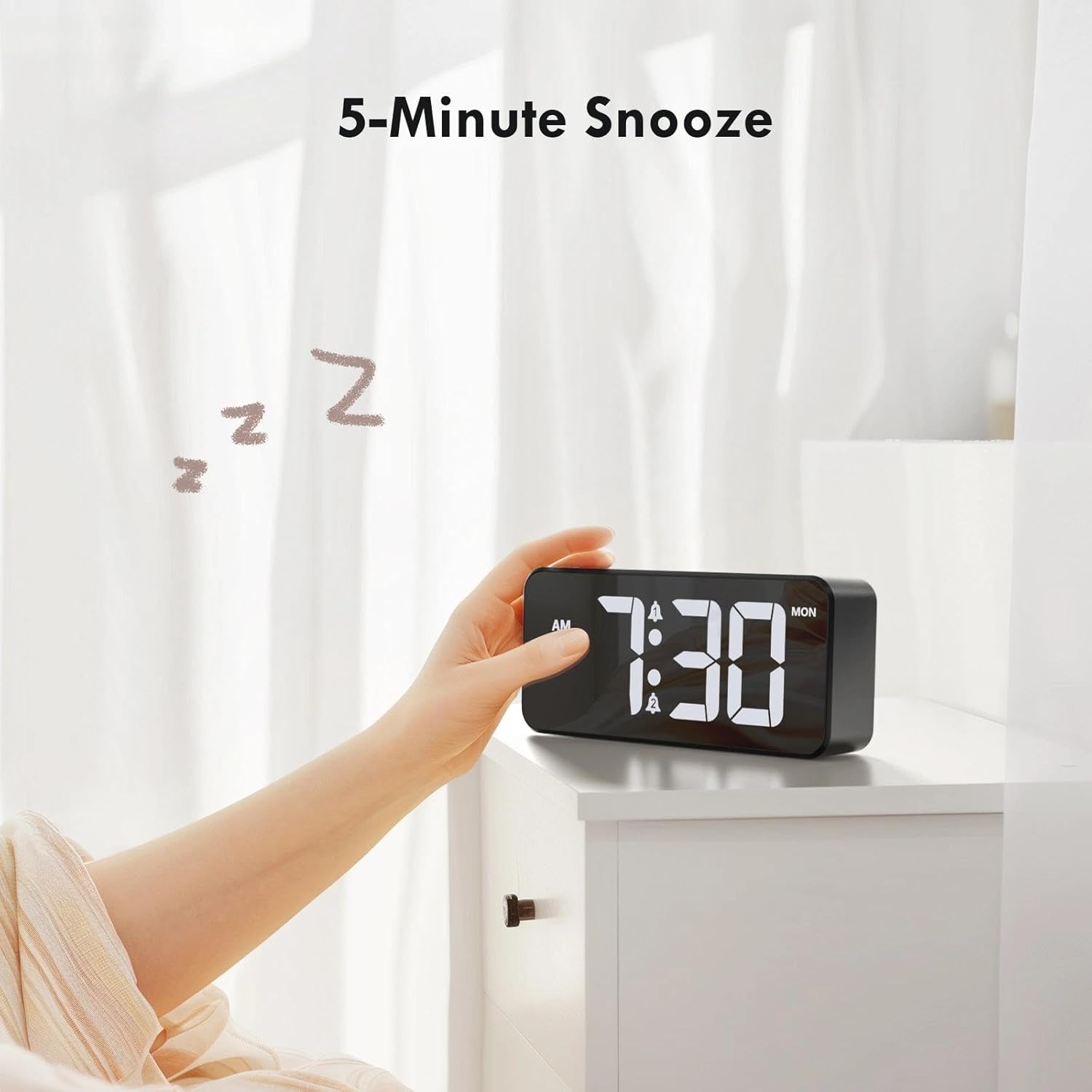
Image: A user activating the snooze function by touching the top of the alarm clock.
การปรับความสว่างของจอภาพ
Rotate the "DIMMER" knob on the back of the clock to adjust the display brightness from 0% (off) to 100% (maximum brightness). This allows for comfortable viewในทุกสภาพแสง

Image: Visual representation of the adjustable brightness feature and the dimmer knob.
การปรับระดับเสียงปลุก
Rotate the "VOLUME" knob on the back of the clock to select one of the 10 available alarm volume levels. Choose a volume that suits your preference.

Image: The volume control knob and a visual scale indicating adjustable volume levels.
รูปแบบ 12/24 ชั่วโมง
To switch between 12-hour and 24-hour time formats, press and hold the "TIME SET" button for a few seconds until the format changes. In 12-hour format, "AM" or "PM" indicators will be displayed.

Image: The alarm clock showing both 12-hour and 24-hour time display options.
พอร์ตชาร์จ USB
The USB-A output port on the back of the clock allows you to charge other devices, such as smartphones or tablets. Simply connect your device's charging cable to this port.

Image: The alarm clock charging a smartphone via its integrated USB port.
เวลาออมแสง (DST)
To adjust for Daylight Saving Time, press the "DST" button on the back of the clock. This will advance or set back the time by one hour. Press it again to revert.
การซ่อมบำรุง
- Clean the clock's surface with a soft, dry cloth. Do not use abrasive cleaners or solvents.
- รักษาอุปกรณ์ให้ปราศจากฝุ่นและเศษซาก
- If the backup battery needs replacement, use a CR2032 coin cell battery. Ensure correct polarity.
การแก้ไขปัญหา
| ปัญหา | สาเหตุที่เป็นไปได้ | สารละลาย |
|---|---|---|
| จอแสดงผลปิดอยู่ | Not connected to power; Dimmer set to 0%. | Ensure the clock is plugged into a working power outlet. Rotate the Dimmer knob to increase brightness. |
| สัญญาณเตือนภัยไม่ดัง | Alarm not activated; Volume set to minimum. | Press the ALARM 1/2 button to activate the alarm (icon should appear). Rotate the Volume knob to increase volume. |
| การตั้งค่าจะหายไปหลังจากไฟดับtage. | แบตเตอรี่สำรองหมดหรือหายไป | เปลี่ยนแบตเตอรี่สำรอง CR2032 |
| การชาร์จผ่าน USB ไม่ทำงาน | Clock not powered; Device cable faulty. | Ensure the alarm clock is powered. Try a different USB cable or device. |
ข้อมูลจำเพาะ
- ยี่ห้อ: เชอรีกี
- แบบอย่าง: B0FHHKMP1X
- สี: สีดำ
- ประเภทจอภาพ: ดิจิตอล LED
- วัสดุ: อะคริโลไนไตรล์ บิวทาไดอีน สไตรีน (ABS)
- ขนาดสินค้า : 14.5 x 3.81 x 6.5 ซม. (5.7 x 1.5 x 2.5 นิ้ว)
- น้ำหนักสินค้า: 230 กรัม (0.5 ปอนด์)
- แหล่งพลังงาน: Wired Electric (5V/1A or 5V/2A adapter)
- แบตเตอรี่สำรอง: CR2032 (สำหรับเก็บรักษาข้อมูลในหน่วยความจำเท่านั้น)
- คุณสมบัติพิเศษ: Adjustable Brightness, Dual Alarm, Snooze, USB Charging Port, 12/24H Format, Adjustable Volume, Day of Week Display
การรับประกันและการสนับสนุน
This CHEREEKI Digital LED Alarm Clock comes with a รับประกันตลอดอายุการใช้งาน. For any product inquiries, technical support, or warranty claims, please contact CHEREEKI customer service through the retailer where you purchased the product or visit the official CHEREEKI webเว็บไซต์สำหรับข้อมูลการติดต่อ
โปรดเก็บหลักฐานการซื้อไว้เพื่อวัตถุประสงค์การรับประกัน
