การแนะนำ
Thank you for choosing the FOPO 15.6" Triple Portable Laptop Monitor. This device is designed to enhance your productivity by providing an extended display for your laptop, creating a multi-screen workstation wherever you go. This manual provides essential information on setup, operation, and maintenance to ensure optimal performance and longevity of your device.
เนื้อหาแพ็คเกจ
โปรดตรวจสอบว่าสินค้าทั้งหมดที่ระบุไว้ด้านล่างนี้รวมอยู่ในแพ็คเกจของคุณแล้ว หากมีสินค้าใดสูญหายหรือเสียหาย โปรดติดต่อฝ่ายสนับสนุนลูกค้า
- 1x FOPO Triple Portable Laptop Monitor (Model S9)
- 1x กระเป๋าถือ
- 2x USB-C to USB-C Cables
- 2x Mini HDMI to HDMI Cables
- 2x สาย USB-C ถึง USB-A
- อะแดปเตอร์ไฟฟ้า 1x
- 1x คู่มือผู้ใช้
- 1x ฝาครอบป้องกัน
- 1x เคเบิ้ลไทร์
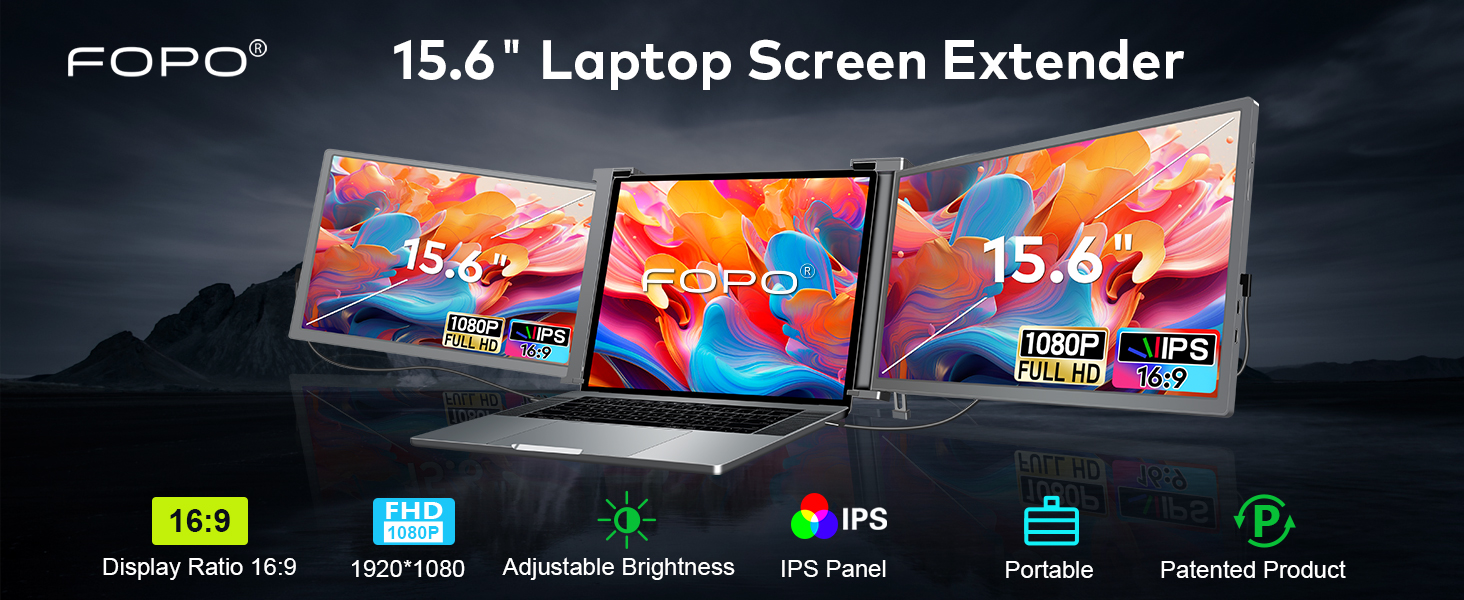
Image: A detailed layout of all items included in the FOPO Triple Portable Laptop Monitor package, including the main unit, cables, power adapter, carry bag, and user manual.
คุณสมบัติผลิตภัณฑ์
- ภาพที่น่าทึ่ง: 15.6" FHD 1080P IPS displays with 72% NTSC, 1000:1 contrast ratio, 300 nits brightness, and wide viewมุมการเอียง
- การออกแบบที่หลากหลาย: Dual rotatable screens (right 0-180°, left 0-235°) for flexible viewการสนทนาและการแชร์หน้าจอ
- ขาตั้งแบบบูรณาการ: Stable built-in kickstand for adjustable length and comfortable viewing angles, preventing falls.
- พกพาได้: Foldable and lightweight design (3.98 lbs) with a convenient carry bag, ideal for travel and remote work.
- การเชื่อมต่อที่ง่ายดาย: Plug and Play functionality with USB-C and HDMI ports, no extra drivers or software needed.
- การชาร์จแบบย้อนกลับ: Display PD power cable supports reverse charging for laptops.

Image: The FOPO monitor in various configurations, demonstrating its dual rotatable screens and different display modes (Extended and Mirror).
ความเข้ากันได้
This monitor offers broad compatibility with various devices and operating systems. Please ensure your laptop meets the following requirements for optimal performance:
- Laptop Size: Suitable for 15.6-17.3 inch laptops. Adaptive laptop dimensions: Length (left to right) 13.5-18.2 inches, Breadth (top to bottom) >9.4 inches, Thickness (display panel) <0.3 inches.
- ระบบปฏิบัติการ: Windows, MacOS (M1 Pro and M1 Max chips only), Android, Switch, Xbox.
- การเชื่อมต่อ: Requires a full-featured USB-C port (for power supply & video signal) or a combination of USB-A and HDMI ports.

Image: A visual guide explaining how to identify a full-featured USB-C port by its symbols (Thunderbolt 3, Thunderbolt 4, SS with DP icon). It also lists incompatible laptop models.
Incompatible Laptop Models
Please note that the following laptop models are generally incompatible. If your laptop is listed, please contact customer support to confirm compatibility before purchase:
- แมคบุ๊ค : M1/M2/M3 MacBook, MacBook Pro 2012 and earlier, MacBook Air 2017 and earlier
- ไมโครซอฟต์: Surface Series (including Surface Pro/Go/Go 2, Surface Pro 6/Pro 7/ProX, Surface Laptop Go/3/2/4)
- เลอโนโว : Thinkpad X1 Fold, Yoga Chromebook 15.6", Yoga 7i 14", S540 13"
- เอชพี: HP G62 (2010), ENVY X360 13-ay0056AU, ENVY 13
- หัวเว่ย: MateBook 13 2020 3.3", 13 2021 13.3", E 2019 12"
- ซัมซุง: Galaxy Book S/Book Pro 360, Galaxy Chromebook
- เดลล์ : Dell XPS 13 Early 2015, Dell Vostro Series
คำแนะนำการตั้งค่า
1. การตั้งค่าทางกายภาพ
- Carefully remove the triple monitor unit from its packaging.
- Place your laptop on a stable, flat surface.
- Unfold the triple monitor unit and attach it to the top of your laptop screen. Ensure the brackets securely grip the top edge of your laptop screen.
- Adjust the integrated kickstand at the back of the triple monitor unit to provide stable support and achieve your desired viewมุมอิง

Image: A close-up of the adjustable bracket on the back of the FOPO monitor, demonstrating how to press and extend it for stability.
2. การเชื่อมต่อสายเคเบิล
The FOPO monitor supports two main connection methods:
- ตัวเลือกที่ 1: พอร์ต USB-C แบบเต็มรูปแบบสองพอร์ต
- Connect one USB-C to USB-C cable from your laptop's first full-featured USB-C port to the left monitor's USB-C port.
- Connect a second USB-C to USB-C cable from your laptop's second full-featured USB-C port to the right monitor's USB-C port.

Image: Visual instructions for connecting the triple monitor using two USB-C to USB-C cables, assuming the laptop has two full-featured USB-C ports.
- Option 2: USB-C and HDMI Ports
- Connect one USB-C to USB-C cable from your laptop's full-featured USB-C port to one of the monitor's USB-C ports (for power and video).
- Connect a Mini HDMI to HDMI cable from your laptop's HDMI port to the other monitor's Mini HDMI port (for video).
- Connect a USB-C to USB-A cable from your laptop's USB-A port to the remaining monitor's USB-C port (for power only).

Image: Visual instructions for connecting the triple monitor using a combination of USB-C, USB-A, and HDMI cables, suitable for laptops with varied port types.
3. แหล่งจ่ายไฟ
If your laptop's USB-C ports do not provide sufficient power (e.g., if the screen flashes), you may need to use the included power adapter:
- Connect the power adapter to an external outlet.
- Connect the power adapter's USB-C cable to the monitor's dedicated power input port.

Image: Illustration of connecting a 65W+ power adapter to the monitor for reverse charging, which also powers the laptop.
คำแนะนำการใช้งาน
1. การกำหนดค่าการแสดงผล
After connecting the monitors, you may need to configure your display settings:
- สำหรับ Windows:
- Go to your Display Settings (Start > Settings > System > Display).
- Click and drag screens to configure their arrangement.
- To set different display modes (Extend, Duplicate, Second screen only), select the desired option.
- If any of the screens are upside down, click on the screen in the display menu, then click on the "Identify" button down the screen to find the corresponding screen and select the one, then enter into the "Multiple displays" menu to set the orientation to Landscape (flipped).
- สำหรับ MacOS:
- Open "System Preferences" > "Displays".
- Click "Display Settings" from display menu.
- คลิกชื่อมอนิเตอร์เพื่อตั้งค่าการแสดงผลแบบมิเรอร์หรือแบบขยาย
- Click any display screen in the interface shown in to adjust the screen position.

Image: Side-by-side comparison of display settings interfaces for Windows and MacOS, illustrating how to arrange and configure multiple monitors.
2. การปรับความสว่าง
Each monitor has separate OSD buttons for brightness adjustment. Use the physical buttons on the monitor to increase or decrease brightness to your preference.

Image: A visual representation of the FOPO triple monitor setup with separate OSD buttons for brightness adjustment on each screen.
3 การหมุนหน้าจอ
The left screen can rotate from 0 to 235 degrees, and the right screen can rotate from 0 to 180 degrees. This allows for flexible viewing options, including portrait mode or screen sharing with colleagues.
การจัดการพลังงาน
The FOPO Triple Portable Laptop Monitor supports reverse charging for your laptop via its PD power cable. This means the monitor can draw power from an external adapter and simultaneously charge your laptop, extending your work time on the go.
การแก้ไขปัญหา
- หน้าจอไม่แสดง: Ensure all cables are securely connected. Verify your laptop's ports support video output. For MacOS, ensure you have M1 Pro or M1 Max chip.
- Screen flashing/insufficient power: Connect the included power adapter to an external outlet and the monitor's power input.
- Incorrect display orientation: Adjust settings in your operating system's display preferences (refer to Operating Instructions).
- ไม่มีเสียง: Check your laptop's sound settings and ensure the monitor's volume is not muted or too low.
ข้อมูลจำเพาะ
| คุณสมบัติ | ข้อมูลจำเพาะ |
|---|---|
| หมายเลขรุ่น | S9 |
| ขนาดหน้าจอ | 15.59 นิ้ว |
| ปณิธาน | 1920 x 1080 พิกเซล (FHD 1080p) |
| อัตราส่วนภาพ | 16:9 น. |
| คำอธิบายพื้นผิวหน้าจอ | จอแอลซีดี |
| ขนาดสินค้า | 1.6 x 15.5 x 9.6 นิ้ว |
| น้ำหนักสินค้า | 6.89 ปอนด์ |
| ผู้ผลิต | SHENZHEN E-Tech Digtial Technology CO., Ltd. |
วิดีโอผลิตภัณฑ์อย่างเป็นทางการ
FOPO 15.6" Triple Portable Laptop Monitor - Overview
Video: A 45-second official video from FOPO Direct showcasing the FOPO 15.6" Triple Portable Laptop Monitor, highlighting its key features and design.
15.6" Triple Portable Laptop Monitor - Setup & Usage
Video: A 3-minute and 41-second official video from FOPO Direct demonstrating the setup and various usage scenarios of the 15.6" Triple Portable Laptop Monitor.
การรับประกันและการสนับสนุน
The FOPO Triple Portable Laptop Monitor comes with a standard manufacturer's warranty. For specific warranty details, technical support, or any inquiries, please refer to the contact information provided in your package or visit the official FOPO website. Always ensure compatibility and check laptop size before making a purchase.


